
Git Worktrees Are the Key to Running AI Agents in Parallel
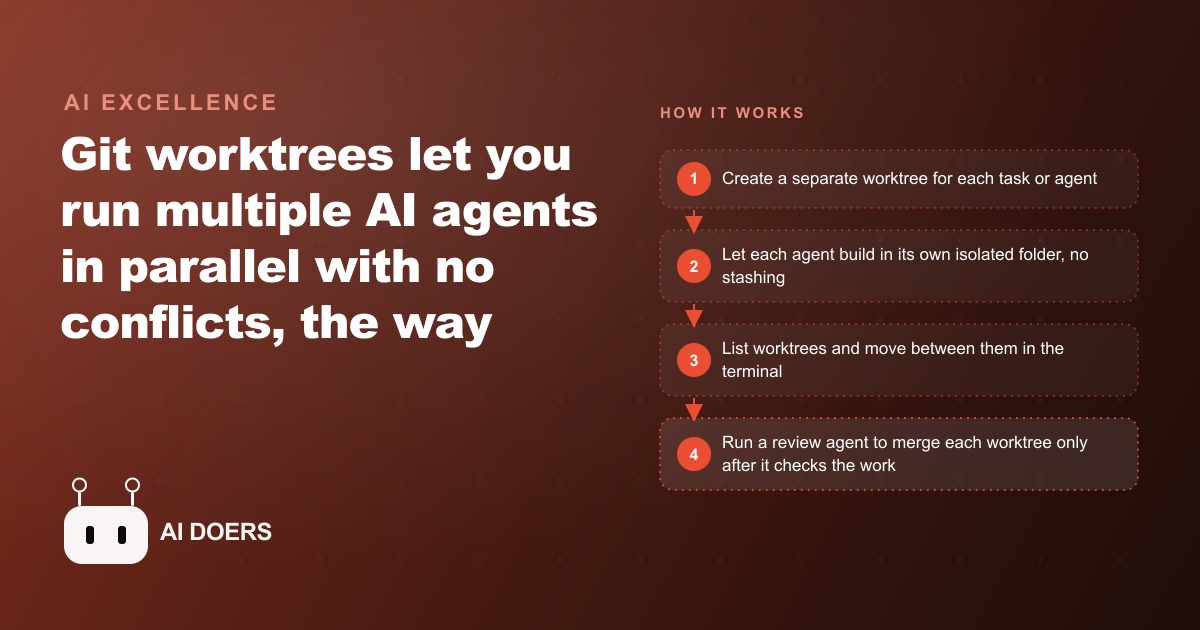
A Git worktree is a copy of your project folder that shares the same Git history, so each AI agent gets an isolated workspace and multiple agents can build, fix, and review in parallel without ever clashing over the same files.

I am Madhuranjan Kumar. This is the story of a small web agency that figured out why their AI-assisted development was slower than it should have been, and what a Git feature built in 2015 did to fix it.
The agency managed ongoing development across six client accounts. One developer handled most of the active work, supplemented by AI coding agents they had started using to tackle parallel tasks. Two months into using agents, the developer was pleased with the speed on individual assignments. The coordination problem was eating the gains. Running more than one agent simultaneously was theoretically straightforward and practically messy, and the mess was costing the efficiency the whole approach was supposed to deliver.
The Problem: Three Agents, One Directory, Constant Collisions
The collision pattern repeated itself in predictable ways. The developer would start one agent on a backend API update for a client project and a second agent on a frontend component revision in the same codebase. Both agents worked in the same working directory, on the same checked-out branch. Within twenty minutes, one of several problems would appear.
The most common problem was a shared file conflict. One agent would modify a configuration file, a utility module, or a shared type definition that the second agent was also reading or changing. The second agent would encounter the changed file mid-task and either attempt to incorporate the unexpected change into its own output or overwrite the first agent's work when it completed its modifications. The result was output from two agents that neither had been designed to produce together, with subtle inconsistencies difficult to trace back to any single cause.
The second problem was context pollution from branch switching. When the developer needed to interrupt one agent mid-task to handle something urgent, the standard response was to stash the uncommitted changes and switch branches. But switching branches while an agent had work in progress meant the agent's context, the set of files and partial changes it was reasoning about, no longer matched the state of the working directory after the switch. The agent would either continue generating output based on a state that no longer existed or it would start producing errors and clarifying questions that disrupted the whole workflow.
The developer calculated the overhead: roughly forty-five minutes per day was disappearing into collision resolution, stash management, context confusion, and output verification. Over five working days, that was close to four hours of productive development capacity lost to coordination problems every single week.
The Discovery: A Git Feature That Existed Since 2015 but Almost Nobody Used
The discovery came from reading release notes about how the Claude desktop application handles multiple project sessions. A note explained that the app creates a Git worktree automatically when you open the same project in two separate windows. The developer had seen this behavior without understanding it and looked up what a worktree actually was.
Git worktrees had been added to the version control system in 2015, roughly a decade before they became relevant to most working developers. The feature allows you to check out multiple branches of the same repository into separate directories simultaneously, each directory having its own working state completely isolated from every other worktree attached to the same repository.
The clearest way to understand it is the machine shop analogy. A shop with three workbenches does not make one mechanic complete a car before anyone starts on the next job. Each vehicle goes up on its own lift in its own bay. Mechanics work in parallel without their work contaminating each other. When a job in one bay is complete, the shop foreman inspects it and signs off before the car rolls back to the customer. Worktrees are the bays. Each one holds one job. The main project directory is the foreman's office where completed work gets reviewed and merged.
The distinction from a clone was also important to understand precisely. A clone is a full independent copy of the repository that diverges from the source unless manually synchronized. A worktree is a linked working directory inside the same repository that shares the entire commit history, the remote configuration, and the branch structure. The only thing each worktree has exclusively is its own checked-out branch and its own set of uncommitted changes. Creating a worktree takes a single command and a few seconds. Deleting it after the work is merged takes another single command. No network operations, no large disk copies, no complex setup.
The developer spent two hours reading the Git documentation on worktrees and running experiments on a test repository before applying the pattern to any client work. Those two hours were an investment worth making. Understanding precisely what isolation worktrees provide, specifically that they share the repository state but not the working directory state, meant the developer could design the multi-agent workflow deliberately rather than just following tool defaults and hoping the behavior would be correct.
The Setup: One Worktree per Agent, One Branch per Task, No Exceptions
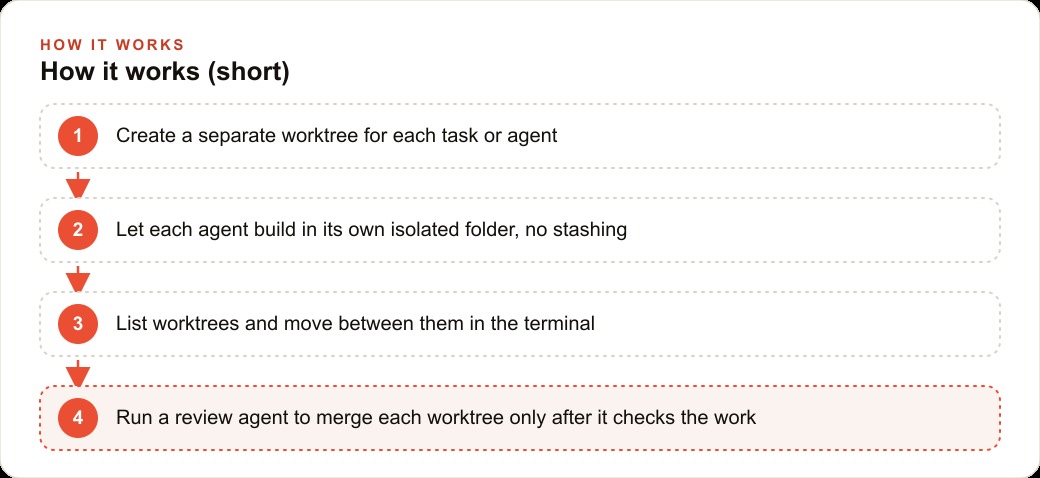
The rule the developer settled on was simple and strictly enforced: each agent gets one worktree, each worktree has one branch, and no agent works in a worktree that another agent has touched during the same sprint. Three agents running in parallel meant three worktrees plus the main project directory where the developer did their own work and where the eventual review step would run.
Creating a worktree uses a single git command: git worktree add followed by a path for the new directory and the branch name to check out in it. The developer named worktrees and branches to match the task they contained. A worktree named after its purpose was immediately legible in any pull request or sprint summary. A worktree named by convention without context was not.
The rule against agents sharing worktrees required active enforcement because the temptation to violate it was real. When an agent finished early, redirecting it to assist another agent in its worktree seemed efficient. The developer tried this twice in the first week. Both times it produced collisions of the exact kind the worktree setup was designed to prevent. One agent's half-finished context became context for the other, producing output that blended two reasoning streams neither had been designed to blend. After two experiments confirmed the strict rule, the developer stopped testing it.
A staging protocol emerged over the first two weeks. When an agent reported its task complete, the developer navigated into that worktree, read the diff, and confirmed the output matched the assignment before signaling the agent to proceed to a self-review step. This two-stage check, the developer's diff read followed by the agent's own output review against the original requirements, caught a meaningful number of subtle errors before they reached the merge step, where catching them would have been more expensive.
Listing active worktrees became a start-of-day habit. The command git worktree list shows every worktree attached to the repository and which branch each one has checked out. A thirty-second scan at the start of the day confirmed which tasks were still in progress, which were ready for review, and which had been merged and could be cleaned up with git worktree remove. Clean worktree hygiene meant the list stayed short and legible rather than accumulating stale entries from completed work.
The First Parallel Sprint: Backend, Frontend, and a Review Agent Running at the Same Time
The first sprint using the full worktree setup involved three tasks that were genuinely independent. An API endpoint for a new data export feature needed to be built. A UI component for displaying that exported data needed to be built. A set of accessibility improvements to the main navigation had been in the backlog for three weeks without progress.
The developer created three worktrees, one for each task, and launched a separate agent in each. The API agent worked in the backend worktree. The UI agent worked in the frontend worktree. The accessibility agent worked in its own isolated directory. None of them could read the others' uncommitted changes. None of them could accidentally overwrite or interfere with work in progress in another worktree.
The dependency question required solving differently than in the sequential approach. In prior sprints, the API was completed first so the UI agent could be given the actual interface to build against. In the parallel approach, the developer wrote a short interface specification document describing the endpoint's expected inputs and outputs before any agent started work. Both the API agent and the UI agent received this document as part of their task context. The API agent built the endpoint to match the specification. The UI agent built the component to call the specification. When both finished and were merged, they connected correctly because they had been built to the same contract rather than one being built to the other's actual implementation.
The developer ran a timer against the previous week's comparable sprint. The sequential approach had completed three similar tasks over two and a half days. Each task had taken four to six hours of agent-assisted development followed by review. Total clock time: roughly twenty hours from first task start to all three completed and merged.
The parallel worktree approach completed all three tasks in eight hours from first agent launch to all three branches ready for review. The review process took ninety minutes spread across the day, reading diffs and running quick tests on each branch before merging. Total clock time: nine and a half hours, compared to twenty. The same three deliverables in less than half the previous time.
Eight Weeks Later: Four Features per Sprint Where There Used to Be One
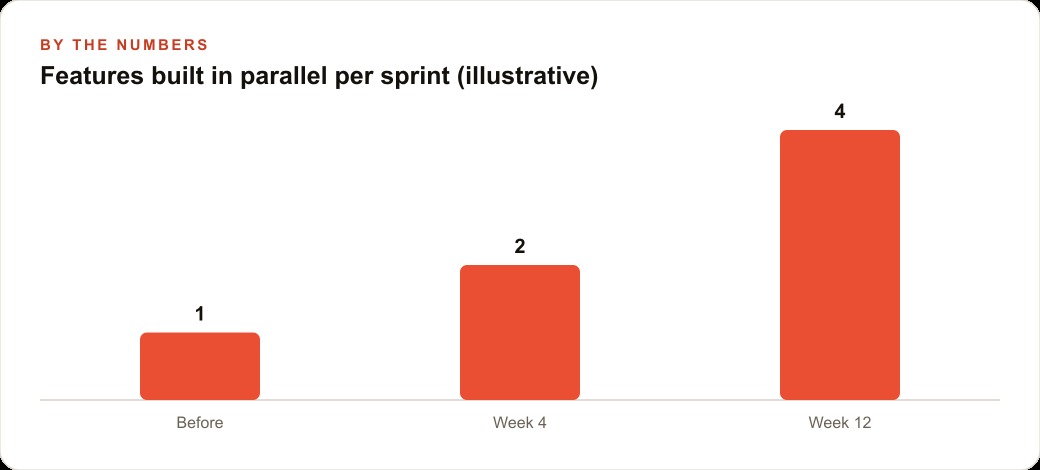
Eight weeks into the new workflow, the developer was supervising three agents in parallel worktrees as a consistent practice across all client accounts. The sprint cadence had shifted in a way that was visible to clients. Where the agency had previously committed to one significant feature delivery per sprint per client account, it was now delivering three to four per sprint with the same development resource.
The revenue effect was real. Because the agency billed partly on deliverables rather than purely on hours, the increased throughput let them take on additional work from existing clients and commit to more aggressive delivery timelines for new ones. The developer's time cost had not changed. The output per sprint had roughly tripled for the work that fit the parallel agent model.
The work that fit the model well had three characteristics: clearly defined requirements, limited shared dependencies between tasks, and outputs that could be verified by reading a diff and running a test rather than by observing complex system behavior over time. The work that did not fit the model was different in kind: system architecture decisions, debugging that required reasoning across multiple subsystems simultaneously, and product decisions requiring understanding of the client's long-term direction. For those, the developer worked directly. The agents handled well-defined execution. The developer handled judgment.
A review agent pattern also developed over the eight weeks. For features where the backend and frontend had been built in parallel, a third agent running in the main project directory performed an initial review pass before the developer did. This review agent received both branches, read the diffs, checked that the interfaces matched the specification they had both been built against, ran the test suite, and produced a summary of anything that looked inconsistent. The developer read the summary first, then spot-checked the areas flagged, then made the merge decision. The review agent did not replace the developer's judgment. It surfaced the specific spots most worth the developer's attention, making the review faster without making it shallower.
What This Means If You Work with AI Agents on Any Codebase Today
Git worktrees are built into Git and cost nothing to use. The command to create one is a single line. The concept requires roughly two hours to understand well enough to use reliably. The coordination discipline, one agent per worktree, one branch per task, no sharing, requires about a week of practice to make automatic.
The return on that investment is proportional to how much of your development work consists of genuinely parallel tasks. If your backlog usually contains two or three tasks that could progress simultaneously without blocking each other, the parallel agent workflow multiplies throughput by roughly the same factor as the number of parallel workstreams. If your work is mostly sequential with each step depending on the previous one, worktrees still help, but the benefit comes from managing tasks across different client projects or codebases rather than parallel tasks within a single one.
The easiest starting point is creating one worktree for a single task you are currently working on in isolation, launching an agent in it, and observing the isolation work before attempting to coordinate multiple agents. First-hand experience with single-agent isolation makes designing a multi-agent workflow deliberate rather than optimistic. The design questions that matter most, how to handle shared dependencies, how to write interface specifications that parallel agents can both build against, when a review agent adds value versus when the developer should review personally, all become clearer once you have run the single-agent case and understood why the isolation matters in practice.
The developer at this agency did not change their tools. They did not hire additional staff. They changed the structure of how they organized agent work within the tools they already had. The change took two hours to understand and one week to make automatic. The return was visible within the first parallel sprint.
That is exactly what we do at AI DOERS. Book a private 30-minute call with Madhuranjan Kumar and we will map the fastest path to it for your specific business.
Book your call →
Madhuranjan Kumar
Madhuranjan Kumar brings 20 years of performance-marketing experience and has managed over $200 million in Facebook ad spend for brands across the United States and beyond. His expertise spans the full modern marketing stack: Meta, Google Ads, TikTok, email automation, CRM, and the websites that hold it together. At AI DOERS he turns that track record into lead-generation systems for businesses across every industry.