
Genie 3: The AI That Generates Whole Worlds You Can Walk Through
Google DeepMind's Genie 3 turns a text prompt into an interactive 3D world you can explore in real time. Here is how it works and where generated environments could earn their keep in a business.

For most of recorded commercial history, showing a space meant someone had already built one. Architects drew it first and then modeled it or rendered it. Game designers built the level and populated it. Production designers constructed the set. If you wanted to show a person what it would feel like to walk through a room, you either built the room or built something that looked like the room. That constraint, deeply embedded in how visual communication works, is beginning to loosen. Google DeepMind's Genie 3 is the earliest public signal of what comes after it.
What makes Genie 3 different from a video generator with a 3D aesthetic
The distinction is easy to miss and important to understand. Several AI tools produce video content that looks three-dimensional: a camera moves through a rendered landscape, a product rotates in place, a simulated walkthrough tracks a fixed path. Those are video outputs. The camera path is decided before generation, and nothing changes based on where the viewer decides to go after the fact.
Genie 3 works differently. The environment is not pre-rendered along a fixed path. It generates ahead of you in real time based on where you actually move. Walk forward and the corridor unfolds in front of you. Turn left and a new space appears. Jump off a ledge and the world below begins to generate as you fall toward it. The space that appears when you turn right did not exist before you turned right. It is constructed in the moment of exploration, shaped by the general environment you described but not predetermined in its specifics.
That is what makes this a world model rather than a video generator with 3D aesthetics. The interactive layer changes the category entirely. You are not watching a path that was already decided. You are making choices in a space that responds to you. For anyone building content or training materials that need to demonstrate a physical environment, the difference between a pre-recorded walkthrough and a navigable space is enormous. One is a film. The other is a place, and the distinction matters for how information is absorbed.
The navigable quality changes how understanding is built. A viewer watching a film version of a space learns what the filmmaker decided to show. A person walking through a generated space learns what they decided to look at, what they chose to examine, what they found interesting or confusing or surprising. That agency, even in a rough prototype form, produces a qualitatively different level of engagement and spatial understanding than passive viewing provides. The shift from viewer to participant is the core of what world models offer that no prior generation of video or image tools could.
This is why Madhuranjan Kumar thinks the framing of Genie 3 as "better AI video" misses the point. Better video is a quantitative improvement on a known format. A navigable world is a different format. The category comparison is not between Genie 3 and a high-quality video generator. It is between Genie 3 and having to build the physical thing before you could show it.
The sketch-then-world loop and why the preview step is the actual differentiator
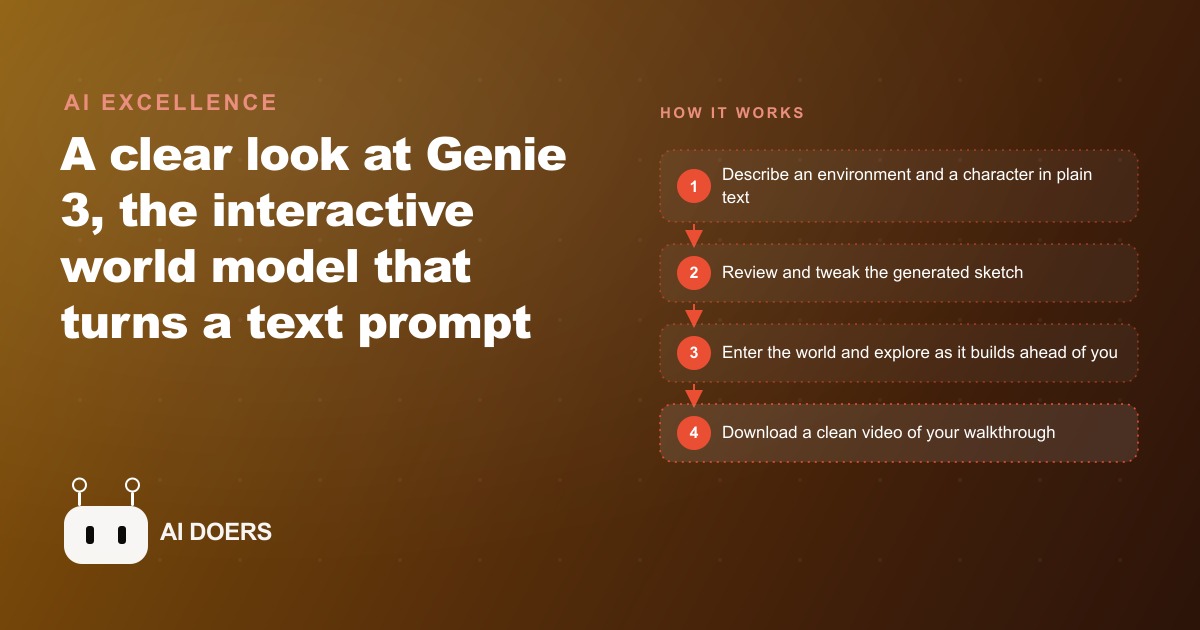
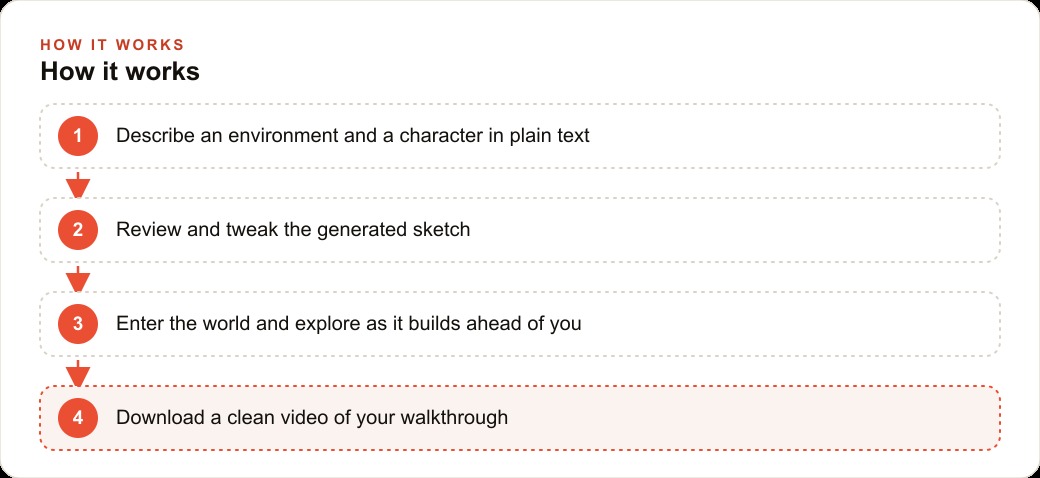
The process starts with plain text. You describe an environment and a character in ordinary language: a floating archipelago of glass islands, a basement utility room with a steel breaker panel on the far wall, a backyard track for a small toy vehicle. Genie 3 does not immediately build a navigable world from that description. It generates a still image first, a sketch of what the environment looks like, before any interactive generation begins.
That sketch step is where the real control lives. Before committing to world generation, you see the model's interpretation of your prompt. You can adjust the color palette, change the character design, add or remove environmental elements, or modify the starting camera angle. None of those adjustments require technical skill or a new prompt built from scratch. You see the image and you refine it. When the sketch looks right, you tell the system to build the world.
This two-stage approach, sketch then world, is what makes the tool practical rather than just technically interesting. Most generative tools ask you to accept or reject the output as a whole. The sketch step inserts a review and refinement moment at the exact point where changes are cheap, before any heavy generation has been committed. That is the same principle behind approving a design before committing to production, or reviewing a storyboard before shooting begins. The preview step is not a limitation of the technology. It is the correct place to put user control, and tools that skip it waste generation resources on outputs the user would have adjusted if they had seen them first.
The remixing feature extends this principle further. Take a world someone else has already generated, change a few prompt details including the color scheme, the setting, or the props, and the model produces a fresh version of that environment. You are not starting a creative process from zero each time. You are adjusting an established base, which is much closer to how designers and creative directors actually work when refining a concept. For a business owner thinking about iterating on training scenarios or exploring different versions of a marketing environment, this is the detail that makes the workflow feel practical rather than purely experimental.
Once inside the world, the controls are intentionally simple: first person or third person perspective, direction of movement, and speed. The simplicity is appropriate for a prototype stage. The model is generating novel environment content in real time, which is computationally demanding, and complex controls would amplify the latency that is already noticeable. Runs currently cap at approximately 60 seconds. The control can feel loose, and the visuals are not photographic. These are early-stage constraints, not architectural limitations, and they are the floor for where this technology is going, not the ceiling. The ability to download a clean walkthrough video, watermark aside, means sharing what you built does not require screen recording or a shared live session.
Where the technology actually earns its keep for a business right now
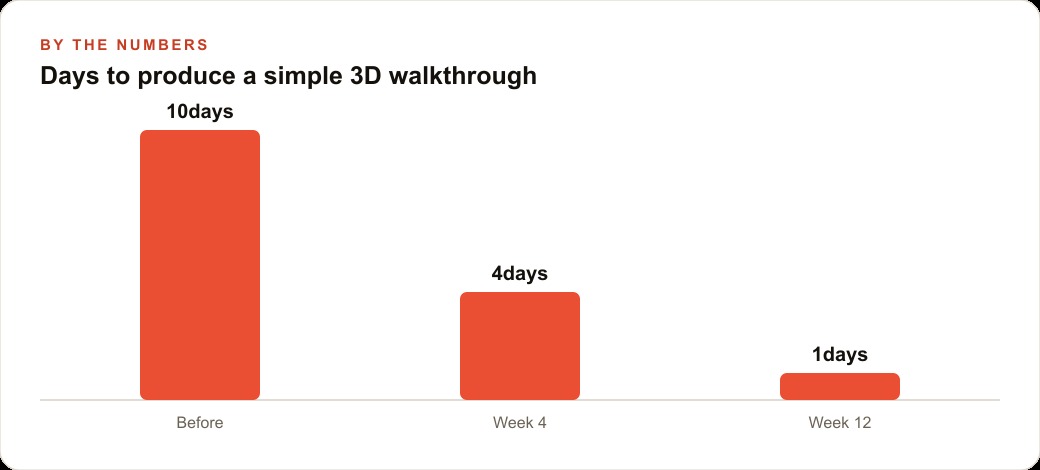
Genie 3 is behind a premium subscription and constrained by prototype limitations, so the honest answer about where it earns its keep right now is narrow but real. It is most useful for three categories of work: training environments that require spatial familiarity without requiring presence at the actual site, concept exploration for spaces that do not yet exist and need to be evaluated by someone who will make a decision about them, and marketing content that demonstrates a transformation or a process in a way that flat video cannot replicate.
For a training application, the key is that spatial experience, the act of moving through a space and building intuition about its layout and features, transfers to real-world performance in ways that watching a video does not. A worker who has walked through five variations of the same scenario in a generated environment arrives at the real site with a level of spatial familiarity that a flat diagram or instructional video could not produce. The content does not need to be photographic for this benefit to apply. It needs to be spatially coherent and explorable, and the current version of Genie 3 clears that bar for simple environments.
For concept exploration, Genie 3 is useful at the moment when a decision-maker needs to understand what a space will feel like before it exists. Letting someone walk through an early generated version of a concept communicates the spatial proposition in a way that floor plans and perspective drawings cannot. The roughness of the prototype version is less of a limitation in this context than it might seem, because what the viewer is evaluating is not the production quality of the output but the spatial feel of the design, and that can be understood even through imperfect visuals if the layout logic is present.
For marketing, the value is in differentiation. Most local service businesses use the same visual language: before and after photos, testimonial text, pricing information. A short walkthrough video of a generated environment showing what a service looks like in progress creates a visual category that almost no local competitor is using. That novelty earns attention in a market where every competitor's ad looks the same. A prospect who has seen a 30-second walkthrough of a job process arrives at the quote conversation with more context and more confidence than one who read a description.
An electrical contractor presents a concrete example worth tracing through. For training: generate five different interior electrical scenarios for apprentice spatial practice before any live site work. A cramped basement panel, a clean residential service entry, a commercial panel room with multiple circuit breakers, an outdoor disconnect in a tight side yard, and a utility closet with overhead obstructions. An apprentice works through each scenario in the generated environment before encountering it on a real job. The familiarity reduces hesitation and improves efficiency on early jobs.
If that training reduces first-month callback rates by 20 percent, going from five callbacks per month to four, and each callback costs 85 dollars in dispatch and labor time, the monthly saving from training alone is 85 dollars, or 1,020 dollars per year. For marketing: a 30-second walkthrough video showing a homeowner what a panel upgrade involves, where the electrician works, and what the job sequence covers, placed on the company's Google Business Profile. Homeowners considering a panel upgrade who find this breakdown reassuring are more likely to request a quote. If this breakdown generates one to two additional qualified lead inquiries per month and the average panel upgrade job is valued at 450 dollars, the monthly additional revenue ranges from 450 to 900 dollars, or 5,400 to 10,800 dollars annually. Combined with the training savings, the contractor's annual estimate is 6,420 to 11,820 dollars from two uses of a single tool that currently requires a premium subscription.
The correct frame for adopting a tool that is still a prototype
The frame that wastes time is treating Genie 3 as a finished production tool that must be evaluated against professional 3D rendering standards. At that standard it falls short today, and the evaluation is beside the point. The useful frame is treating it as the earliest public version of a capability category that is going to improve dramatically over the next two to three years, and asking what you can learn now that will compound into a workflow advantage when the tool reaches commercial quality.
Every AI capability category follows a version of the same trajectory. Image generation looked like a novelty at early resolution levels. Within eighteen months it was producing outputs that professional designers used as starting points for real work. Video generation was producing blurry, artifact-heavy clips not long ago. Today the best video generation outputs appear in commercial production contexts. World models are at an earlier stage of that trajectory than image or video generation, but the direction is consistent and the pace of improvement has been predictable enough to plan around.
The businesses that built familiarity with AI image generation during its rough early stage understood the prompt-to-image workflow before it became widely useful. They had established processes and real experience when the quality crossed the threshold for actual deployment. The businesses that waited until the quality was already professional entered a more crowded competitive environment at the same moment everyone else was also learning. That pattern repeats with each new capability category, and the teams that recognize it early benefit most from the head start they build during the prototype phase.
For Genie 3 specifically, the practical starting point is to get access through the premium subscription it requires, practice the sketch-then-world loop with a few simple prompts, and identify the one use case in your business where spatial demonstration currently costs real money or real time. Run a few experiments at that specific use case, document what the generated environment does well and where it falls short, and update that assessment as each new version of the tool is released.
The honest framing for the current limitations: the 60-second cap, the loose controls, and the visible latency are all constraints of the prototype stage. They are being worked on. The underlying capability, generating interactive navigable environments from a text description, is the part that will remain and mature. Experimenting with the prototype builds the mental model for how to use the capability before the limitations resolve. A business owner who has spent a few hours with the current version of Genie 3 will know exactly what to do when the next version ships with longer runs, tighter controls, and better fidelity. That prior experience is worth more than starting fresh on a more polished tool with no workflow context behind it.
The limits today are real. They are also the worst they will ever be. That phrase, which the tool's own demo acknowledges, is the correct frame. The correct response to a technology at that stage is careful experimentation, honest evaluation of where it is already good enough, and patient accumulation of workflow familiarity while the rest catches up.
That is exactly what we do at AI DOERS. Book a private 30-minute call with Madhuranjan Kumar and we will map the fastest path to it for your specific business.
Book your call →
Madhuranjan Kumar
Madhuranjan Kumar brings 20 years of performance-marketing experience and has managed over $200 million in Facebook ad spend for brands across the United States and beyond. His expertise spans the full modern marketing stack: Meta, Google Ads, TikTok, email automation, CRM, and the websites that hold it together. At AI DOERS he turns that track record into lead-generation systems for businesses across every industry.