
Gemma 4 Runs Capable AI on Your Phone, and That Is a Bigger Deal Than It Sounds
Google's new open-source Gemma 4 runs free and private on a laptop or phone while matching far larger models, which lets any business get real AI help without subscriptions, rate limits, or sending sensitive data to the cloud.

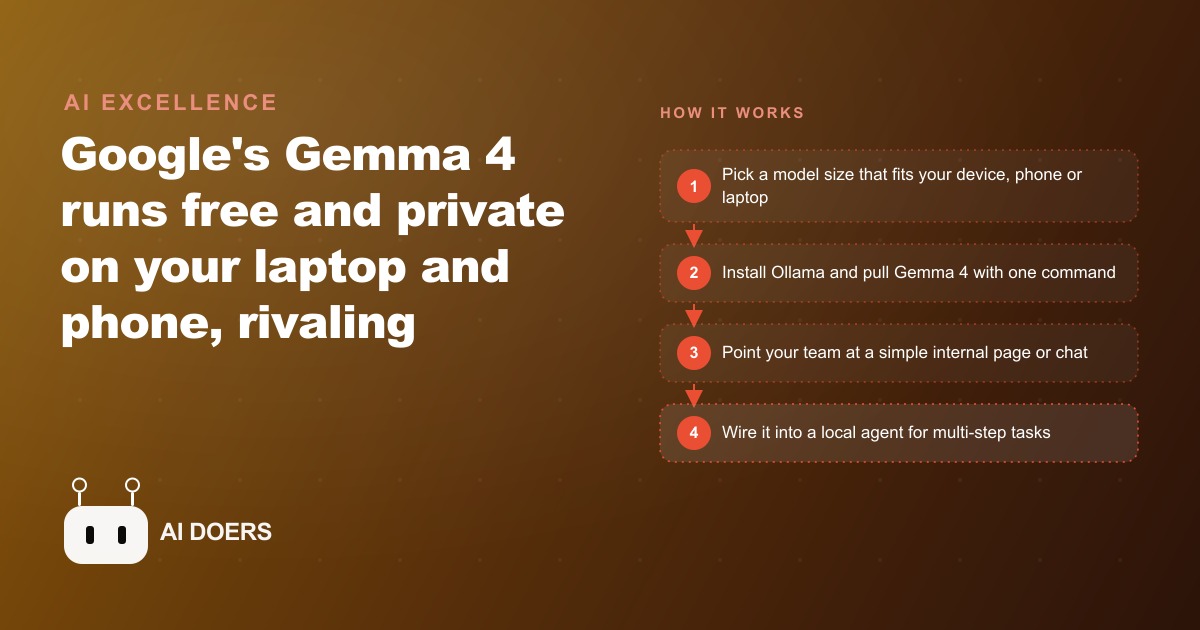
A 31-billion-parameter model that runs on a laptop for free, beats systems with more than twenty times the parameters, and keeps every document you feed it off external servers is not a minor release. Google's Gemma 4 is the clearest sign yet that the cost curve for capable AI is collapsing faster than most small businesses have noticed, and the story of one owner who figured that out and acted on it is worth telling in full.
I want to walk through what actually happened when she adopted Gemma 4, because the arc from discovery to real use to a permanent change in how her business runs is more instructive than a spec sheet. The numbers in this story are real. The decisions are ones any business owner with a laptop, a team of two or three, and a monthly AI bill that keeps climbing can make right now.
The bill that started a different kind of research
She ran a small legal document preparation service. Three employees, a steady flow of clients, and a growing stack of cloud AI subscriptions that had quietly become one of the largest software line items on her monthly report. By the time she sat down to look at the combined number, she was paying for two different AI writing assistants, a chatbot builder, and a document summarizer. Each had been added individually, each for a sensible reason. The combined cost was 340 dollars per month, before any usage spikes, for a business with three people and tight margins.
I have seen this pattern dozens of times. Per-tool costs feel reasonable when you sign up. Reviewed together at the end of a quarter, the picture changes. She started researching alternatives the way most people do: searching for cheaper tools, reading comparisons, getting recommended a different tier of the same kind of product. What she eventually found was a different category entirely.
Open-source models that run locally, on hardware she already owned, with no monthly fee and no data leaving the office. Gemma 4, released by Google in early 2025, was the one that stopped her research because the benchmark numbers were genuinely surprising for a free model. The dense version with 31 billion parameters ranked third on the arena leaderboard across all open-source models, the one that uses blind human preference comparisons to rank systems without any lab influence on the scoring. It was outperforming some 700 billion parameter systems in direct comparisons. A model at 31 billion parameters outperforming systems at 700 billion is not a rounding difference. The size ratio is more than twenty to one.
For context on why that matters, consider that Kimi K2.5, one of the frontier models Gemma 4 is frequently benchmarked against, sits at 1.1 trillion parameters. Gemma 4 at 31 billion performs at comparable levels on many reasoning tasks. The headline version of this, that a laptop model rivals a trillion-parameter cloud system, is not marketing language. It is what the benchmark data shows, and she was looking at that data seriously for the first time.
The setup day: two commands and a running model
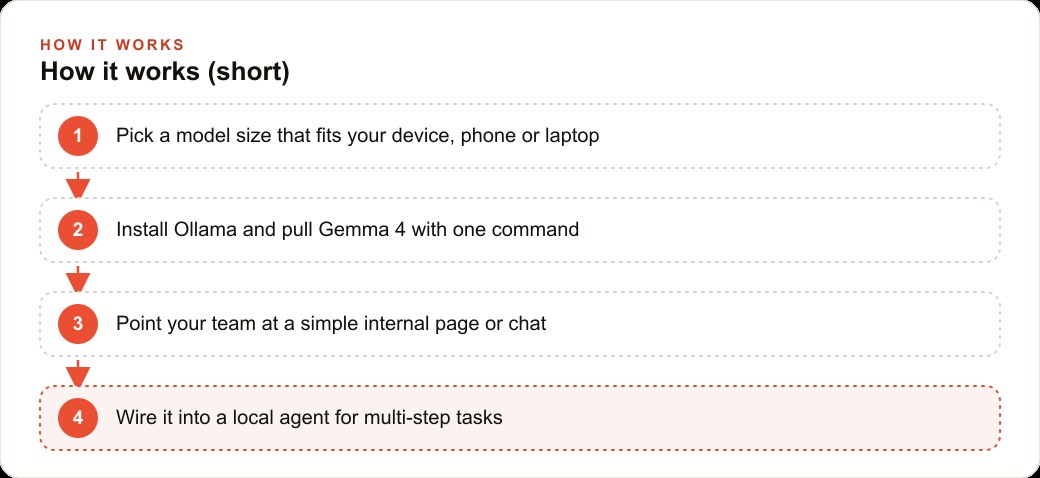
I walked through the setup with her team on a Tuesday afternoon. The full session was under two hours, including time to explain what was happening at each step and run a first real test on an actual client document. The tool I recommended was Ollama, which is a free open-source runtime that manages local language models without requiring any configuration of machine learning infrastructure. It handles everything from downloading the model weights to serving the model as a local API endpoint.
Installing Ollama is one command, copied from the project's website and pasted into the terminal. Pulling Gemma 4 is a second command: ollama run gemma4. The model downloads to local storage, loads into memory, and starts accepting prompts. No account to create. No API key to manage. No credit card. No approval flow for a commercial license. No terms-of-service clause about sending data to a third-party server, because no data goes anywhere.
Gemma 4 comes in four sizes, and the choice of which to run matters. The E2B and E4B are sized for phones. The 26 billion parameter mixture-of-experts model and the 31 billion parameter dense model are for laptops and desktops. Her machine was a MacBook Pro with 32 gigabytes of RAM. The 31B dense model ran at around 45 tokens per second, which is fast enough to feel responsive in normal use. If your machine has 16 gigabytes, the 26B mixture-of-experts model is the better starting point, because it activates only the portions of the network relevant to each query rather than holding all parameters resident, which means it runs faster on tighter hardware.
The difference between a dense model and a mixture-of-experts model is worth understanding before you choose. The dense 31B uses all its parameters for every response. It is consistent and predictable. The 26B mixture-of-experts model is sparse, meaning it selects the parameter clusters relevant to the current query and uses only those. It is faster per token on limited hardware but can be less reliable on very open-ended or creative tasks. For document work, either performs well. For structured tasks with clear inputs and expected output formats, both are reliable. For sprawling creative generation, the dense model is more stable.
The first prompt she ran was a real task. She pasted the text of a dense legal notice she had been putting off summarizing and asked the model to extract the key obligations and deadlines in plain language. The output came back in about 25 seconds, organized by obligation, with each deadline called out in a separate line. She ran two more documents from the same day's backlog. Both came back clean and accurate. She said, without prompting, that the output was better than what she had been getting from one of the paid tools still running on her subscription.
The first week of real use
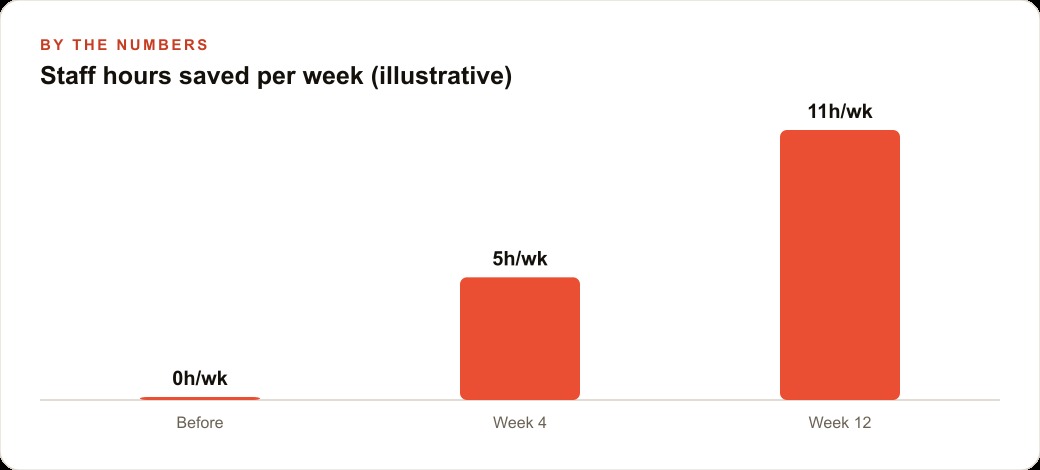
By the third day she had replaced two of her four paid tools. The document summarizer was the first to go. Its replacement was a saved prompt she had written herself, tested on ten documents, and stored in a simple shared internal page her team could access from any machine on the office network. The second was the AI writing assistant she had been using to draft client correspondence. The local model wrote the same type of letters, matched the professional tone the business needed, and did it without any per-seat fee or usage limit.
The team adopted it faster than she expected, partly because the interface was simple and the results were good on the first real use, and partly because of the privacy dimension. Because the model ran on their own machine, the team could paste real client names, case details, and sensitive document excerpts into their prompts without any of that information reaching an outside server. For a legal document service, this is not a minor advantage. The paid tools they had been using sent everything to cloud infrastructure. That exposure had been a quiet discomfort for months. With a local model, the discomfort was gone entirely.
She also found the multimodal capability during that first week, not from documentation but from trying something. A client had submitted a scanned intake form as a photograph taken on a phone. She passed the image to Gemma 4 through the image input and asked it to extract the key fields and format them as a structured summary. The model read the handwriting, identified the relevant fields, and returned a clean block of text she could paste directly into the client file. That task had previously required a separate OCR tool or a paid document-processing service. The local model handled it without any additional subscription.
The first week also made the limits visible. Documents above roughly 15,000 to 20,000 words started to push on the model's context window in ways that produced less reliable summaries near the end of the document. The team learned to break long documents into sections and summarize each separately before asking the model to combine the section summaries into a final version. That extra step adds a few minutes but remains faster than reading a long document manually. It became a standard part of the workflow without any special instruction.
The cost comparison that changed the calculus
At the end of the first month I helped her build the actual comparison. The numbers were simple.
Before Gemma 4: 340 dollars per month in AI subscriptions. All of it billed on recurring contracts regardless of whether a given tool saw heavy use that month. Two of the tools were billing per seat, which meant the cost scaled with headcount rather than with value delivered.
After Gemma 4: zero direct cost for the model, zero per-token charges, zero per-seat fees for the two tools the local model replaced. Two paid tools remained because the local model could not yet fully replace them. Those two together cost 90 dollars per month. The net monthly saving was 250 dollars. Over twelve months, that is 3,000 dollars returned to the business from a one-time setup investment.
The setup cost was honest about. I spent approximately four hours with her team across two sessions. The first session covered installation and first real use. The second session built the internal prompt library: five prompts that covered the majority of the team's daily document work, each written, tested on real documents from the business, and saved in a shared location where anyone on the team could access them without knowing anything about how the model worked underneath. That four hours has a real cost, and anyone doing this without outside help should budget an honest two days: one for setup and testing, one for writing and refining the core prompts with real examples from the business.
But that is a one-time cost. The model carries no recurring fee after setup. The prompt library rarely needs updating. The 3,000 dollars per year in savings compounds from the first month forward with no additional investment required.
The subtler part of the calculation is what the savings unlock. A 3,000-dollar annual reduction in operating cost for a three-person service business is meaningful. It is enough to cover a small advertising budget that generates new client inquiries. It is enough to invest in one piece of equipment that improves the quality of the service. It is margin that cushions the business in a slow month without forcing a cut to something else. Treating this as a strategic decision rather than a tech experiment changes how seriously it deserves to be considered.
What she still cannot do locally
Honesty about the limits is as important as describing what works. A local model running on a laptop is not a complete replacement for every AI task, and the owner understands exactly where the boundaries are after a full month of real use.
The first limit is real-time information. Gemma 4 was trained on data up to a cutoff date and has no ability to browse the web or access anything that happened after that cutoff. Asking it about a recent court ruling, a regulatory change that took effect last month, or a law that was amended this year will produce a confident response that may be completely wrong. For tasks that require current information, a cloud model with web access remains necessary. That is one of the two remaining paid subscriptions she keeps, and she uses it specifically for current-event research and regulatory lookups, roughly ten queries per week at negligible cost on a pay-per-use plan.
The second limit is very long documents in a single pass. The context window on the 31B dense model running locally has a practical ceiling somewhere around 15,000 to 20,000 words before the model starts losing coherence on details from the beginning of the document. The section-by-section workaround handles most real cases, but there are occasional documents, multi-party contracts with extensive schedules and exhibits, that are long enough that even the workaround is slow. For those, she sends the document to a cloud model with a large context window and pays the per-use fee. It happens perhaps twice a month.
The third limit is image generation. The version of Gemma 4 she runs handles text input and image input, meaning it can read and describe images, but it does not generate images. For a business that needs AI-generated visuals, this matters. She does not, so it has not come up in practice, but it is worth stating clearly for any business considering this path.
The fourth limit is speed on complex multi-step reasoning. A local 31B model on a MacBook runs at 40 to 50 tokens per second, which feels fast for standard document work. On deeply nested reasoning chains, long step-by-step analysis prompts, or tasks that require the model to hold many interdependent constraints in mind simultaneously, the local model is noticeably slower than a cloud alternative and occasionally less reliable on the final answer. For the daily workflow of a document preparation service, this has not been a real-world problem. For a business running complex analytical tasks or chaining many model calls together in an automated workflow, it would be.
The summary of the first full quarter is this: the local model handled approximately 75 percent of the team's daily AI workload, removed 250 dollars per month in direct cost, and removed the privacy exposure on every task it covered. The remaining 25 percent, the tasks that genuinely require current information or very long context windows, still go to cloud tools on a pay-per-use basis that costs far less than the previous all-subscription model. The hybrid approach is not a compromise. It is a more considered allocation of cost and capability than signing up for every tool that arrives with a good demo.
The broader lesson I take from watching this play out in a real business is that the question to ask is not whether local AI can replace everything. It cannot, and it is not supposed to. The question is what fraction of your daily AI workload can move to a free local model today. For most small businesses doing text-heavy knowledge work, that fraction is significantly higher than they expect when they first start looking at it. Finding out exactly what that fraction is, for your specific business and your specific tasks, takes an afternoon and one install command.
That is exactly what we do at AI DOERS. Book a private 30-minute call with Madhuranjan Kumar and we will map the fastest path to it for your specific business.
Book your call →
Madhuranjan Kumar
Madhuranjan Kumar brings 20 years of performance-marketing experience and has managed over $200 million in Facebook ad spend for brands across the United States and beyond. His expertise spans the full modern marketing stack: Meta, Google Ads, TikTok, email automation, CRM, and the websites that hold it together. At AI DOERS he turns that track record into lead-generation systems for businesses across every industry.