
Five AI Models Dropped In One Week: What Actually Matters
Five major models shipped in seven days, but only a few moves change the math for a real business. Here is the signal under the noise and how to use it.

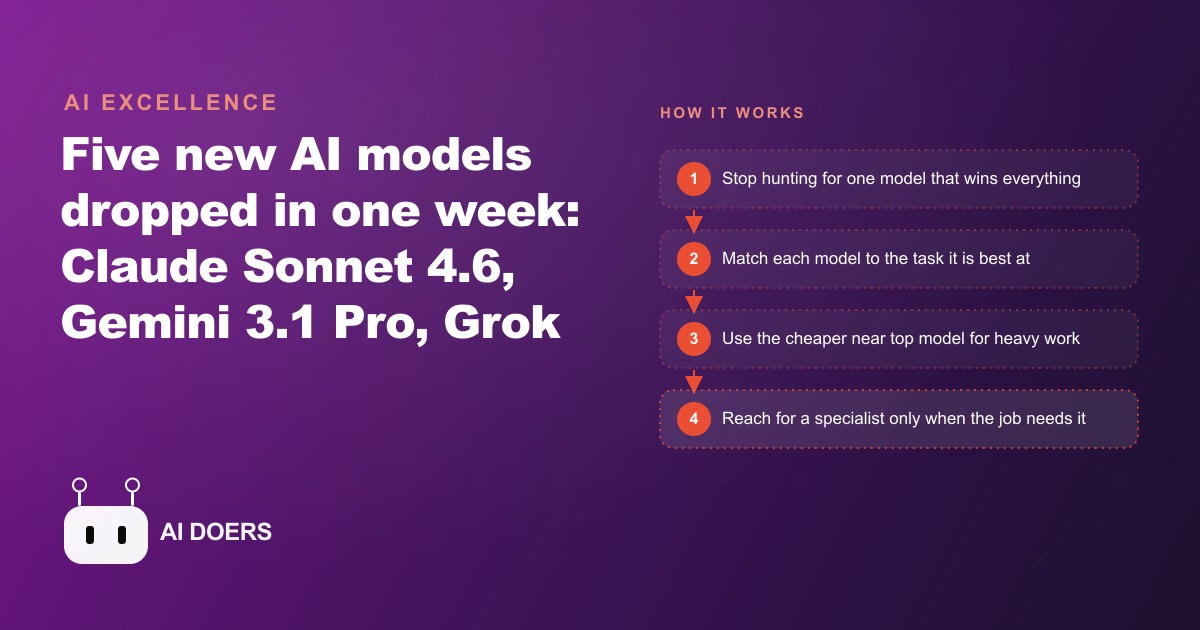
The week that ended the one-model-for-everything habit
It happened during a week in late spring when five major AI model releases landed in seven days. I am Madhuranjan Kumar, and I track these releases specifically for what they mean to businesses running real operations. Most release weeks bring incremental updates within established model families. This week was different: five releases arrived from different providers, each model leading clearly in a distinct lane, and the collective effect was to make the one-model-for-everything habit look like the AI equivalent of using a screwdriver for every fastener in the building.
Claude Sonnet 4.6 arrived as the new default across free and paid Anthropic plans at the same price as the previous model. On coding and computer-use benchmarks it sits within one point of the top-tier flagship, which is an unusual position for a mid-tier model. It also leads the full field on financial analysis and office tasks, clearing a higher bar than the more expensive tier in those specific categories. An updated web search capability was redesigned to pull only the most relevant context rather than broad surrounding information, reducing token consumption on research-heavy prompts. On the paid plan, Claude now runs inside a PowerPoint sidebar, generating full decks and native charts from a description without requiring a separate tool.
Gemini 3.1 Pro shipped across AI Studio, the Gemini app, and Vertex, with a clear lead on abstract reasoning benchmarks and science-heavy tasks. For visual work, it now leads on animated SVG motion graphics, applying more gradient layers in a way that produces noticeably more polished results. Google added two separate tools alongside: Lyria 3 for music generation inside the Gemini app, and a product photography tool that turns an existing product photo into a studio-quality marketing image using brand DNA as the creative guide.
Grok 4.2 from xAI changed the architecture of how it answers. Rather than a single model generating a response, four specialized agents including a coordinator, a verifier, and a creative agent debate the question internally and reach consensus before a single answer is delivered. The response reflects the result of that cross-checking process rather than a single unchecked pass.
Two open-weight models from China also arrived: ByteDance Seed 2.0 and Alibaba Qwen 3.5. Qwen 3.5 in particular draws attention because it rivals closed flagship models on many standard benchmarks while being freely available for download. The open-source frontier keeps narrowing the distance to the closed state of the art, which puts downward pressure on what any provider can charge for frontier-adjacent capability.
Five models, seven days. The HVAC company this article follows spent one afternoon that week mapping their three core tasks to three different tools. The results after sixty days are worth understanding.
The HVAC company's task audit: three jobs, three different needs
The company runs residential and light commercial HVAC service across a mid-sized city and surrounding suburbs. Four technicians, two office staff, one owner who handles sales alongside operations management. Before the release week, all AI tools in use were routed through a single model for everything: customer-facing email drafts, analysis of which service calls generated the best margins, and the seasonal promotional graphics that appeared on the website and social channels.
The owner sat down the afternoon of the last day of the release week and wrote down the three tasks where AI tools were producing the most time savings and therefore the highest leverage on the business. The goal was not to evaluate every new model announced. It was to check whether any of the releases had changed the right answer for those three specific jobs.
Task one was high-volume everyday text work. Appointment confirmations, technician summaries sent to clients after a service call, follow-up emails after a quote was delivered, and seasonal maintenance reminder campaigns. This ran at volume during busy periods and consumed the most AI budget across a typical month. The quality bar was high because these were client-facing communications. The volume was high because HVAC service generates multiple touchpoints per customer per season.
Task two was seasonal promotional graphics for the website, Google Business Profile, and social channels. These needed to be visually polished and produced quickly when a seasonal push was being planned. The current approach produced acceptable results but required several rounds of iteration before reaching a version that looked professional enough to publish. The goal was to reduce those rounds while improving the final quality.
Task three was product-style marketing photos for the heat pumps and air handlers the company sold and installed. The company had stock photos from manufacturer sheets, but these looked identical to every other HVAC contractor using the same equipment from the same suppliers. Better marketing photography had been a known gap for two years, deferred because sending a photographer to shoot HVAC equipment on-site was a cost the company could not justify for the expected return.
Three tasks. Different volume requirements. Different quality standards. Different tools now available to address them.
Assigning the near-flagship for the daily volume work
Task one, the high-volume everyday text work, went to Claude Sonnet 4.6. The reasoning was direct: a model that performs within one benchmark point of the expensive flagship, and that leads the full field on office and financial tasks, was the obvious choice for the work consuming the most volume and therefore the most budget. Running that volume on the expensive flagship tier when a near-equal was available at the lower price made no economic sense once the benchmark data was visible.
The owner moved all customer communication drafting to Claude Sonnet 4.6. Appointment confirmations, post-service technician summaries, quote follow-up emails, and seasonal reminder campaigns. The office staff noticed no change in how much editing the drafts required before sending. The quality on the first pass was indistinguishable from what the more expensive tier had been producing for the same tasks.
The updated web search capability reinforced the choice. Research tasks, such as checking what common complaints local HVAC competitors were receiving in recent reviews, or finding out what seasonal messaging competitors were leading with, returned more focused results that required less manual sorting through irrelevant context. The improvement was incremental rather than dramatic, but on a task the office ran several times per week, an incremental improvement compounds across months.
The PowerPoint sidebar also earned its place almost immediately. Monthly reporting to the owner and quarterly summaries for a larger commercial property management client had previously required assembling slides manually from data files. Using the sidebar to build those reports from a structured description cut the time spent per report by roughly half. The charts were correctly formatted, the section structure was clean, and the review time dropped proportionally.
Reaching for the visual specialist for seasonal promo graphics
Task two, the seasonal promotional graphics, went to Gemini 3.1 Pro for the animated outputs. The benchmark claim about leading on animated SVG motion graphics was specific enough to test against a real production requirement rather than a demonstration prompt.
The owner described the summer air conditioning promotion: a cool blue and white palette, the company's logo positioned in the corner, a central message about the seasonal tune-up deal, and a subtle animation suggesting airflow or coolness. The output from Gemini 3.1 Pro on the animated version was noticeably more polished than what the same description produced with the previous tool. The gradient layers were applied with more deliberate intention. The animation was smooth rather than mechanical. The composition felt designed rather than generated.
This was not a dramatic quality gap that made previous output look obviously amateur. It was the kind of difference that determines whether a graphic looks professionally designed or clearly AI-generated when a potential client encounters it on a Google Business Profile or a website homepage. For promotional material forming a first impression before a client ever picks up the phone, that difference in perceived quality is worth the tool switch.
The important discipline was reaching for Gemini 3.1 Pro specifically for the animated visual task rather than switching all tasks to it. Its lead on animated visual work was a lane advantage, not a general superiority. For the high-volume text work, it was not the right choice. For this specific type of output, it was the better tool, and recognizing that distinction is the entire skill a five-model week is trying to teach.
Using the product photography tool for heat pump marketing shots
Task three, the product marketing photos, found its solution in the Photoshoot tool Google released alongside Gemini 3.1 Pro. The tool takes a product photo as input and uses brand DNA as a creative guide to produce studio-quality marketing images from that source material.
The owner had several existing photos of the heat pump units the company installed most frequently. These were taken on job sites with a phone camera: adequate quality for internal documentation but clearly not studio output. The backgrounds were equipment rooms and garage floors rather than the clean, aspirational settings that make product photography effective in marketing.
He uploaded the existing photos and provided the company's brand colors, a description of the kind of clean residential setting the target client would recognize, and notes on the mood the images should convey. The output was marketing-ready. The units appeared in appropriate residential settings with professional-quality lighting. The backgrounds matched the context where the equipment would actually be used rather than a generic white or industrial background. The brand colors integrated naturally without looking forced.
The cost was zero beyond the subscription that provided access to the tool. A professional product photography session for a catalog of six heat pump models would have required a day-long shoot at real expense. The same deliverable was produced in an afternoon using phone photos already on the company's device as source material. The marketing photography gap that had been deferred for two years was eliminated in a single afternoon with no scheduling, no photographer fee, and no shooting day logistics.
The result after sixty days: cost per finished task is down, output quality is up
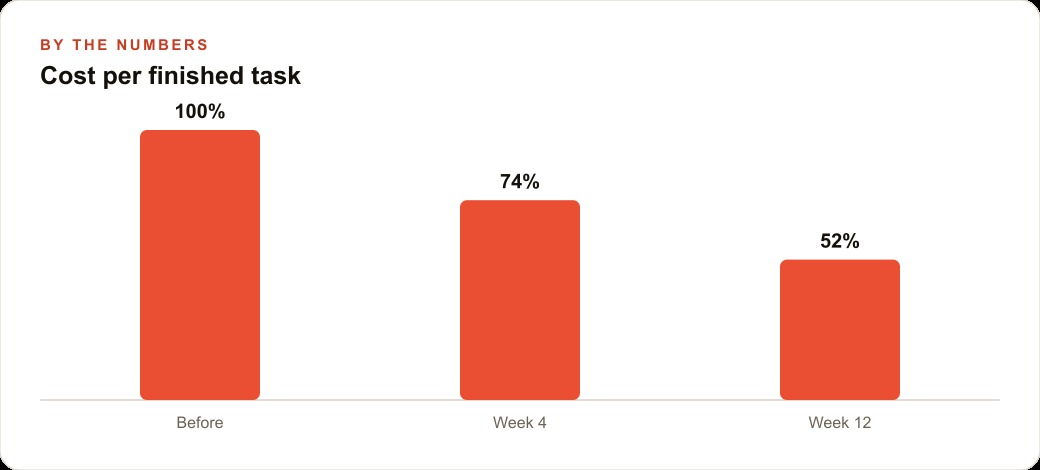
Sixty days after making the three tool assignments, the owner reviewed the results. The monthly AI tool cost had not increased despite using three different models for three different tasks. Because the high-volume everyday work had moved to the near-flagship model at the lower price tier while maintaining equivalent quality, the savings on that task offset the occasional use of the visual specialist and the product photography tool.
Output quality, tracked informally by monitoring how much editing each AI-generated output required before use, had improved across all three tasks. Customer communication drafts required slightly less editing than before. Seasonal promotional graphics required fewer revision rounds before reaching a version the owner was satisfied with. Product photography outputs were production-ready on the first pass, which compared favorably to the prior state of having no usable marketing photography at all.
The clearest individual win was on the product photography, where the counterfactual was not a lower-quality version of the same output but the absence of any output. A known gap that had been deferred for two years was closed in one afternoon. The business's website now looks materially different from competitors who display the same manufacturer stock imagery for the same equipment.
The total time invested in making the three assignments was approximately two hours: reading the relevant release notes, running each proposed model against one representative real task, and moving the assignments. That is the ongoing cost of a model-matching calibration review. The return from those two hours continues on every task that runs against the new assignments going forward.
The matching rule that makes a five-model week useful instead of overwhelming
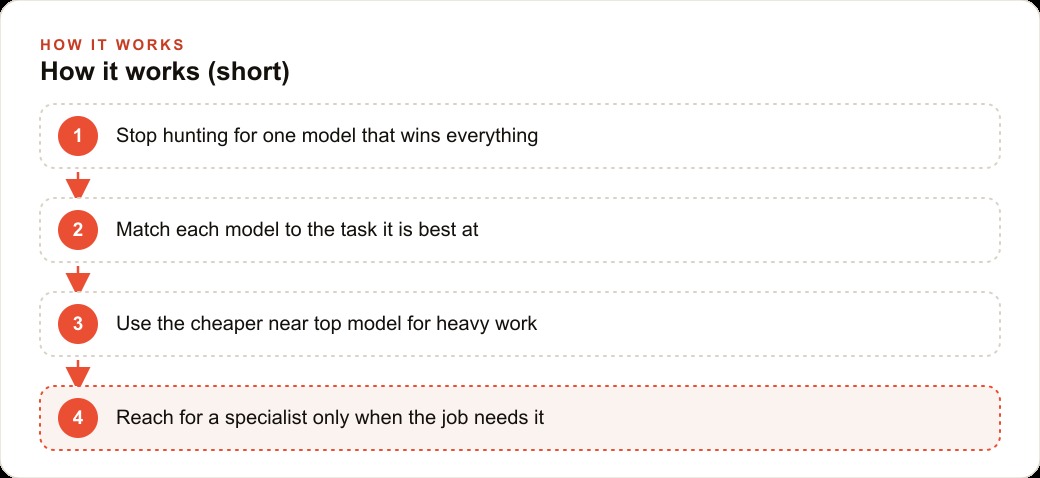
The rule that emerged from this exercise is simple enough to state in one sentence: assign the least expensive model that reliably meets the quality standard for each task you run at volume, and reach for a specialist only when a task has a visual or analytical requirement that a specialist model clearly wins.
For the HVAC company, that rule produced three assignments from a week that produced five major releases. The everyday text volume went to the near-flagship at the lower price. The animated visual work went to the visual specialist when it was needed for promotional graphics. The product photography went to the dedicated tool. The other two models from the week, Grok 4.2 and the open Chinese models, did not map clearly enough to any of the three core tasks to displace an existing assignment. They go on the watch list, to be reconsidered when a new task comes up that matches one of their specific strengths.
A five-model week is overwhelming only if you approach it as a reason to rebuild your entire workflow or as a headline to follow rather than a set of specific changes to evaluate against your specific tasks. Neither response is useful. The useful response is the one-afternoon audit: list the three or four most time-consuming AI tasks in your operation, check whether any of the week's releases offers a clear lane advantage on one of them, make the narrow assignment change if it does, and leave the rest of the workflow intact.
The era when one model won across all task types is behind us, and that shift is good news for costs. Competition is driving capability up and price down simultaneously across multiple providers and multiple model tiers. The businesses that understand this and develop the habit of matching models to tasks will consistently spend less per finished output and produce stronger results than the businesses that default to one provider out of habit or loyalty. The matching review is not technically demanding. It is a discipline, and it pays back proportionally to how consistently it is applied.
That is exactly what we do at AI DOERS. Book a private 30-minute call with Madhuranjan Kumar and we will map the fastest path to it for your specific business.
Book your call →
Madhuranjan Kumar
Madhuranjan Kumar brings 20 years of performance-marketing experience and has managed over $200 million in Facebook ad spend for brands across the United States and beyond. His expertise spans the full modern marketing stack: Meta, Google Ads, TikTok, email automation, CRM, and the websites that hold it together. At AI DOERS he turns that track record into lead-generation systems for businesses across every industry.