
Every Major New Claude Feature, Explained for People Who Actually Work
Anthropic pulled its capabilities into one platform and shipped Claude Co-work, skills, shareable plugins, a default million token context, parallel agent teams, computer use, and auto memory. Here is what each one does for a real business and how I would set it up.

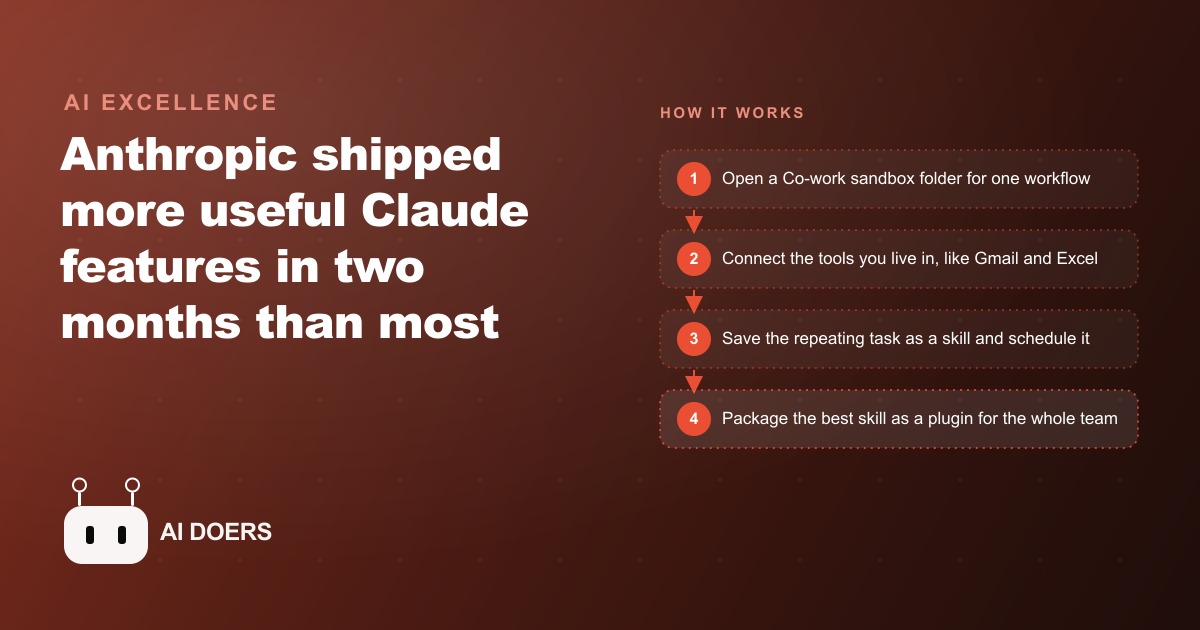
Anthropic shipped so many usable capabilities inside one platform update that the harder question is no longer whether the technology can handle real business work. The question is which workflow to point it at first, and how to build from there without making the classic mistake of trying to automate everything before you have proven anything.
I am Madhuranjan Kumar. Over the past months I have watched the new Claude platform move from a collection of impressive demos into something that changes how a real business can allocate its day. The platform now includes Co-work, skills, scheduling, a one-million-token context window, deep integrations with the tools offices already use, computer use, parallel agent teams, the Dispatch feature for phone-based control, auto memory, voice mode in the terminal, and security scanning. Each of those is a real capability. The businesses that benefit most from them are not the ones that activate everything immediately. They are the ones that follow a deliberate sequence: one workflow, proved and scheduled, before the next one is added.
This is that sequence.
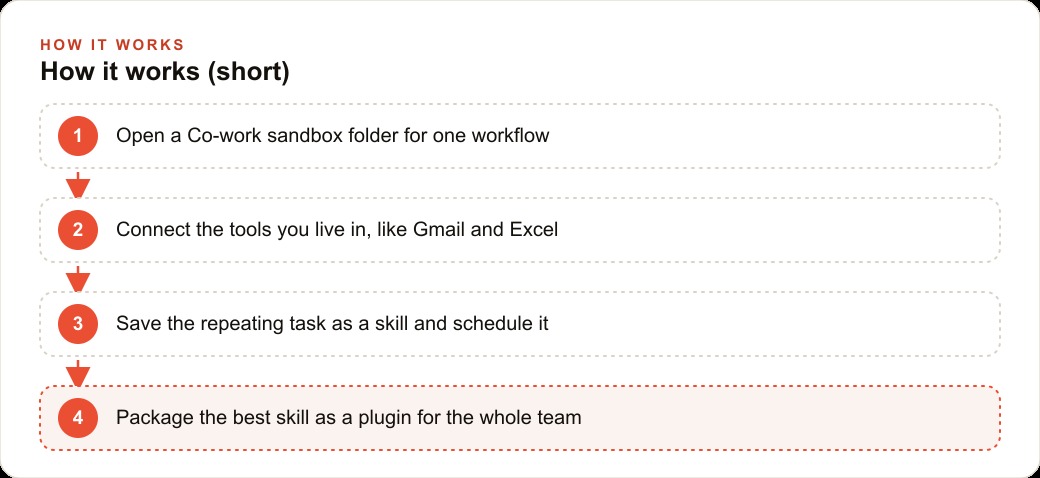
Set up a Co-work sandbox for the one workflow that costs you the most time
The starting point for getting real value from the new Claude platform is Co-work, and the right way to use it is to create a single sandbox folder for one specific workflow rather than a general-purpose workspace. Co-work runs in an isolated folder on your machine. The agent has real file access inside that folder and no visibility into anything outside of it. That isolation is the feature, not a limitation.
Pick the one workflow that costs you the most time each week and build the sandbox around it. If that is client inquiry management, the sandbox should contain your response templates, a log of current clients, and nothing else to start. If it is reporting, it should contain the data sources and output templates for that report. If it is scheduling coordination, it should contain the relevant calendar context. The narrower the sandbox is at the start, the clearer the success condition: does the agent handle this specific workflow correctly, or not?
The mistake most people make at this stage is creating a large, ambitious sandbox that tries to cover the whole business from day one. That approach makes it impossible to tell which part is working and which part needs adjustment. A focused sandbox that proves its value on one real workflow in the first two weeks is more valuable than an ambitious one that partially works across ten workflows in the first month.
A catering and events company I work with started with a single Co-work folder containing the company's menu options and pricing, availability calendar, and three example inquiry response emails. The agent's first assigned task was to process new inquiry emails. Nothing else. That focus meant the team could evaluate the output clearly and make specific adjustments when something was off, rather than wondering why a complex multi-step workflow was producing inconsistent results.
The isolation model also means that when you eventually do expand, each new workflow gets its own scoped context. Mixing the tools, data, and instructions for multiple workflows in one space is how confusion enters the system. Keep them separate until you are confident in each one individually, then let them share resources only where that sharing actually makes the individual workflow better.
Connect only the tools that specific workflow needs, not everything at once
Claude's connector integrations include Gmail, Figma, Canva, Excalidraw, and a growing list of tools that businesses already use daily. The temptation when you see that list is to connect everything immediately. Resist it. Connect only the tools your first workflow actually requires, and do not add new connections until that workflow is running reliably.
For an inquiry management workflow, you need the email integration and access to your response templates. For a reporting workflow, you need the spreadsheet integration and the output folder. For a design review workflow, you might need the Figma integration. The principle is the same in each case: a narrow connection set means the agent knows exactly what tools it has access to and uses them predictably. A wide connection set introduces surface area for unpredictable interactions between tools before you have built enough confidence in the system to diagnose them.
The two-minute setup time for most connectors means you can add them quickly when a workflow genuinely requires them. Keep that speed as a reason not to rush: because it is fast to add a connector, there is no cost to waiting until the workflow clearly needs it. The cost of adding connectors too early is a system that is harder to understand and adjust, not a feature shortfall that blocks progress.
Security is a second reason for narrow connections. Every tool you connect to an agent is a tool the agent can take actions in. Connecting email means the agent can draft and, if configured to do so, send emails. Connecting a file system means the agent can read and modify files in scope. The right approach is to connect only what the first workflow requires, keep the agent in draft-and-review mode for anything outbound or irreversible, and expand access as you build confidence through direct experience with the system.
For the catering company, the initial connector set was email and a shared folder. When the inquiry workflow was running reliably at the end of week two, they added the calendar connector to let the agent check availability before drafting a response. The calendar access was not needed to test the core workflow. Adding it too early would have complicated the debugging when the early drafts needed adjustment.
Write your first skill as if it is a process manual that executes itself
A skill in the Claude platform is a markdown file that teaches the agent how to handle a specific task. The way to write a good skill is to imagine writing a process manual for a new team member with good general ability but no specific knowledge of how your business works. Every step needs to be named. Every decision point needs a clear rule. Every output format needs an example or a template reference.
The difference between a vague skill and a precise one is the difference between "summarize the week's emails" and "read the emails from the past seven days, identify any that require a response, group them by the type of request, and write a three-sentence summary of each category with the count of messages in that category and the deadline for any time-sensitive items." The second version is executable. The first version leaves enough ambiguity that the agent's output will vary significantly based on what it interprets as the goal on any given day.
A good first skill for most businesses is a weekly briefing. The skill reads incoming messages from the past week, identifies items requiring action, groups them by type or urgency, and produces a formatted one-page summary with the action items at the top and the informational items below. That output is genuinely useful for a Monday morning review. It is specific enough to be reproducible. And if the output is not right, the instructions are in one place and easy to adjust.
The catering company's first skill processed inquiry emails. The skill file specified: read the email, extract the event date, guest count, and any dietary or venue requirements mentioned, check those dates against the confirmed availability calendar in the sandbox folder, and draft a response that addresses all three requirements with three package options at the price points specified in the pricing template. That skill file took about thirty minutes to write and refine. It saved approximately two hours of inquiry response drafting per week from day one.
The skill format also handles recurring jobs through the scheduling feature. A skill that runs on the slash schedule command becomes a background task that executes on a timer without anyone having to remember to trigger it. The connection between skills and scheduling is what turns Claude from a tool you use into a system that runs your workflows automatically.
Schedule the recurring tasks before you add new ones
The scheduling feature transforms skills from tasks you trigger manually into processes that run on their own. The highest-value use of scheduling is for tasks that are genuinely recurring, genuinely time-sensitive, and low enough in judgment that a slight variation in output is acceptable. Daily email summaries, weekly reporting first drafts, supplier inventory checks, and regular follow-up on overdue items all fit that description.
The habit I recommend is this: before adding a new skill or a new connected tool, schedule the ones you already have. Scheduling turns a working skill from something you have to remember into something that happens reliably in the background. The mental overhead saved by not having to remember to trigger recurring tasks is a real and underappreciated benefit. It compounds significantly as you add more scheduled skills over time.
The monitoring habit that goes with scheduling is a brief weekly review of what ran, what produced clean output, and what needs adjustment. Schedule the tasks, then make a standing fifteen-minute slot each week to review the outputs and refine the skills where the output was not right. That review loop is what turns a skill that is roughly correct into one that handles the real edge cases cleanly over time. Skipping the review loop means skills gradually drift toward outputs that are good enough until suddenly they are not.
Businesses running ads through channels like Facebook and Instagram ad campaigns can schedule a daily check of ad performance data that feeds into a formatted morning brief. The brief tells the owner or the team what spent yesterday, which campaigns performed above or below their target cost per result, and whether any automated rule triggered overnight. That brief, scheduled to arrive before the working day starts, replaces a manual reporting routine that previously took the first twenty minutes of every morning.
The million-token context window supports scheduling in a specific way: you can point a scheduled skill at a large document archive, a full season of bookings, or an entire email history without the context limitation that used to require chunking and summarizing. A monthly financial review skill that reads the full transaction history and produces a formatted summary with trends does not need to work around a context ceiling. It reads everything and produces a single coherent output.
Package the best workflow as a plugin the whole team can use
Plugins in the Claude platform let an admin package an agent configuration, its connected tools, its skills, and its commands into a single unit that other team members can install without rebuilding any of it themselves. A plugin built around a well-designed workflow is a force multiplier: the effort that went into designing, testing, and refining the workflow once gets distributed to every person on the team who installs it.
The practical implication is that the most careful workflow design should go into the workflows that will eventually become plugins, because the quality of the underlying skill file and configuration determines the quality of the output for everyone who uses it. A plugin built on a vague skill file produces inconsistent output for every team member. A plugin built on a precise, well-tested skill file produces reliable output for everyone from day one.
For a team of five to ten people, a well-designed plugin for a high-volume recurring task can compress what would otherwise be dozens of hours of individual configuration and refinement into a single installation. The person who designed the workflow did the hard work. Everyone else gets the benefit immediately. That asymmetry between the cost of building a good workflow and the value of distributing it is one of the most underused leverage points in the current generation of AI tools.
The catering company built one plugin from the inquiry workflow after it had been running reliably for six weeks. The plugin packaged the skill, the connector configuration, and the pricing template reference. A new event coordinator hired the following month installed it on her first day and was processing inquiry drafts within the hour, starting from a skill baseline that had already been refined across a full quarter of real inquiries.
When you consider what gets packaged into a plugin, think about the onboarding time it removes for each new person who joins the team. A well-designed plugin effectively compresses weeks of tool learning into an afternoon. At some businesses, the plugin is the actual training program for a workflow, because following it alongside the agent teaches the new hire how the business handles that category of work.
Add computer use only for the tools that have no other path
Computer use, where Claude controls your mouse, keyboard, and screen to operate any application the way a person would, is the most powerful capability in the current platform and the one that requires the most patience to use well. The right use case is a tool or application with no API, no integration path, and no programmatic way to automate what you need to do. Legacy software, local desktop applications, and proprietary platforms that predate modern integration standards all qualify.
For those tools, computer use is genuinely transformative because there is no other path. The agent can navigate the interface, read what is on screen, fill in fields, click through multi-step processes, and extract results from pages that were never designed to be machine-readable. For any tool with an API or an existing integration, the API is always the better path. Computer use is slower, more sensitive to interface changes, and more likely to encounter edge cases that break the automation. Use it only when there is genuinely no integration alternative.
The patience requirement is real. Computer use workflows need careful setup: clear instructions on exactly what to do and in what sequence, explicit handling for common failure points, and a consistent starting state for the application before the automation begins. When these conditions are met, computer use is reliable enough for regular production use. When they are not met, it fails in ways that are time-consuming to diagnose. The patience investment at setup pays for itself many times over, but the setup time is not trivial.
The catering company used computer use for one specific task: generating event confirmation documents from a legacy venue management system that the venue itself required and that had no export API. The agent navigated the system, extracted the relevant confirmation fields, and populated a standard output template. That task previously required a staff member to open the system, transcribe the relevant fields by hand, and paste them into the document template. Automating it through computer use returned about forty-five minutes per confirmed event to the team.
The catering company that removed three hours of admin from every event booking
The catering and events company had a consistent pattern: each confirmed event generated a predictable sequence of admin tasks that together consumed about three hours per booking. The inquiry response, the proposal document, the supplier order summary, the deposit follow-up, and the final confirmation document each required opening different tools, finding and transferring information between them, and producing formatted outputs. None of those tasks required real judgment. All of them required time.
The Co-work setup covered the first four tasks in that sequence. The inquiry skill produced a three-package response draft for every new email inquiry within minutes of arrival. The proposal skill took a confirmed inquiry and generated a full proposal document from the pricing templates and the event details. The supplier order skill read the confirmed bookings for the coming week, identified the ingredients and quantities required from each supplier, and drafted a purchase order email for each supplier in one pass. The deposit follow-up skill ran on a schedule and sent a polite reminder three days before a deposit was due if it had not yet been received.
The Excel and PowerPoint integration handled the weekly revenue projection. The bookings spreadsheet updated automatically as confirmations came in, the projection formula recalculated, and the client-facing event timeline presentation rebuilt itself from the updated data. The owner arrived on Monday with an updated week projection and client timeline without anyone having assembled it manually.
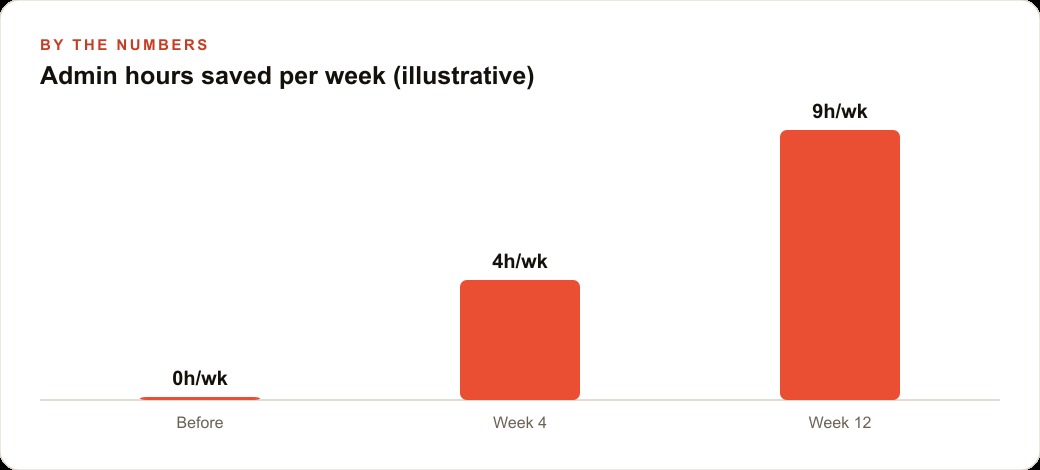
Over six weeks of operation, the three hours of per-event admin reduced to approximately forty-five minutes of review and approval. The time was not eliminated, because human review remained on every outbound client communication and every financial document. But the starting point changed from blank page to near-finished draft on every step. The hours recovered per event were returned to client relationship work, operational coordination, and business development. That reallocation is where the real financial value lived, not in the direct cost of the tool relative to its subscription fee.
The progression from one workflow to the full system took eight weeks. First workflow: inquiry response, proved and scheduled in week two. Second workflow: supplier orders, added in week three. Third workflow: deposit follow-up, added in week four. The Excel and PowerPoint integration came in week six, after the core workflows were stable. Computer use for the venue system came last, after everything else was running reliably and the team had enough experience with the platform to diagnose edge cases without confusion.
That sequence is the pattern I recommend: start with the workflow that has the most hours attached to it, prove it works on real tasks before adding the next one, schedule everything that is genuinely recurring, and only then extend to more complex features. The businesses that follow that sequence build something reliable. The businesses that try to use every feature at once build something that partially works and is hard to trust.
The internal connection between these workflows and paid channels is where the compounding effect shows up most clearly. Faster inquiry response from ad traffic converts a higher percentage of paid attention into actual bookings. Automated weekly reporting gives the owner accurate visibility into which acquisition channels are producing real revenue, which connects directly to how budget gets allocated across Google Ads and organic channels. The agent that handles internal admin is not separate from the growth strategy. It is the part of the operation that frees the owner to actually execute the growth strategy consistently.
The new Claude platform is capable of running all of this. The discipline required is in the sequencing: one task, proved, scheduled, packaged, before the next one begins. That discipline is what separates a business that compounds from a business that experiments and resets.
That is exactly what we do at AI DOERS. Book a private 30-minute call with Madhuranjan Kumar and we will map the fastest path to it for your specific business.
Book your call →
Madhuranjan Kumar
Madhuranjan Kumar brings 20 years of performance-marketing experience and has managed over $200 million in Facebook ad spend for brands across the United States and beyond. His expertise spans the full modern marketing stack: Meta, Google Ads, TikTok, email automation, CRM, and the websites that hold it together. At AI DOERS he turns that track record into lead-generation systems for businesses across every industry.