
Every Claude Feature, Explained for Non-Developers
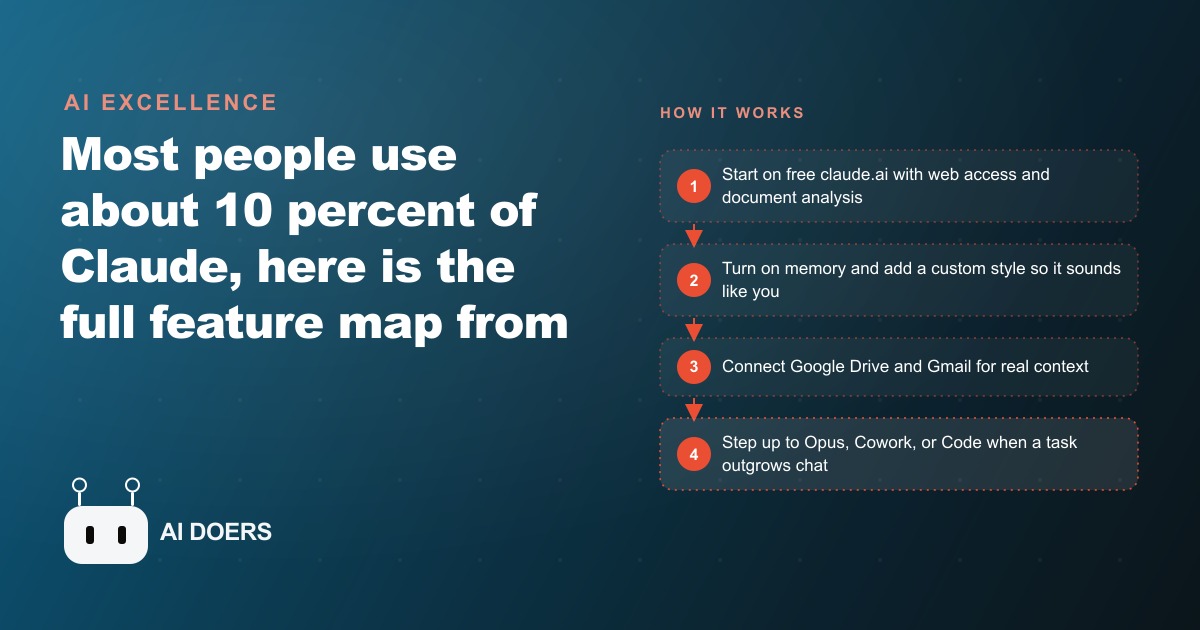
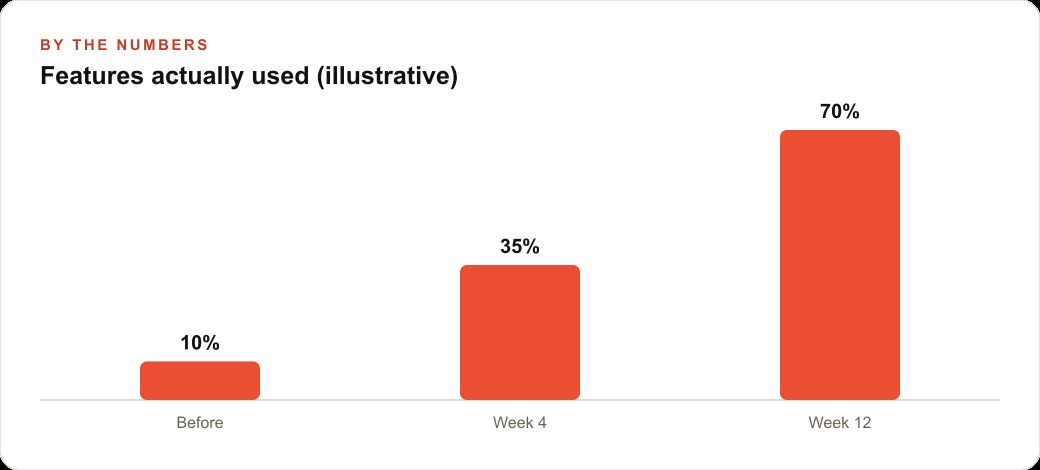
Most people use about 10 percent of Claude. Here is the full map, from free chat with web access and artifacts up to Opus with extended thinking, Claude Cowork, and Claude Code, written for people who run a business rather than write software.

Step 1: Choose the right Claude model for each task you run
Claude runs on three models with meaningfully different cost and capability profiles. Haiku is the fastest and cheapest, designed for high-volume simple tasks where response time matters more than depth. Sonnet is the everyday workhorse, the balance point between capability and credit consumption that makes it the right choice for most general work. Opus is the most capable and the most resource-intensive, appropriate for the tasks where you need the strongest reasoning and are willing to use more credits per session.
The practical implication of this for a business owner is that you do not run Opus for everything. If you are generating a batch of social media caption variations, Haiku handles it and costs almost nothing. If you are drafting a client proposal that needs to hold together as an argument, Sonnet is the right tier. If you are working through a complex strategic question where the quality of the reasoning determines whether the answer is useful, that is an Opus session.
I am Madhuranjan Kumar, and this three-tier model decision is the first practical judgment in getting real value from Claude rather than treating it as a single tool that does everything equally.
Step 2: Use the free plan's built-in web access before assuming you need more
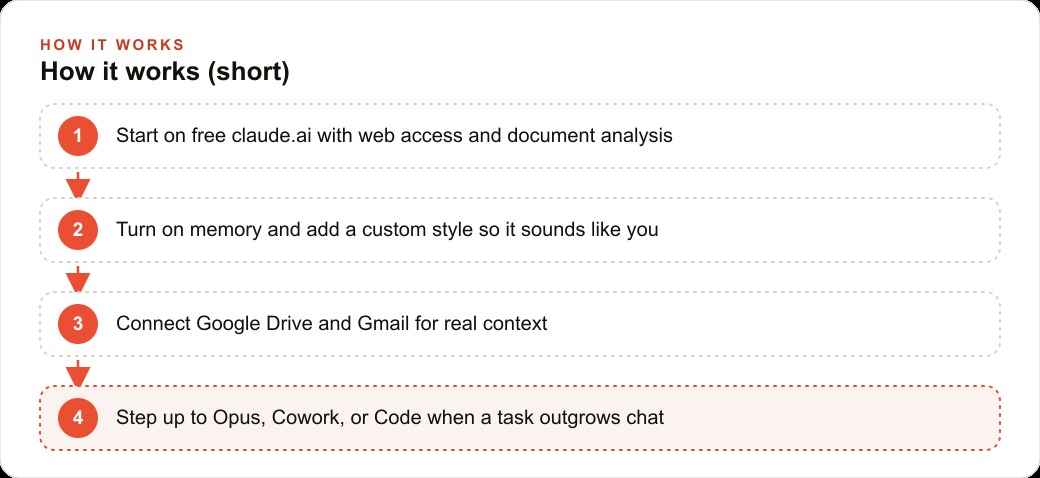
The free Claude interface at claude.ai now includes internet access that activates automatically when a prompt requires current information. It also reads PDFs, analyzes images, and processes spreadsheet data. For a large portion of the tasks that a business owner would use Claude for, the free tier is sufficient.
The specific upgrade cases are heavy daily usage, access to the Opus model, Claude Code, and Claude Cowork. If your usage is sporadic and the tasks are not at the frontier of what the models can do, spending time on the free tier first is the right sequencing. You learn what you use before paying for what you might not need.
The web access on the free plan is more useful than it first appears. Research tasks that would previously have required you to search manually and then paste the results into Claude can now run in a single prompt. Asking Claude to find the current pricing of a competitor's service and summarize the differences from yours is a task the free plan now handles, where it could not previously.
Step 3: Build working mini-applications with Artifacts
Artifacts are interactive outputs that Claude generates inside the chat window without surfacing the code that produced them. A habit tracker, a QR code generator, a financial calculator, an interactive checklist, all of these can be built and delivered as Artifacts that work in the browser without you needing to touch or understand any code.
For a business owner, Artifacts change the answer to "what can Claude actually build for me" in a concrete direction. The answer is no longer limited to text, analysis, and drafts. It includes working tools that can be published and shared with a link. A pricing calculator tailored to your specific service variables that you share with every proposal is a practical Artifact. A client intake questionnaire that populates a summary automatically is a practical Artifact.
The workflow is description-based: describe the tool you want, review what Claude produces in the Artifacts panel, describe what to change, and iterate. Non-technical business owners can build functional tools through this process without writing a line of code.
Step 4: Organize ongoing work inside Projects
Projects in Claude work like structured folders that maintain context across multiple conversations. Each Project has its own memory, its own set of uploaded reference files, and its own custom instructions that apply to every conversation inside it. A Teams plan adds the ability to share a Project with collaborators, including its files and memory.
The practical use case for a business owner with ongoing clients or recurring content work is significant. A Project for a specific client holds the client's context, their style preferences, any reference documents about their business, and a running memory of decisions made in previous sessions. Opening a conversation inside that Project starts from the established context rather than from a blank slate.
For a business that produces regular written content, a Project with the brand voice, the target audience description, and samples of approved content produces outputs that require far less editing than prompts entered into a general conversation without context. The Project acts as the working memory for that stream of work.
Step 5: Connect Claude to the tools your business already uses
Connectors give Claude access to external services including Google Drive, Gmail, Google Calendar, and Asana. When a Connector is active, Claude can read and in some cases edit files in those connected services as part of responding to a prompt.
The consequence for a business owner is that information retrieval becomes part of the conversation rather than a prerequisite to it. Asking Claude to help draft a follow-up based on what was discussed in the last client meeting, where the notes from that meeting live in a Google Drive folder, no longer requires you to find and paste those notes. If the Drive Connector is active, Claude reads the relevant document as part of the response.
The calendar integration is particularly useful for planning work. Asking Claude to find available time for a task given your current calendar commitments, or to draft a scheduling email that accounts for your availability, pulls information from Calendar that would otherwise require manual lookup.
Step 6: Configure memory and writing styles to match your actual preferences
Claude has two separate memory systems. Account-wide memory stores information about you that persists across all conversations on your account: your job, your preferences, communication style, and context that applies everywhere. Project memory stores information specific to a given Project. These operate independently.
Custom styles are a separate feature that teaches Claude your specific writing voice from a sample of your own writing. Once a style is defined, you can select it when generating any written output, and Claude applies the vocabulary, sentence rhythm, and tonal patterns from your sample rather than defaulting to its own voice.
For a business owner who writes regularly, whether that is client emails, proposals, social content, or articles, having a style configured means spending less time editing outputs to sound like you. The style calibration takes about fifteen minutes to set up from a collection of writing samples and pays for that time investment in every subsequent piece of writing it improves.
Step 7: Use Deep Research for tasks that require synthesizing many sources
Deep Research in Claude goes beyond a single web search. Given a research question, it works through hundreds of sources over several minutes, synthesizing findings into a structured document with sourcing. In demonstrated cases, it has processed over 250 sources and produced comparison documents with an executive summary and a recommendation.
For a business owner, the appropriate use case for Deep Research is the kind of question that would otherwise require multiple hours of manual research: competitive landscape analysis, thorough review of regulatory requirements, due diligence on a vendor, or synthesis of best practices across an industry.
The key distinction from a standard search is that Deep Research does not stop at finding relevant sources. It reads them, extracts the relevant information from each, and synthesizes across all of them to produce a document that answers the original question. The manual alternative to this is hours of reading and note-taking. Deep Research produces a comparable output in minutes.
Step 8: Reach for Opus with extended thinking on your hardest problems
Opus is the strongest Claude model, and extended thinking is a mode that allows Opus to work through a problem in the background before producing its response. The combination, Opus plus extended thinking, is the configuration to reach for when the quality of the reasoning matters most and speed is a secondary concern.
Hard problems for a business context might include: designing a compensation structure that balances incentives and affordability across multiple roles, analyzing a complex contract for risks and negotiating positions, working through a strategic decision where multiple considerations pull in different directions, or developing a technical architecture for a system that has to meet competing requirements.
For these tasks, the difference between a Sonnet response and an Opus-with-extended-thinking response is often the difference between a response that addresses the surface question and a response that anticipates the complications, identifies the tradeoffs, and produces a recommendation that holds up under examination. The credit cost is higher. For the right problem, it is well spent.
Step 9: Explore Claude Cowork for autonomous multi-step tasks
Claude Cowork is a desktop application that takes on multi-step tasks with minimal intervention rather than responding to a single prompt. It plans the work, asks clarifying questions if needed, and executes across multiple steps including file creation, web research through a connected browser, and folder organization.
Cowork is not appropriate for every task. It is appropriate for tasks that are currently multi-step, time-consuming, and procedural. Organizing a folder of client documents into a structured archive by project and date. Pulling the three most important emails from the past twenty-four hours and drafting suggested responses. Building a complete set of materials for a project from a brief.
For a business owner whose time is frequently consumed by tasks that are not hard but are tedious and multi-step, Cowork is where Claude becomes something closer to a capable assistant rather than a text generation tool.
Step 10: Use Claude Code to build real working software from a conversation
Claude Code operates in a terminal on your machine and writes code into a project folder. Given a clear description of what to build, it produces the code, runs it, checks whether it works, and iterates. For a business owner who wants to build a tool, a website, an automation script, or an internal application, Claude Code removes the requirement to write the code manually.
The appropriate use case is not replacing a software engineering team for a complex product. It is building the kinds of tools that a business owner would previously have had to either learn to code themselves or hire a freelancer to produce: a custom pricing tool, a data processing script that runs on exported spreadsheet data, a simple web application that handles a specific internal workflow.
Skills are markdown files that extend Claude Code's capabilities into domains it does not cover by default. They can be installed from marketplaces or written specifically for your workflow. A Skill for your specific industry, your CRM system, or your preferred framework trains Claude Code on the conventions and patterns that apply to your specific context rather than general coding patterns.
The combination of all ten features described in this article is the full picture of what Claude offers. Most people use one or two features and assume that is the whole tool. The compounding value appears when you use the right tier for the right task, maintain context through Projects, connect the tools you already use through Connectors, and reach for Cowork and Code for the tasks that go beyond a single conversation.
The sequence that makes these features compound rather than overlap
The most common mistake I see when people survey a tool's feature list is treating each feature as a separate option to evaluate independently. The Claude features described in this article are designed to work together, and the compounding happens through specific combinations rather than through any individual feature used in isolation.
The combination that produces the most leverage for a content-focused business is Projects plus custom styles plus Artifacts. Projects hold the ongoing context for a client or a content stream, custom styles ensure the outputs sound like you rather than like a generic AI, and Artifacts let you turn that contextual, stylistically-correct output into interactive tools as well as text. The three features together mean that a business that produces regular content for a specific audience can do so with a starting context that gets richer over time, an output voice that matches its established brand, and the ability to deliver interactive tools alongside written content when that format serves the audience better.
The combination that produces the most leverage for an operations-focused business is Connectors plus Projects plus Cowork. The Connectors pull in the information from the tools the business already uses. The Project holds the recurring context for the specific operational domain. And Cowork handles the multi-step tasks that require both the connected information and the structured context to execute without step-by-step guidance.
Starting with the feature combination that matches your primary workflow gets you to compounding value faster than trying all ten features in sequence. Identify the category of work that takes the most of your time, find the two or three features that address that category, build the habit around those features, and then expand from there as the first combination becomes routine.
That is exactly what we do at AI DOERS. Book a private 30-minute call with Madhuranjan Kumar and we will map the fastest path to it for your specific business.
Book your call →
Madhuranjan Kumar
Madhuranjan Kumar brings 20 years of performance-marketing experience and has managed over $200 million in Facebook ad spend for brands across the United States and beyond. His expertise spans the full modern marketing stack: Meta, Google Ads, TikTok, email automation, CRM, and the websites that hold it together. At AI DOERS he turns that track record into lead-generation systems for businesses across every industry.