
Every AI Model Type Explained: How to Pick the Right One
There is no single best AI model. Each lab built a different strength, so the smart move is matching the tool to the job instead of staying loyal to one brand.

The AI tool market released more distinct model types in the past eighteen months than in the previous five years combined, and most people who just need to pick something and get to work are stuck staring at a confusing shelf. I want to fix that with a plain-English map of eight model types, each one named for what it actually does, so the choice is obvious before you open a single browser tab.
Large language models: the all-rounders that read, write, and reason through most daily work
A large language model reads text and generates text. That simple description covers a wide range of practical jobs: writing emails, drafting reports, summarizing long documents, answering research questions, editing and restructuring existing writing, translating between languages, and reasoning through multi-step problems. ChatGPT, Claude, and Gemini all belong to this category at their core.
The practical differences between them are real without being dramatic. ChatGPT is the broadest in scope and the most accessible entry point, with tiers from a free plan up to higher-cost Pro levels. It handles writing, coding assistance, basic research, image generation, voice responses, and PDF review within one interface. Claude is widely regarded as the strongest for sustained heavy work, particularly long-form document editing, structured coding projects, and tasks that require holding a long logical chain across many steps without losing the thread. It connects natively to Notion, Figma, Slack, and HubSpot. Gemini is fastest on Google's own chips, can ingest a full video frame by frame, and connects tightly to Gmail, Calendar, and Drive, making it the natural choice for teams already inside Google Workspace.
For the vast majority of daily writing and research tasks, any of the three performs well enough that the decision comes down to which integrations matter most to your existing workflow. Pick the one you have open and add the others as the work demands them.
Reasoning models: the slower, more deliberate variant that checks its own logic before answering
A reasoning model is a large language model with an additional step built in before it delivers a response. Rather than generating the first plausible completion to your question, it works through a chain of thought, identifies potential errors in its own reasoning, and revises before answering. The practical difference shows up on genuinely hard tasks: complex financial or legal analysis, multi-step mathematical problems, technical decisions with many cascading dependencies, and code that requires understanding a long chain of behavior across multiple files.
On simple questions, reasoning models are noticeably slower without being better. On difficult problems, they are meaningfully more accurate. The major providers all offer reasoning variants of their flagship models, and these cost more per use and take longer. That trade-off is exactly right when being wrong has real consequences and exactly wrong when you just need a quick draft of a routine email. The test is practical: if getting the wrong answer would cost you real time, money, or credibility, use the model that checks its own work before it answers.
Open-source models: the same capability category running locally at near-zero marginal cost
Open-source models like DeepSeek, Qwen, Llama, and Gemma run on your own hardware rather than on a provider's server. Two things change when you make that shift: the cost structure and the privacy profile. There is no per-query fee and no usage cap once the model is set up. More importantly, no data leaves your machine.
For businesses handling sensitive information, such as customer records, patient data, client files, or financial documents, the ability to run AI locally without data transiting through a third-party server is not a minor convenience. It is a compliance and risk-management decision. A local model keeps that information on premises at near-zero marginal cost after the initial hardware is in place.
The honest trade-off is a capability ceiling that sits slightly below the frontier hosted models. That ceiling matters far less than the marketing around frontier AI implies. For approximately 95 percent of everyday business tasks, a well-configured local model produces output that is indistinguishable from a hosted frontier model's response. The 5 percent where the gap is real involves the hardest multi-step reasoning and the most sophisticated creative judgment. If you are routinely working at that level, you already know the difference. If you are uncertain whether you fall into that group, you almost certainly do not.
Image generation models: turning a written description into a photograph, illustration, or brand visual
Image generation models take a text description and produce a visual output. Midjourney, Stable Diffusion, Flux, Ideogram, and the image-generation modes embedded in ChatGPT and Gemini all belong here. Output quality across the major options is high enough that the choice between them is usually made by style preference and specific use case rather than raw capability. Some produce photographic realism. Others excel at illustration or concept-art styles. Some are specifically optimized for consistent character appearance across multiple generated images, which matters enormously for any sequential visual work, including brand mascots, product character series, or visual narratives.
It is worth separating dedicated image models from the embedded image features inside general chat tools. The dedicated models give more precise control over style, composition, and visual consistency. If image quality and brand consistency are a genuine business requirement rather than an occasional experiment, a dedicated model produces noticeably better results than a prompt sent to a general chatbot. Image models also run locally now at quality levels that rival what hosted text models achieved two years ago, which makes local image generation a serious option for businesses with high image volume or strong privacy considerations around visual content.
Video and world models: generating motion and interactive environments from a text prompt
Video generation models like Sora 2, Veo 3, and Runway Gen 4 produce short video clips from a text description. Output quality has improved to the point where the results are usable for social media content, product demonstrations, and short explainers. Current practical limits are clip length and precise control over what happens in individual frames, both of which continue to improve rapidly with each new release from the major labs.
World models are a distinct and newer category within this family. Rather than generating a passive clip to watch, they create interactive environments a user can navigate and influence. Near-term applications are in gaming and training simulations. The longer-term implications for virtual showrooms, architectural walkthroughs, and any context where a user needs to explore rather than simply observe are significant. This is the category with the highest rate of meaningful improvement in the current landscape and the one where early attention from businesses in creative, marketing, and experiential fields will pay the most dividends over the next two years.
Coding agents: AI wrapped in a harness that reads, writes, runs, and tests your actual code
A coding agent is not simply a model that can write code syntax. It is a model connected to a harness that reads your existing codebase, writes new files inside it, runs the code it produces, interprets the results, and iterates based on what happened, all without you manually copying output between a chat window and your editor. Tools like Cursor, Claude Code, and Codex operate in this category.
The practical implication for businesses without in-house engineering staff is significant. A business owner who can clearly describe what a tool should do and who is willing to review what the agent produces can now build internal tools, automated data pipelines, custom reporting dashboards, and integrations between existing software systems. The constraint being removed is knowledge of programming syntax. The constraint that remains is the ability to specify what you want with enough precision that the agent can build it without guessing. If you can write a clear paragraph describing the desired behavior, you can direct a coding agent to build it.
This is the model category that has changed the most in practical terms over the past two years. The gap between what a non-technical business owner can now ship and what previously required a full engineering engagement is measurably large and continues to widen.
Audio models: voice cloning, real-time conversation, and full songs from a single text input
Audio models divide into three practical subcategories with distinct business applications. Voice cloning and text-to-speech tools take a short audio sample and generate new speech in that voice from any written text. The economics of narration production, training video creation, and any content that depends on a consistent spoken voice change significantly when recording a revision requires a text edit rather than a studio session.
Real-time voice conversation tools allow natural spoken exchanges with an AI model, with turn-taking and responsive pacing rather than typed queries and text replies. This subcategory is reshaping customer-facing interactions, coaching tools, and any scenario where the natural flow of spoken language matters. Music generation tools produce full songs with melody, harmony, and lyrics from a single written description, which immediately benefits any business that licenses background audio for content, events, or products.
Match the subcategory to the specific use case. Voice cloning is most valuable wherever consistent professional narration is needed at scale. Real-time conversation fits any context where speech is a more natural interface than text. Music generation benefits any business spending money on audio licensing.
Embedding models: the invisible layer that makes search and memory work across large document sets
Embedding models convert text into a mathematical vector that captures semantic meaning in a form computers can compare. When a tool finds the right document based on what your question means rather than only the exact words you typed, that capability runs on an embedding model underneath.
Most business users interact with this category indirectly through tools that rely on it. Knowledge bases, semantic document search, AI assistants that retrieve relevant information from large file libraries, and memory features that recall relevant past context all depend on embedding model quality. Understanding that this layer exists matters when evaluating why a search feature works well or poorly, or when building anything that needs to find relevant information from a large collection. The embedding model determines whether your internal search feels intelligent or merely mechanical.
---
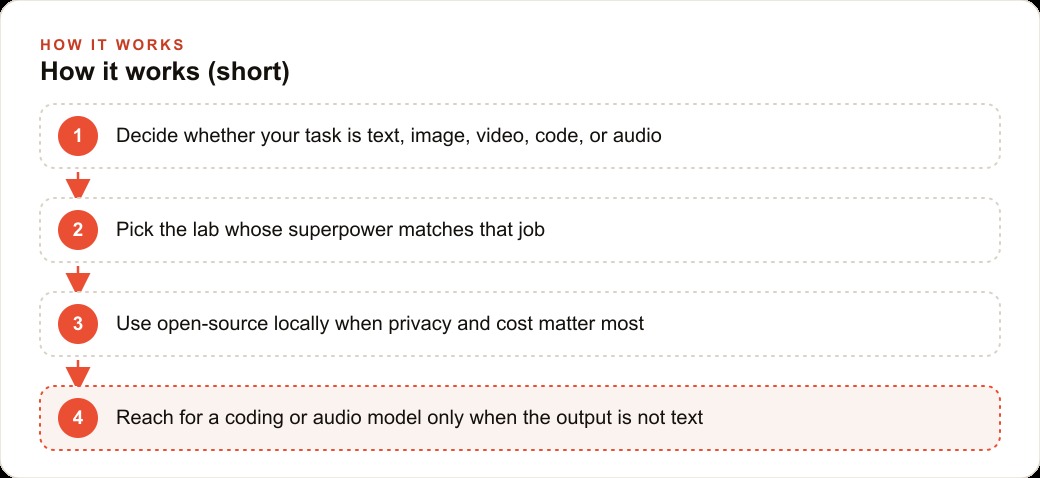
Here is the decision framework I use before reaching for any tool. Identify what the output category is. Text output, including writing, research, reasoning, and explanation, goes to a large language model, with the reasoning variant reserved for tasks where accuracy has real stakes. Visual output in still-image form goes to a dedicated image model when consistency and brand quality matter. Motion output goes to a video model. Code that needs to actually run goes to a coding agent. Audio output goes to the appropriate audio subcategory. Retrieval from large document collections depends on the embedding model quality of whatever tool you are evaluating. And open-source applies as a modifier across all categories: wherever privacy or per-query cost matters more than ceiling performance, route the same task to a local version.
---
Here is how this routing plays out for a concrete business scenario. A property management firm produces two kinds of output every week: a written market commentary for clients, around 800 words per issue, and a set of listing images for each new property coming onto the market. For several years the team pushed both tasks through a single general-purpose chat tool. The commentary was competent. The listing images were generic and visually inconsistent from property to property, because a general chat tool's embedded image generation trades precise control and consistency for convenience.
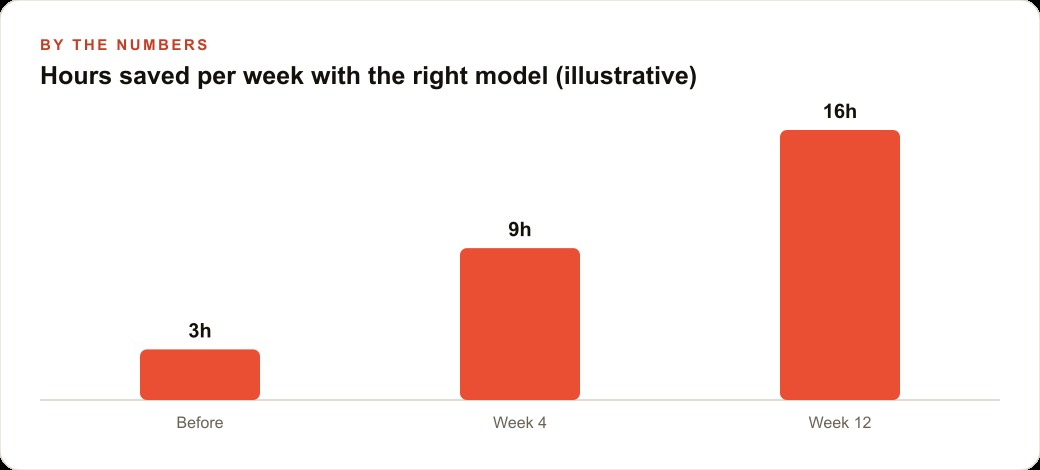
Splitting the two tasks to the correct model type changed both outputs in the same week. The written commentary went to a large language model with a saved writing style for the firm's voice and tone. Drafting each issue now takes approximately 12 minutes, compared to 45 minutes of unassisted work before. The listing images went to a dedicated image generation model with a style brief describing each property's character, natural light, and the visual treatment consistent with the firm's brand. Production time for listing images dropped from a contracted photographer visit at 3 hours plus a per-session fee to roughly 25 minutes of prompt refinement at the team's own computer.
The two-tool routing saved 33 minutes per week on the written commentary and recovered more than 2 hours for each new listing's image production. The combined subscription cost for a strong text model and a dedicated image model is a small fraction of one photography session. The output is measurably better in both categories because each tool is doing the job it was built for, rather than one general tool covering tasks across model types at reduced capability in each.
The map has eight items. You only need to know which one fits the job in front of you.
That is exactly what we do at AI DOERS. Book a private 30-minute call with Madhuranjan Kumar and we will map the fastest path to it for your specific business.
Book your call →
Madhuranjan Kumar
Madhuranjan Kumar brings 20 years of performance-marketing experience and has managed over $200 million in Facebook ad spend for brands across the United States and beyond. His expertise spans the full modern marketing stack: Meta, Google Ads, TikTok, email automation, CRM, and the websites that hold it together. At AI DOERS he turns that track record into lead-generation systems for businesses across every industry.