
Eight Habits That Turn an AI Tool Into a Power System
Casual users type questions and hope for good answers. Power users design an operating environment around the model. Here are the habits that make the difference.

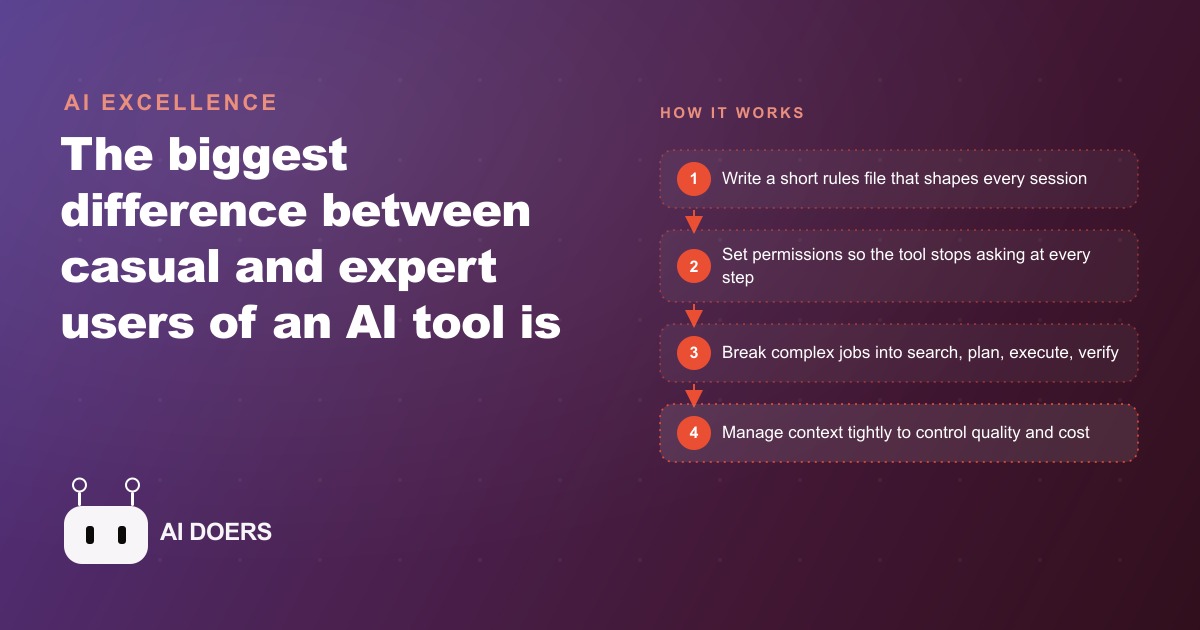
Most people use their AI assistant like a chatbot. They type a question, hope for a good answer, and move on. That approach taps maybe a tenth of what the tool can actually do, and it explains why so many businesses conclude, wrongly, that AI is overhyped. The real leverage was never in clever prompts. It is in designing a better operating environment around the model. I am Madhuranjan Kumar, and after setting these systems up for clients, I am convinced the gap between casual users and the people getting extraordinary results has almost nothing to do with the sentences they type. It has to do with everything they build around the model before they type anything at all.
The shift starts with a change in how you see the tool. Underneath the simple text box there is a memory system, a library of built-in commands, a permission engine, and the ability to coordinate several agents working in parallel. When you type a question and read the reply, you are touching only the surface. The power lives in the systems built around the model. Once you see the tool as a full operating environment rather than a place to chat, you stop asking how to write a better sentence and start asking how to configure the whole environment so that every session is faster, cheaper, and more accurate. That single reframe is the fork in the road. Everything that separates the top users from everyone else flows from it, and none of it is exotic.
The layers that turn a chatbot into a system
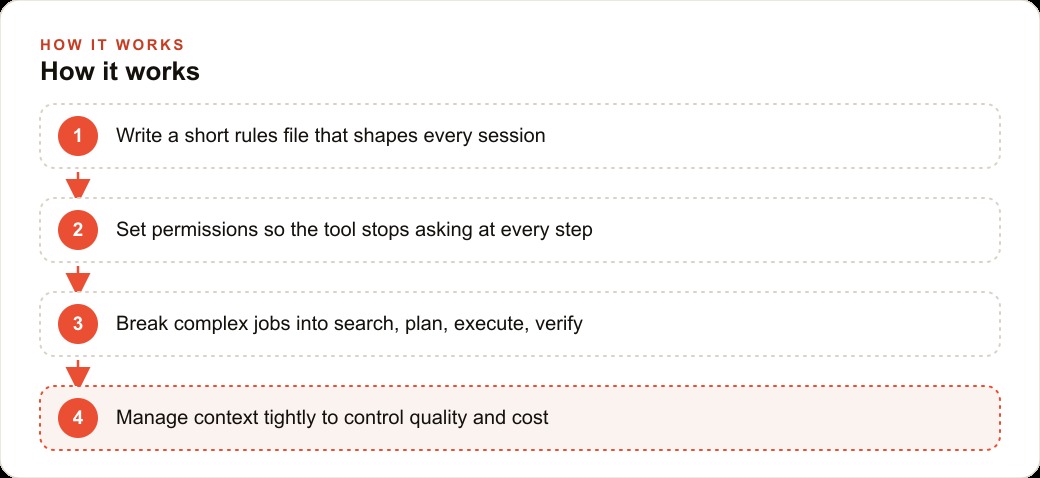
The environment is built from a handful of layers that reinforce each other, and the first is memory. There is usually a single rules file that loads at the start of every session, and the best users treat it like an onboarding document for a new employee. It holds short, opinionated rules: how we do things here, what we never do, how the work is structured. Not a history of the project, just the decisions and constraints that should shape every piece of output. A casual user re-explains the same context every session and gets inconsistent results. A power user writes it down once, and the tool starts every conversation already knowing the house rules.
The second layer is commands. There are dozens of built-in shortcuts, and most people know only a couple. Knowing the ones that plan before acting, that compact a long session, that control what is loaded into view, and that resume earlier work is a completely separate lever from prompting. This is where a lot of wasted effort hides, because people try to solve with a cleverer sentence what a single command would have handled cleanly. The third layer is permissions. By default the tool asks for approval at every step, which feels slow and turns the user into a babysitter. You can set clear allow rules once, so the recurring actions you always approve just happen, and the tool can run while you step away. That one change is often the difference between a tool that needs constant attention and one that actually does work on its own.
The fourth layer is decomposition. Instead of one giant instruction, you break work into phases: a search phase to gather what is relevant, a plan phase, an execute phase, and a verify phase that checks the result against the source. The tool was built to handle complex work by splitting it apart, not by cramming everything into one overloaded thread, and the people who respect that get dramatically cleaner output. The fifth layer is context discipline, which is really cost discipline. Every file loaded into view costs you money and can dilute quality, so compacting long sessions and controlling what is loaded keeps both your bill and your results in check. Manage context like money, because that is exactly what it is. And the final layer is connection and tuning: the more outside tools and data you wire in, and the more you adjust the underlying settings, the more the generic app becomes infrastructure shaped around your actual work. None of these layers is glamorous. Together they are the whole game.
Where a law firm feels the difference
Consider a law firm that uses AI to draft documents, summarize case files, and answer routine client questions. Used like a chatbot, it is maddeningly inconsistent. One associate gets a clean draft, another gets a sloppy one, and everyone wastes time re-explaining the same rules the firm has already decided a hundred times. The output quality swings with whoever happened to be typing, which is exactly the kind of variability a law firm cannot afford. The problem is not the model. The problem is that nobody built an environment around it.
Now watch the same firm build it as a system. First, a short rules file that every session loads automatically, holding the firm's voice, its required disclaimers, its formatting standards, and the hard line that nothing leaves without human review. Every associate now starts from the same foundation, so the draft arrives already shaped by the firm's standards instead of needing them bolted on afterward. Second, clear permissions, so the tool can read internal templates and pull from approved reference material on its own, but must always ask before anything client-facing. That removes the babysitting on safe actions while keeping a hard stop on the risky ones. Third, decomposition for the big jobs, so summarizing a large case file becomes a search phase to gather the relevant parts, a draft phase, and a verify phase that checks the summary against the source, rather than one sprawling request that quietly drops details. Fourth, tight context control, so the assistant works from the one relevant section rather than dragging in unrelated files that cost money and blur the answer.
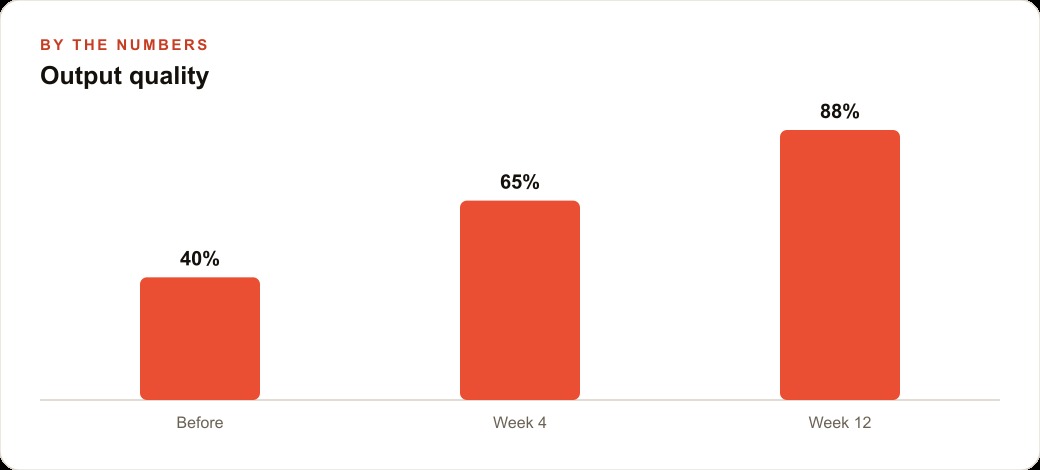
The result is consistency, which for a professional firm is worth more than raw speed. Every associate gets output that already follows the firm's standards, the partners spend less time correcting, and the work is both cheaper and more reliable. Illustratively, if a partner had been spending a couple of hours a day correcting inconsistent drafts, a well-built environment can pull that toward a fraction of it, not because the model got smarter overnight, but because the environment stopped letting bad output through in the first place. That recovered partner time is the real return, and it compounds across every matter the firm handles. The same discipline reaches beyond the legal work too: the firm's intake and client communications flow more cleanly into its CRM and website stack, and the content the firm produces for its site feeds its SEO and organic search presence without extra effort, because the environment makes good output the default rather than the exception.
What it costs you to ignore this
The uncomfortable truth is that the businesses winning with AI are not the ones with the cleverest one-off prompts. They are the ones who built a repeatable operating environment so that good output happens by default, every time, for every person on the team. This applies far beyond a law firm. A marketing agency, an accounting practice, a clinic, a real estate team, all of them get dramatically better results the moment they set clear rules, define what the tool may do without asking, break big jobs into phases, and keep context lean. And it applies beyond coding, because the same environment thinking that produces a clean legal draft also produces sharper marketing copy, which is why the same firms that master this tend to run tighter Facebook and Instagram ad campaigns as a knock-on effect. The habit generalizes.
To ignore all of this is to keep renting a tool at a tenth of its value while a competitor builds a system around the same model and quietly operates at the top level. The gap will not show up as a dramatic moment. It shows up as their team producing consistent, cheap, reliable output every day while yours re-explains the rules each morning and hopes for the best. Over a year, that gap is enormous, and it was never about who had access to the better model. Everyone has access to strong models now. It is about who bothered to build the environment.
Treating the tool like infrastructure, not an app
There is one more habit that ties all of this together, and it is the one that most clearly separates the top users. They treat the tool as infrastructure they tune, not an app they open. That means the model is not a chat window they visit when they have a question. It is a configured environment, wired into their real systems and data, with routing and settings adjusted to how the work actually flows, so that pointing it at a job produces the right kind of output by default. The more outside tools and data sources you connect, the more useful the assistant becomes for your specific work, because it stops answering from general knowledge and starts answering from your reality.
The multi-agent capability is part of this same infrastructure mindset. A power user does not just run one assistant, they coordinate several working in parallel on different pieces of a job, the way a manager splits work across a team. For a law firm, that might mean one agent gathering the relevant sections of a case file while another drafts and a third checks the draft against the source, all under a coordinating layer, so a big task that would crawl through a single thread gets handled in parallel instead. That is not a trick you pull off with a clever sentence. It is something you architect once and reuse, which is exactly why it belongs to the environment, not the prompt.
The reason this matters for a business rather than a hobbyist is repeatability. A clever prompt produces one good answer for one person on one day. A tuned environment produces good answers for every person, every day, without anyone remembering the magic words, because the quality is baked into the setup rather than improvised each time. That is what infrastructure means: you build it once and it pays out continuously. The businesses that reach the top level are not the ones with the best prompt library. They are the ones who stopped thinking of the model as an app to visit and started treating it as a system to build, tune, and rely on.
The bottom line
The difference between a casual user and a power user of any AI tool is not talent with words. It is the willingness to build an environment: a rules file that loads every session, permissions set once so the tool stops asking, work broken into phases, context managed like money, and the whole thing tuned and connected to your real systems. The law firm that did this got consistency, cheaper output, and partners freed from correcting sloppy drafts, none of it from a cleverer prompt and all of it from a better system. Everyone has access to strong models now, so the models are no longer the edge. The edge is the environment you build around them, and that is entirely within your control.
So start with the rules file. Write a short, opinionated set of conventions and constraints and let it load at the start of every session. Learn the handful of commands that matter most. Configure permissions so the routine actions happen automatically while sensitive ones still require a check. Break complex work into search, plan, execute, and verify phases. Manage your context like money. Connect the tool to the systems you use every day, and spend a little time tuning the settings so the environment fits how you actually operate. You can put these habits in place yourself with some patience, or you can bring in someone to design the rules, the permissions, and the workflows so your whole team operates at the top level from day one. Either way, the message is the same: stop typing better questions and start building a better system around the model.
That is exactly what we do at AI DOERS. Book a private 30-minute call with Madhuranjan Kumar and we will map the fastest path to it for your specific business.
Book your call →
Madhuranjan Kumar
Madhuranjan Kumar brings 20 years of performance-marketing experience and has managed over $200 million in Facebook ad spend for brands across the United States and beyond. His expertise spans the full modern marketing stack: Meta, Google Ads, TikTok, email automation, CRM, and the websites that hold it together. At AI DOERS he turns that track record into lead-generation systems for businesses across every industry.