
Codex Explained: The Seven Capabilities That Make OpenAI's Agent A Super App
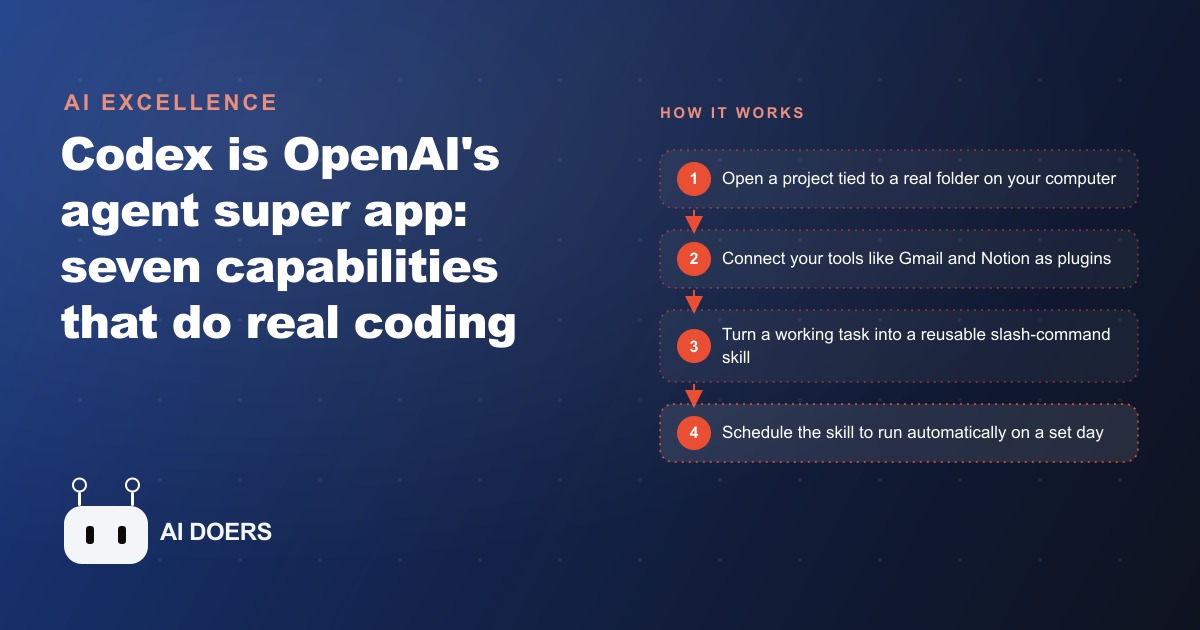
Codex is OpenAI's agent that runs on your own computer with full file access, and its power comes from seven capabilities: local files, project folders, persistent memory, plugins, reusable skills, built-in image generation, and browser and computer control, plus scheduled automations. Here is how I would put it to work for a real business.

Marcus runs a 12-person landscaping company in a mid-sized suburb. For six years he has started every Monday at 6 in the morning with the same ritual: open the week's email, copy quote requests into a spreadsheet by hand, sort the addresses by neighborhood, and build the week's estimate route list. It takes two to three hours. He starts early so it is done before the crews need instructions. He has thought about fixing it dozens of times and never found something that felt simpler than just doing it himself.
The Monday morning ritual is the problem Codex solved, not through a dramatic overhaul of the business, but through a series of small automation steps that each took under an hour to set up, stacked until the estimate list was building itself before Marcus arrived.
The Monday problem that existed before Codex arrived
The core issue was not the time itself. Marcus can build the route list in two hours when things run smoothly. The issue was what those two hours cost in displaced attention. The mornings spent on logistics were the mornings with the least bandwidth for the calls and conversations that actually moved the business forward. A potential commercial account calling Monday morning might not hear back until Tuesday. A crew question sitting unanswered for two hours while he sorted addresses cost more than the time.
The secondary issue was data quality. Copying addresses from email into a spreadsheet at 6 in the morning introduced errors. A transposed house number, a neighborhood misclassified, an address left out because the email got buried in a thread. Those errors showed up as wasted crew time mid-week when a truck arrived at a wrong address or two crews ended up at the same property because the deduplication relied on memory.
Marcus had looked at scheduling software and found it either too expensive for his volume, too rigid for the variety of job types he handled, or too complicated to configure without help he did not want to pay for. He wanted the spreadsheet he already understood, just populated automatically. Codex turned out to be the way to get exactly that.
The day 53 receipts became a sorted dashboard in one session
The first thing Marcus did with Codex was not the Monday route list. It was something smaller: a folder of 53 supplier receipts he had been meaning to reconcile for two months.
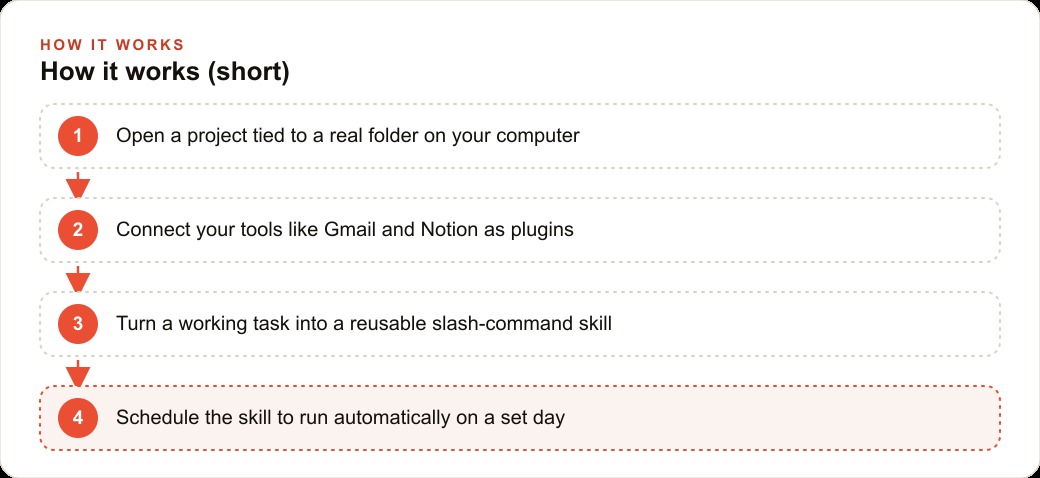
He created a project tied to the folder where those receipts lived on his computer. Every file Codex touches or creates stays local, on the actual machine, not uploaded to a cloud server somewhere. He told Codex what was in the folder. The agent read each receipt, pulled out the vendor name, the date, the items, and the total, and assembled everything into a sorted spreadsheet with a summary dashboard showing totals by vendor and monthly trends across the period. The whole session took about twelve minutes. Marcus checked three entries against the actual receipts and they were accurate.
That first session did two things. It showed him that the agent could work with real files on his actual machine, not a demo environment or a simplified dataset. And it gave him a concrete example of what to ask for next. If it could read 53 receipts and build a dashboard, it could probably read a week's worth of emails and build a route list.
When two weeks of email became a filtered, organized data source
The email step was where the real work began. Marcus connected his email as a plugin. The agent can reach Gmail through the plugin system, reading messages, filtering by criteria he specifies, and pulling structured information from what it finds.
He asked the agent to read the previous two weeks of email, find every message containing a quote request, pull out the client name, the property address, the type of work described, any specific timing requests, and the thread date, and build a table sorted by neighborhood. The agent read the full two-week window and surfaced fourteen quote requests he had handled and one he had missed.
The missed one was the detail that sold Marcus on building this into a recurring workflow. He had not forgotten to respond to that client. The email arrived during a busy afternoon, he had mentally noted it, and it slid down the inbox without being flagged. It surfaced in a search a week later and the job had already gone to someone else. The agent caught it in the retrospective pass. A weekly version of the same sweep would catch that kind of slip before it cost him a job.
He spent one session iterating on the output, adjusting the criteria for what counted as a quote request, adding a field for estimated job size, and asking the agent to flag any requests that mentioned a specific deadline. When the output was exactly what he wanted, he told the agent to turn the workflow into a skill. The agent saved the full instruction set into a clean recipe file under the name estimate-builder. From that point forward, running the full email sweep and route build is a single slash command.
The Monday morning the estimate sheet built itself before anyone arrived
The scheduling step was the last piece. After Marcus had run the estimate-builder skill manually three times and confirmed the output was consistently right, he set it to run automatically every Monday morning at 5:30.
The first Monday it ran on its own, Marcus walked in at 6:15 and the route list was already in the project folder, sorted by neighborhood, with the deadline-flag column already populated. Two of the fourteen entries had the flag raised, meaning those clients had mentioned a specific day by which they needed a quote. He called both before 7 in the morning, before he had done anything else. One of those calls turned into a 4,200-dollar job that week.
The two to three hours he had spent building the route list every Monday compressed to about twenty minutes of reviewing and adjusting the output, confirming addresses, and adding any context the automated pass missed because it came in through a phone call rather than email. The remaining time went to the calls and conversations that actually required him. The commercial account calling Monday morning now got a callback by 7:30 instead of Tuesday afternoon.
Every task that got a working version was saved as a skill and can be improved each time it runs. The estimate builder has gotten better at flagging the kinds of requests that typically need a site visit rather than a remote quote, because Marcus told it to improve that distinction each time he ran it through the early weeks. The skill compounds in quality over repeated use rather than repeating exactly the same output indefinitely.
Getting the before-and-after social posts done without a photographer or a designer
Marcus had been meaning to post before-and-after photos from finished jobs for two years. He had the photos on his phone. He never found time to format them into posts, and he did not want to pay a designer for something that felt straightforward.
Codex has image generation built in. For finished jobs where he had a good reference photo, he asked the agent to generate a clean, professional before-and-after graphic for social media. The agent produced five variations in one session, each with a simple layout showing the job type, the neighborhood, and a brief description of the work done. He chose the format he liked best, saved it as a skill, and now runs it for any job he wants to feature.
The graphics are not photorealistic photography. What they are is a consistent, clean visual treatment that looks intentional and professional. The graphics generate straight into his project folder, ready to upload directly. For one post the whole process takes about ten minutes: reference the job, run the skill, pick the variant, upload.
He also connected the computer use plugin after the first month. The agent can open his booking page on a schedule, check that the contact form still submits correctly, and flag if something is broken. He had discovered twice in one year that the contact form was showing an error only after he noticed a drop in inquiries. The automated check catches that kind of issue before it costs a week of missed leads.
What the owner's Monday morning looks like six weeks into the system
Six weeks after building the first skill, Marcus arrives at 6:15 on Monday morning. The estimate sheet is already in the project folder, built automatically at 5:30. He reviews it for twenty minutes, confirms the route, flags anything needing a same-day response, and makes two or three calls before 7 in the morning. The rest of the morning is available for the conversations and decisions that actually require him.
The before-and-after posts for the previous week's featured jobs are drafted and sitting in the folder ready to upload. The booking form has been checked and shows a clean status. The supplier receipts from the previous week are already reconciled into the ongoing monthly summary. None of it required him to open a spreadsheet or copy anything by hand.
The auto-memory file the agent maintains on its own has built up running notes about how the company likes things done, including which neighborhoods are typically routed together and which services are seasonal. Over the course of a busy season the agent gets sharper at the recurring work rather than starting fresh each time, because it carries its own accumulated context about the business from session to session. That context lives in the auto-memory file, which Marcus can read and occasionally correct, but which the agent updates on its own as it learns the patterns of the work.
The total time Marcus spent setting this up, from the receipt experiment through the scheduled Monday workflow, was roughly eight hours spread across two weeks. That investment paid back in about three weeks of reclaimed Monday mornings. The eighth week it ran, Marcus was in a meeting with a potential commercial account at 7 in the morning on a Monday because he had the time and the clean routed data he needed to have that conversation confidently. That meeting turned into a contract worth more than he had spent on tools and setup combined.
The workflow is not complicated. A handful of skills, a couple of plugins, a weekly automation. The leverage comes from the fact that they run whether Marcus shows up at 5:30 or 7:30, and the output quality has been consistent enough that reviewing rather than rebuilding is all that remains for him to do.The plugins Marcus connected in the first month have stayed reliable. The email plugin has not required reconfiguration. The skill files the agent generated for the estimate builder and the social image workflow have not needed manual editing. The automations have run every week on schedule. The consistency of a well-configured setup is one of its underrated properties: once a workflow is running cleanly, it tends to keep running cleanly without maintenance intervention, because the source of variation has been removed from the process.
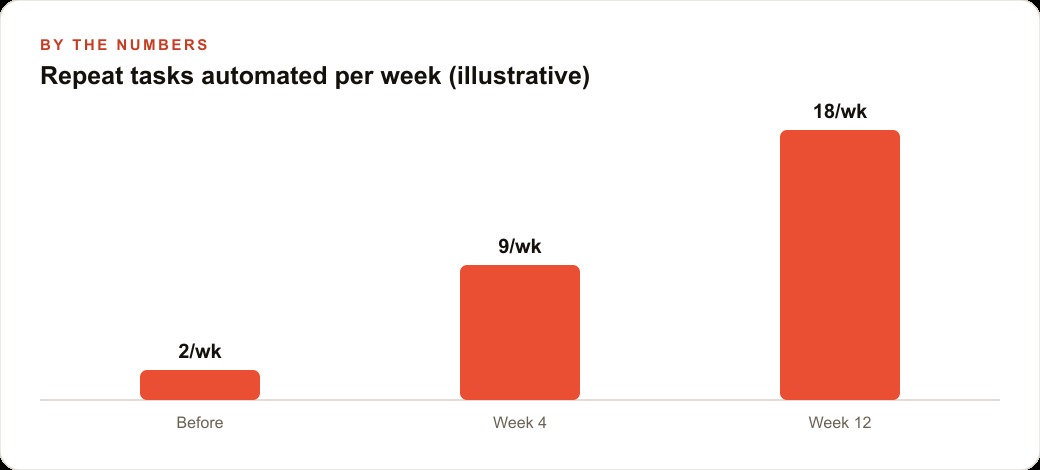
The business result Marcus tracks most directly is the commercial accounts he has been able to pursue. In the six months before Codex, he submitted two commercial bids. In the six months after the Monday automation was running, he submitted seven. The difference was not that more opportunities appeared. It was that he had Monday mornings available for the research and relationship work those bids require, instead of spending that time on a spreadsheet. The bids themselves were better prepared because the data the agent surfaced from his own records let him price more precisely than he had been doing from memory and rough estimates.
The automation did not grow the business on its own. Marcus still makes the calls, visits the sites, manages the crews, and builds the client relationships. What changed is that the administrative layer no longer competes with those activities for the same hours. The work that requires him is where his hours go, and the work that just requires a consistent process runs on its own schedule while he sleeps.
That is exactly what we do at AI DOERS. Book a private 30-minute call with Madhuranjan Kumar and we will map the fastest path to it for your specific business.
Book your call →
Madhuranjan Kumar
Madhuranjan Kumar brings 20 years of performance-marketing experience and has managed over $200 million in Facebook ad spend for brands across the United States and beyond. His expertise spans the full modern marketing stack: Meta, Google Ads, TikTok, email automation, CRM, and the websites that hold it together. At AI DOERS he turns that track record into lead-generation systems for businesses across every industry.