
Cloud AI Agents That Work While You Sleep: A Practical Guide
You can now run a team of AI workers in the cloud, on a schedule, building and maintaining real tools while you are not even at your desk. Here is how I think about it for a small business.

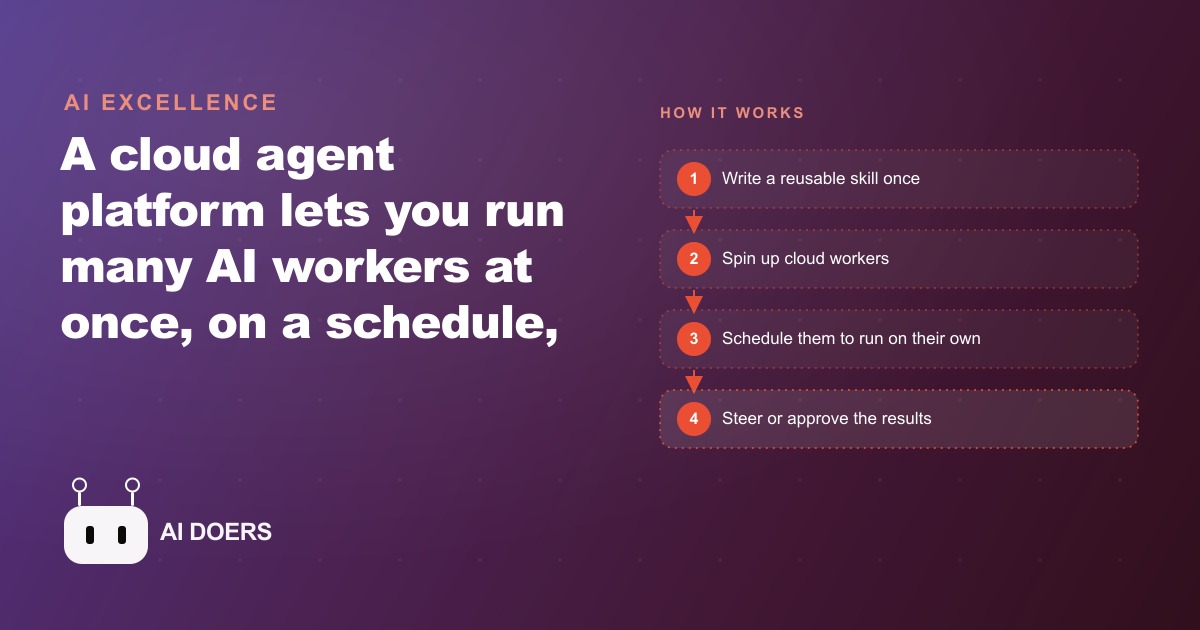
The difference between an AI assistant and a cloud AI agent is the difference between someone who helps when you ask and someone who shows up before you get there. By the end of this week, you should have three real business automations running in the cloud on a schedule. Here is the exact path.
Map the three workflows you already run on autopilot before you open any platform
The biggest mistake in setting up cloud agents is starting with the platform before you know what you need it to do. The platform is just the environment. The value is in identifying which of your recurring tasks meets three criteria: it happens on a predictable schedule, it has a clear and checkable output, and it currently requires your manual attention to start.
Spend the first hour on paper, not on a computer. List every task you repeat in a given week. Circle the ones that happen at roughly the same time each day or week. Of those, mark the ones where you could describe success in a single sentence without ambiguity. Of those, identify three that you would genuinely not miss doing manually if the output arrived waiting for you.
These three tasks are your first agents. They do not need to be impressive. They need to be clearly defined, reliably scheduled, and easily verified. A daily pricing summary that pulls from your sales data and formats it the same way every morning is better than an ambitious multi-system orchestration that works most of the time. Reliability is the foundation. Complexity comes after reliability is established.
Write a one-paragraph description of each task before moving on. Include: where the input data comes from, what the output should contain, what format it should be in, what time it should run, and what counts as a successful result. If you cannot write that paragraph for a task, the task is not ready to automate yet. The agent cannot operate on ambiguity that you yourself cannot resolve in writing.
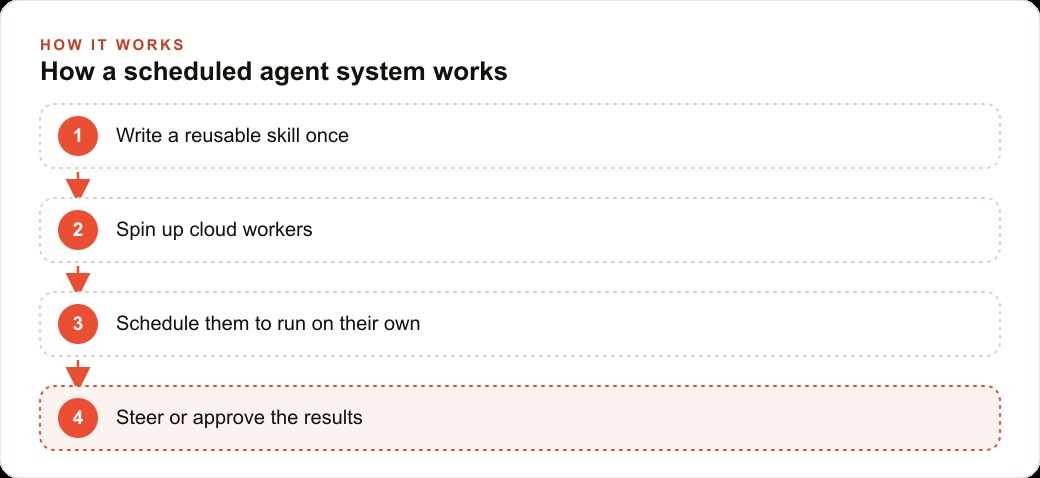
Start with the single routine that has a clear, checkable output and a fixed time
Of your three identified tasks, start only the one that is most clearly defined. Not the most valuable. The most checkable. Because the first agent's most important job is not to save you time. It is to teach you how the platform behaves under real conditions in your actual environment.
Set up the first agent to run once at a specific time and produce a specific output you can verify against a known truth. If the agent is supposed to summarize yesterday's inventory movement, you should be able to check the output against the actual numbers and know within 90 seconds whether it ran correctly. That immediate verifiability is what makes the first run diagnostic rather than just operational.
Cloud agents run in isolated containers, which means the environment they operate in is separated from your local machine. This matters because paths, file access patterns, and connection behaviors that work in a local test may behave differently in the cloud container. Running the first agent at its scheduled time and checking the output immediately is how you discover those differences before they compound across the other two automations you are about to add.
Let the first agent run successfully at least three times in a row before moving to the second one. Not once. Three times. A single successful run can be luck. Three in a row on a consistent schedule means the agent is reliable, not just occasionally functional.
Write the skill file with enough specificity that a stranger could follow it without asking questions
A skill file is the reusable instruction set that the agent follows on every run. It is the difference between an agent that does roughly what you wanted and an agent that does exactly what you need, every time, including when the inputs are unusual.
The test for a well-written skill is this: could a stranger read this file and complete the task correctly without asking you a single clarifying question? If the answer is no, the file is not specific enough. Specificity is where most first skill files fail. Phrases like "summarize the important parts" or "pull the relevant data" look like instructions but are not. They are delegation of judgment to the agent on questions that require your judgment, not the agent's.
A proper skill file specifies the exact data sources to pull from. It specifies the format of the output down to the section headers and data types. It specifies what to do when a data source is unavailable, for example whether to note the gap and continue or to stop and alert. It specifies what an error condition looks like versus a normal edge case. It specifies whether the agent should act on partial information or wait for complete data before proceeding. Each of those specifications prevents a failure mode. Omitting any of them transfers a decision to the agent that the agent should not be making.
Write the skill, run it once manually, and look for every point where you had to infer what to do because the file was not specific enough. Add a specification for each of those points. Repeat until manual execution requires no inference on your part. That version of the file is ready to schedule.
Run the first agent ten times before connecting the second one
The first agent needs a performance record before you add anything that depends on it. Ten successful scheduled runs is the threshold. Not because ten is a magic number, but because ten runs across multiple days surfaces the edge cases that a single run, or even three runs in a row, will not expose.
Real data is irregular. The supplier your inventory agent monitors is out of stock on a Tuesday. The sales figures your pricing agent pulls are zero on a holiday. The email thread your summary agent reads contains a reply in a different language. These are not rare events in most businesses. They happen on a roughly predictable basis, which means ten runs of an agent will almost always surface at least one situation the original skill file did not anticipate.
When an edge case appears, fix the skill file before continuing. This is the tuning phase, and it is the investment that makes the agent reliable rather than unreliable. An agent that handles three normal runs and then fails on an unusual input is not a working agent. It is a scheduled failure waiting for the unusual input to appear.
During this period, monitor the output of every run manually. Not to verify that the agent is running, which you can confirm from the platform's scheduling logs, but to verify that the output is actually correct and usable. Platform logs show whether the agent completed. Only you can assess whether what it produced reflects what you needed.
Build the second agent so it hands off output, not decisions, to the first
Once the first agent has a clean ten-run record, add the second one. The key architectural decision at this stage is what the two agents share and how they share it.
Agents that hand off raw data to each other and then expect the receiving agent to make judgment calls about what the data means tend to compound errors. The first agent misinterprets something. The second agent receives the misinterpretation and makes a decision based on it. The result fails in a way that is hard to trace back to its origin because both agents ran without errors from the platform's perspective.
Agents that hand off interpreted, formatted, and verified outputs to each other are more robust. The first agent produces a specific structured output: a table, a numbered list, a formatted summary in a defined schema. The second agent receives that structured output and acts on it according to its own skill file. If the first agent's output is malformed or incomplete, the second agent can detect that condition, flag it, and stop rather than proceeding on bad data.
Design the handoff explicitly rather than assuming it will work. Write what the first agent's output looks like and what the second agent expects to receive. If those two descriptions match exactly, the handoff will work. If they differ even slightly, you will spend time diagnosing why the second agent is failing when the issue is actually in the output format of the first.
Add the third automation after the first two are reliable, then review the whole stack as a system
The third agent goes in only after the first two have demonstrated stability as a pair. At that point you have a system, not just a collection of individual tools, and a system requires a different kind of review than each part received individually.
Review the three agents together and ask a set of questions you could not have asked when each was running alone. Do any two agents pull from the same data source in a way that could conflict or produce inconsistent results on the same day? Does the output of one agent ever feed into the decision of another in a way that was not explicitly designed for that interaction? Is there any failure mode in one agent that a downstream agent would not detect and flag before acting on?
Write a brief review of what each agent does, what it produces, and who receives or acts on the output. That document is also your recovery guide if the platform experiences a disruption: it tells you which task to restart first, which output to check to verify recovery, and which human step needs to happen manually until the system is back online. A scheduled system without a recovery guide is a system that fails opaquely.
---
Here is a concrete worked example from a small retail operation with three clear recurring tasks that met the criteria above. The first task was a daily inventory alert: every morning at 7am, an agent checks which products have fallen below their reorder threshold overnight and sends a formatted list with current stock counts and the reorder quantities for each. Before the agent, this check took 30 minutes every morning to run manually across three separate supplier portals. The agent runs in under two minutes and delivers the formatted list before the owner arrives. Time saved: 30 minutes daily, or roughly 130 hours per year.
The second task was a weekly competitor price check: every Monday at 6am, before the week's pricing decisions are made, an agent checks the five closest competitor product listings in the store's two main categories, formats a comparison table with the store's current prices alongside each competitor's, and delivers it with a flag on any item where the store is more than 10 percent above the nearest competitor. Before the agent, this took 90 minutes of manual browser work every Monday. Time saved: 90 minutes weekly, or roughly 75 hours per year.
The third task was a post-purchase follow-up draft: within two hours of each completed order, an agent drafts a personalized follow-up email for the order, including the specific product purchased and a relevant care tip drawn from a product knowledge file, formatted for the owner to review and send. Before the agent, drafting these took 10 minutes per order and was often skipped under time pressure. With the agent, review and send takes under 2 minutes. For an average of 25 orders per week, that is 200 minutes per week in drafting returned, or roughly 170 hours per year.
Combined, three agents running on a scheduled cloud platform return approximately 375 hours per year across these three tasks. The skill files to build them took a focused weekend to write, test, and tune through ten verified runs each. The marginal cost of running them after that is a monthly cloud compute fee that is a small fraction of one week's saved labor.
That is exactly what we do at AI DOERS. Book a private 30-minute call with Madhuranjan Kumar and we will map the fastest path to it for your specific business.
Book your call →
Madhuranjan Kumar
Madhuranjan Kumar brings 20 years of performance-marketing experience and has managed over $200 million in Facebook ad spend for brands across the United States and beyond. His expertise spans the full modern marketing stack: Meta, Google Ads, TikTok, email automation, CRM, and the websites that hold it together. At AI DOERS he turns that track record into lead-generation systems for businesses across every industry.