
Claude's Chrome Extension Plus Claude Code: An Agent That Builds and Tests Itself
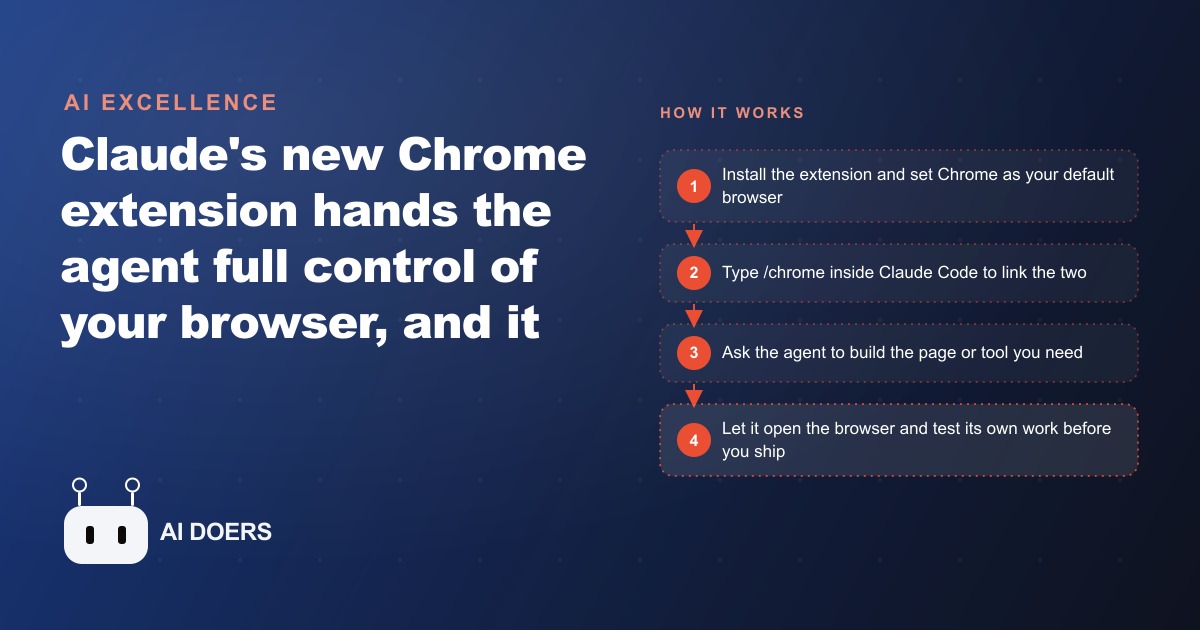
Anthropic's new Chrome extension gives Claude full control of your browser, and connecting it to Claude Code with a single /chrome command lets one agent build an app, drive the browser to test it, wire up a backend, and set up sign-in by clicking through the console itself.

Browser automation has been a broken promise for five years, and I want to state plainly what caused the failure and what finally fixed it. The cause was not the tooling. Selenium is twenty years old. Playwright is excellent. Puppeteer is fast and stable. The test recording tools, the click-replay systems, the headless browser infrastructure sitting inside AWS and GCP, none of that was deficient. The failure was the model sitting inside the agent making decisions. And the thing that changed in 2025 is simple: Anthropic released Opus 4.5, which crossed a perception and planning threshold that its predecessors could not reach.
I am going to argue that position specifically, because I think the coverage of Claude's Chrome extension has mostly missed it. The extension gets described as a clever architecture, a well-designed plan-then-act loop, an interesting safety model. These descriptions are accurate but they locate the breakthrough in the wrong place. The plan-then-act design existed in research papers since 2022. The architecture is not new. What is new is that the model running inside that architecture is finally capable of doing what browser agents have always promised.
Browser Automation Did Not Fail for Technical Reasons, It Failed for Model Reasons
Let me be specific about what the failure looked like in practice. Browser agent research from 2022 through 2024 produced a consistent pattern. The agent would be given a task like "find the cheapest flight from New York to Chicago next Tuesday and book it." The plan step would be reasonable. The agent would correctly identify the steps: navigate to a travel site, enter search parameters, read results, select the lowest fare, fill in passenger details, confirm. This plan is not difficult to generate. A moderately capable model can outline those steps.
The failure came at execution. The model would load a page and misidentify which element to interact with. It would try to click a dropdown and click the label above it instead. It would read a price table and transpose two rows. It would navigate to a confirmation page and not recognize that the confirmation had actually happened because the success message was displayed in a font color the model rated as low-confidence. Every researcher who worked with browser agents in that period has the same stories: systems that worked beautifully in controlled demos and fell apart in production because real web pages are noisy, dynamic, and spatially inconsistent.
These failures were not engineering failures. Nobody forgot to write the code that handles dropdowns. The code was fine. The model issuing instructions to that code was reading the page inaccurately. Spatial perception on arbitrary web interfaces, the ability to look at a rendered page and understand where things are and what they mean, was beyond the reliable capability of the models available at the time.
WebAgent, SeeAct, GPT-4V-based browser systems, all of them hit the same ceiling. Carefully built systems with thoughtful architectures that failed unpredictably because the model underneath could not read the page well enough to act on it reliably. Researchers published papers documenting failure modes. Teams at well-funded companies tried to route around the problem with more elaborate prompting, more detailed screen descriptions, DOM tree injection, accessibility tree parsing. These approaches helped at the margins. They did not solve the problem. The problem was the model.
Why Opus 4.5 Changes the Calculus
The capability that reveals Opus 4.5's threshold crossing is not a benchmark number. It is the Excalidraw example. The Chrome extension can draw shapes in Excalidraw by navigating a freeform drawing canvas. Excalidraw does not have a structured form for "add a rectangle at position X, Y." You draw by clicking and dragging, the way a person draws. Earlier models, when given browser control over an Excalidraw session, would search for keyboard shortcuts, look for hidden API endpoints in the DOM, or attempt to type coordinates into a developer console. They did this because they could not reliably interpret a freeform visual canvas and translate intention into cursor motion.
Opus 4.5 draws. It looks at the canvas, identifies where the available space is, understands the shape it has been asked to create, and executes the mouse motion. This is not a trick or a special case handler. It is the model reading a visual surface the way a person reads it.
That capability is what makes browser automation practical. The fundamental requirement for a browser agent to work reliably is that the model can look at any arbitrary page layout and understand where things are. Not just structured forms with labeled fields. Any page. A dense admin interface. A multi-column results table. A canvas drawing tool. A checkout flow with custom components that no standard library has ever seen. Opus 4.5 handles all of these with the kind of accuracy that makes reliable automation possible.
What makes this a threshold rather than an incremental improvement is that spatial reasoning on dynamic web pages is not a linear skill. A model that is 80 percent accurate at identifying the correct element to click fails on 20 percent of steps. In a ten-step workflow, an 80 percent per-step accuracy rate means the workflow completes correctly less than 11 percent of the time. A model that is 97 percent accurate at each step completes the same ten-step workflow correctly 74 percent of the time. The reliability improvement is nonlinear. A modest gain in per-step accuracy produces a dramatic gain in workflow completion rate, which is what users actually care about.
The Plan-Then-Act Design Is Not the Invention
Claude's Chrome extension uses a plan-then-act loop. Before doing anything, it shows you the steps it intends to take and waits for you to approve. This is sensible default behavior and I use it for any task that touches real data. But it is not what makes the extension work.
Plan-then-act loops appear throughout the browser agent research literature. ReAct, published in 2022, proposed exactly this structure: generate a chain of reasoning, take an action, observe the result, repeat. AutoGPT in 2023 made this approach famous, or infamous depending on your view, by making the loop explicit and user-visible. Research systems built on GPT-4 explored plan-then-act for web tasks throughout 2023 and 2024. The design pattern predates this extension by years.
The extension also ships with a high-risk act-without-asking mode. In this mode, the plan approval step is skipped entirely. Claude just executes. The existence of this mode is the clearest signal that the architecture is not doing the heavy lifting. If the architecture were the primary source of reliability, you would not ship a mode that removes a key component of the architecture. You ship that mode because the model is accurate enough that removing the approval checkpoint does not meaningfully increase the failure rate for well-defined tasks.
The approval loop is a safety wrapper that makes sense as a default. It is not the reason the system works. Wrapping an unreliable model in a plan-approval loop does not make the execution reliable. It makes the unreliable execution visible before it happens, which is better than nothing but is not the same as reliability. The reliability comes from the model.
The Teach-Record Feature Is What Makes the Difference at Scale
If plan-then-act is the safety net, the Teach Claude mode is the productivity multiplier that small businesses will actually use.
The way Teach mode works: you perform a browser workflow manually while Claude observes. Claude compresses what it watched into a named shortcut. Going forward, you invoke the shortcut and Claude executes the entire sequence. You do not write code. You do not define CSS selectors. You demonstrate, and the model learns.
This matters for a specific reason. The historical argument against browser automation for small businesses was always the setup cost. Building a reliable automation required a developer who could write scripts, handle error states, maintain selector lists as sites updated their HTML, and debug failures. The cost of that developer time often exceeded the time saved by the automation. Teach mode changes this equation. The operator records a workflow once, in roughly the same time it takes to perform the task manually, and the model does the rest.
The reason Teach mode works in a way that earlier recording tools did not is that Opus 4.5 encodes intent, not just mechanics. Older recording tools like Selenium IDE captured specific clicks on specific element IDs. When the page updated and the element ID changed, the recording broke. The model-based shortcut encodes what was being accomplished at each step, which means it can adapt to minor variations in page layout without breaking. If the button moved from the top right of a panel to the bottom left, Opus 4.5 finds it because it understands what the button does, not just where it used to be.
The /chrome Command and the Closed Development Loop
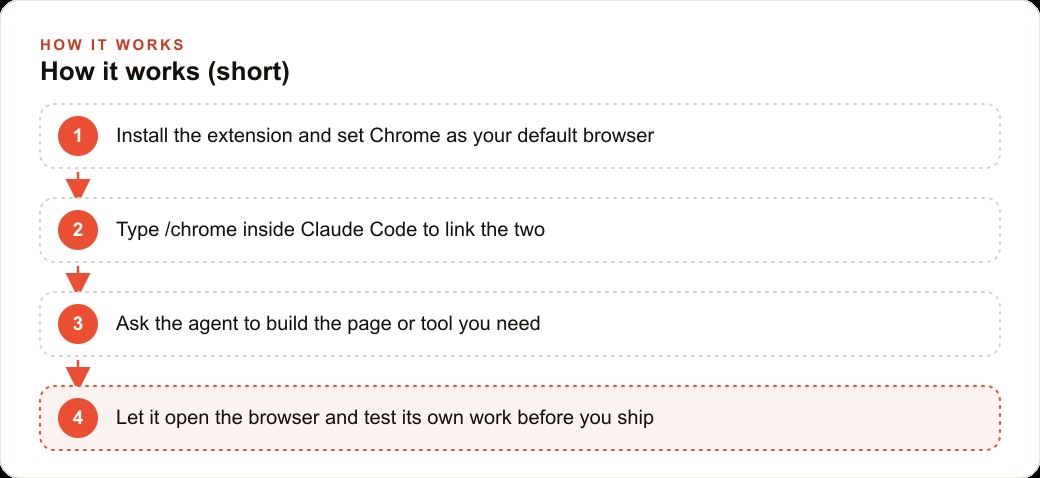
Inside Claude Code, the /chrome command links the coding environment to the browser. This is where the development workflow changes most visibly for people building web applications.
The standard workflow without this connection looks like this. Write some code. Run the development server. Open a browser tab. Navigate to the page. Manually test a user flow. Find a bug. Switch back to the editor. Fix the bug. Refresh the browser. Test again. This loop works, but the context switching is expensive. Every switch between editor and browser costs a few seconds of reorientation. Across a two-hour session, those seconds become twenty minutes.
With /chrome, the agent lives in both environments. It writes the code and then navigates to the running page. It fills in forms with test data. It submits. It checks whether the database received the submission. It confirms the UI responded correctly. All of this happens inside the same session, without the developer switching context.
A Concrete Session: The Law Firm Intake Form
The clearest way to make this concrete is a specific example. A small law firm wants to replace their paper intake process with a web form. The requirements are: a form that collects a client's name, contact information, matter type, and a brief description; a backend that saves each submission to a database; an email notification to the firm; and a client portal with Google sign-in so clients can check their matter status after the initial consultation.
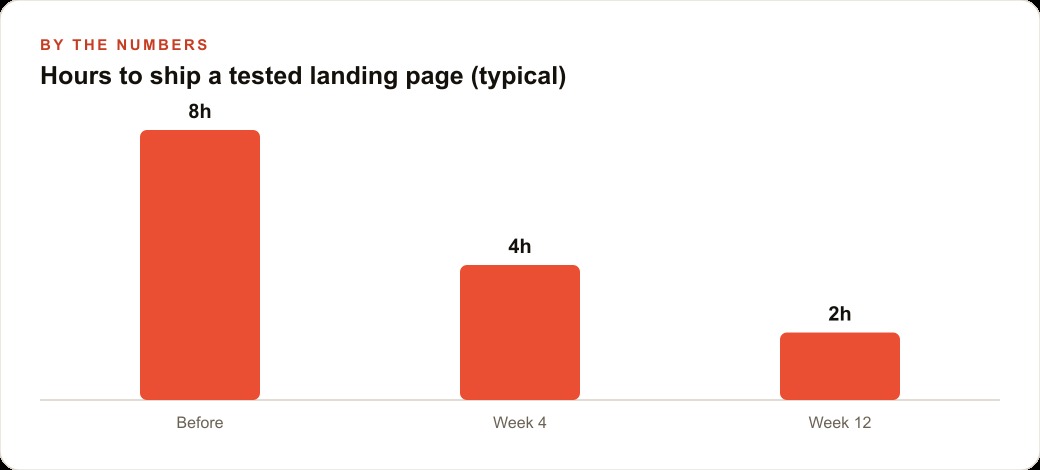
A developer handling this traditionally spends roughly two days. One day builds the form, the API endpoint, and the database schema. A second day handles the Firebase authentication configuration, which requires reading Firebase's documentation, navigating the Firebase console to enable Google as a sign-in provider, configuring OAuth credentials, and testing the login flow. At a rate of $700 per day, total cost is $1,400. The attorney and their team spend those two days relying on a paper-based intake process.
With Claude Code and the Chrome extension, this is a three-hour session. Claude writes the form, the backend, and the database schema in Claude Code. Then /chrome opens the browser. The agent navigates to the running page, fills the intake form with realistic test data, submits it, and checks the database to confirm the row was created with the correct field values. Then the agent opens the Firebase console, which is a dense, complex web application. It navigates to the Authentication section, enables Google as a sign-in provider, follows the OAuth configuration steps, and verifies that the client portal login works.
Not a single line of test code was written. Not a single documentation page was opened manually. The agent executed the same steps a developer would execute, but did so without requiring the developer to switch context, look up documentation, or manually click through the Firebase console.
This is possible because Opus 4.5 can navigate the Firebase console without being trained specifically on Firebase. The console is not a simple form. It has nested navigation, contextual menus that change based on configuration state, and modal dialogs for credential setup. The model reads this interface the same way a person reads it: by looking at the page, understanding the layout, and identifying what to do next.
The Argument for Sceptics
I expect the counterargument to go like this: the architecture matters. The careful prompt design, the approval loop, the way the agent handles ambiguous states, these engineering decisions contribute meaningfully to reliability, and it is reductive to credit only the model.
I accept that architecture reduces error rates at the margin. Good system design makes a capable model more reliable. But I reject the claim that architecture explains the change from unreliable to reliable. Excellent architectures were built on weaker models and they failed. Researchers working on WebAgent, SeeAct, and comparable systems in 2023 were not careless engineers building bad systems. They were skilled researchers building careful systems on models that could not perceive pages accurately. The architecture was fine. The capability was missing.
Opus 4.5 supplied the capability. That is the change. A well-designed approval loop around a model that cannot read the page accurately shows you a bad plan and then executes it badly. A well-designed approval loop around a model that reads pages accurately shows you a good plan and executes it well. The loop is not the cause of the difference. The model is.
What This Means for Businesses That Are Not Developers
The clearest practical implication is for businesses that do repetitive browser work without any developer on staff. Logging into supplier portals to download invoices. Submitting weekly reports to compliance platforms. Checking competitor websites each morning and recording their current prices. These are tasks that someone on the team does manually today, every week, because setting up an automation previously required either writing code or paying someone to write it.
Teach mode removes that barrier. Record the workflow once, name the shortcut, invoke it on schedule. The ceiling is real: sites that use CAPTCHAs to block automation, applications that actively detect browser-control scripts, and workflows that branch unpredictably based on server state will still require human judgment. But the routine, deterministic browser work that occupies hours of team time every week is now automatable without a developer.
The five-year promise was real. The delivery was late. What closed the gap was not a new architecture. It was a model capable enough to actually read the page. That is the claim I am making, and I think the evidence from Excalidraw drawing, from the /chrome development loop, from the Teach-mode shortcut's resilience to page updates, all points in the same direction. We built the planes. We just did not have pilots who could fly them reliably until now.
That is exactly what we do at AI DOERS. Book a private 30-minute call with Madhuranjan Kumar and we will map the fastest path to it for your specific business.
Book your call →
Madhuranjan Kumar
Madhuranjan Kumar brings 20 years of performance-marketing experience and has managed over $200 million in Facebook ad spend for brands across the United States and beyond. His expertise spans the full modern marketing stack: Meta, Google Ads, TikTok, email automation, CRM, and the websites that hold it together. At AI DOERS he turns that track record into lead-generation systems for businesses across every industry.