
Claude Opus 4.8 Is the Best Model, and Also Proof We Have Plateaued
Claude Opus 4.8 leads most benchmarks for reasoning, computer control, and knowledge work, but reviewers who compared it head to head with 4.7 could not tell the models apart. The real progress has shifted from model releases to the super apps that wrap them.

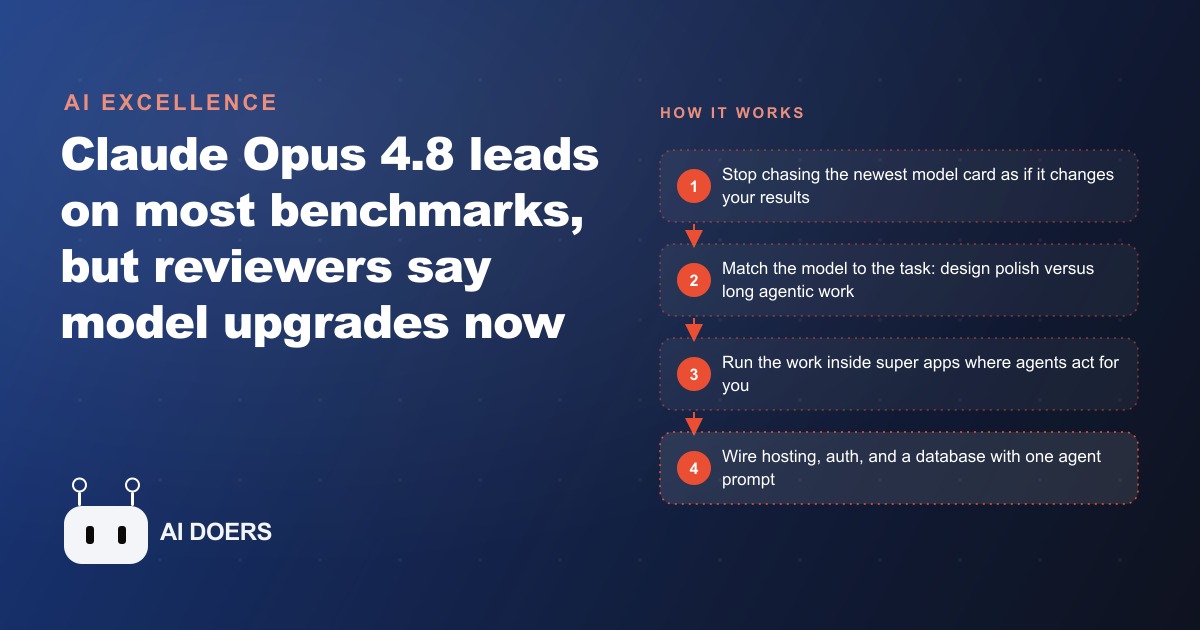
Three professionals sat down with Claude Opus 4.8 and the model it replaced. They ran the same prompts. They read the outputs carefully. After an hour, none of them could tell reliably which was which. The benchmark scores said one was better. Their eyes could not confirm it.
I am Madhuranjan Kumar. That experience is not a failure of the new model. It is a signal about where AI development has moved, and it has significant practical implications for any business deciding where to invest attention in the next twelve months.
The benchmark number stopped predicting the experience
The release card for Claude Opus 4.8 shows genuine improvements. Better reasoning scores, stronger performance on document and spreadsheet tasks, longer independent work before needing human input. These are real. But the experience of using a significantly better model and a marginally better model looks identical for most everyday tasks because everyday tasks do not live at the edge of the model's capability.
This is the iPhone pattern. Each year's iPhone is measurably faster, measurably better on camera benchmarks, and measurably more efficient. Most people, handed last year's phone and this year's phone with no labels, cannot identify which is which. The improvement is real at the hardware level but not perceptible at the task level, because the tasks do not require the headroom that opened up.
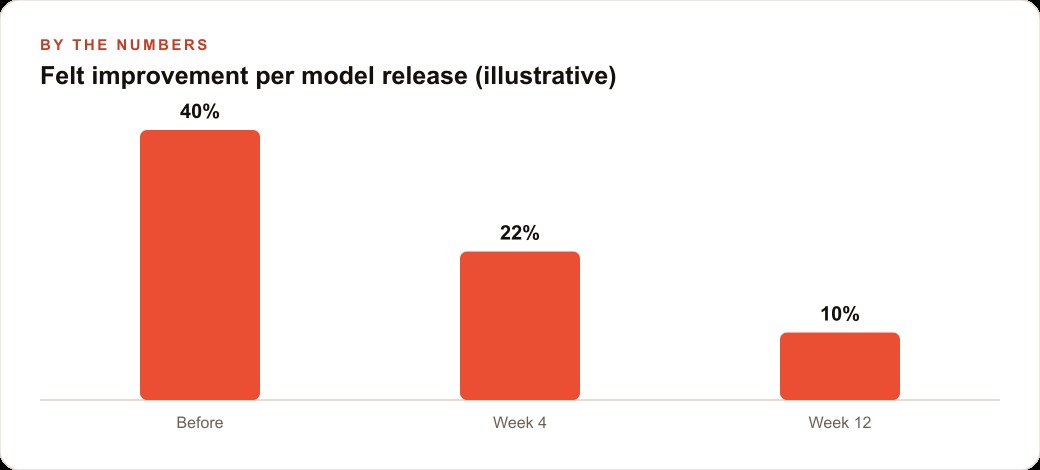
AI model releases have entered this era. The gap between Claude 4.7 and Claude 4.8 on most professional writing, analysis, and planning tasks is not something a reviewer can reliably detect in the output. The gap between any current frontier model and what was frontier a year ago is enormous, and that gap is detectable immediately. But the gap between adjacent versions from the same provider within a few months has shrunk to the point where the experience on real work is approximately flat.
This matters because the behavior that was rational twelve months ago, waiting for the next model release before committing to a workflow, is no longer rational. If the next release is experientially similar to the current one on your actual tasks, waiting for it costs you the compounding value you would have built in the meantime.
The innovation moved to the layer above the model
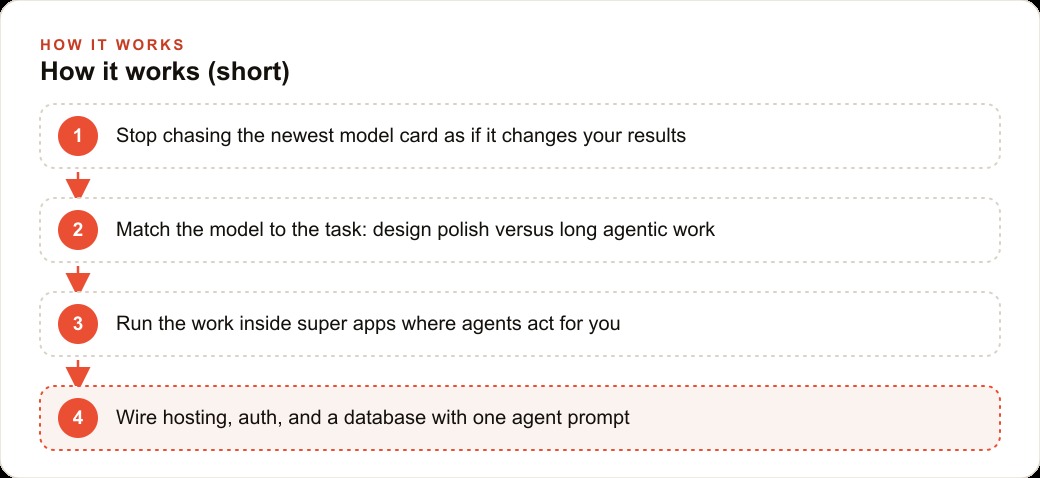
The developments that actually changed workflows in recent months did not come from model benchmark improvements. They came from what runs on top of the model.
One example: an agent that can control a full computer desktop, scroll through applications, fill forms, click buttons, and navigate across multiple windows without any API integration required. You describe the task in plain language and the agent operates the existing software the way a person would. This was not possible from a frontier model twelve months ago. It is not a model quality improvement. It is an orchestration and computer-control capability that sits above the model.
A second example: linking a phone to a desktop agent via a QR code, so that a prompt typed on a phone in a meeting triggers a research and drafting session on the desktop that is ready when you return. The model handling both sides of this is not meaningfully better than the model from last quarter. The workflow connecting them is the new thing.
A third example: a single prompt that spawns six parallel agent threads, each with its own brief, all running simultaneously and synthesizing their outputs into a combined result. The model each thread uses may be identical to what you used last month. The orchestration layer that enables parallel execution is what changed.
A fourth example: AI moving inside the tools professionals already use, inside the spreadsheet application, inside the document editor, inside the project management tool, rather than requiring a separate window and a copy-paste workflow. When the capability is available inside the tool, usage increases because the friction of context-switching disappears. The model quality is similar to what was available before. The placement is what changed, and placement is what drives actual adoption.
For a business, this means the correct object of investment has shifted. Chasing each new model release, re-evaluating subscriptions every quarter, and debating which provider scored better on which benchmark is a lower-return activity than it was two years ago. The models at the frontier are all capable. The question is what orchestration layer you have built around them, and how deeply the AI is embedded in the workflows where it produces the most value.
The one exception where the model card number visibly matters
There is one category where the difference between adjacent model versions does show up in the output in a way that a person can see without being told: design.
When the task is generating a visual layout, a slide structure, an email template, or a landing page, the best model at design tasks produces output that looks visibly more polished than the second-best model. This is not a subtle benchmark difference that surfaces only on standardized tests. It is the kind of difference a client notices without being prompted to look for it.
The reason is that design judgment involves aesthetic coherence that is sensitive to the model's training and that sits closer to the edge of capability than most reasoning tasks. A one-percent improvement in reasoning performance is not perceptible in a business analysis document. A meaningful improvement in the model's design sense produces output that looks noticeably better to a human eye, particularly in the way it handles hierarchy, spacing, and the relationship between elements.
Practically this means two things. First, design-sensitive work should go to whichever model currently leads on visual output quality, which at the time of writing is Claude Opus 4.8. Second, the other tasks, analysis, drafting, coding, process automation, should go to whichever model is fastest and most economical for those tasks, which may not be the same model that leads on design. Most businesses can simply keep two model settings: one for design-sensitive work and one for everything else.
Why the plateau is good news for anyone building workflows
Here is the contrarian reading of a capability plateau: stability is valuable.
When model quality was improving dramatically every few months, the rational strategy was to wait. Any workflow you built around the model's current limitations might become obsolete in the next release cycle, and it was reasonable to keep AI in a supporting role while waiting for the moment when it was good enough to lead. That waiting strategy has real costs. People who kept AI in a supporting role while waiting for it to get better fell behind people who built workflows around its current capability and extracted compounding value from the start.
A plateau changes the calculation. If the model you are using today is approximately as capable as the one that will be available in six months for your specific tasks, the correct move is to build now. The workflow you invest in this quarter will still be valid next quarter. The prompts you tune, the automation you set up, the systems you build to connect the AI to your actual work: all of these hold their value longer when the underlying model is stable and the changes between versions are small.
There is a second benefit to stability that is less discussed: team adoption. Workflows that change frequently because the underlying model changed its behavior are hard to train people on. When a team member learns a workflow and it still works the same way six months later, the knowledge compounds. When the workflow shifts because the model behaved differently after an update, the team reverts to old habits. A stable model is a better foundation for organizational learning.
The roofing company that used the right model for the right job
Consider a small roofing company. The owner produces a lot of written material: estimates, follow-up emails after inspections, damage assessment summaries, and materials for commercial bids. The administrative work of converting an inspection into a formatted estimate takes roughly forty-five minutes per job. The owner does twelve jobs a month. That is nine hours per month spent on a task that is mostly structure and formatting, not judgment.
The practical setup divides the work by task type. For estimates and follow-up emails, the correct tool is whichever model is fast and economical, running an automation that takes the owner's inspection notes in bullet-point form and generates a formatted estimate document with the correct sections, pricing rows, and company header. First draft in three minutes rather than forty-five. Over a month that is nine hours recovered. Over a year that is more than a hundred hours returned to the business to spend on sales calls, site visits, or simply not working on weekends.
For commercial bid documents, the correct tool is the design-best model. Commercial clients awarding significant roofing contracts to one of several competing firms notice whether the bid document looks like it came from a serious operation or a template-and-paste job. The visual quality of a well-structured bid document with proper hierarchy, clean tables, and a professional cover page does affect the impression it creates. Using the model that produces the best-looking output for this specific document type costs the same as using it for anything else, but produces a measurably better result on the task that matters most for winning contracts.
The split is not complicated to implement. Two model settings, two categories of work, and the routing decision made once rather than revisited every time a new model releases. The roofing company did not need to follow benchmark charts to arrive at this setup. It needed to identify which of its tasks were design-sensitive and route accordingly, and then let the chosen models run the same workflows without interruption for as long as those models remain adequate.
That stability is the underrated gift of the current moment. The models are capable, the differences between adjacent versions are small on most real tasks, and the correct investment is building workflows that compound rather than evaluating providers that converge.
The orchestration investment that outlasts any model release
Here is the practical implication that follows from everything above. If model quality between adjacent releases is approximately flat for most tasks, and if the meaningful gains are coming from orchestration, computer control, and how AI is embedded into existing tools, then the investment with the longest shelf life is the workflow itself, not the model selection.
A workflow built today around a capable frontier model will still work six months from now, not because the model is unchanged but because the model of six months from now will be similar enough that the workflow does not break. The prompts you tune, the automation sequences you build, the routing logic you set up between different types of tasks: these hold their value because the underlying capability is stable at the level of everyday use.
The roofing company that builds a polished bid-document workflow this month, and an estimate-drafting workflow that runs on inspection notes, will still be using both of those workflows productively in a year. The small adjustments needed when a model updates are minor compared to the value the workflow generates continuously. That is a very different relationship to AI investment than the one that existed two years ago, when the correct strategy was to prototype lightly and wait for the next capability jump.
Building now means the compounding starts now. Every week the workflow runs, it saves time. Every time a team member uses it, they add a small amount of polish. Every prompt that gets refined based on real output makes the next output slightly better. That compounding does not depend on the next model release. It depends only on whether the workflow exists and whether people are using it.
The businesses that are furthest ahead on AI in twelve months will not be the ones that evaluated the most models. They will be the ones that built the most workflows, ran them the longest, and refined them based on real output rather than benchmark promises.
That is exactly what we do at AI DOERS. Book a private 30-minute call with Madhuranjan Kumar and we will map the fastest path to it for your specific business.
Book your call →
Madhuranjan Kumar
Madhuranjan Kumar brings 20 years of performance-marketing experience and has managed over $200 million in Facebook ad spend for brands across the United States and beyond. His expertise spans the full modern marketing stack: Meta, Google Ads, TikTok, email automation, CRM, and the websites that hold it together. At AI DOERS he turns that track record into lead-generation systems for businesses across every industry.