
Claude in 29 Minutes: A Power User Setup, Best Features, and Honest Limits
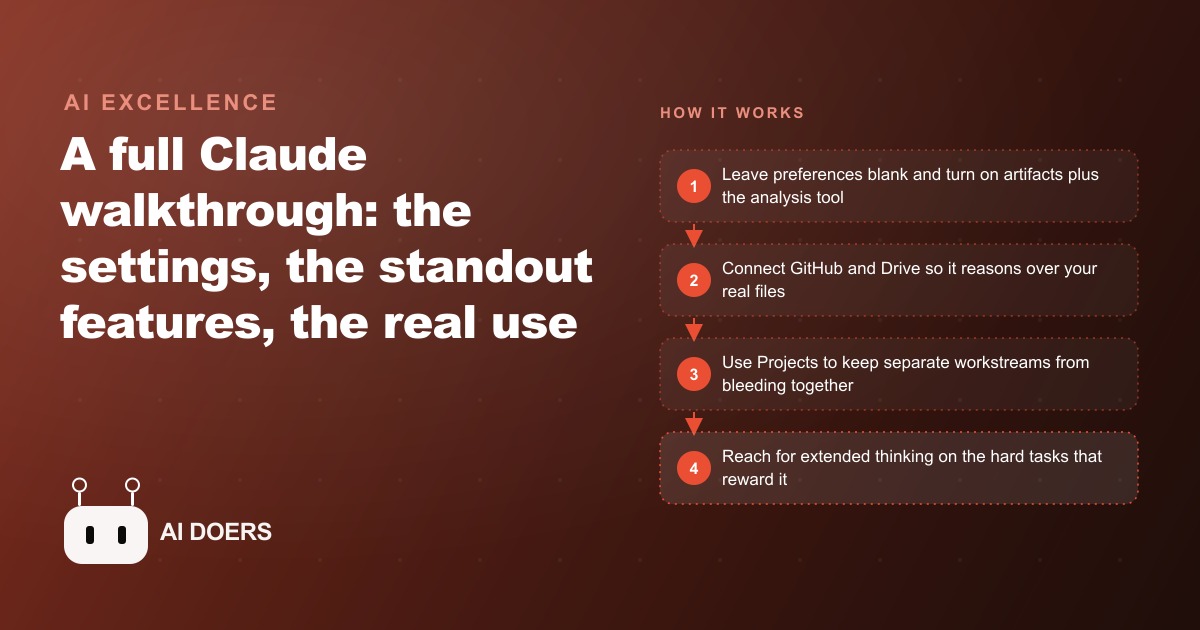
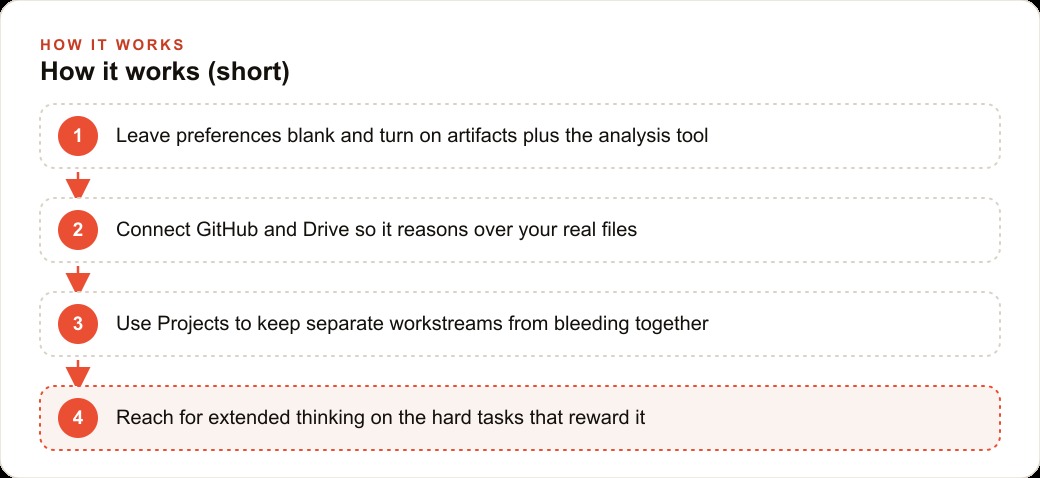
Set Claude up by leaving personal preferences blank, turning on artifacts and the analysis tool, and connecting GitHub and Drive. Lean on Projects and extended thinking for hard work, and accept the limits, so you point it at code, data, and writing where it actually wins.

Most people open Claude, type into the chat box, and never touch a single setting. That is like buying a workshop full of tools and only ever using the one already on the bench. The gap between casual use and power use is not talent, it is a handful of toggles and connections that turn a chat window into a workspace that reasons over your real files and builds real things. I am Madhuranjan Kumar, and here are twelve specific moves that make Claude earn its place for serious business work, ending with the honest limits you should know before you lean on it.
1. Leave the personal preferences box empty
Start with the most counterintuitive move. Claude has a personal preferences box, its version of the custom instructions field in ChatGPT, and the instinct is to fill it with a paragraph about how you like things done. Leave it blank. Across coding, writing, and brainstorming, strong context written fresh into each prompt consistently beats a fixed global preference that quietly bends every answer whether it fits or not. A global instruction that helps your writing tasks can subtly sabotage your coding tasks, and you will never notice because the answers still look confident. Per-prompt context lets you be precise about this job instead of vaguely precise about all of them. The empty box is not laziness. It is the setting that produces the cleanest results across the widest range of work.
2. Turn on artifacts for a real preview window
Under capabilities, switch on artifacts. This gives generated content its own dedicated preview window instead of scrolling past you inside the chat. It sounds cosmetic and it is not, because the preview window is where Claude's real strength becomes visible. When it builds an interactive dashboard or a small app, you see it running, click through it, and judge it as a working thing rather than a wall of code you have to imagine executing. Artifacts turn output you read into output you actually use, and that shift changes how much you trust and how quickly you can iterate on what the model produces.
3. Enable the analysis tool to run code on your data
The analysis tool lets Claude write and actually run code over the data you give it, rather than just describing what it would do. Turn it on, and keep the CSV chat suggestions on too, because that is what makes quick data work fast. The prompt examples that ship in the settings, by contrast, are usually too basic to bother with, so skip those and spend your attention here. This is the toggle that converts Claude from an explainer into a doer for anything numeric, and it is the foundation the next move stands on.
4. Turn messy data into an interactive dashboard in one prompt
Once the analysis tool is on, the single highest-leverage thing you can ask for is a dashboard. Hand Claude an unclean dataset and ask for an exploratory analysis plus an interactive dashboard, and it will clean the mismatched dates and formats, then build filters, charts, and summary tiles from that one request. What used to be an afternoon in a spreadsheet becomes a prompt and a review. For a business that has data everywhere and reporting nowhere, this feature pays for the whole setup by itself, because it turns raw exports into something a non-technical owner can actually read and act on without waiting on anyone.
5. Connect Google Drive so it reads your documents
Linking Claude to Google Drive removes the copy-and-paste tax entirely. Instead of pasting a document into the chat, you select the file and ask what it shows. For a business drowning in contracts, reports, and briefs, this is the difference between an assistant that answers questions about text you laboriously feed it and one that answers questions about the files you already have, with the full context loaded rather than retyped. It is a small connection with an outsized effect on how much friction stands between you and an answer.
6. Connect GitHub so it reasons over a whole repo
The GitHub connection is the same idea for code. Point Claude at a repository and ask what the code is doing, and it answers with the full context already loaded rather than a few pasted snippets. For any business with even a small amount of custom software, this turns Claude into someone who has actually read the codebase, which is a completely different quality of help than someone reasoning about a stray fragment. When you need to change something in an existing system, this is the connection that keeps the model from guessing at the parts it cannot see.
7. Use Projects to keep workstreams from bleeding together
Projects is the quiet favorite, and it solves a real problem: context contamination. A Project lets several chats share the same uploaded documents and a system prompt without leaking into unrelated conversations. Run one Project for one client or region and another for the next, and the content stays cleanly separated instead of muddling together in one endless thread. This is the organizational feature that makes Claude usable for serious, multi-stream work rather than one-off questions, and it is the difference between a tool you trust with a whole engagement and one you use for scratch answers.
8. Reach for extended thinking on the hard problems
Extended thinking mode runs the model much longer on genuinely difficult math and coding challenges. It is not for everyday questions, where a fast answer is perfectly fine and the extra wait is wasted. It is for the tough reasoning where a quick pass would confidently give you the wrong answer. Knowing when to reach for it, and when not to, is part of using Claude well. Save it for the problems where being right is worth the wait, and leave it off for the rest so you are not paying a time tax on easy work.
9. Add chain-of-thought prompting to sharpen data answers
For analysis, ask Claude to reason step by step instead of jumping to a conclusion. In one test, adding chain-of-thought prompting to bank transaction data produced three product recommendations, each with a clear rationale, instead of a bare list. Breaking a task into explicit steps gives you better answers and, just as important, answers you can check, because you can see the reasoning that led to each one and catch the place where it went wrong if it did. For any decision that will be questioned later, that visible reasoning is worth more than a slicker-looking one-line verdict.
10. Let it fix its own errors instead of debugging by hand
One of the most useful habits is also the laziest. When an artifact throws a runtime error, do not open the code and hunt for the bug. Just ask Claude to fix it. In practice, that resolves the syntax error on its own, and the same self-repair worked on a broken card game with no manual debugging at all. This build, preview, fix loop is what makes Claude feel less like a chat and more like a junior teammate who cleans up after itself, and it is a big part of why non-developers can get real software out of it.
11. One-shot a real project from a requirements document
The most striking demonstration of that coding strength is feeding Claude a real product requirements document and asking for the whole thing. In one case, handing it the requirements for a nutrition tracking app produced the full working application in minutes, for a build a team had estimated at three people over two weeks. You will not always get a finished product in one pass, but even a strong first version collapses the timeline dramatically. For an operations lead sitting on a stalled internal tool, this is the move that turns a backlog item into an afternoon.
12. Respect the limits before you rely on it
Now the honest part, because a power user knows the ceiling as well as the strengths. Claude cannot search the web, generate images, handle voice, or analyze video, and it is slower and pricier than some rivals with tighter message caps. Even the custom style feature underperformed, since pasting a transcript into the prompt matched a voice better than the style setting did. The benchmark numbers explain where it does win: Claude Sonnet scored sixty-two point three percent on the software engineering benchmark, rising to about seventy percent with custom scaffolding, while comparable models sat near forty-nine percent. That is why it leans toward code, STEM, data, and writing, and why for broad multimodal use another tool may serve you better. Match the model to the job and it rewards you.
A worked example: a real estate team
Put those twelve moves together and here is how they land for an illustrative real estate team juggling listings, client documents, and market data across too many tabs. First, connect Drive so an agent can select a listing packet or a disclosure document and simply ask what it shows, no copy and paste. Then use Projects to keep the downtown condos separate from the suburban listings, each with its own uploaded documents and system prompt, so the content for different areas never muddles together in one thread. Drop a messy export of recent sales into the analysis tool and ask for an exploratory breakdown plus an interactive dashboard, and the team sees price trends and days-on-market at a glance. When a tougher question comes up, like modeling a pricing scenario, extended thinking runs longer and lands an answer a fast pass would miss.
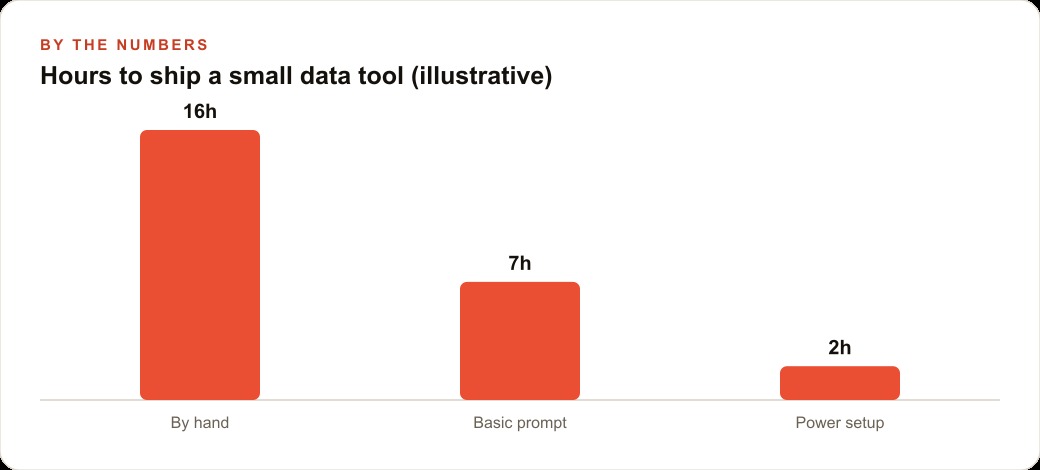
The payoff shows up in hours. A small internal data tool that took roughly sixteen hours to build by hand, and about seven with a basic prompt, comes together in around two hours with this power setup. Those figures are illustrative, but the shape is right: the connections and toggles are what collapse the time. And the value does not stay trapped inside Claude. The cleaner listing data and market summaries feed the team's CRM and website stack, the clear market write-ups strengthen their SEO and organic search, and sharper audience insight makes their Facebook and Instagram ad campaigns more precise. The agents keep selling. The back office quietly runs on tools that reason over the team's actual files instead of generic ones.
There is a second scenario worth naming, because it shows how the moves stack. When a listing agreement or a disclosure packet lands, an agent can select it in Drive, ask what it shows, and get a plain-language summary of the key terms in seconds, which is item five and item two working together. When the team wants a branded market update for a neighborhood, chain-of-thought prompting produces the write-up with the reasoning visible, so a broker can sanity-check the claims before it goes out. Each of these is small on its own. Strung together across a week, they are the difference between a team that drowns in documents and one that moves through them.
None of these twelve moves is difficult in isolation. What makes them powerful is the order and the combination. The empty preferences box and strong per-prompt context set the tone. The capabilities and connections give Claude something real to work on. Projects and extended thinking keep the hard, multi-stream work clean. And the honest limits tell you where to stop and reach for a different tool. Adopt them one at a time, in that order, and each addition compounds on the last instead of sitting unused in a menu you forgot you turned on.
The whole setup is a one-time investment of an afternoon. Skip the preferences box, turn on artifacts and the analysis tool, connect GitHub and Drive, lean on Projects and extended thinking for the hard work, and accept the limits so you point Claude at the jobs it actually wins. You can absolutely do this yourself, and I would encourage every owner to start by connecting Drive this week. If you would rather have someone configure it, connect your real systems, and build the Projects and workflows so it works on the first try, that is exactly the kind of build I do for clients, and you can bring me in to handle it.
That is exactly what we do at AI DOERS. Book a private 30-minute call with Madhuranjan Kumar and we will map the fastest path to it for your specific business.
Book your call →
Madhuranjan Kumar
Madhuranjan Kumar brings 20 years of performance-marketing experience and has managed over $200 million in Facebook ad spend for brands across the United States and beyond. His expertise spans the full modern marketing stack: Meta, Google Ads, TikTok, email automation, CRM, and the websites that hold it together. At AI DOERS he turns that track record into lead-generation systems for businesses across every industry.