
Claude Cowork: The First AI That Acts Like a Real Employee
Claude Cowork reads files on your own computer, uses your real apps, and finishes long multi step jobs instead of only explaining them. Here is how a business actually puts it to work.

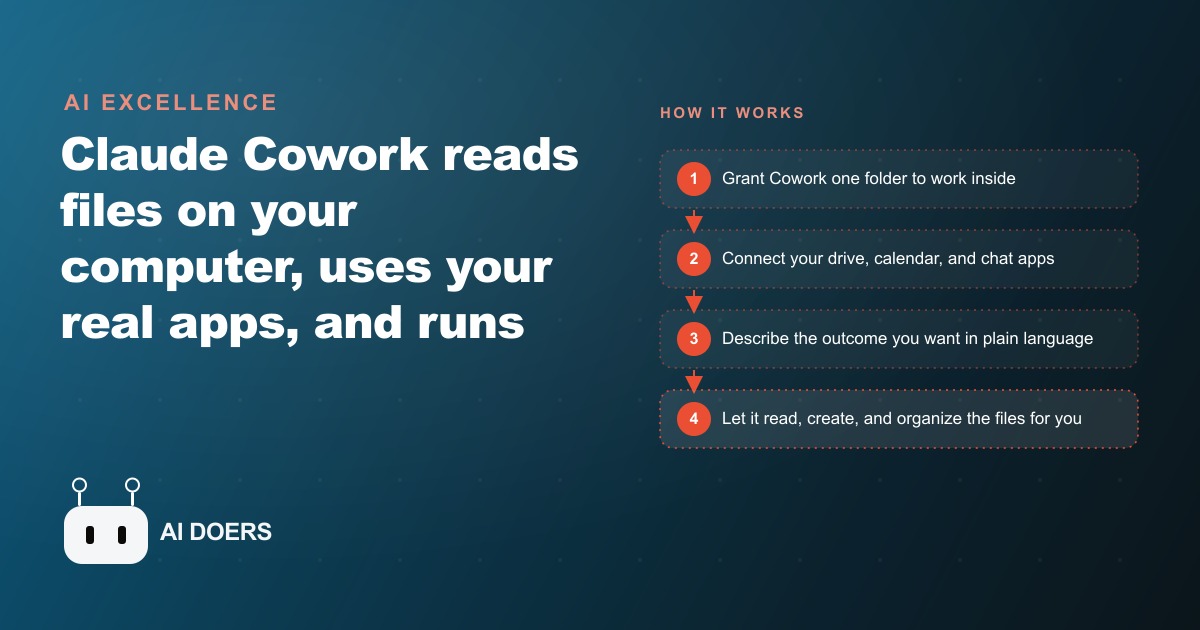
There is a version of AI I have been waiting for since I started taking these tools seriously for real work. Not the version that answers questions. Not the version that produces a thoughtful plan and then waits for you to carry out every step yourself. The version that opens the folder, reads what is there, does the work, and delivers the finished files while you move on to something else. Claude Cowork is the closest thing to that version I have found, and it runs on a plan that starts at twenty dollars a month.
I am Madhuranjan Kumar. The framing I keep returning to is this: most AI tools produce advice, while Cowork produces output. That single distinction is the entire reason this list exists. When a tool has permission to act on real files inside real folders on your actual computer, and when it can reach into your calendar, your Drive, and your chat tools to pull live context rather than waiting for you to supply it, the category of work it can do shifts entirely. It is not a smarter chatbot. It is the first AI tool that behaves like a colleague who already has the folder open and is already working.
The setup is a few clicks in the Claude desktop app for Mac or Windows. The paid plan starts around twenty dollars a month, with heavier workloads pushing toward higher tiers. What follows are eight things Cowork does that no other AI tool could do reliably before it arrived. Each one is an instance of the same underlying shift: from advising to acting.
Organizes thousands of files by reading what is in them
Point Cowork at a folder of files and describe what you want done with them. It does not ask you what naming convention to apply, because it reads each file to figure out what it contains, then builds a structure from that understanding. The organizing principle comes from the content inside the files rather than from whatever names someone gave them years ago.
The demonstration that made this concrete was a folder of roughly three thousand screenshots, all carrying the default generic names an operating system assigns when nobody is paying attention. Cowork built its own internal task list, read each image to identify the subject, created named subfolders by category, and renamed every file descriptively. What a person might spend most of a working day on was done in a fraction of that time.
For a business context, this matters at real scale. Most teams accumulate files across years without a consistent naming or filing discipline. Shared drives become archaeology projects where finding something requires remembering what someone called it three years ago and where they put it. Cowork can walk that drive, read what is there, and produce a logical structure based on the actual content rather than the metadata someone assigned in a hurry. Client archives, years of project photographs, a Downloads folder that became a dumping ground, contracts that need sorting by client and date by reading the text inside them: the underlying capability applies to all of these. It reads and acts rather than waiting for someone to interpret and sort.
Builds a complete marketing campaign from a folder of brand assets
The standard AI output for a marketing prompt is a plan. Here are the steps, here are the angles, here is what a good campaign might include. That plan is useful until you have to produce the actual deliverables, at which point the work begins again from zero.
Cowork produces the campaign itself. From one prompt and a folder containing a logo, brand colors, and a few examples of past work, it generated ad copy in multiple variations for different audience segments, a long-form blog post, a newsletter, a formatted HTML landing page ready to hand to a developer, an A/B test document comparing two headline approaches with a rationale for each, a slide deck for internal review, and a thirty-day content and launch plan laid out day by day. Every piece of output landed in the folder it was pointed at, labeled and formatted for use.
For a small business without a dedicated marketing resource, this changes the economics of a launch entirely. The creative work that previously required several hours of drafting, formatting, and assembling is now the first draft you spend twenty or thirty minutes refining. Because Cowork read your brand assets before producing anything, the output reflects your visual identity and your tone rather than a generic marketing voice. The editing is refinement rather than rebuilding, which means the time between having an idea and having something ready to ship drops significantly.
Finds real context in your calendar, drive, and chat tools through Connectors
Connectors give Cowork permission to search your actual tools: Google Drive, Notion, Slack, your calendar, and the web. The practical difference between an AI that works from what you paste into it and an AI that can find context itself is enormous once you experience it on a real task.
The clearest example is meeting preparation. Ask a standard AI assistant to prepare you for a client call and it returns a framework of things you might consider researching. Ask Cowork the same thing, with Connectors active, and it searches your Drive for any existing notes on that client, checks your calendar for past interactions, looks through Slack for recent mentions of the company name, and pulls current information from the web before synthesizing a brief that reflects both what you know and what is happening now.
It finds context you forgot you had. The brief in a Drive folder from six months ago. The Slack thread where you agreed to follow up on a specific point. The calendar entry where the last call ended with a commitment you need to reference. Cowork retrieves that information rather than waiting for you to remember it and supply it again. For any task where the relevant context lives across multiple tools rather than inside the current chat window, this access changes what the output looks like.
Prepares a one-pager meeting brief in under ten minutes
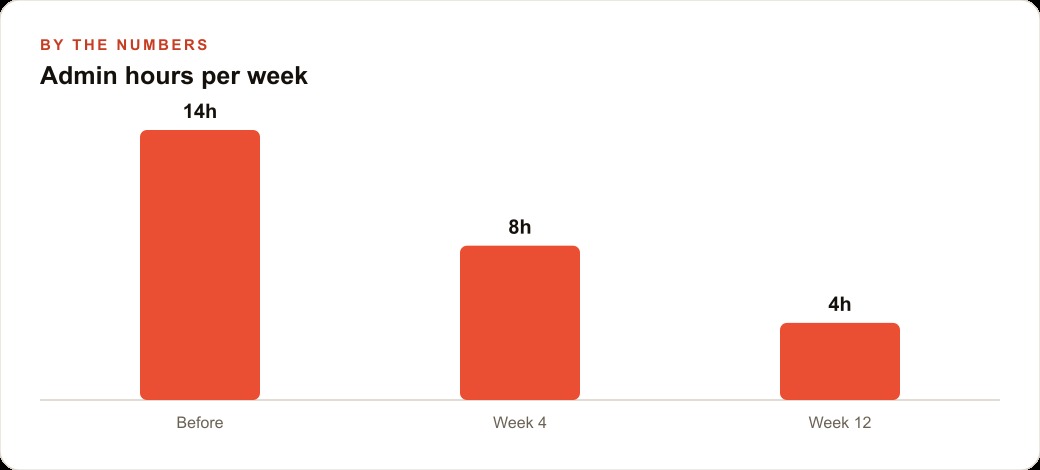
Proper meeting preparation for an important external call takes between forty-five minutes and two hours when done seriously: company overview, recent developments relevant to the conversation, the key people and what they care about, the angles worth raising based on what you already know. Anyone who prepares thoroughly knows the time investment. Anyone who has gone into an important meeting underprepared knows the cost.
Cowork, with Connectors active, produces a tight one-pager brief from a single prompt in under ten minutes. The brief pulls the company overview from current web sources, surfaces recent news relevant to the conversation, summarizes the key people likely in the room and what they are publicly focused on, and identifies angles worth exploring based on context drawn from your Drive, calendar, and the web.
The brief arrives formatted and ready to use. The ten minutes you spend after it arrives is reviewing and adjusting, not researching and assembling. For a consultant or business development professional going into three or four external meetings every week, the recovered time compounds meaningfully across a year. There is also a consistency effect worth naming: the meetings where you happened to have extra prep time are no longer your best-prepared meetings. Every meeting gets the same thorough brief because the effort cost of producing it is low enough to do it every time, not only when the schedule allows.
Plans an entire business trip and organizes every file in one folder
Business trip planning sprawls across tabs, apps, and half-finished documents. The itinerary is in one place, hotel options in another browser tab that will be closed and lost, the packing list never written, the expense tracker started in a format that does not match how reimbursements actually work. The act of planning the logistics of a trip takes far longer than it should, and the outputs are scattered enough that finding any one piece requires remembering where you saved it.
From a single prompt, Cowork produced a complete trip package: a day-by-day itinerary with timing, a weather-appropriate packing list organized by category, hotel options with budget ranges and brief notes on each, an expense tracker set up and formatted for actual use, and prep notes for each meeting or event on the schedule. Every file arrived in one folder, labeled clearly, sized for reading on a phone.
The detail that makes this more than a novelty is that Cowork both plans and organizes. An AI that produces a thoughtful itinerary inside a chat window still leaves you the work of turning that into a document and organizing the related files alongside it. Cowork puts the outputs where you can find them, in the format you need, which means the planning is genuinely finished when the task is done rather than half-finished inside a conversation that will scroll out of reach in a day.
Finds deep-work gaps in a packed calendar and creates the calendar entries
Protecting time for focused work inside a packed calendar is something most professionals intend to do consistently and few actually manage. The audit takes time. Creating the entries takes more time. Defending them requires vigilance that erodes by Thursday when a meeting request arrives for Wednesday's newly protected block.
Cowork, connected to Google Calendar, reads the actual schedule for the week, finds the gaps that are long enough for meaningful concentrated work, evaluates which placements are highest impact based on what surrounds them, and proposes specific deep-work blocks with a brief rationale for each. It then creates the ICS files that add each block to the calendar with one click.
The Sunday planning session that never quite happened becomes a ten-minute Monday morning request. The blocks appear with clear labels and enough context to understand why they were placed where they are. Because Cowork read the real calendar rather than a verbal description of an idealized week, the proposals reflect actual constraints rather than imagined ones. The calendar that comes back reflects your priorities alongside your obligations rather than only your obligations.
Keeps every deliverable on-brand through Projects
Projects are the feature that makes Cowork compound in value the longer you use it. A Project holds persistent context: your brand guide, your naming conventions, your slide layouts, your chart standards, examples of approved past output. That context does not reset between sessions. It is available for every task that runs against that Project from the moment the Project is built.
A new deck requested three months after the Project was created comes back using the correct font sizes, the right chart style, the header structure your team expects, and the palette from your brand guide, all without reminding Cowork of any of it on the day. The brand context it carries persists from the original setup, refreshed whenever you add new examples or update the guide.
For teams producing a steady volume of client deliverables, this is practical enforcement of a style guide. A style guide that lives in a document gets consulted unevenly depending on who is working and how much deadline pressure is on. A Project that Cowork reads before producing anything means the guide is applied by default on every output, regardless of who requested it or when. The investment in building the Project once pays forward into every deliverable that follows.
Handles sales, finance, and marketing tasks with specialized Skills
Skills are role-specific add-ons that extend Cowork beyond general office tasks. A sales skill provides capabilities tuned for account research and outreach. A finance skill brings analytical depth for working with financial documents. A marketing skill operates at a more specialized level than the general model for campaign work and copy tasks. Each skill gives Cowork the kind of domain-specific capability that would otherwise require a specialist who understands both the domain and the format the output needs to take.
The concrete example worth holding onto: with the sales skill active, a target account list became roughly twenty-six pages of ranked, personalized outreach. Each account's message reflected what was specifically known about that company rather than a template with a company name inserted. That is the kind of output that previously required a research resource and a skilled copywriter working together over several hours.
For a business that depends on outbound sales, the economics shift when research and personalization at volume become accessible. The account manager who could cover forty accounts a week with genuinely tailored messages can now cover substantially more without the quality dropping. The skill handles the research layer and adapts the message to each account. The person reviews and sends. The time that was going into first-draft outreach now goes into the decisions that actually require human judgment: which accounts to prioritize, when to follow up, what to say when a prospect responds.
Getting started the right way
The fastest path to understanding what Cowork actually changes is to give it one real task on one real folder. Not a test prompt designed to explore the tool in the abstract. A real chore that has been sitting undone: a cluttered archive that needs sorting, a campaign that needs assembling, a meeting coming up this week that deserves proper preparation.
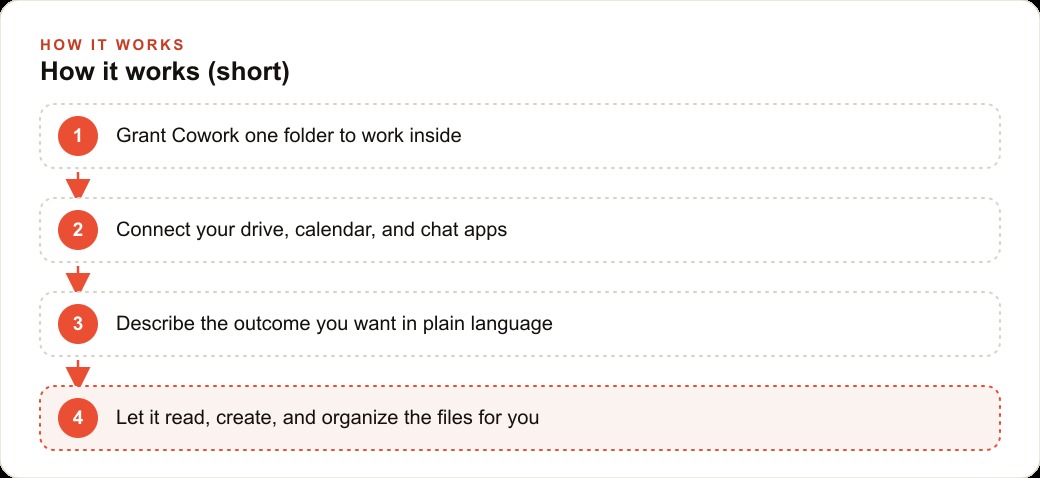
Describe the outcome in plain language, grant access to the relevant folder, and see what comes back. Then connect your calendar and Drive through Connectors once the first task works, because the contextual access is what moves Cowork from a capable tool to something that feels like a teammate who already knows where things are. Then build one Project with your brand guide and naming conventions so every deliverable that follows inherits those standards without being told explicitly each time.
Manage your spending by starting tasks on the lighter model tier. Reserve the heavier model for jobs involving large numbers of files or long multi-step builds where the additional investment is justified by the complexity of the output. The one-time cost of setting up the Project and connecting the apps through Connectors is the only significant initial investment. The returns show up on every task afterward, which means the efficiency of the tool improves the longer you use it rather than plateauing.
The newsletter problem that had been sitting unresolved for three months got solved in minutes once Cowork could touch the actual files where the problem lived. That is the pattern across every use case on this list. Not better advice. Not a more thorough plan. The actual work, done on actual files, deposited in the folder where the work was supposed to land. One afternoon exploring what that means for the specific tasks costing your team the most time right now is worth spending.
That is exactly what we do at AI DOERS. Book a private 30-minute call with Madhuranjan Kumar and we will map the fastest path to it for your specific business.
Book your call →
Madhuranjan Kumar
Madhuranjan Kumar brings 20 years of performance-marketing experience and has managed over $200 million in Facebook ad spend for brands across the United States and beyond. His expertise spans the full modern marketing stack: Meta, Google Ads, TikTok, email automation, CRM, and the websites that hold it together. At AI DOERS he turns that track record into lead-generation systems for businesses across every industry.