
Claude Co-work Explained: An AI Colleague That Handles the Office Tasks You Keep Putting Off
Co-work puts the power of a coding agent into a clean desktop app, so non-technical people can hand off multi-hour admin tasks. Here is how it works, where it shines, and how I would use it for a real business.

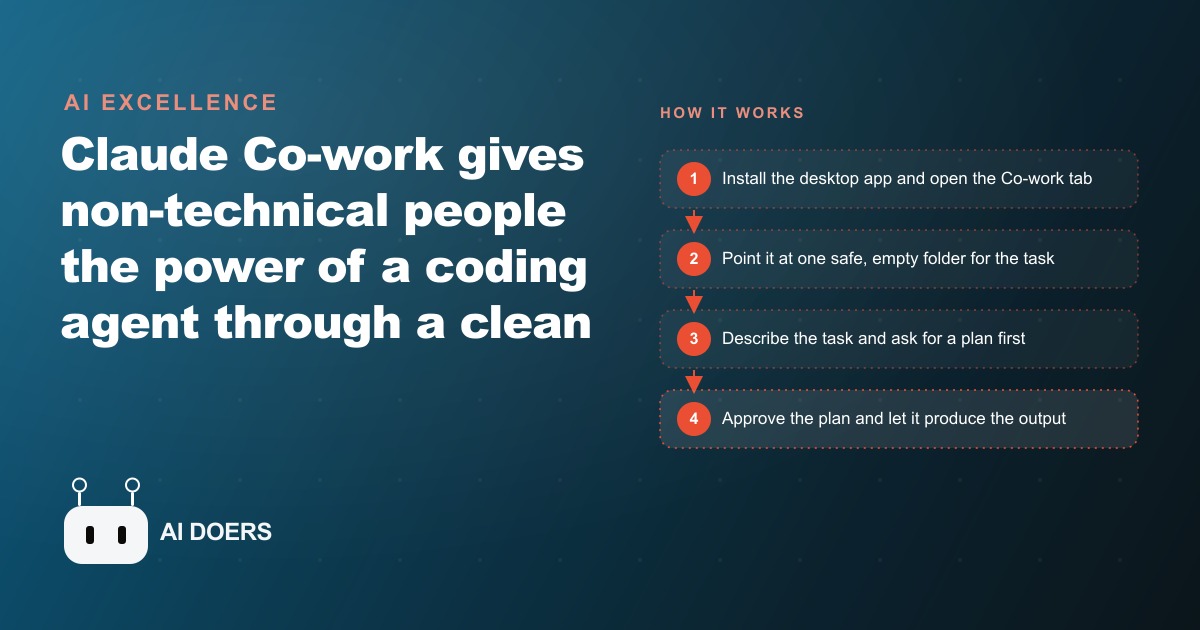
This is the story of a roofing company owner I will call Marcus, and I am telling it because the pattern he went through is one I see repeatedly when a non-technical business owner discovers what a desktop AI agent can actually do with a folder of real files. Marcus runs a six-crew operation in a mid-sized city. He manages scheduling, supplier relationships, and client communication himself, with one part-time office assistant who works three days a week. After every busy season he ends up with a backlog of receipts, unfinished expense categorizations, and meeting notes that never made it into a usable format. He heard about Claude Co-work and spent six weeks testing it on his real administrative work. I am Madhuranjan Kumar, and here is what happened.
The backlog problem: paperwork that follows a busy season underground
A roofing busy season ends abruptly. One week the crews are booked solid through the next two months. Then autumn weather closes in, the jobs thin out, and the owner finally has time to look at the pile of administrative work that built up during the sprint.
For Marcus, that pile included three months of material purchase receipts, a folder of handwritten notes from site visits, a calendar full of appointments that never got a proper follow-up summary, and a half-finished expense report he had started in spring and abandoned. None of it was complicated. All of it was tedious. And because it was tedious it kept getting deferred whenever anything more urgent appeared, which during a busy season is constantly.
The problem with a paperwork backlog is not just the work it represents. It is the mental overhead of knowing it exists. Every week the backlog does not get addressed it becomes a slightly larger presence in the back of the owner's mind. A recurring reminder that important records are incomplete and that tax season will arrive before they are organized.
When Marcus found Claude Co-work, his first question was whether it could help with this kind of scattered, unstructured administrative work. Not just clean structured data but messy real-world files from a busy trades business: crumpled receipt photos, calendar entries with vague titles, email threads with mixed-in logistics conversations.
The first test: a folder of receipts and a two-minute spreadsheet
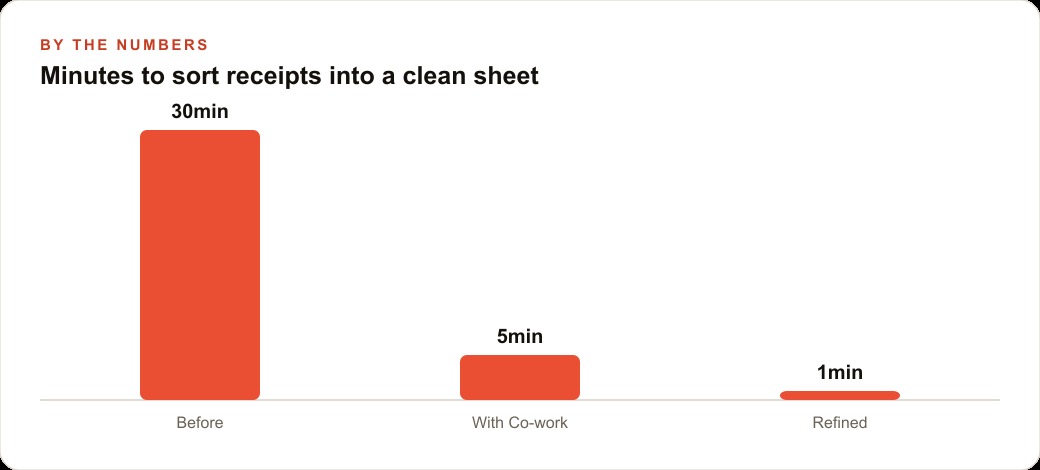
Marcus created a test folder and put about thirty receipt images in it, a mix of supplier invoices, hardware store purchases, and equipment rental receipts from a two-week stretch in summer. He pointed Co-work at that folder and gave it one task: read each receipt, extract the date, vendor name, category, and amount, and build a clean expense spreadsheet with a total row and a category breakdown at the bottom.
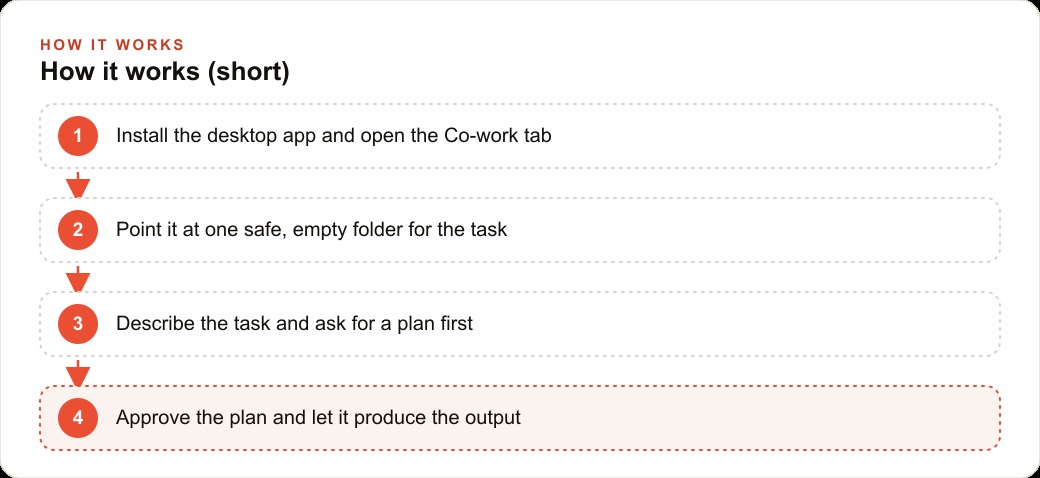
He asked the agent to write a plan first, which is a habit he developed in his first few sessions. The plan came back in about thirty seconds: read each image, extract four fields, flag any row where the amount is not clearly legible rather than guessing at it, build the spreadsheet with a totals row and a pivot by category. Marcus approved the plan and let it run.
The spreadsheet was ready in ninety seconds. It had thirty-one rows. Twenty-eight were complete with all four fields filled in correctly. Three rows were flagged with a note: "Amount not clearly legible, please verify." Marcus checked those three receipts. They were folded or partially obscured in the photos he had taken on site. The flagging was accurate.
The category breakdown showed material purchases at roughly sixty percent of the total, equipment rental at twenty-two percent, and consumables at eighteen percent. That matched Marcus's own rough sense of how that particular two-week stretch had gone.
A task that would have taken him thirty to forty minutes by hand took Co-work ninety seconds and produced a more consistent result than he typically achieved manually. He often had to go back and recategorize items after the fact when he realized he had been inconsistent in how he labeled similar purchases. The agent applied the same category logic to every row in the same pass.
The time saving was real. But what Marcus noticed first was the consistency. Every row followed the same format. Every vendor name used the same capitalization convention. Every amount used the same decimal notation. Manual work over thirty rows produces at least a few inconsistencies. The agent produced zero.
Connecting the calendar and making Monday briefings automatic
After the receipts test, Marcus connected Co-work to his calendar and email through the available connectors. This took about fifteen minutes, mostly reading the permission dialog and deciding what level of access to grant.
His next goal was a weekly Monday briefing. Every Monday morning Marcus spent about thirty minutes pulling together a summary of the week: which jobs were scheduled, which ones were starting and which finishing, which clients had outstanding questions, and which material orders were pending. He wrote this summary himself from memory and notes, and it was useful but inconsistent. Some weeks it ran to two paragraphs. Other weeks it was a bulleted list. Some weeks he forgot to mention something important and only remembered it mid-week.
He asked Co-work to automate this. His instruction was to read the calendar for the upcoming week, check his email for any client messages from the past seven days that had not received a reply, and draft a one-page Monday briefing in a specific format: jobs section at the top, client communications in the middle, material and logistics at the bottom.
The first attempt was close but not quite right. The jobs section was accurate. The client communications section missed two emails that Marcus considered important because they were buried in a thread rather than being the most recent message in the chain. The logistics section was thin because his material orders lived in a separate folder that Co-work had not been pointed at.
These were calibration issues, not fundamental failures. Marcus added the orders folder to the source set, gave the agent more specific guidance about which kinds of email threads to surface even when buried in a chain, and ran it again. The second attempt was closer. The third was the version he approved as his standard Monday briefing prompt.
Writing prompts that actually work: what the owner learned from three wrong tries
The Monday briefing calibration took three iterations. Marcus's reflection on what changed between each attempt describes a learning curve that almost every new Co-work user goes through.
The first prompt was vague: "Write me a summary of this week's schedule and anything important I should know." The agent produced a readable summary organized by recency rather than importance, without the structure Marcus actually needed for a useful Monday briefing. It was plausible output, not useful output.
The second prompt named the sections but not the format: "Write a Monday briefing covering jobs, client emails, and pending orders." This produced three sections with the right labels but inconsistent depth. The jobs section was thorough. The pending orders section had a single line that said "see orders folder."
The third prompt was specific about everything: three named sections, each formatted as a bulleted list with a maximum of five bullets, any item requiring action before noon flagged with the word URGENT, sources named explicitly (calendar, email from the past seven days specifically, the orders folder), and a maximum length of one page. That prompt produced a briefing Marcus could use without editing. He saved it and runs it every Sunday evening so the briefing is ready when he arrives Monday morning.
The lesson he took from the calibration: vague prompts produce structurally correct but practically wrong results. Specific prompts that describe the format, the sources, the output length, and the decision rules for ambiguous cases produce results you can use without rework. The specificity does not take long to write once you know what you actually need. It takes one or two bad attempts to discover what "specific enough" actually means for your use case.
The safety habits that prevent the agent from touching files it should not touch
Marcus had one uncomfortable moment during his first month. He gave Co-work access to a folder that contained both the current week's job files and a subfolder with three years of archived client contracts. The agent, while completing a summary task, opened several archived contracts to pull context about recurring clients. It did not change them, but Marcus had not expected it to read documents he had not mentioned.
After that, he established a clear rule for himself: Co-work gets access to a folder containing only the files relevant to the current task. He creates a working folder for each task and copies only the relevant files into it before pointing the agent at it. Archives, financial records, and client contracts stay in their own locations and are never in a Co-work working folder during a routine task.
This is not distrust of the tool. It is an acknowledgment of how the tool works. An agent follows its instructions broadly. Access granted is access available. If a folder contains files the agent was not intended to read, it may still read them to complete the task. Containment prevents this by limiting access to what the task actually requires.
A second habit: keep a backup copy of any file before running a Co-work task that writes to that file. This takes thirty seconds and eliminates any regret if something goes wrong during output generation.
A third habit: always read the plan before approving any task that involves writing to files rather than just reading and summarizing. Reading the plan takes about one minute. Approving a plan you have not read is how file changes happen that you did not expect. The plan step is what separates a tool you trust from a tool you are anxious about.
Six weeks in: what changed and what it cost
After six weeks of using Co-work on real administrative work, Marcus tracked the change in his weekly admin hours. Before Co-work he spent roughly five to six hours per week on administrative tasks: expense categorization, client email responses, scheduling updates, and weekly summaries. After six weeks his weekly admin time had dropped to about two hours, most of it reviewing Co-work's output, correcting flagged items, and handling the situations that required a personal judgment rather than a formatted output.
The three hours recovered per week across six weeks is eighteen hours of administrative work completed by Co-work rather than by Marcus. At an effective hourly rate for the owner of a six-crew roofing operation, that is a meaningful number. The monthly subscription cost of the Co-work feature tier was covered in the first week by hours recovered.
The change Marcus valued most was not the raw time saving. It was the consistency of the output. His Monday briefings are now the same format every week, with the same sections in the same order. His expense spreadsheets use consistent categories and consistent notation across all months. His client email summaries follow the same structure. When his part-time office assistant covers for him, she has documents that are predictable and readable rather than documents that reflect whatever format Marcus was using that particular week when he put them together.
Consistency has a value in a trades business that is easy to underestimate. When a subcontractor asks for a job summary and Marcus sends it in a consistent format every time, it signals professionalism. When his accountant receives expense reports in a consistent format every quarter, the accounting is faster and the questions are fewer.
The tasks that stayed manual and why
Marcus did not automate everything, and his decisions about what to keep manual are worth examining because they describe a principle that applies to any business considering desktop AI agents.
Client quotes stayed manual. A roofing quote is a commercial commitment, and the variables in a roofing job are specific to each site in ways that require an experienced eye. Material cost, labor time, access difficulty, the condition of the existing deck beneath what has to come off: these are things Marcus estimates from walking the job, not from reading a document. The quote is where he earns his margin, and getting it wrong has a direct financial consequence. This is a task where his expertise is the value, not a task that benefits from automated output generation.
Crew scheduling stayed manual for similar reasons. Scheduling decisions involve knowing each crew's current situation in ways that no file records: who is moving into a difficult phase of a job mid-week, who has a personal commitment on Friday, which crew has the right foreman for a straightforward shingle replacement. That situational knowledge does not live in any document Co-work can read.
Disputes and complaints stayed entirely manual. Any communication from a customer expressing dissatisfaction about work quality was handled personally by Marcus. Not by the agent, not by the office assistant, not by a template. This is a judgment Marcus chose to keep because a poorly handled complaint can cost a client relationship that took years to build, and no template handles the specifics of a complaint as well as a direct conversation from the person responsible for the work.
The tasks that went to Co-work all shared one characteristic: they involved reading information from files, organizing it consistently, and producing a formatted output. The tasks that stayed manual shared a different characteristic: they required context that lives in Marcus's accumulated experience, not in any document. That line between what to automate and what to keep manual is the most important judgment a business owner makes when deploying a desktop AI agent, and it is a judgment that gets clearer with each week of use.
That is exactly what we do at AI DOERS. Book a private 30-minute call with Madhuranjan Kumar and we will map the fastest path to it for your specific business.
Book your call →
Madhuranjan Kumar
Madhuranjan Kumar brings 20 years of performance-marketing experience and has managed over $200 million in Facebook ad spend for brands across the United States and beyond. His expertise spans the full modern marketing stack: Meta, Google Ads, TikTok, email automation, CRM, and the websites that hold it together. At AI DOERS he turns that track record into lead-generation systems for businesses across every industry.