
Claude Code vs ChatGPT Codex: An Honest Side-by-Side After Heavy Testing
Neither tool wins outright. Claude Code is stronger on visual design, deep planning, and deep customization, while Codex is faster, leaner on tokens, and better at research and end-to-end shipping. The right pick depends on the task in front of you.

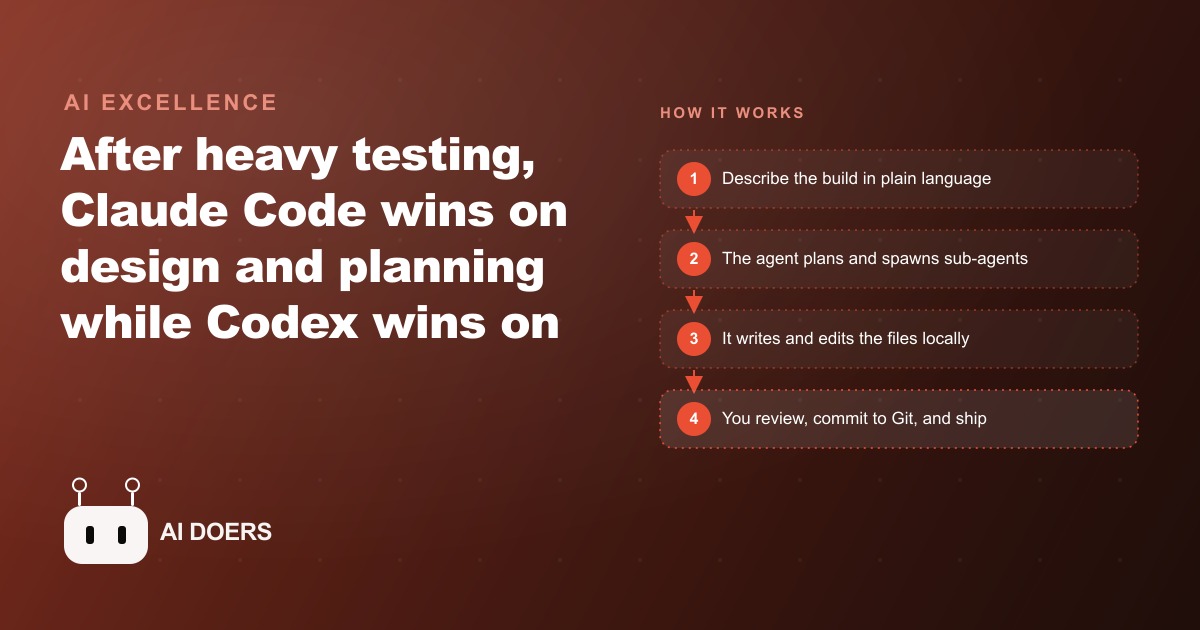
Claude Code finished a dashboard build in under two minutes using approximately 283,000 tokens. Codex completed the same prompt in about eight minutes using approximately 1.64 million tokens. Claude's output looked more polished. Codex used six times fewer tokens on a research report and finished it faster. Neither tool won outright across every task type tested, and that split result is the honest finding.
I am Madhuranjan Kumar. After watching Claude Code dominate the AI coding conversation for the better part of a year, many people quietly assumed the competition had fallen behind. The new ChatGPT Codex changes that assumption. It is not the retired code model from a few years ago. It is a full agentic system, built around Git from the ground up, with computer use that opens your app, clicks through it, and logs bugs with severity ratings and reproduction steps. The tools are now close enough in overall capability that comparing feature checklists is less useful than understanding which type of work each one handles best. This playbook is built on that routing logic.
Assess the task type before you open either tool
The most important decision in the Claude Code versus Codex workflow is the one you make before you open either application. The task type determines the tool. Routing the wrong task to the wrong tool produces a result that takes longer, costs more in tokens, and requires more iteration to clean up than it would have if you had started with the correct choice.
Two broad categories cover most of what knowledge workers build with these tools. The first is design-heavy and interface-led work: interactive dashboards, landing pages, web applications with meaningful visual hierarchy, apps where the first impression matters for retention. The second is research-and-document-shaped work: supplier reports, data summaries, competitive analyses, structured PDFs, documentation, and anything where the primary output is text or tabular data rather than a user interface.
Claude Code is the better tool for the first category. Codex is the better tool for the second. Both tools edit local files, ship desktop apps, support VS Code extensions, connect to MCP servers, use a similar markdown skills format, and offer plugin marketplaces. The overlap is large enough that either tool can technically handle either category. The question is which one does it faster, at lower token cost, and with a better result on the first pass. For design-heavy work, the testing data consistently favors Claude. For research and structured documents, it consistently favors Codex.
The routing decision takes about 30 seconds per task. Ask: is this primarily a visual and interactive experience, or is it primarily a structured information output? The answer tells you which tool to open.
Send design-heavy UI work to Claude Code
The benchmark numbers from the dashboard build are the clearest evidence for this routing choice. Claude Code planned the task, wrote the interface, and finished in under two minutes at approximately 283,000 tokens. Codex completed the same prompt in close to eight minutes at approximately 1.64 million tokens. Claude's dashboard also looked more polished on the first pass, with better visual hierarchy and cleaner component spacing, without any additional prompting for design quality.
Three features explain why Claude Code produces better design results on UI-heavy work. First, Claude Code exposes approximately 30 hook events compared to roughly six in Codex, giving you around five times the granularity to inject automated behavior into the session. For visual work where you want to enforce style rules, brand guidelines, or component conventions at every step of the build, that hook depth matters. Second, Claude Code auto-spawns planner, explorer, and reviewer sub-agents when a task requires them, without you explicitly requesting it. On a complex interface with multiple screens and interaction states, that self-directed planning produces a more coherent output than a single-thread build. Third, the ultra plan command sends the planning phase to a cloud session you review in a browser with inline comments before any code is written. For an interface that needs to match a specific design standard, reviewing and refining the plan before execution is significantly more efficient than iterating on a visual output after the fact.
For an e-commerce store owner building an internal sales dashboard that shows daily revenue, low-stock alerts, and refund trends in a single view, Claude Code is the right tool. The interface is the product. The first-pass visual quality matters. The routing is clear.
For internal business tools and dashboards that connect to your CRM and operational data, Claude Code's design quality advantage compounds over the course of a project. Each screen that comes back looking considered rather than merely functional reduces the number of iteration rounds needed before the tool is ready for the team to use.
Send research, documents, and QA to Codex
The same benchmark testing produced the opposite result on research-shaped work. For a structured research report, Codex was both faster and leaner: approximately 2.8 million tokens versus Claude's 4.7 million, and it finished the task faster than Claude did on the same prompt. The output was organized, thorough, and correctly formatted without requiring additional iteration.
Two features make Codex the better tool for this category. The first is its Git work tree architecture, which allows every agent thread to run in its own isolated copy of the repository without collisions. When the task is a weekly supplier report that needs to be staged, committed to a branch, and pushed to a shared repository that the operations team can pull from, Codex handles the entire sequence from prompt to committed file in one window. You do not need to manage the Git workflow separately. The agent stages and commits as part of the same session that produced the document.
The second feature is the computer use QA capability. When the task involves testing a build rather than generating one, Codex opens the application, clicks through the interface, and returns a structured bug log with severity level, expected versus actual behavior, and reproduction steps. That is a QA pass that would normally take a junior tester an hour to write up, delivered in minutes without a human reviewer in the loop. For teams that ship frequently and want an automated first-pass QA before human review, this is a meaningful operational advantage.
For the e-commerce owner who also needs a weekly report on supplier inventory levels, formatted as a structured document committed to a shared repository for the purchasing team, Codex is the right tool. The task is document-shaped, the output needs to be version-controlled, and there is no interface quality consideration. The routing is clear.
For reporting tools that pull from advertising platforms and performance data, the same routing logic applies. A weekly report summarizing spend, cost-per-lead, and campaign performance across accounts is a structured text task. Codex produces it faster and at lower token cost than Claude, and commits it directly to Git without requiring a separate terminal session.
Measure token count alongside wall-clock time
This is the step that most people skip, and it is the one that changes how you evaluate both tools after a real build. Wall-clock time is easy to observe. Token count requires you to check the session summary or the API dashboard after the session completes. But output tokens are what drain your session budget fastest on both tools, and a session that looks fast by the clock may be burning a disproportionate number of tokens.
The practical comparison: Claude Code finished the dashboard build in under two minutes but used 283,000 tokens. Codex took eight minutes on the same task but used 1.64 million tokens. By wall-clock time, Claude Code won easily. By token cost, Claude Code also won easily. For this specific task type the two metrics pointed in the same direction. On the research report, Codex finished faster and used 2.8 million tokens versus Claude's 4.7 million. By both metrics Codex won on that task.
What this means practically: for tasks where both tools could technically complete the job, the token count tells you which one is economically efficient for your usage pattern. If you are on a subscription plan with a session limit, the tool that burns fewer output tokens per task lets you complete more work before hitting the ceiling. If you are on a pay-per-token API plan, the token count directly corresponds to cost. Building the habit of checking token count after each session gives you the data you need to make the routing decision more precisely over time.
Across three live builds in this testing period, Claude Code consistently wrote two to five times more output tokens than Codex. That pattern is stable enough to factor into the routing decision: for any task where Codex can produce a comparable output, Codex is the more token-efficient choice. For tasks where Claude Code's design quality is a meaningful advantage, the higher token count is often worth the cost.
Keep every project in Git from the first commit
This is the operational foundation that makes switching between tools safe and reversible. Both Claude Code and Codex work best when the project is version-controlled from the start. For Codex specifically, the Git work tree architecture is built into the tool's core design: every agent thread operates in an isolated branch, and the staging and commit workflow runs from inside the desktop application. For Claude Code, Git is not built into the tool the same way, but the ability to roll back a bad generation and retry with a different prompt is structurally dependent on having clean commits to return to.
The practical consequence: a project without version control cannot be handed from one tool to the other mid-build without risk. If you start a project in Claude Code and discover that a specific research task within it would be better handled by Codex, you can make that switch cleanly if the project is in Git. You check out the branch, open Codex, point it at the same local files, and run the task. If the output is wrong, you roll back to the last clean commit and try again. Without version control, switching tools mid-project means working with an uncertain state of the codebase and no safe path back.
For the e-commerce owner in the worked example, the right setup is a single Git repository that holds both the sales dashboard code and the reporting scripts. Claude Code builds the dashboard against a branch. Codex generates the weekly report and commits it to a separate branch. The main branch holds only what has been reviewed and approved. Both tools, both task types, one repository, one version history. That structure makes the workflow auditable, reversible, and scalable as the project grows.
Account for the licensing difference before committing to a workflow
This is the detail that most tool comparisons omit, and it has real cost implications at scale. OpenAI has publicly endorsed using a ChatGPT subscription inside third-party tools and agentic workflows. If you have a ChatGPT Plus or Pro subscription, you can use it through third-party integrations without needing separate API keys or paying additional per-token costs. Anthropic takes the opposite position: using a Claude consumer subscription inside third-party agents or tools is explicitly disallowed unless the integration is specifically approved. For most third-party agentic workflows, you need an Anthropic API key and pay per token rather than under a flat subscription.
The practical effect depends on how heavily you use the tools. A user who runs 10 to 20 sessions per week on targeted, well-scoped tasks will find both pricing models manageable. A user who runs continuous agentic workflows throughout the day will find the API-key model for Claude Code adds up to a meaningful monthly cost that does not apply to Codex under a subscription arrangement. Before you commit to a workflow that relies heavily on one tool over the other, confirm which pricing model applies to your specific setup and calculate the monthly cost at your expected usage volume.
The licensing difference does not change the task-routing logic. Claude Code is still the right choice for design-heavy work regardless of which pricing model you are on. Codex is still the right choice for research and document tasks. But knowing the cost structure of each choice is part of making the routing decision intelligently rather than based only on output quality.
---
The routing framework applies on every task: assess the type, match it to the tool, track the token cost alongside the wall-clock time, keep everything in Git, and factor in the licensing cost at your actual usage volume. For the e-commerce owner running both a sales dashboard build and a weekly supplier report, Claude Code handles the dashboard and Codex handles the report. Each tool does its best work. The project moves faster than it would if one tool handled everything, and the token cost per unit of useful output stays lower because each task is matched to the tool that handles it most efficiently.
That is exactly what we do at AI DOERS. Book a private 30-minute call with Madhuranjan Kumar and we will map the fastest path to it for your specific business.
Book your call →
Madhuranjan Kumar
Madhuranjan Kumar brings 20 years of performance-marketing experience and has managed over $200 million in Facebook ad spend for brands across the United States and beyond. His expertise spans the full modern marketing stack: Meta, Google Ads, TikTok, email automation, CRM, and the websites that hold it together. At AI DOERS he turns that track record into lead-generation systems for businesses across every industry.