
Claude Code Plus Playwright: Automate QA, Scraping, and Logged In Tasks
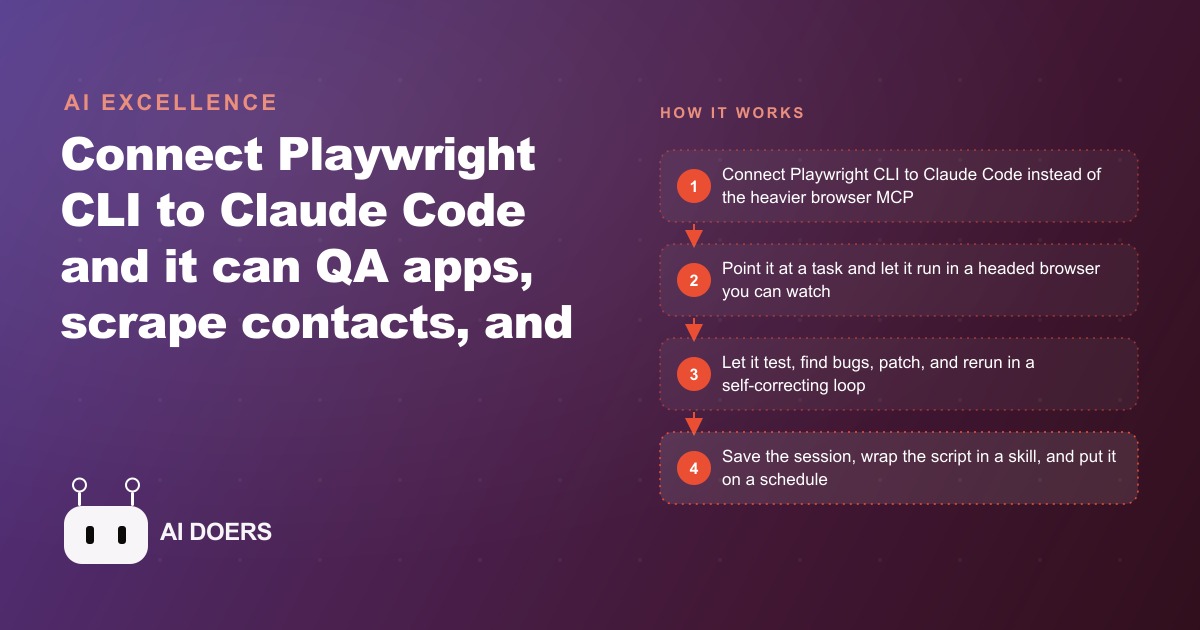
Connect Playwright CLI to Claude Code and it drives a real browser to test your web app and fix its own bugs, gather contact info while routing around blocks, and run logged in tasks using a saved session, all wrappable into skills you can schedule.

A web browser is the most common interface for real business work, and until recently it was also the one interface that AI agents could not use reliably without a developer writing and maintaining site-specific scripts.
The gap was not about whether AI could navigate a browser. Headless browser tools and automation frameworks have existed for years. The gap was about reliability across changing interfaces, the ability to respond to unexpected states, and the maintenance cost of keeping scripts current as websites update their layouts and interaction patterns. Automation that required a developer to fix it every few weeks was not automation in any meaningful sense for a small business without an engineering team.
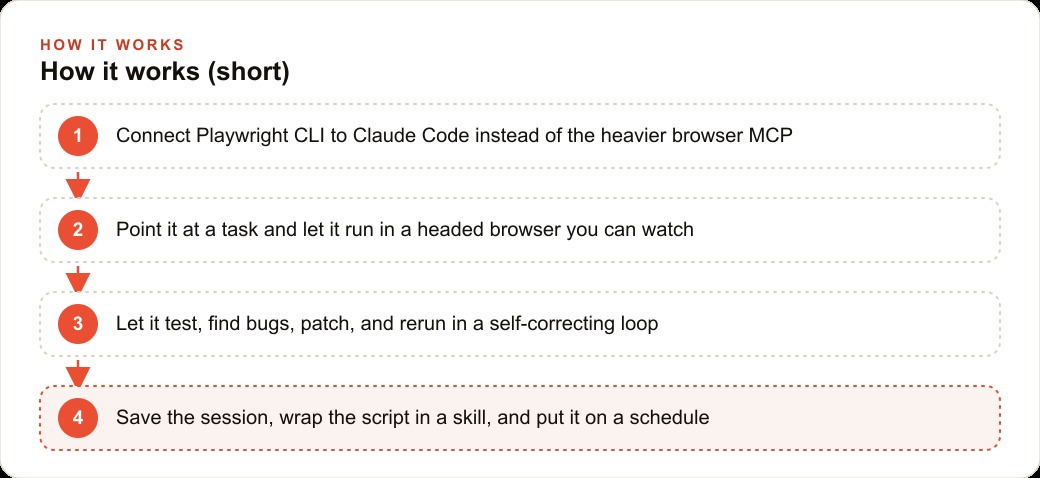
The combination of Claude Code and Playwright CLI changes the reliability equation in a specific and underappreciated way. The central innovation is not that AI can now control a browser. The central innovation is the self-correcting loop: the agent tests, encounters a failure, patches its own approach, and reruns until the task succeeds, without human intervention between those steps. That loop is the difference between an automation that works in a demo and one that runs reliably in production.
Madhuranjan Kumar breaks down why this pattern works, where it applies, and how the technical architecture of the Playwright CLI approach makes the self-correcting loop sustainable over long agentic runs.
Why the Playwright CLI outperforms the browser MCP for long agentic runs
The most common mistake when setting up Claude Code for browser automation is choosing the browser MCP over the Playwright CLI. Both give the agent control over a browser. The difference is in what they cost at the token level, and that difference compounds over the length of a run.
The browser MCP loads every available tool with its complete description attached to every request. When the agent makes a call, it sends its current context plus the full schema for all tools in the MCP. For a browser with dozens of available tools, this overhead is significant. On a short task that takes five or six tool calls to complete, the overhead is acceptable. On a long agentic run that requires 40 or 50 tool calls to complete a complex workflow, the overhead consumes a meaningful portion of the context window and directly affects both cost and the model's ability to maintain coherent reasoning about what it is doing.
The Playwright CLI achieves the same browser control through a much leaner interface. The agent sends commands to a running Playwright process without the schema overhead attached to every call. A task that takes 50 tool calls through the MCP takes the same 50 actions through the CLI at a fraction of the per-call context cost. For long automation runs that involve navigating multiple pages, handling pagination, waiting for dynamic content to load, and adapting to unexpected page states, the token budget savings are the difference between a run that completes within cost and latency constraints and one that hits context limits midway through the task.
The practical implication is that the CLI is not a technical detail. It is a prerequisite for the kinds of automation that produce the most business value. The short, simple automations work through either approach. The long, complex, multi-step workflows that replace real human labor are the ones that need the CLI's efficiency profile to run sustainably. An agency running QA across a 12-page onboarding flow, or a business owner automating a daily report pull from multiple supplier portals, needs the CLI precisely because those tasks are long and involve many sequential actions.
The token budget framing also matters for cost forecasting. Every additional tool description that travels in the MCP payload is a per-call cost that accumulates across thousands of runs per month. The CLI's lean footprint is a structural cost advantage that compounds the more frequently the automation runs.
The test-patch-retest loop as a repeatable reliability design principle
The most powerful capability in the Claude Code plus Playwright combination is not browser control. It is the self-correcting cycle that emerges when the agent can observe the outcome of each action and modify its approach based on what it sees.
Here is what the loop looks like in practice. The agent starts a task: navigating a multi-step web form and completing it successfully. On the first pass, it encounters a failure. A keyboard shortcut that should advance to the next step does not work as expected. Or a page that should load its content after a button click instead shows a loading state that times out. The agent reads the failure state, identifies what went wrong, patches the script to handle that case, and reruns the sequence from the beginning. It continues this cycle until the task succeeds without errors.
The crucial detail is that the agent does this without being asked. The patch, the rerun, the additional screenshot documentation: all of that happens within the same task without the operator intervening between steps. This is the departure from traditional automation. Traditional scripts fail silently or hard. The operator finds out when they check the output and discovers the task did not complete. The Claude Code self-correcting loop produces a system that keeps working toward completion and documents its reasoning about why each patch was made.
The design principle this represents is transferable beyond browser automation. Any agentic task that has observable outcomes and a recoverable failure mode can be structured as a test-patch-retest cycle. QA testing is the clearest example because the success condition is explicit and verifiable at each step: the form advanced, the page loaded, the data appeared. But the same pattern applies to data pipeline validation, document processing, and any workflow where the agent can observe whether each step succeeded before proceeding.
For reliability in production, the test-patch-retest cycle is the key unlock because it converts a brittle script into an adaptive one. A web form that adds a validation step, a page that adds a rate limit, a site that reorganizes its navigation: each of these would break a traditional script silently. The self-correcting agent encounters the change, adapts, and continues. The adaptation is imperfect and sometimes requires human review, but the agent reaches a result far more often than a static script does.
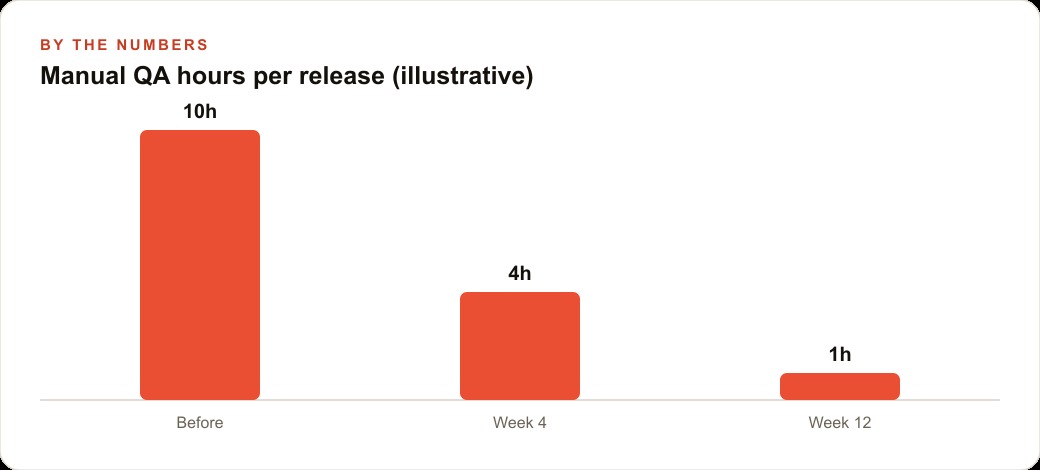
The measurable outcome is a reduction in manual QA hours per release. Before the self-correcting agent, a software team might spend ten hours on manual click-through QA before each release. By week four with the system running, that drops to four hours. By week twelve it reaches one hour or less, not because the agent became smarter, but because each iteration cycle left behind a better script that knew more about how the specific interface behaves.
Persistent session cookies as the unlock for the most valuable automation targets
The most valuable automation targets for businesses are the ones that live behind authentication: the supplier portal that shows inventory and pricing, the ad platform that exposes campaign performance data, the project management tool that contains the team's work status, the accounting dashboard that tracks revenue and expenses. Every one of these requires a login and maintains a session, which is exactly the class of task that traditional automation failed most often.
The persistent browser profile solves this in a technically simple but operationally critical way. Instead of logging in fresh on every automation run, the user authenticates once manually using a persistent Chromium profile that stores the resulting session cookies. Subsequent automation runs inherit that session, including all cookies, local storage values, and authentication tokens. The agent launches with the same logged-in state the user had at the end of the manual authentication session.
The practical result is that automation of logged-in workflows becomes reliable in a way it was not before. The agent does not encounter two-factor authentication prompts on each run because the session is already valid. It does not trigger anomalous login detection because the login event was a real human login that established a genuine session. The cookies persist the session state exactly as they would for a human user who leaves a tab open across sessions.
This unlock matters disproportionately for the automation targets that produce the most business value. The open-web targets, directories, public listing sites, and unprotected data sources are useful but finite. The logged-in targets are where the information and workflows that actually run a business live. A recruitment firm that manually logs into its applicant tracking system each morning to check response status, a property manager who checks three landlord portals to compile a maintenance queue, a bookkeeper who downloads transaction exports from several bank dashboards monthly: all of these are logged-in browser tasks. Persistent sessions make those targets accessible to automation at a reliability level that justifies building and maintaining the automation rather than treating it as a fragile experiment.
The one-time setup cost is minimal. Authenticate manually into the target service with the persistent profile active. Close the browser. The next automation run opens the same profile and inherits the active session. Repeat only when the service forces a re-authentication, which is typically measured in days or weeks rather than hours.
How the agent learns a site's behavioral rhythm over four or five iterations
Browser automation against real websites rarely works perfectly on the first attempt. This is not a limitation of the AI. It is a property of real websites. They load content asynchronously, they implement rate limits that activate after a certain action speed, they change their page structure more frequently than documented, and they have edge cases that only appear after the agent encounters a specific combination of state conditions.
The way Claude Code handles this is through observation and adaptation across iterations. On the first run, the agent maps the interface and attempts the task using its general understanding of how web interactions work. When it encounters an unexpected state, such as a rate limit message that appeared because it was navigating through items too quickly, it reads the error, adjusts the pacing, and continues. On the second run, it applies the adjusted pacing and proceeds further before encountering the next edge case.
By the fourth or fifth iteration against the same site, the agent has accumulated a set of specific adaptations that reflect how that particular site behaves. It knows which operations need delays between them. It knows which elements load asynchronously and require a wait before the next action. It knows which error states are recoverable and which require a restart from a specific checkpoint in the workflow. The script that exists after five iterations is not the same script as the one from the first attempt. It has been shaped by real observations of how that specific site responds to specific actions.
A concrete example from the contact-scraping use case: on the first run, the agent attempts to pull business phone numbers from a search engine results page and encounters an automation detection block. Rather than failing hard, it reads the error, switches to an alternative data source automatically, visits the individual business pages from that alternative source, and returns five complete results. By the third run, the script routes around the blocked source by default and completes the task without triggering any detection mechanisms. The automation that required supervision on the first run completes reliably without human involvement by the fourth.
This learning process is not permanent in the way human institutional knowledge is permanent. The adaptations live in the script. When a site updates its interface in a way that invalidates the script's assumptions, the next run will encounter new failures, and the loop begins again. But each iteration cycle starts from a script that already incorporates the previous learning, so subsequent adaptation cycles are typically shorter than the initial one.
The skill wrapper as the mechanism that converts a one-time script into a scheduled production asset
A working Playwright script that runs once is useful. A working Playwright script that runs reliably every day or every week on demand with a single command is operationally transformative. The mechanism that converts the first into the second is the skill wrapper.
A skill in Claude Code is a reusable command definition that encapsulates a specific task with all its parameters and context. When you wrap a working Playwright script in a skill, you replace the long series of task descriptions, file references, and configuration details required to invoke the script manually with a single named command. Invoking the skill triggers the full automation without the operator needing to remember or specify any of the underlying details.
The operational significance is that skill wrapping makes automation accessible to non-developers on the team. The account manager who needs the weekly performance data from a client's analytics dashboard does not need to understand Playwright or Claude Code to run the automation. They run the skill, the agent executes the script, and the output appears in the designated location. The developer who built the script has effectively created a self-service tool that the whole team can invoke.
Scheduling extends this further. A skill that can be invoked on demand can also be placed on a schedule through the Claude Code desktop application. The combination of a persistent browser profile, a skill-wrapped Playwright script, and a scheduled trigger produces a fully autonomous automation: it runs on schedule, using the saved session for logged-in access, executes the workflow using the tested and stable script, and delivers the output without any operator involvement.
The three-step progression from first working script to scheduled production asset is: stabilize the script through the test-patch-retest cycle, wrap it in a skill for on-demand access, then place it on a schedule for autonomous operation. Each step extends the value of the initial development investment and reduces the per-run labor cost toward zero. The first run requires hours of iteration. The thousandth run costs nothing beyond the compute time.
The businesses that build this progression systematically, converting their most frequent manual browser tasks into scheduled automations one at a time, accumulate an operational advantage that compounds month over month. Each automation frees team time that can go toward higher-judgment work. The team that automates its five most frequent browser tasks across a quarter recovers meaningful hours every week from that point forward. That recovered time, applied to client relationships and strategy rather than data collection and report assembly, is the compounding return on what is fundamentally a one-time investment per task.
The appropriate starting point is not the most complex automation on the list. It is the most frequent manual browser task that currently costs the most cumulative time per week. Describe it in plain English to Claude Code, connect Playwright CLI, run it in headed mode so you can watch the first attempt, and let the test-patch-retest cycle do the stabilization work. The fourth or fifth run will be reliable. From there the library of automated tasks grows one description at a time.
That is exactly what we do at AI DOERS. Book a private 30-minute call with Madhuranjan Kumar and we will map the fastest path to it for your specific business.
Book your call →
Madhuranjan Kumar
Madhuranjan Kumar brings 20 years of performance-marketing experience and has managed over $200 million in Facebook ad spend for brands across the United States and beyond. His expertise spans the full modern marketing stack: Meta, Google Ads, TikTok, email automation, CRM, and the websites that hold it together. At AI DOERS he turns that track record into lead-generation systems for businesses across every industry.