
Claude Code Lets You Build Real Software by Just Talking to It
Anthropic released a free coding agent that lives in your terminal, scaffolds a whole project from one prompt, and fixes its own errors when you paste them back. Here is what it does for a real business and how I would set it up.

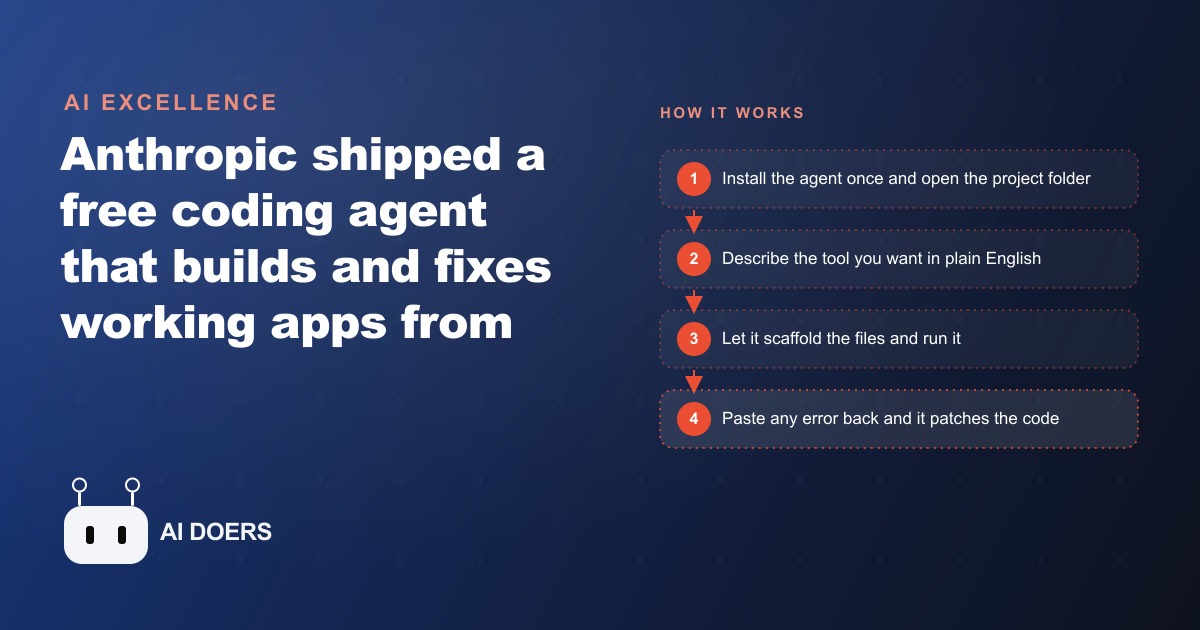
Build the small internal tool you keep wishing you had
Every business has a short list of tools it wishes existed but never built, because building software meant either a developer invoice or a clunky spreadsheet that never quite fit. A simple job tracker. An expense logger with a clean dashboard. A quote calculator. A small booking page. That list just became buildable in an afternoon, because Claude Code, a free coding agent from Anthropic, now lets you describe the tool you want in plain English and have it built, scaffolded, and fixed for you, without writing a line of code yourself.
This is a practical playbook for actually doing that, arranged as the stages I would work through to take a business owner from an annoying manual task to a working custom tool. The technology is the easy part now. The skill is in choosing the right task and describing it well, so the stages below spend as much attention on judgment as on mechanics. Follow them in order and you can stand up something genuinely useful without pretending to be an engineer.
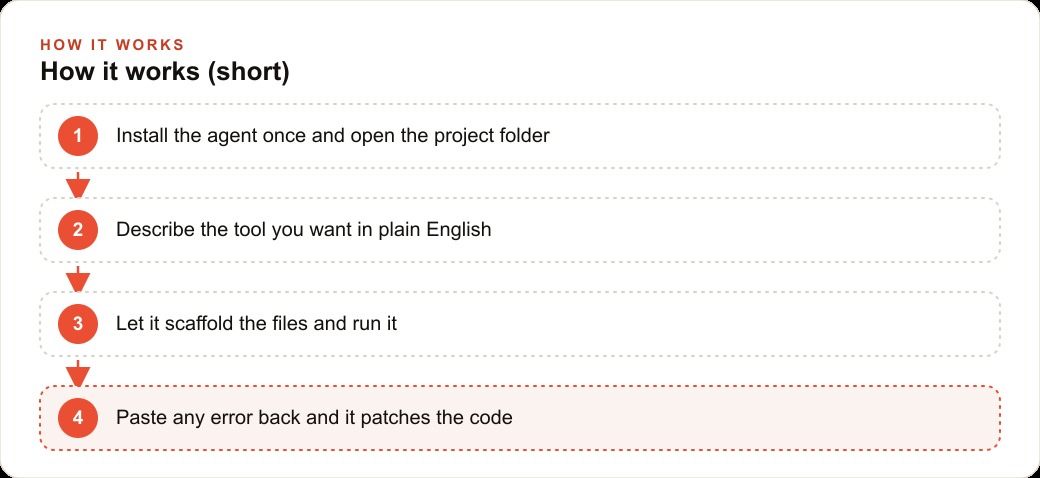
Stage one: install it once and open a single folder
Claude Code lives in your terminal, and the setup is deliberately small. You install it once, point it at a folder on your computer, and type the short command that wakes it up. From that moment you are not writing code, you are talking to the agent the way you would talk to a coworker who happens to be a fast developer.
The important discipline in this stage is scope. Open one folder for one tool, not a folder that is meant to become your whole back office someday. A tight, single-purpose project is easier for the agent to reason about and far easier for you to judge. Resist the urge to describe a sprawling platform on the first run. The whole method depends on starting narrow, because a narrow project gives you a clear picture of whether the thing works, and a sprawling one hides its failures inside its size.
Stage two: describe the tool in plain English and let it scaffold
Here is where the old workflow used to collapse and this one does not. In the past, you could ask a model for an app and it would hand you one long file of code, and then came the boring part that made most non-coders quietly give up: create these folders, split the code out, install these packages, set up the database, wire it all together. Claude Code removes that step entirely. You describe what you want, and it sets up the whole project on its own, building the file structure, splitting things out, and creating the database in the background.
So in this stage you simply say, in plain language, what the tool should do. Describe the inputs, the screen you want to see, and what should be saved. If you have a starting file, you drop it into the folder and tell the agent to wire it up. Because the underlying model can produce very long output in a single pass, it can scaffold a fairly large app or a long document without stopping every few lines, which means a real, multi-part tool can appear from one good description rather than being assembled piece by piece. Your job in this stage is clarity, not code. The clearer the description of what "done" looks like, the closer the first scaffold lands.
Stage three: run it, and when it breaks, paste the error back
Real builds break on the first run, and this stage is about the specific rhythm that makes that fine instead of frustrating. You run the tool, and when it throws an error, and it usually does, you do not debug it yourself. You copy the error message straight back to the agent. It reads what went wrong, patches the code, and the tool runs.
Internalize that loop, because it is the single most important habit in this whole playbook. The temptation, especially for an owner who does not code, is to panic at an error message or try to interpret the code. Do neither. The error is not a wall, it is an input. You paste the exact message back, the agent reasons out the fix, and you try again. Clear symptom in, working fix out. This is also why describing behavior precisely matters more than technical knowledge: whether it is an error message or a plain-language description of something misbehaving, the more exactly you report the symptom, the better the fix. You never need to read the code. You need to report clearly.
Stage four: shape it through conversation, one request at a time
Once the tool runs, refinement is pure conversation, and this stage is where it starts to feel like yours. Talking to it like a coworker, a loose instruction such as "make it prettier" or "make the dashboard cleaner" triggers real changes across every file the agent created. Small quality-of-life features that used to require a developer become one sentence apiece. Add a view that flags something useful. Add a save button. Store a history of entries.
The discipline here is patience with pace. Make one request at a time and look at what each change did before asking for the next. Because the agent grinds through the work on its own while you do something else, it is tempting to fire off five changes at once, but changing one thing at a time keeps you in control of the result and makes it obvious which request caused which effect. Prove the tool on real work for a few days before piling on features. Only once the core is solid should you ask for the extra views and polish, so each addition sits on something you already trust.
A plumbing company, built stage by stage
Let me run one business through all four stages so the method stops being abstract. Picture a plumbing company where the paperwork piles up every evening, the owner retyping the day's job sheets into a spreadsheet by hand.
Stage one and two: I open a single folder and describe the tool in plain English. A simple job and quote tracker where the office logs each job, the customer, the service, the parts used, and the price, then sees a clean dashboard of the week with total revenue and the jobs still open. I let Claude Code scaffold the whole thing, including a login so only staff get in and a small database in the background so nothing is lost. Stage three: the first run throws an error, as it always does, and I paste it straight back rather than reading the code, and the agent fixes it. Stage four: from there it is conversation. I ask it to add a view that flags the most profitable job types, then to make the dashboard cleaner, and it updates every file on its own. Next I build a second tiny tool that turns a service request into a draft quote from a saved price list.
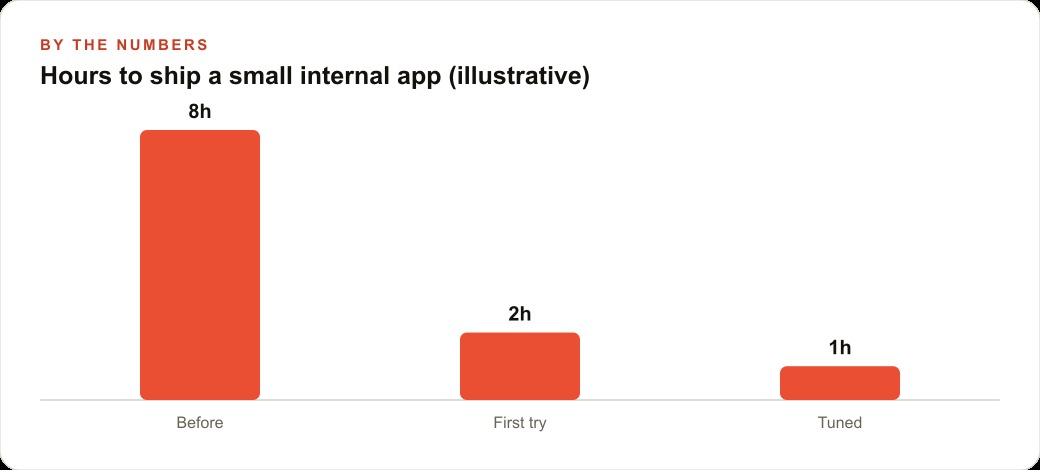
Now the illustrative numbers, because they show why this is a business decision. Suppose that before, standing up even a small internal tool like this meant roughly eight hours between a template that never quite fit and manual workarounds, or a developer invoice the owner never wanted to pay. With this method, the first working version comes together in about two hours, and a tuned version with the extra views takes maybe one more. None of it replaces the plumbers. It replaces the evening the owner spends retyping job sheets. And once the shop's job and revenue data lives in one clean place, it becomes the natural seed of a proper CRM and website stack, the same records that later make it easy to see which services to promote through Facebook and Instagram ad campaigns and which pages to build for SEO and organic search. One afternoon of describing a tool turns into an asset the whole business runs on.
Stage five: prove it, then let it work while you do other things
There is a fifth stage that is less about building and more about how you use what you built, and it changes the economics entirely. Once the tool is solid, you can hand it real work and step away, because the agent grinds through changes on its own rather than needing you to babysit every step. Give it a task and come back a few minutes later to review the upgraded result. That shift, from watching every line to reviewing a finished change, is what turns this from a novelty into leverage, because your attention is the scarce resource and the agent stops demanding it.
The discipline in this stage is proof before trust. Run the tool on real, low-stakes work for a few days and confirm it behaves before you lean on it for anything that matters. An internal job tracker is a perfect place to build that confidence, because a mistake costs you a corrected entry, not a lost customer. Once you have watched it handle a week of genuine work without drama, you can expand its role with an easy conscience. The point is not blind trust and not endless supervision, but a short, deliberate break-in period after which the tool earns the right to run with a lighter hand.
What building your own tools does to how you think
Something quietly shifts once an owner realizes they can build the small tool instead of working around its absence, and it is worth naming because it outlasts any single app. The mental category of "things we just have to do by hand" starts to shrink. Every recurring annoyance, the retyped sheet, the manual calculation, the copy-paste between systems, stops being a permanent fact of the business and becomes a candidate for a small custom tool. That change in what feels possible is arguably more valuable than any one app you build, because it compounds across everything you do.
The caution is to not let that new freedom turn into sprawl. The goal is not to build software for its own sake, it is to kill specific, painful, repetitive tasks one at a time. An owner who builds ten half-finished tools has made a mess, while an owner who builds two rock-solid ones that each erase an evening of manual work has genuinely changed how the business runs. Pick the task that hurts, build the tool that kills it, prove it, and only then move to the next. Restraint is what keeps this a superpower rather than a distraction.
Who this is really for, and the judgment that matters
The quiet truth of this shift is that the people who win are not the ones who learn to code overnight. A self-taught beginner can now stand up a working app with a login and a database. The barrier moved. It is no longer knowing how to code. It is choosing the right task and describing it clearly enough that the tool behaves the way your business actually runs.
That is where most people stall after the first exciting demo. They can make the agent build something, but they have not decided which something is worth building, or they describe it so vaguely that the result misses. So the meta-skill this whole playbook is really teaching is judgment: pick one painful, repetitive task, not your whole back office, and describe it precisely. Prove it on real work before you expand. Add polish one request at a time. Do those things and the technology carries the rest.
Honestly, the hard part is not the technology anymore. It is choosing the right task and describing it so the tool fits how your shop works, and that judgment is where a lot of people stall. You can absolutely take the do-it-yourself path above, and I would encourage any owner to pick one annoying task this week and try it. If you would rather have the whole thing built, tuned to how your business runs, and handed over already working, that is exactly the kind of setup I do for clients.
That is exactly what we do at AI DOERS. Book a private 30-minute call with Madhuranjan Kumar and we will map the fastest path to it for your specific business.
Book your call →
Madhuranjan Kumar
Madhuranjan Kumar brings 20 years of performance-marketing experience and has managed over $200 million in Facebook ad spend for brands across the United States and beyond. His expertise spans the full modern marketing stack: Meta, Google Ads, TikTok, email automation, CRM, and the websites that hold it together. At AI DOERS he turns that track record into lead-generation systems for businesses across every industry.