
Claude Code Agent Teams Explained: How Three To Five Agents Collaborate
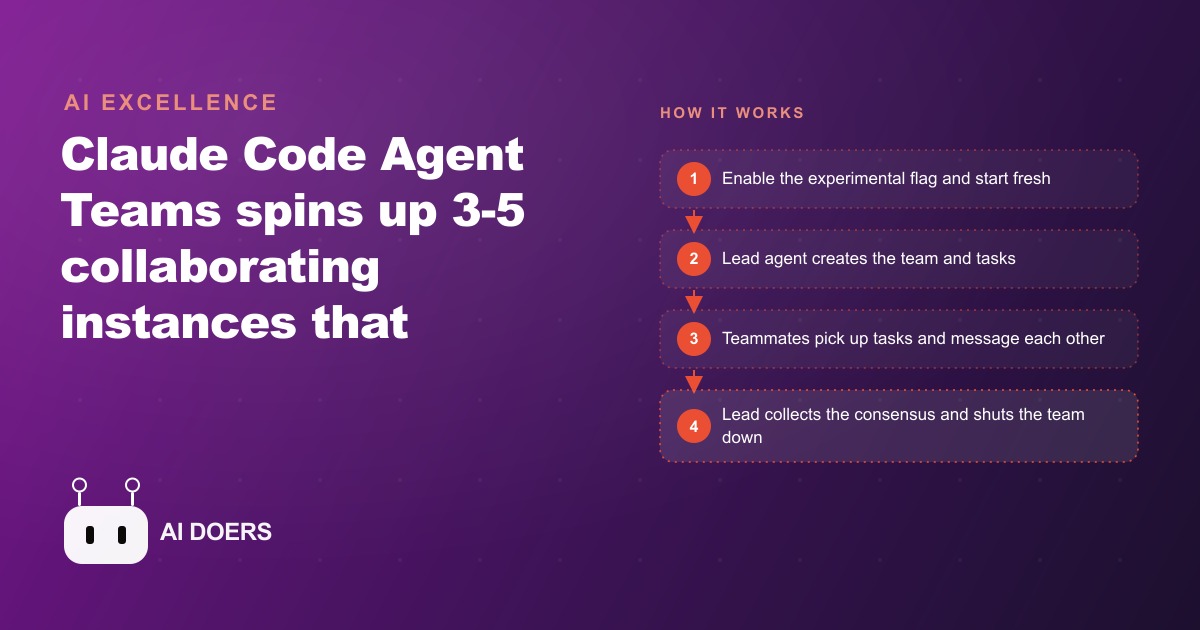
Agent Teams is a Claude Code feature that keeps three to five live Claude Code sessions running at once, sharing one task list and messaging each other through an inbox, so they collaborate and even debate on a single project instead of running one isolated helper.

Most developers run one Claude Code session at a time. That is fine for a hundred tasks. It is the wrong tool for the tasks that actually cost you days.
Claude Code Agent Teams changes the equation. It keeps three to five fully live Claude Code sessions running on the same project at the same time, each one updating a shared task list and passing messages to the others. This is not a marginal upgrade to sub-agents. It is a different way to think about what AI-assisted development can do for the hard problems.
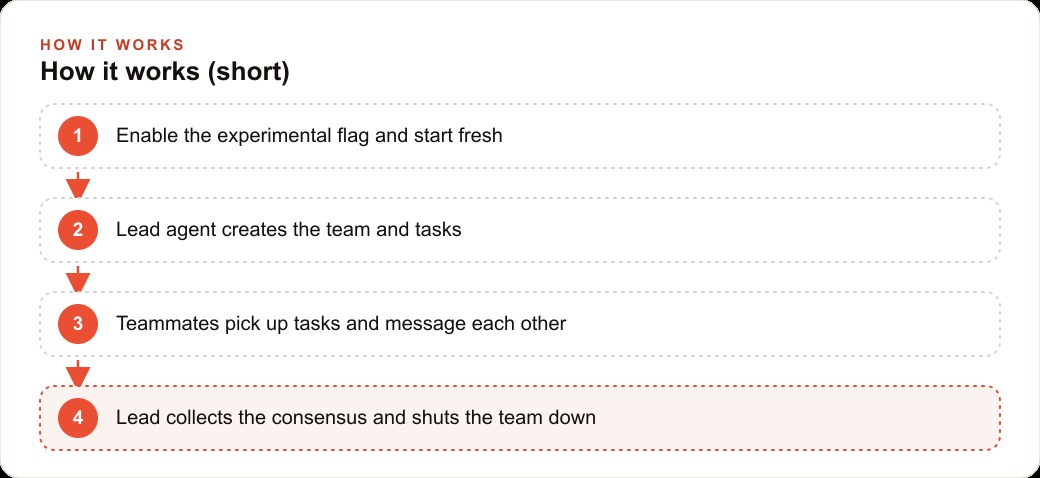
Update Claude Code to 2.1.34 and flip the experimental flag
Before anything else, confirm you are running Claude Code version 2.1.34 or higher. The Agent Teams tooling does not exist in earlier versions and the session will not offer the new tools if you skip this.
Once the version is confirmed, open your global Claude Code settings file and add the experimental agent teams environment variable. Set CLAUDE_CODE_EXPERIMENTAL_AGENT_TEAMS to 1. Save the file and close it.
Now start a completely fresh Claude Code session. Do not reuse an existing session that was open before the flag was set. The experimental tools only register at session startup, so a fresh open is required for the feature to activate. You will know it is active when the model's tool list includes team_create.
This is a two-minute setup step. The flag does not affect anything about normal single-agent or sub-agent workflows. If you decide Agent Teams is not useful for a given task, you run the session exactly as you always have and the flag does nothing.
Open a split terminal view so every agent is visible at once
Running five agents without seeing them work is flying blind. The whole point of a team is that you can observe the collaboration in real time, catch a session going in the wrong direction, and send a corrective broadcast before it wastes thirty minutes on a dead hypothesis.
On Mac, the cleanest setup uses iTerm2. Open iTerm2 preferences, navigate to the General tab, and enable the Python API option. Restart iTerm2 after toggling it. Once the Python API is active, run the teammate-mode tmux command from your project root. This splits the terminal window into one pane per active agent, each labelled with the agent name the lead assigned during team creation.
The result looks like a dashboard. You can watch the lead agent writing tasks in one pane while two teammates are actively running tool calls in the others and a third is waiting on a blocked dependency. Seeing the whole team work simultaneously is not just useful for debugging. It builds intuition fast about how the lead structures its task assignments and how the agents coordinate without a human routing the work.
If you are on Linux or prefer a non-iTerm2 setup, a standard tmux split with one window per agent achieves the same result. The key requirement is that you can see every session at once rather than switching back and forth between tabs.
Call team_create to name the team and assign the lead role
With the flag on and the split view open, instruct the lead session to form a team. The lead calls team_create, which writes a configuration file under the .claude/teams folder in your project directory. This config holds the team name, the lead identity, and the agent roster that will be populated as teammates join.
The team_create call also sets the agent_type for the lead. The lead role is not just a label. It is a permission boundary. Only the team lead holds the shutdown_request method, which is what allows the lead to close individual teammates at the end of a session. Teammates cannot shut each other down. That governance structure prevents a confused agent from terminating a teammate that is still mid-investigation.
Choose a team name that reflects the task rather than something generic. When you are reading the .claude/teams folder later, a team named billing-bug-hunt is far easier to reason about than team-1 or default-team. The name also shows up in each agent's broadcast messages, so a meaningful name keeps the message log readable as the investigation scales.
Use task_create to write every hypothesis or work item as its own file
This is the step most developers underuse on a first run, and it is the step that determines whether the team produces a coherent result or an uncoordinated pile of notes.
Each call to task_create writes a small JSON file with four fields: subject, description, status, and blocked-by. The subject is a short label. The description is the specific hypothesis or work item the assigned agent will investigate. The status field starts at pending and will move through in-progress, complete, and deleted as the agents work. The blocked-by field is a list of other task IDs that must complete before this task can start.
For a bug hunt, the task_create pattern looks like this. The lead creates five tasks before launching any teammates. Task one: investigate time-zone conversion in the save path. Task two: audit the database write for race conditions. Task three: trace the front-end form state to confirm the matter ID is captured before the save fires. Task four: examine the caching layer for stale references. Task five: review permission checks for any redirect that could silently misroute the write.
Each task is independent. No task has a blocked-by dependency on another. That means all five agents can start simultaneously, which is the parallelism that makes Agent Teams valuable for a hypothesis-driven investigation.
When tasks do have dependencies, use the blocked-by field explicitly. If task five's analysis depends on task two's findings about the write path, mark task five as blocked by task two. The agents respect those dependency links and will not start a blocked task until its dependencies reach the complete status. Without these links, two agents can investigate the same branch in parallel and duplicate effort.
Launch teammates with the upgraded task tool so each one runs a live session
The key difference between Agent Teams and the older sub-agent pattern is what the task tool now does when it runs. In the older model, the task tool spun up a short-lived sub-agent that completed one job and returned a summary. In Agent Teams, the task tool accepts two new fields: team_name and name. When those fields are present, the tool launches a full Claude Code session instead of a throwaway helper.
Each session inherits the team ID and has full read and write access to the shared task list. Every agent knows what every other agent is working on at any moment. A teammate finishing task two can write a finding to the shared task file and broadcast that finding to the rest of the team, who will then factor it into their own open investigations.
Instruct the lead to launch teammates sequentially, one per hypothesis, right after creating the tasks. The lead assigns each session its task by name, and the session opens with that context already loaded. Within seconds of the last launch command, you will see all five panes in the split terminal view become active.
At this stage, the team is running. Your job is observation. Watch for agents broadcasting findings early. Watch for an agent that seems to be investigating something outside its assigned hypothesis, which usually means the task description was ambiguous and worth a corrective broadcast from the lead.
Watch the inbox and use send_message to keep the team on track
Messages between agents flow through an inbox folder inside .claude/teams. Each agent has its own mailbox there, and messages arrive with a read status. When a teammate sends a message, it lands in the recipient's inbox as a new user message tagged teammate_message, so the receiving agent treats it as fresh input and acts on it immediately.
Broadcast is the most powerful send_message pattern for a bug hunt. When agent two finds that the database write path is clean and race conditions can be ruled out, the lead should instruct it to broadcast that finding to the full team immediately. The other four agents can then stop any investigation branch that assumed a race condition and redirect their attention. Without that broadcast, agents three, four, and five might spend additional time ruling out the same thing independently.
One-on-one messages work well for tasks with dependencies. When task two completes and task five is unblocked, the lead can send a direct message to the agent working task five with a summary of what task two found, so it starts its permission-check investigation with that context already loaded rather than having to read through the full task history itself.
As lead, Madhuranjan Kumar treats the message log as the team's working memory. Every significant finding gets a broadcast. Every blocked-to-unblocked transition gets a direct message with context. The teams that produce weak results are the ones where agents work silently to the end and only share findings in the final summary. The teams that produce deep results are the ones where findings flow continuously and each agent's investigation responds to what the others are learning.
Update task status throughout so the shared list stays accurate
Each agent calls task_update as it moves through its work. A task goes from pending to in-progress when the agent starts it. It goes to complete when the agent has a finding, positive or negative, to report. It goes to deleted only when the lead determines the hypothesis is not worth pursuing at all, which is rare during an active investigation but occasionally the right call if an early finding from another agent makes a hypothesis impossible.
The status field is how the lead monitors the team's progress without interrupting individual agents. A quick read of the task list shows which hypotheses are in progress, which are complete, and which are still waiting on dependencies. That picture tells the lead whether to hold steady, redirect a struggling agent, or begin preparing the consensus document while the last two tasks finish.
Adding notes to a task during the in-progress phase is good practice. When agent three traces the form state and finds a subtle timing issue where the matter ID can be replaced by a default value if the user clicks save before the dropdown resolves, that specific finding should go into the task file immediately, not just at completion. If the session is interrupted, the partial finding is preserved. If the lead wants to broadcast an update to the team before the task is marked complete, the task note is already written and the broadcast message can reference it directly.
Have the lead collect the consensus and then shut the team down cleanly
When enough tasks reach the complete status that a consensus is forming, the lead shifts from orchestration to synthesis. The lead reads the findings from each completed task, compares them, identifies contradictions, and writes a consensus document to a memory file in the project. This document is the deliverable. It is what the developer reads instead of having to reconstruct the investigation from scattered terminal output.
Write the consensus document incrementally, not all at once at the end. Each time a task completes and the lead broadcasts the finding to the team, the lead should also append a line to the consensus document. By the time all five tasks are complete, the document already contains a running account of every finding and the team's responses to each one. The final synthesis pass then organizes that material rather than producing it from scratch.
With the consensus document written, the lead calls shutdown_request for each teammate in sequence. Each session closes. When all teammates are closed, the lead calls team_delete to remove the team configuration from .claude/teams. The cleanup is clean. Nothing lingers in the project directory except the consensus document and whatever code changes the agents made.
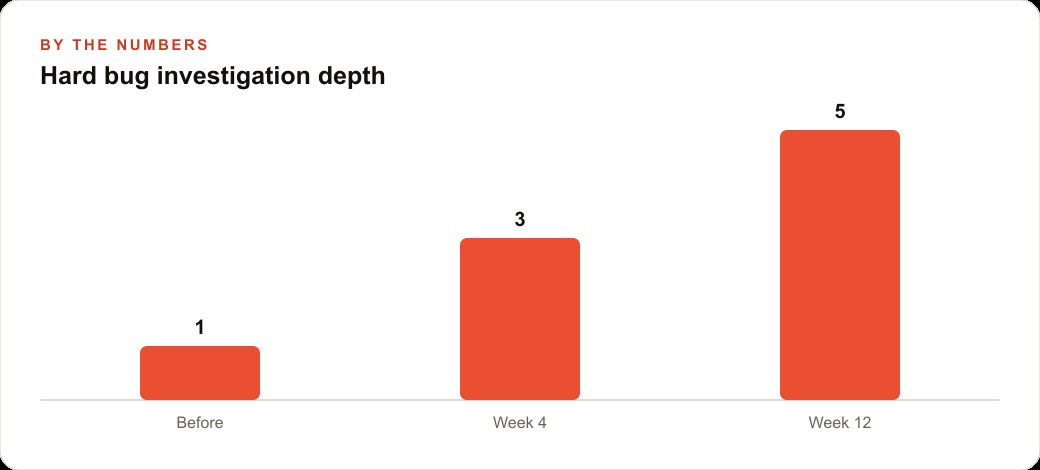
For the specific case of a bug where billable hours were saving against the wrong matter in a client-management tool, a five-agent investigation run this way produced a root cause in four hours. The lead assigned one agent per hypothesis, all five ran simultaneously, agent three identified the form-state timing issue in ninety minutes while the other four were still investigating, broadcast the finding, and the remaining agents redirected their attention to confirming the fix rather than chasing unrelated branches. Without the team, the same developer had spent three days across two sprints without a resolution. The four-hour version saved approximately eleven to fourteen hours of developer time on one task, which at typical contractor rates for a development firm represents a meaningful reduction in project cost for that sprint alone. The fix was specific, the root cause was confirmed by a second agent independently, and the consensus document gave the project manager a clear record of how the investigation proceeded.
That kind of systematic depth is exactly what a single sub-agent cannot deliver. A sub-agent anchors on the first plausible explanation, which in this case would likely have been the time-zone issue in task one, a real but unrelated bug. The team tested five hypotheses simultaneously, the actual cause surfaced in ninety minutes, and the rest of the time was spent confirming the fix rather than discovering it.
The same playbook applies to any problem where the root cause is not obvious from the first look. A large database migration where the risk profile is unclear, a performance regression that shows up in production but not in staging, an architectural decision with real tradeoffs between options, all of these are Agent Teams problems. They all benefit from parallel investigation, message-passing between agents, and a consensus document that captures the reasoning rather than just the conclusion.
For businesses that are already investing in AI-assisted workflows, this is the natural next step. The gap between single-agent automation and multi-agent collaboration is where the most expensive problems live. The teams and firms that learn to direct Agent Teams well will resolve those problems faster and with more confidence in the answers than competitors who are still running one agent at a time.
If you are running Meta ads or Google ads for clients and managing a codebase that tracks attribution, conversion paths, or lead quality, you already have the kind of complex, multi-layered system where bugs hide in the joints between components. Agent Teams is built for exactly that environment. The same is true if you are managing SEO content at scale or running a web CRM with custom integrations. The surface area of those systems is too large for single-agent debugging to cover reliably. The multi-agent investigation pattern covers it systematically.
The feature is still experimental, which means the surface will change between versions. The underlying pattern, collaborative agents sharing tasks, passing messages, and debating toward a consensus, is the direction serious AI-assisted development is moving. You can build intuition for it now, while most teams are still catching up, or you can wait until it is standard practice and learn it under pressure.
That is exactly what we do at AI DOERS. Book a private 30-minute call with Madhuranjan Kumar and we will map the fastest path to it for your specific business.
Book your call →
Madhuranjan Kumar
Madhuranjan Kumar brings 20 years of performance-marketing experience and has managed over $200 million in Facebook ad spend for brands across the United States and beyond. His expertise spans the full modern marketing stack: Meta, Google Ads, TikTok, email automation, CRM, and the websites that hold it together. At AI DOERS he turns that track record into lead-generation systems for businesses across every industry.