
How to Set Up ChatGPT Properly and Use It in Ways That Actually Move Your Business Forward
Before you write a single prompt, there are settings to configure and habits to build that determine whether ChatGPT becomes a genuine productivity tool or just an expensive autocomplete.

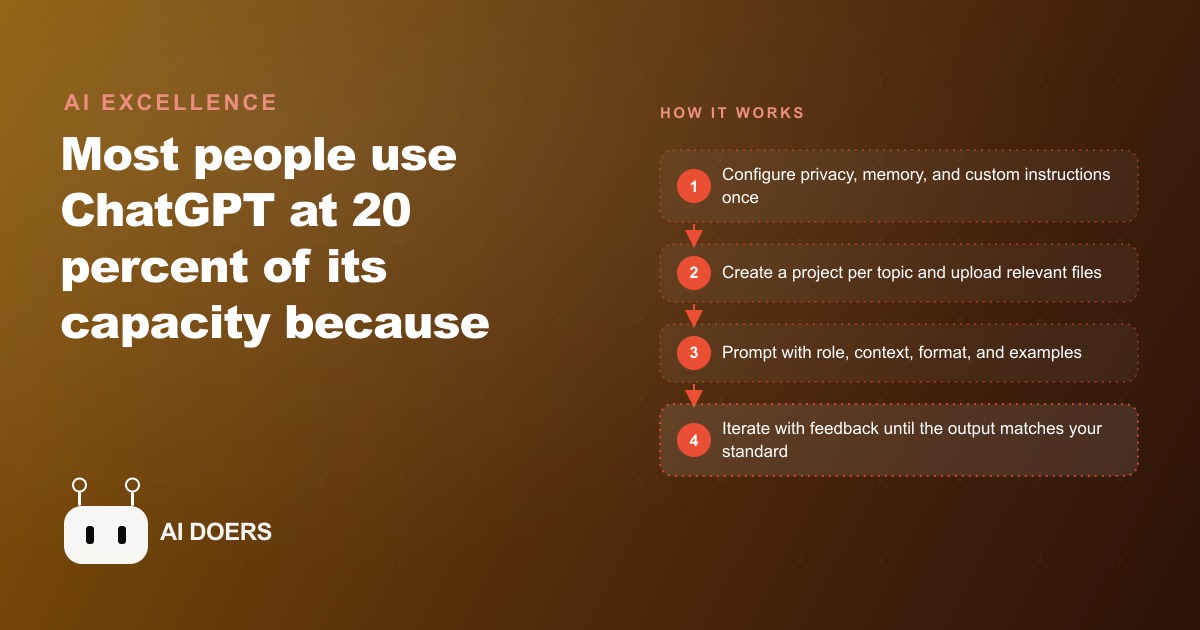
Most people using ChatGPT are getting significantly less useful output than the tool is capable of producing, and the gap is not explained by needing a more expensive subscription or a more capable model. It is explained by setup decisions that most users skip and prompting habits that undercut the tool's ability to perform at its capability ceiling. I am Madhuranjan Kumar, and this is the comprehensive setup and prompting guide that covers the settings, organization habits, and prompting moves that produce consistently better output from the tool most businesses are already paying for.
Projects Replace Scattered One-Off Chats and Make Context Accumulate Instead of Reset
The single most impactful organizational change a regular ChatGPT user can make is switching from one-off conversations to Projects. A Project in ChatGPT is a persistent workspace where the model carries context, files, and custom instructions across every conversation within the project, rather than starting from a blank context at the beginning of each new chat. For a business owner who returns to the same types of work repeatedly, whether that is client proposals, content production, ad copy, or analysis, the Project structure means the model knows your preferences, your format requirements, and your relevant context without needing to be re-briefed at the start of every session.
The comparison that makes this concrete is the difference between starting every work session at a new job versus continuing at a job where your colleagues know your preferences and your working context. Every new conversation without Projects is the first day at a new job. Every conversation within a well-configured Project is a continuation of an existing relationship where the baseline context is already established. The time difference in the first few minutes of each session, where a new conversation requires re-establishing context and a Project conversation begins with that context already active, compounds across hundreds of sessions into a meaningful accumulated time saving over the course of a year.
Projects also allow uploading relevant files that the model can reference throughout all conversations in the project. For a business that regularly refers to its service menu, pricing structure, brand guidelines, or client research, uploading those documents to the relevant Project means the model can apply that information accurately in every conversation within the project without requiring the business owner to attach or re-paste the documents each time.
Turn Off Training Data Contribution in Settings Before Working on Client or Proprietary Content
By default, OpenAI uses conversation content from free accounts and, depending on the account type and settings, paid accounts to improve its models. The setting to disable this is in Account Settings under Data Controls, and it is called "Improve the model for everyone." Disabling this setting means your conversations are not used as training data for OpenAI's future model improvements. The model's response quality is not affected by disabling this setting. Your conversations simply are not included in the training data OpenAI uses.
For a business working on client proposals, proprietary competitive analysis, internal strategic planning, or any content where confidentiality is a professional or contractual obligation, reviewing and disabling this setting is a basic due diligence step that takes under a minute and removes one data handling concern entirely. For a business whose work regularly involves confidential client information, this setting review should happen before any client-related work is submitted to ChatGPT. Discovering the setting after months of client work has been processed through the default configuration is a less useful time to review it.
Use Temporary Chat as an Incognito Mode for Sensitive or Speculative Work
Temporary Chat is a mode within ChatGPT where the conversation is not saved to history and is not used for model training regardless of your account settings. It works analogously to browser incognito mode: the session exists while you are in it and is discarded when you close it. For work that you want to explore without it appearing in your conversation history, without any possibility of training data use, and without any persistent record in your account, Temporary Chat is the appropriate mode to use.
The common use cases for Temporary Chat in a business context include speculative strategic analysis you do not want in any record, working through competitive positioning that involves sensitive assessments of other businesses, early-stage brainstorming on products or services not yet ready for any documentation, and any work involving client information for which you have not received explicit permission to use AI assistance. The mode is always available and requires no setup beyond selecting it from the new conversation dropdown.
Give the Model Good and Bad Examples Together for Any Output Type With a Specific Format
The single prompting practice with the most immediate and consistent impact on output quality for any work with a specific output format is including both a good example and a bad example in the prompt, labeled clearly, before asking for the output. A good example shows the model what you want. A bad example shows the model what you want to avoid. Together they constrain the model's response space more precisely than any amount of descriptive instruction can, because examples communicate quality standards through demonstration rather than through description.
For a business writing client proposals, the ideal prompt includes a paragraph from a previous proposal that hit the right tone and a paragraph that missed it, with brief labels indicating which is which. For a business writing Facebook and Instagram ad copy, the ideal prompt includes an ad that performed well and an ad that performed poorly from previous campaigns, with the same brief labeling. The examples do not need to be perfect. They need to accurately represent the distinction between what you want and what you want to avoid. The model's pattern recognition across the two examples produces output that is significantly closer to your target than prompts relying on instruction alone.
Ask the Model to List Its Assumptions Before It Answers Any Complex Request
A structural failure in most ChatGPT interactions on complex business topics is that the model makes assumptions about the question's context, constraints, and intended audience without surfacing those assumptions, and produces an answer optimized for those undisclosed assumptions. When the assumptions do not match the actual context, the answer is technically accurate to the model's interpretation of the question but not useful for the business owner's actual situation.
Adding the instruction "before you answer, list the assumptions you are making about this question" to the prompt of any complex request produces two benefits. First, it surfaces the assumptions so you can correct any that are wrong before the model has invested its response generation in an incorrect direction. Second, it forces the model to be explicit about its interpretive choices, which often reveals that the question was ambiguous in a way you did not notice when writing it. Both outcomes improve the quality of the model's final answer, because both produce a clearer shared understanding of what is actually being asked before the answer is generated.
Match the Model to the Task Complexity and Save Budget for the Work That Requires It
ChatGPT's different model options, including o3, o4-mini, and the standard GPT-4 models, are not interchangeable on quality grounds alone. They are priced differently because they produce meaningfully different outputs on complex reasoning tasks, and using a premium reasoning model for a task that does not require complex reasoning is budget waste that compounds across high-volume usage. A question with a clear factual answer does not benefit from deep reasoning. A business analysis requiring synthesis across multiple competing considerations benefits substantially from a reasoning model with extended thinking capability.
The routing convention that produces the best economics is simple: for single-step factual and creative tasks where the answer does not require extended reasoning, use the standard model. For multi-step analytical tasks, complex writing with specific structural requirements, and any work where getting the nuanced answer right matters more than getting the answer quickly, use the reasoning model. Establishing this routing convention as a team habit rather than a personal practice means the budget savings scale with the number of team members using the tool, and the quality improvement on high-stakes work applies across the full team rather than just to the most experienced users.
Iterate Past the First Response on Every Output That Matters
The most commonly skipped step in ChatGPT interactions for business work is the iteration after the first response. Most users submit a prompt, read the response, and if it is roughly useful, use it with minimal modification. The first response from a language model is a sophisticated first draft, not the optimized output the tool is capable of producing. A single round of targeted feedback consistently produces a meaningfully better second response, and often a second round of feedback produces a third response that is significantly stronger than the first.
The feedback prompt after the first response should be specific about what is working and what is not. A feedback prompt that says only "make it better" does not give the model useful direction. A feedback prompt that says "the second paragraph is too general, make it specific to a plumbing company with two employees" gives the model a clear direction and produces a targeted improvement. The specificity of the feedback determines the quality of the improvement. Developing the habit of always providing at least one specific feedback round on outputs that will be used in client-facing or high-stakes contexts is the practice with the highest return per minute of investment in the ChatGPT interaction.
Chunk Large Projects Into Numbered Stages to Avoid Context Degradation
When a large project is submitted to ChatGPT as a single prompt, the model's attention across the full project scope degrades from the beginning of the work to the end, producing stronger output on the first sections and progressively weaker output on the later sections. This is a consistent characteristic of how current models handle very long generation tasks, and it means that a single-session approach to producing a large deliverable produces uneven quality across the deliverable.
Chunking the project into numbered stages submitted in separate messages prevents this degradation by keeping each generation task within a scope where the model's attention remains consistent. For a business writing a comprehensive proposal or a detailed analysis, the stages might be: first, generate the executive summary; second, generate the situation analysis; third, generate the recommendations section; fourth, generate the implementation roadmap. Each stage is submitted after reviewing and approving the previous stage, which also ensures that each stage builds on an approved previous stage rather than on a previous stage that contained errors you have not yet caught.
The chunked approach requires more active management of the conversation than submitting everything at once, but it produces significantly more consistent output quality across the full deliverable. For any document that will be reviewed critically by clients or stakeholders, the consistency benefit is worth the additional management overhead. The combination of projects for context, good and bad examples for format guidance, assumption-surfacing for complex questions, appropriate model routing for task complexity, iteration for first-draft improvement, and chunking for large projects is the setup and workflow system that produces ChatGPT output consistently closer to the tool's actual capability ceiling.
The One-Time Session That Sets Up Everything Properly
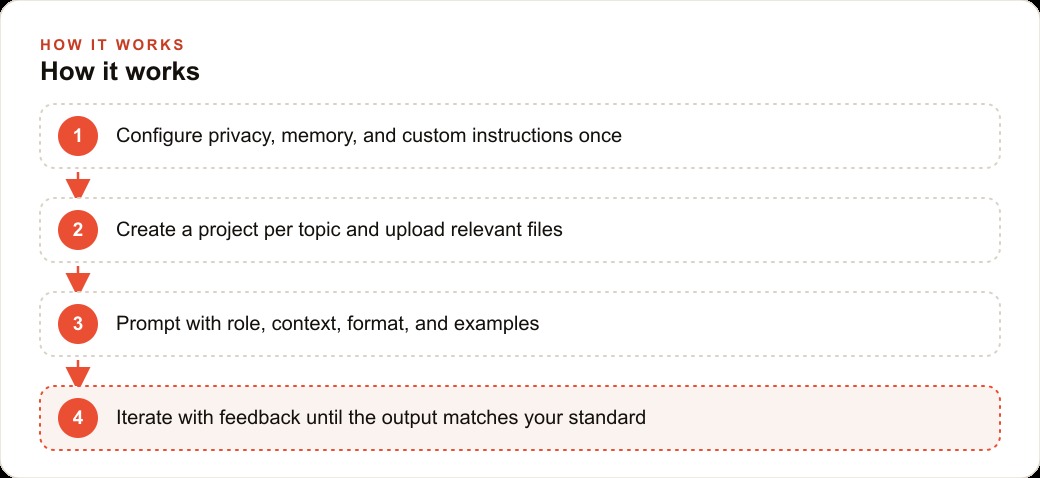
The most efficient way to implement the setup practices in this piece is a single focused session dedicated to ChatGPT configuration rather than trying to change one habit at a time over several weeks. The session covers six steps in order: check and update data controls settings; create two or three Projects for your most common work types with appropriate custom instructions and relevant files uploaded; run five recent prompts through the practice of including good and bad examples and compare the output to what the original prompt would have produced; practice adding the assumption-listing instruction to three complex prompts and evaluate how often the surfaced assumptions needed correction; establish your model routing convention in writing so it is explicit rather than implicit; and run one real work task through a full two-round iteration to build the muscle memory for the feedback loop.
This session takes between ninety minutes and two and a half hours depending on how many Projects and file uploads are relevant to your work. The return on that single session is improved output quality on every subsequent ChatGPT interaction, compounding indefinitely. The businesses that treat this setup session as an operational priority rather than a nice-to-have eventually do it get more total value from their ChatGPT subscription than those who use the default setup indefinitely and wonder why their experience with the tool is inconsistent.
The Measure That Tells You Whether the Setup Changes Are Working
The honest measurement for whether the setup and prompting changes in this piece are producing better outputs is the editing time per task, measured before and after implementing the changes. The goal is to reduce the time from prompt submission to a final output you would actually use without hesitation. If the editing time per task decreases, the changes are producing the intended effect. If it stays the same or increases, the configuration or the prompting approach needs adjustment.
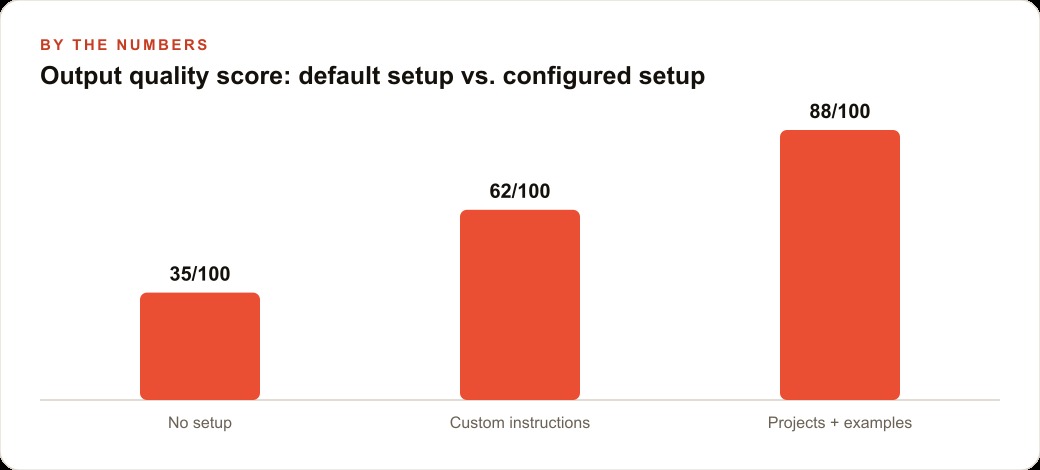
For most business tasks, implementing Projects for context, examples for format guidance, assumption-surfacing for complex questions, and one iteration round on first drafts should reduce editing time by between thirty and fifty percent per task for work types where those practices are consistently applied. The businesses that measure this and use it to evaluate their approach are the ones that improve systematically rather than settling for inconsistent results and attributing them to the tool's limitations rather than to setup choices within their control.
That is exactly what we do at AI DOERS. Book a private 30-minute call with Madhuranjan Kumar and we will map the fastest path to it for your specific business.
Book your call →
Madhuranjan Kumar
Madhuranjan Kumar brings 20 years of performance-marketing experience and has managed over $200 million in Facebook ad spend for brands across the United States and beyond. His expertise spans the full modern marketing stack: Meta, Google Ads, TikTok, email automation, CRM, and the websites that hold it together. At AI DOERS he turns that track record into lead-generation systems for businesses across every industry.