
ChatGPT Agent Mode, Anthropic's Tool Directory, and What AI Automation Actually Means for Business This Year
The shift from AI assistant to AI operator is happening now. Here is what agent mode, tool connectors, and the latest creative AI releases mean for businesses that want to automate real work.

What is ChatGPT agent mode and how is it different from regular ChatGPT?
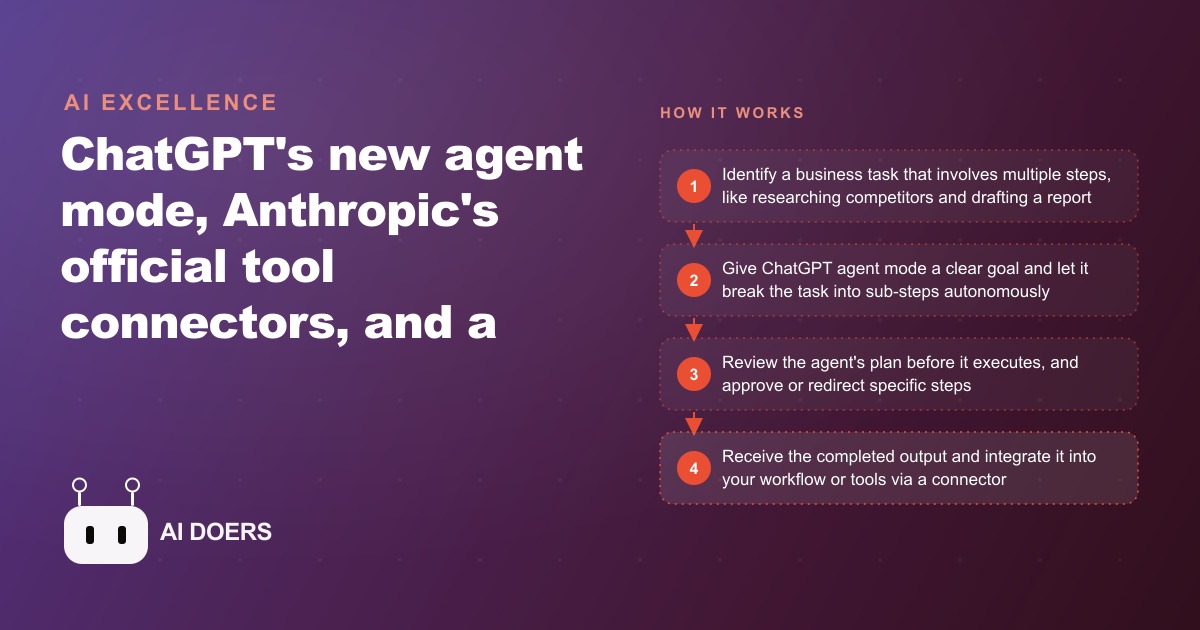
Agent mode is a fundamental change in how ChatGPT operates. In standard mode, you give ChatGPT a prompt, it responds, and the conversation continues as a back-and-forth. You stay in the loop for every step. Agent mode inverts that dynamic. You give the model a goal, and it breaks the goal into sub-tasks, executes them in sequence, browses the web, runs code, checks its own output, and returns a completed result rather than a work-in-progress draft.
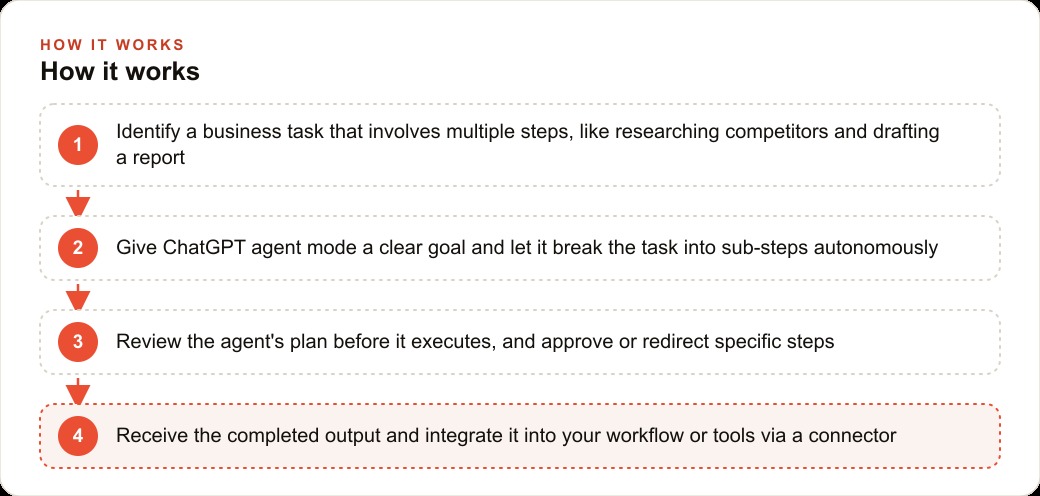
The practical difference is enormous. Asking ChatGPT in standard mode to research three competitors and write a comparison report means you receive a draft based on the model's training data, which may be months out of date, and you still have to verify everything and fill gaps manually. Asking ChatGPT in agent mode to do the same task means the model goes out to the web, finds current pricing pages, reads product descriptions, extracts the relevant data, structures it into a comparison framework, and returns a completed document. The user's job shrinks from research plus writing to reviewing and editing.
At launch, agent mode was available only on the Pro plan at $200 per month, which reflects the significantly higher compute cost of running a model through multiple web searches and code executions for a single task. As costs come down, this capability will likely reach lower tiers, but for businesses with serious automation needs, the Pro plan is already worth evaluating.
Why does this moment matter for business owners?
The arrival of practical agent mode marks the transition from AI as a writing tool to AI as a task executor. For the past two years, businesses have been using AI to draft content, answer questions, and summarize documents. These are valuable applications but they are still primarily about producing text. Agent mode begins to address a different category: doing things.
A dental practice, for example, spends hours every week researching insurance reimbursement rate changes, monitoring competitor pricing, and compiling patient satisfaction data from review platforms. These are multi-step research tasks that currently require a staff member to click through multiple websites, copy data into a spreadsheet, and write a summary. With agent mode, a practice administrator could specify the goal, come back an hour later, and have the report ready to review.
Anthropics tool directory for Claude adds a complementary capability. Instead of sending information out to the web and back, the connectors allow AI to directly read from and write to tools the business already uses. A Notion connector means Claude can read project notes, update task statuses, and create new pages without the user copying and pasting content between a chat window and a work management tool. A Canva connector means Claude can instruct Canva to generate a design based on a text brief. These connections turn AI from a standalone tool into a component of an integrated workflow.
How does Runway Act 2 change video production workflows?
Runway Act 2 is a motion-driven video generation system that takes a recording of a person moving or speaking and uses it to drive the animation of an AI-generated character. The technical underpinning is similar to traditional motion capture, but instead of expensive tracking suits and studio setups, the input is a standard webcam recording.
For a dental practice that wants to create patient education videos, Act 2 means the dentist can record themselves explaining a procedure while gesturing, and the system maps those movements to a neutral AI avatar that delivers the same explanation. The visual result does not look identical to a professional video production, but for social media and waiting room screens, the difference is not material.
The business case for motion-driven AI video is specifically in repeatable content. If a practice creates ten patient education videos per year, the cost of professional video production for each one can add up to several thousand dollars. AI video production reduces that to staff time for the recording session and a modest tool subscription.
The same logic applies to e-commerce product demonstrations, fitness studio class previews, and restaurant specials announcements. Any business that needs regular video content with a consistent presenter but cannot afford a full production budget benefits from this category of tool.
Which businesses are in the best position to use these tools right now?
The businesses that benefit most from agent mode and tool connectors are those with a significant volume of repetitive research, monitoring, and reporting tasks. Medical and dental practices monitor insurance changes, competitor services, and regulatory updates. Real estate teams track market data, listing changes, and client communication. Law firms manage case research across multiple databases. Accounting firms compile client financial data from multiple sources every quarter.
For creative agencies and marketing teams, the combination of Adobe Firefly's sound effects tool and Runway Act 2 means a single person can produce a video ad with original visuals, motion animation, and custom sound design in an afternoon that would previously have required a videographer, a motion designer, and a sound designer.
For software teams and technical founders, the Kira IDE and the Kimmy K2 model represent an expansion of options for running AI in development workflows. Kira's agent-first design means the IDE itself understands the concept of giving the AI a task and reviewing the output, rather than treating AI as an autocomplete tool. For teams that want to run a locally-hosted model for privacy reasons, Kimmy K2's open-source availability and strong benchmarks make it a viable candidate.
How would a dental practice actually use these tools?
Let me walk through a specific example with numbers. A two-dentist practice in a mid-size city runs a team of six, including a practice administrator who spends roughly 30 percent of her time on administrative research and reporting tasks. Those tasks include monitoring insurance fee schedule updates across four carriers, reviewing competitor Google My Business profiles monthly, compiling and categorizing patient reviews from Google and Yelp, and generating a weekly production report from the practice management software.
With ChatGPT agent mode on the Pro plan, the administrator can delegate the competitor monitoring task. The agent is given a list of three competitor practices' websites and Google profiles and instructed to check them weekly for changes in services offered, pricing mentions, hours, and new reviews, and to return a summary of any changes. The agent runs this task autonomously, using web browsing to access the public pages, and delivers a change summary. What took 90 minutes of manual checking per month now takes five minutes of review.
For the patient review compilation, a Claude connector to the practice's review aggregation platform, or a simple copy-paste workflow with a structured prompt, reduces a two-hour monthly task to a 15-minute summary generation. The practice receives a categorized breakdown of the 30 most recent reviews, organized by sentiment and topic, including any recurring concerns that should be addressed in staff training.
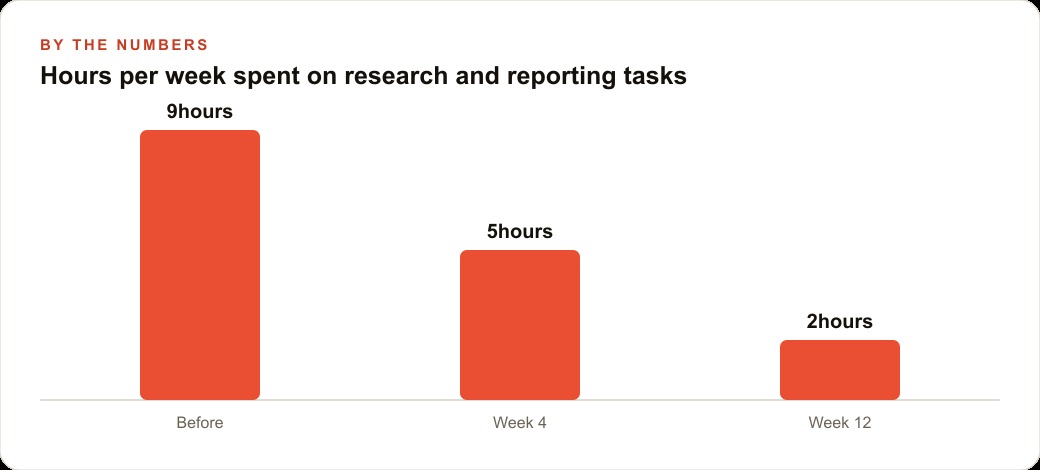
Over the course of a year, these two automation flows save approximately 40 hours of staff time. At a loaded cost of $30 per hour for the administrator's time, that is $1,200 in recovered capacity. The Pro plan costs $2,400 per year. The net ROI on the staff time alone is marginal, but the real value is in what the administrator does with those 40 hours, which in a growing practice is typically patient communication and case coordination that directly drives revenue.
The Canva connector adds one more layer. When the practice runs a promotion, such as a teeth whitening special or a new patient discount, the administrator prompts Claude to create a social media post design brief, then routes it to Canva via the connector to generate the visual. The design is not agency quality, but it is professional enough for Instagram and Facebook. The practice avoids a $150 per post agency fee and publishes more frequently because the process is fast enough to do in house.
What does this cost and what should you expect to spend?
ChatGPT Pro for agent mode is $200 per month. Anthropic's Max plan for Claude with tool connectors starts at $100 per month. Adobe Firefly for sound effects is part of the Creative Cloud subscription, which most businesses that do any creative work already have. Runway has a free tier with limited credits and paid plans starting around $12 per month.
For a dental practice running the kind of workflow described above, the realistic tool spend is $100 to $200 per month, depending on which platform they use most. Against the value of recovered staff time and avoided agency fees, that is a reasonable investment with payback in 30 to 60 days.
For businesses that are not yet using any AI tools, starting with the $20 ChatGPT Plus plan and learning structured prompting before investing in agent mode is the right sequence. Agent mode delivers maximum value when you already understand how to give the model clear, specific instructions. If your prompting is vague, the agent will produce vague results and you will not know whether the problem is the tool or the instructions.
What are the biggest mistakes to avoid with AI agents?
The first mistake is giving an agent an unclear goal. Agent mode is very capable at executing specific, well-defined tasks. It is not capable of figuring out what you meant when the goal is ambiguous. A prompt like 'research our competitors' will produce something, but it will not necessarily produce the information you actually need. A prompt like 'visit the websites of these five competitors, extract their current service menu and pricing information, and return a table sorted by price' will produce exactly what you need.
The second mistake is not reviewing the agent's plan before it executes. Most agent implementations show you the steps the agent plans to take before beginning. Review these steps. An agent that plans to send emails or make changes to a live system before you have approved the plan can cause real problems.
The third mistake is expecting agent mode to replace human judgment on decisions that require context the model does not have. The agent is excellent at gathering and organizing information. It is not excellent at making calls that depend on knowing your specific client relationships, your team dynamics, or your risk tolerance. Use agents for the research layer and keep humans in the loop for the decision layer.
How do I start building AI-powered automation in my business?
Start with your three highest-volume repetitive research or reporting tasks. List what information you need, where that information currently lives, and what format the output needs to take. This gives you the raw material for three agent prompts.
Test each prompt in standard ChatGPT mode first. If the model cannot do the task in standard mode, it will not do it reliably in agent mode either. Once the prompt works well in standard mode, upgrade to a session with web browsing enabled and test the research version. Then, if you have Pro access, test the full agent mode with the same goal.
Document what works and what does not after each test. Within 30 days you will have two or three working automation workflows that save measurable time. From that foundation, adding tool connectors and expanding to more complex multi-step tasks is straightforward.
Building this well takes a few weeks of iteration. If you want to compress that timeline and get a working automation stack customized to your business, a strategy conversation is the right first step.
That is exactly what we do at AI DOERS. Book a private 30-minute call with Madhuranjan Kumar and we will map the fastest path to it for your specific business.
Book your call →
Madhuranjan Kumar
Madhuranjan Kumar brings 20 years of performance-marketing experience and has managed over $200 million in Facebook ad spend for brands across the United States and beyond. His expertise spans the full modern marketing stack: Meta, Google Ads, TikTok, email automation, CRM, and the websites that hold it together. At AI DOERS he turns that track record into lead-generation systems for businesses across every industry.