
How to Build Your Own App With Cursor When You Have Never Written Code
A simple, step by step look at how the Cursor AI editor lets a non-coder describe an app in plain English, connect real tools, and ship it. With a worked med spa example you can copy.

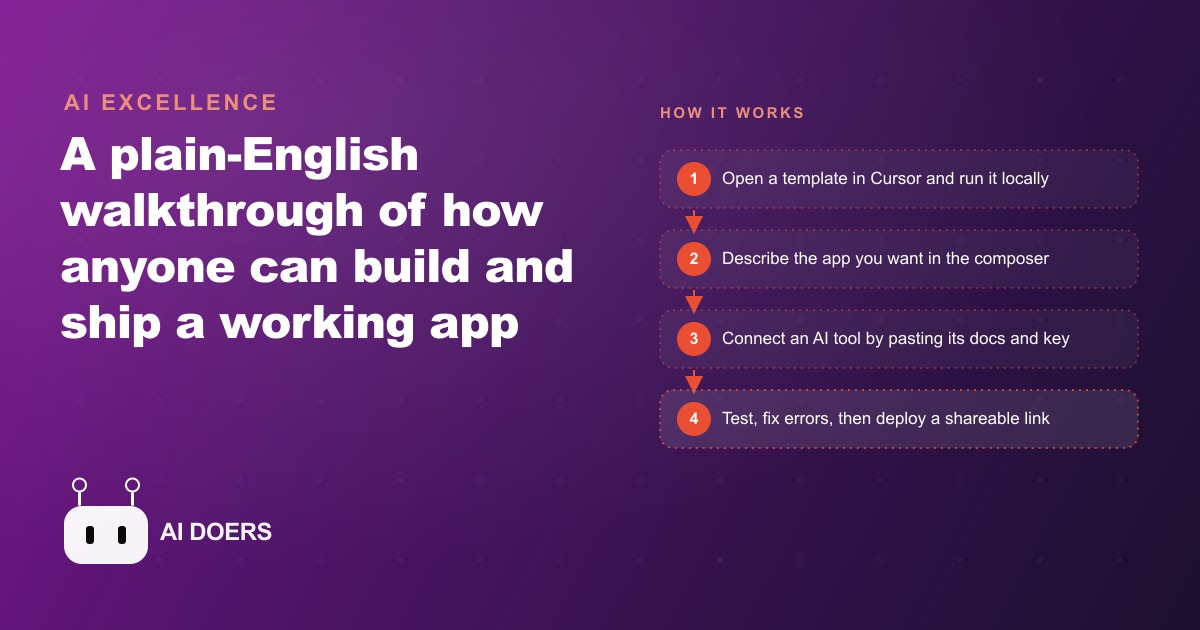
The small business custom software problem has existed since personal computers. Every owner of a business with more than a handful of repeating tasks eventually develops a mental image of a tool that would make those tasks faster, more consistent, and less dependent on whoever happens to remember the process. The tool is vivid in their head. It does exactly what the business needs and nothing it does not. And for most of the history of small business software, that tool either did not exist or cost more to build than it was worth.
I am Madhuranjan Kumar, and the premise of this piece is that the bottleneck has shifted. The thing that was previously impossible or cost-prohibitive, building a small, custom piece of software for your specific workflow, is now possible in an afternoon. What makes it possible is not that the tools are magic. It is that the bottleneck moved from code-typing to description-writing. And most business owners are better at description-writing than they realize.
The custom software gap that never got solved
The way software reached small businesses historically was in two flavors. The first was general-purpose platforms: accounting software, project management tools, CRM systems, point-of-sale systems. These products were built to serve the average of thousands of businesses in a category. They worked for the core tasks every business in the category shared. They were awkward, missing, or over-complicated for the tasks that were specific to a single operation.
The second flavor was custom development: a developer who listened to the owner describe what they needed, translated that description into code, and delivered something three months and several thousand dollars later that was eighty percent of what the owner described and required another round of work to reach ninety percent. The economics only made sense for tasks with very high frequency, very high unit value, or both.
The gap between these two flavors, where many real operational needs lived, was filled with manual workarounds. A spreadsheet that was really a database. A sticky note system that was really a task tracker. An email thread that was really a ticketing system. Every owner knows which specific workaround in their business they have been meaning to replace with something better since the second year of operation.
That gap is where Cursor and the vibe coding workflow operate. The overhead of building a small custom tool has dropped from three months and several thousand dollars to an afternoon and a monthly subscription. The tools that were not worth building before are now worth building, because the investment required to build them is proportionate to the problem they solve.
Why describing clearly is harder than typing syntax, and why it matters more
The common assumption is that the hard part of building software was the coding. You needed syntax knowledge, debugging skill, and architectural understanding. Remove those requirements and building software becomes simple.
The reality is more interesting. Remove coding skill as a requirement and you reveal the thing that was underneath it: the ability to describe what you want with enough precision that another party can build it correctly. That is a different kind of hard, and it is not eliminated by AI tools. It is made more visible by them.
A vague description to a developer would have produced the same problem: a tool that interpreted the gaps in your description with the developer's assumptions rather than your intentions, requiring revision cycles to align the two. A vague description to an AI tool produces exactly the same problem, faster. The speed advantage of AI tools over human developers does not help you if your description is not specific enough to produce a useful first version.
The good news is that describing well is a skill most business owners have in a different context. Owners describe what they need to employees clearly every day. They write job posts that specify responsibilities precisely. They give clients proposals that detail exactly what will be delivered. The clarity skill exists. It needs to be applied to the software description problem rather than assumed to require a technical translation step.
The practical difference between a useful first version and a generic first version is almost always traceable to how specific the initial description was. A description that names each section of the tool, says what data each section collects, explains what happens when the user takes each action, and describes what the tool should store and retrieve produces a first version that is close. A description that says build me a job tracker produces a first version that is fine but irrelevant to the specific business's actual tracking needs.
The conversation loop that turns a description into a working app
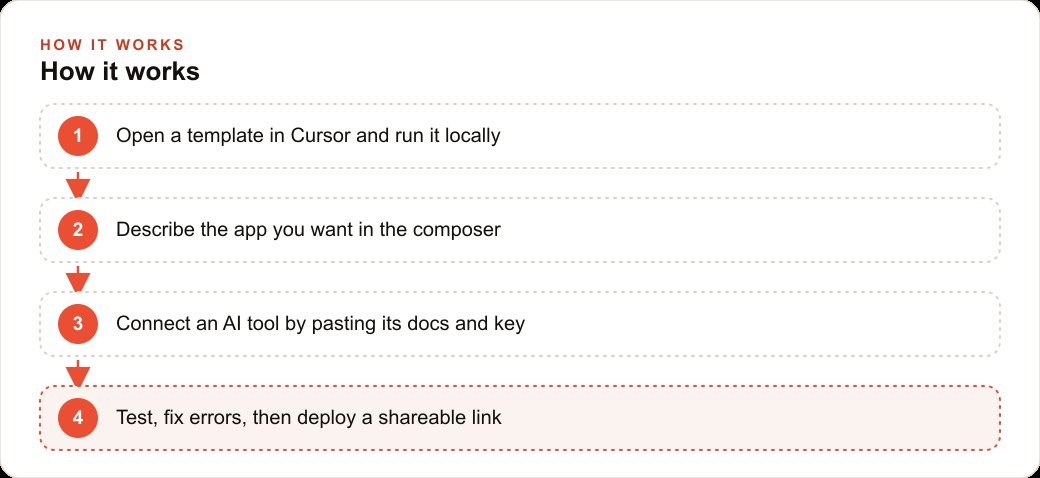
The mechanics of building with Cursor, or any similar AI coding environment, are a conversation loop. You describe what you want. The tool proposes changes to the files. You accept the changes. You run the result. You look at what appeared. You describe the difference between what appeared and what you wanted. The tool makes the corrections. You run again.
This loop repeats until the tool does what you described. The key insight about the loop is that it is a conversation, not a command sequence. The tool does not require you to know in advance whether a specific button should be a floating action button or a text link or an icon. You describe the function and the tool makes the choice. If the choice is wrong, you describe why it is wrong and the tool corrects it.
A med spa building a consultation assistant for the front desk does not need to know whether to use React or Vue or a simple HTML file. They describe: I need a screen where a client can type a question about our services, and the screen responds with information about what we offer and suggests booking a consultation for anything medical. The tool writes whatever technical implementation produces that result. The owner judges the result by whether it does what was described.
The conversation loop also handles error recovery, which is the part that trips up most first-time builders. When something breaks, which it will, the correct response is to describe what went wrong rather than to try to fix the code directly. Copy the error text that appeared, paste it into the tool, and say something to this effect: the screen showed this error when I clicked the book button. The tool reads the error, identifies the source, and repairs it. Repeat until the error is gone.
The exception that demonstrates the importance of this pattern is the API key. Any smart feature, an AI chat assistant, an email sender, a payment integration, requires a secret credential to authenticate with an external service. That credential must go into a protected environment file rather than into the code files. This is not a preference. Credentials stored in code files are visible to anyone who can see those files. A leaked credential produces unauthorized usage, unexpected charges, or suspended service. The environment file is the container that keeps credentials protected. Every smart feature has this step. It takes two minutes. It is not optional.
The mistake that kills most first builds before they ship
The most common failure mode in first-time AI-assisted building is scope. The first idea almost always includes features from the first three months of use, not from the first day of use. A front-desk tool that needs to track today's appointments also needs a client history view, also needs a no-show tracking system, also needs to integrate with the booking system, also needs a notes field for each client, also needs a search function. All of those features are real and all of them will eventually belong in the tool. None of them belong in the first version.
The first version should do one thing correctly. The most critical one thing, the task that is the most frequent and the most painful in the current manual process, becomes the entire scope of the first build. Everything else is a future session.
The reason this matters practically is that a working first version reveals what the second version should be. Real use of a simple tool in actual operations shows you which features are actually needed versus which features seemed necessary from the outside. The appointment tracking tool, used for two weeks, might reveal that the most valuable addition is not client history but rather a quick scan of who is expected today versus who has confirmed versus who is a risk of not showing up. That specific need would not have been obvious before real use, and it would have competed for design attention with features that seemed important from a planning perspective but turned out not to be used.
Build the smallest version that is genuinely useful. Use it. Let the use reveal the next most important addition. Build that next. Repeat. This sequence produces a tool that is actually used, because it was built around actual operational needs rather than anticipated needs. Tools built around anticipated needs get used for a week and abandoned when the friction of using them exceeds the friction of the manual workarounds they were meant to replace.
What a weekend of building actually looks like
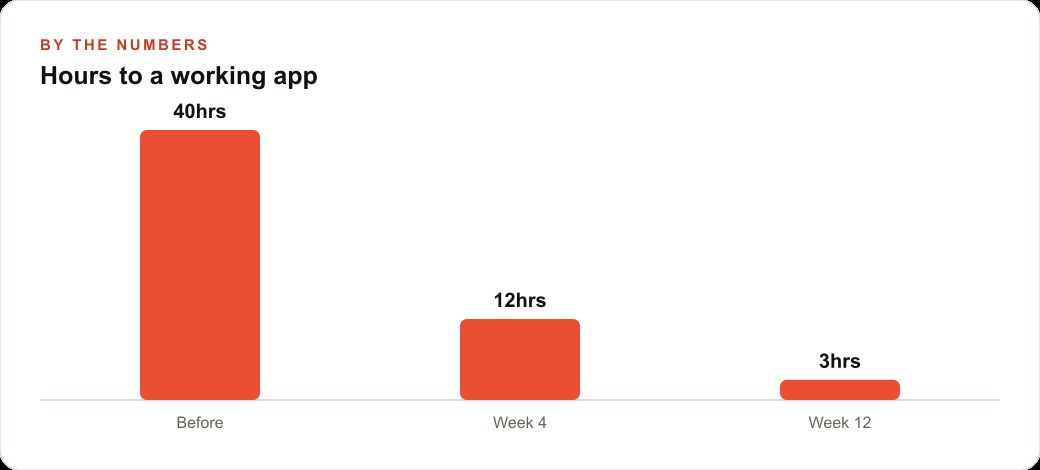
A reasonable expectation for a first focused building weekend is a working, deployed tool with two to three features that address the core operational problem, shared with the people who will use it and generating real feedback. Not a finished product. Not something that covers every edge case. A working first version that solves the most important problem clearly enough that the people who use it immediately understand its value.
The setup on day one: a description written on paper before opening any tool, covering what each screen does and what data it needs to store. A template opened in Cursor to avoid starting from a completely blank folder. The first section built from the description, run locally in a browser, and verified to work before anything else is touched. The credentials file created before any smart features are added. Version control set up before the second section is built.
Day two: the second and third sections built the same way, one at a time. A QR code test on a real phone before any deployment. A share link created and sent to two or three people who will actually use the tool. Their feedback collected in person or by phone rather than by asking them to write up a report. The most important piece of feedback addressed before the tool goes to anyone else.
For a med spa, the first weekend produces a consultation assistant that answers the five most common questions about the services, suggests booking for anything clinical, and is accessible on an iPad at the front desk. The parallelism with the math proof story is not accidental. Clear framing of the problem, in this case the specific questions the tool needs to answer, plus rigorous testing before the tool goes live, is what makes the result trustworthy rather than just impressive.
The tool built in a weekend is not the tool the business runs for five years unchanged. It is the beginning of a practice of building small tools for specific problems. The second tool is faster than the first. The third is faster than the second. The pattern recognition about what the tool needs versus what seems like it might be needed gets sharper with each build. The result, compounded across a year of quarterly builds, is a set of custom tools that fit the operation in a way no off-the-shelf product can replicate. The customer relationship and follow-up systems get their own tools. The intake process gets a tool. The inventory gets a tool. Each one built when the need was clearly understood from real use, not speculated from outside the operation.
The bottleneck shifted from code to description. Everything else followed.
That is exactly what we do at AI DOERS. Book a private 30-minute call with Madhuranjan Kumar and we will map the fastest path to it for your specific business.
Book your call →
Madhuranjan Kumar
Madhuranjan Kumar brings 20 years of performance-marketing experience and has managed over $200 million in Facebook ad spend for brands across the United States and beyond. His expertise spans the full modern marketing stack: Meta, Google Ads, TikTok, email automation, CRM, and the websites that hold it together. At AI DOERS he turns that track record into lead-generation systems for businesses across every industry.