
Build Your Own AI Mobile App In An Hour Without Coding
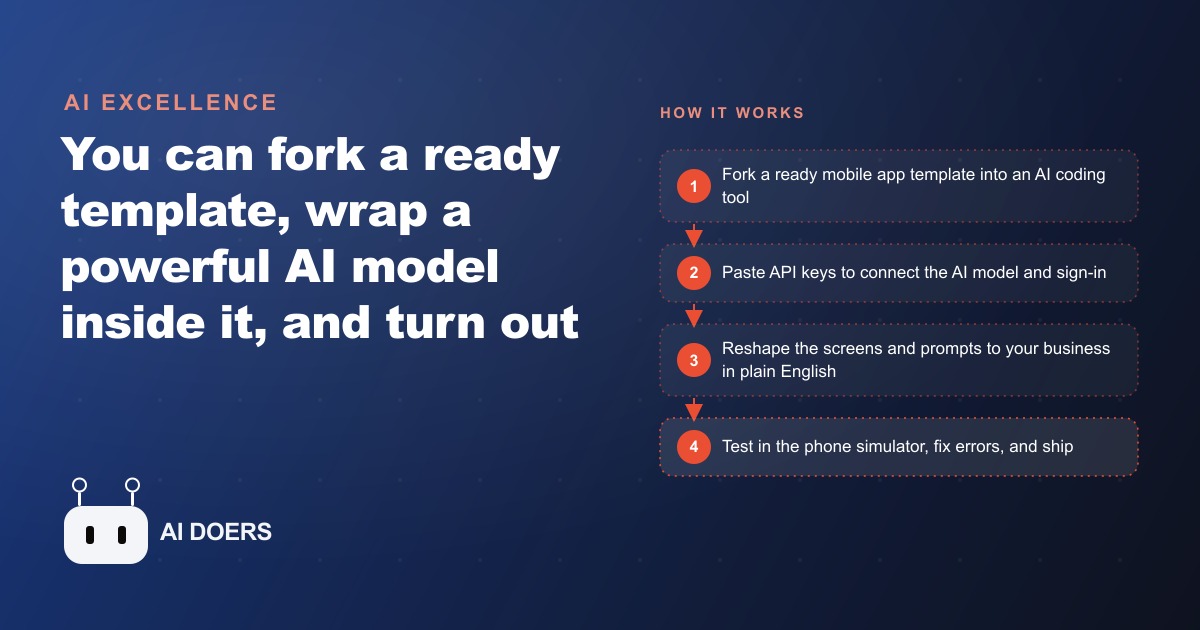
You can fork a ready mobile template, wrap a powerful AI model inside it, and shape it with plain-English prompts into a phone app built for your exact business, all in about an hour without writing code.

Forty percent of the phone calls into a typical HVAC company ask the same ten questions. I am Madhuranjan Kumar, and this is the story of one company that decided to stop paying staff time to answer them and built a tool to do it instead, without a developer, without months of lead time, and without learning to code.
Before the build: an inbox drowning in the same ten questions
The office fielded forty or more service jobs per week. The front desk started every shift with a stack of voicemails and messages, and most of them fell into categories so familiar the staff had memorized the answers: my unit is not cooling, my heater smells odd, how often should I change the filter, do you service my brand of equipment. Each message required a staff member to stop what they were doing, formulate a response, and reply. Multiplied across a busy season, that answering load accounted for hours of desk time every week, time that could have gone toward scheduling, follow-up, and booking.
The owner had looked at AI chatbot platforms but everything felt either too expensive, too generic, or too locked into a template that did not match how the company actually talked to customers. What they needed was something that sounded like their business, knew the products they serviced, and could tell a homeowner when a situation needed a professional instead of a DIY fix. Nothing they found off the shelf did all three at once.
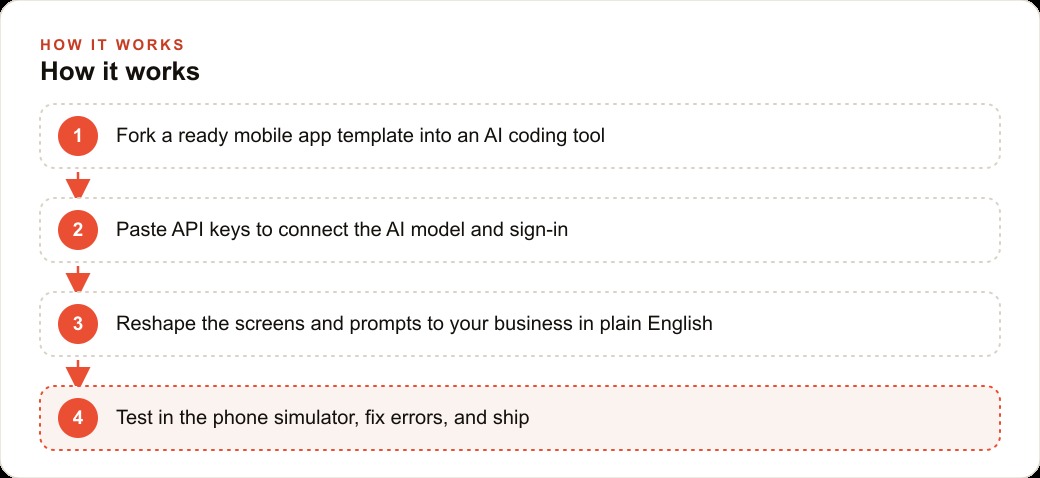
The solution came from a method that has become genuinely reliable in the past year: forking a ready mobile template into an AI coding tool, shaping it with plain-English instructions, and connecting it to an AI model by pasting API keys into a settings file. No code to write. No developer to hire. One focused afternoon to get a working first version running on a phone simulator on the owner's Mac.
Forking a template and connecting the keys in one afternoon
The starting point is a ready template, not a blank file. You fork a mobile app template that already has the structural pieces in place, sign-in, a chat interface, basic navigation, and then you talk to an AI coding tool the way you would brief a developer sitting next to you. The phone simulator runs on the computer so you see the real mobile experience as you build. Problems appear on your screen in real time, when fixing them takes thirty seconds rather than a rejected app store update.
To connect the AI model and the sign-in system, you paste API keys into a settings file. One key turns on authentication so a homeowner can log in with their email. A second key connects the AI model so the app can think and respond. There is no code to write for either connection. The template and the coding tool handle the wiring. The owner pastes the keys and the connections exist.
From that foundation, shaping the experience is a series of plain-English instructions to the coding tool. Move the submit button. Change the welcome screen text. Add a loading indicator between the question and the answer. Each instruction produces a change visible in the simulator within seconds. When something breaks, a screenshot of the error goes back to the coding tool and the fix arrives in the next response. The first working version of the HVAC symptom-checker app existed by mid-afternoon on the first day of building.
Writing the system prompt that makes the app sound like the company
The most important thing built in that first session was not a feature. It was the system prompt: the set of instructions that tells the AI model who it is, what it knows, and how it talks. Without a good system prompt the app is just a generic chatbot that happens to live on a phone. With a well-written one, it becomes an extension of the company.
The system prompt for the HVAC app covered several things. The tone: calm, reassuring, specific to residential HVAC systems, and clear about when a situation needs a professional inspection rather than a homeowner fix. The scope: the brands and equipment types the company services, the geographic area they cover, the common failure patterns they see in the region's climate. The boundaries: the app should never diagnose a gas leak by chat, should always recommend an emergency service call for carbon monoxide concerns, and should end every serious-symptom response with a clear path to book a technician.
Writing the system prompt took about forty-five minutes and was the highest-leverage work of the entire build. Everything the app says flows from it. Getting it right before testing means the first customer interaction sounds like the company. Getting it wrong means weeks of inconsistent answers until someone notices the app has been undermining the brand.
The owner wrote it in their own words, describing how they brief a new employee on the first day. Here is the company. Here is what we do. Here is how we talk to customers. Here are the situations where we always escalate and the situations where we can give guidance directly. That framing produced a system prompt that the app immediately respected and that customers responded to with trust rather than skepticism.
Adding the intermediate search step that lifts it from chatbot to advisor
A chatbot answers from its training data, which is general knowledge about HVAC systems from across the internet. That is useful but it does not reflect the company's actual recommendations for the equipment they specifically service. The step that lifted the app from a generic chatbot to a genuine advisor was adding an intermediate search step.
Before constructing any answer, the app searches the company's own FAQ, service notes, and product compatibility guides. The AI model sees those results alongside the customer's question and builds its response from company-specific information rather than from general knowledge. A homeowner asking about a strange clicking noise from the air handler now gets guidance that reflects what this specific company recommends for the equipment brands they service, in the climate zone they work in, based on the failure patterns their technicians actually encounter.
Each new capability was one more instruction to the coding tool, not a layer of code to write. The owner described the outcome they wanted, the coding tool implemented it, the simulator showed the result, and the owner approved or described what to adjust. The intermediate search step took about twenty minutes to describe and test. When something in the implementation failed, a screenshot of the error came back with a repair in the next message. This cycle of describe-build-test-fix is the rhythm of the whole method, and it is faster than most owners expect once they stop expecting perfection from the first attempt.
The booking button that closes the inquiry loop
The most commercially important addition to the app was the simplest feature to describe: a booking button. Every response that identified a symptom warranting professional attention ended with a clear option to schedule a service call. The customer tapped the button, described their equipment and the symptom in a short form pre-filled from the conversation, and the inquiry went straight to the company's scheduling queue with all the relevant context already captured.
Before the app, an inquiry about a strange noise in the air handler might produce a useful email response but rarely converted to a booked appointment unless the customer followed up separately. The friction of switching from a message thread to a phone call or a booking form meant many inquiries resolved as information exchanges rather than scheduled jobs. The booking button eliminated that friction. The customer moved from symptom description to appointment request in the same interface they had been using for the conversation.
For a business that depends on booked appointments as the primary revenue event, this feature justified the entire build on its own. An app that answers HVAC questions is useful. An app that answers HVAC questions and books the jobs those answers surface is a revenue tool. The booking step also pre-qualified each appointment with the customer's own description of the problem, which meant technicians arrived knowing what they were walking into instead of arriving cold.
The owner also noticed something they had not anticipated: customers who used the app to get a quick answer and then booked through it tended to have shorter service calls because the technician already knew the symptom, the equipment brand, and the homeowner's description in advance. That pre-qualification value compounded over a season into measurably more efficient scheduling.
What the schedule looked like two months after launch
Two months after the app went live, the front desk's daily message load had dropped by roughly thirty percent. The inquiries that still came in by phone were the ones the app appropriately flagged as beyond its scope: situations that needed an immediate service call, equipment the company did not service, and problems involving gas or carbon monoxide where the app correctly directed the homeowner to an emergency line rather than a chat response.
The inbound inquiry quality also improved. Customers who booked through the app had already described their problem, identified their equipment, and confirmed their address. The scheduling team was booking better-qualified jobs with less back-and-forth. The average time from first contact to confirmed appointment dropped because the app handled the information-gathering phase that previously happened on the phone.
The owner did not hire additional staff to handle the volume growth that came with the improved responsiveness. The app absorbed the first layer of customer interaction that previously required human time, and the staff redirected that time toward serving customers who needed more complex assistance. The business handled more inquiries with the same team, at a conversion rate that improved because the faster response time kept more potential customers from calling a competitor while waiting for a callback.
The build cost, including the AI model subscription and the coding tool used to shape the app, came to less than a hundred dollars per month in ongoing operational cost. For a company generating tens of thousands of dollars in service revenue each month, the return on that operational investment is straightforward to calculate. The harder number to quantify is the brand trust value of being the company that responds to a homeowner's concern at ten at night with a specific, knowledgeable answer rather than an answering machine. That trust compounds in ways that do not appear on an invoice but do appear in referral rates and repeat bookings across a season.
For businesses that also invest in Google Ads to drive service area traffic, an app that converts inquiry traffic into booked appointments with less friction makes every ad dollar more efficient. The lead arrives, the app fields the question, and the booking closes the loop before the customer has a chance to compare other options. The paid traffic investment produces better returns when the conversion step is automated and available at any hour rather than dependent on office hours and staff availability.
Connecting the app to the CRM and website stack was the next step the owner had on the roadmap: routing each completed app interaction into the company's customer record system so the history followed the customer through every future service call. That integration was the next afternoon's project, built the same way as the first: one plain-English description at a time.
The long-term business asset this creates
A customer journey map maintained over time, updated as the business learns from customer feedback and operational data, becomes one of the most durable strategic assets a business can have. Unlike a market research report that goes stale, a maintained customer journey map stays current because it is grounded in the business's own customers and updated from ongoing operational experience.
For a business also investing in digital advertising and search engine presence, the customer journey map is the document that ensures the messaging across every channel speaks to the same understanding of the customer's experience. Advertising that is informed by a clear, data-grounded understanding of where customers get stuck, what questions they ask at each stage, and what objections arise before purchase outperforms advertising developed from general market assumptions.
That is exactly what we do at AI DOERS. Book a private 30-minute call with Madhuranjan Kumar and we will map the fastest path to it for your specific business.
Book your call →
Madhuranjan Kumar
Madhuranjan Kumar brings 20 years of performance-marketing experience and has managed over $200 million in Facebook ad spend for brands across the United States and beyond. His expertise spans the full modern marketing stack: Meta, Google Ads, TikTok, email automation, CRM, and the websites that hold it together. At AI DOERS he turns that track record into lead-generation systems for businesses across every industry.