
How to Build Premium Animated Websites With Nano Banana 2 and Claude Code
A single AI-generated product video becomes a scroll-driven, premium landing page in about half an hour. Here is how the pipeline works and how a real estate agency could use it.

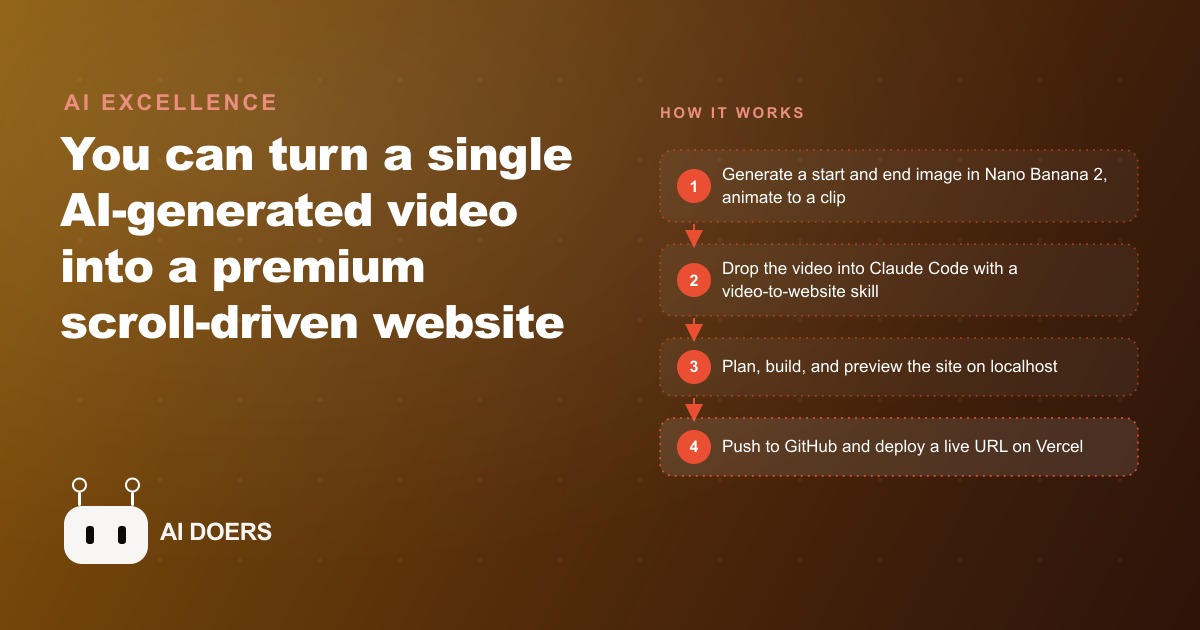
The first time I watched one of these sites in action, it looked exactly like an Apple product page. The product spun in space, its layers peeled apart, and the copy faded in precisely as I scrolled. The punchline is that none of it was Apple, none of it took weeks, and there was no 3D engine under the hood. It was a short AI-generated video, a couple of instruction files, and a single build in Claude Code that finished in about thirty minutes. I am Madhuranjan Kumar, and I want to take this pipeline apart piece by piece, because once you understand what is really happening, you see it is far simpler and far more sellable than it looks.
The illusion is just a video tied to your scroll
Start with the effect itself, because the whole thing collapses into one idea. Those smooth, expensive-looking scroll animations are not clever 3D code rendering in real time. They are a video. The tool pulls a clip apart into a hundred or more individual frames, ties each frame to a specific scroll position on the page, and plays them forward as you scroll down or backward as you scroll up. Your scroll wheel is really a playback scrubber, and the page is just showing you the right frame for how far down you are.
That single realization is the key that unlocks everything else. If the animation is only a video, then the hard part is no longer engineering. It is producing a good clip and wiring it to the scroll. And producing a good clip is something AI is now unusually good at, which is why this went from a bespoke agency skill to something a solo operator can do on a weekend.
Two images become the clip that carries the page
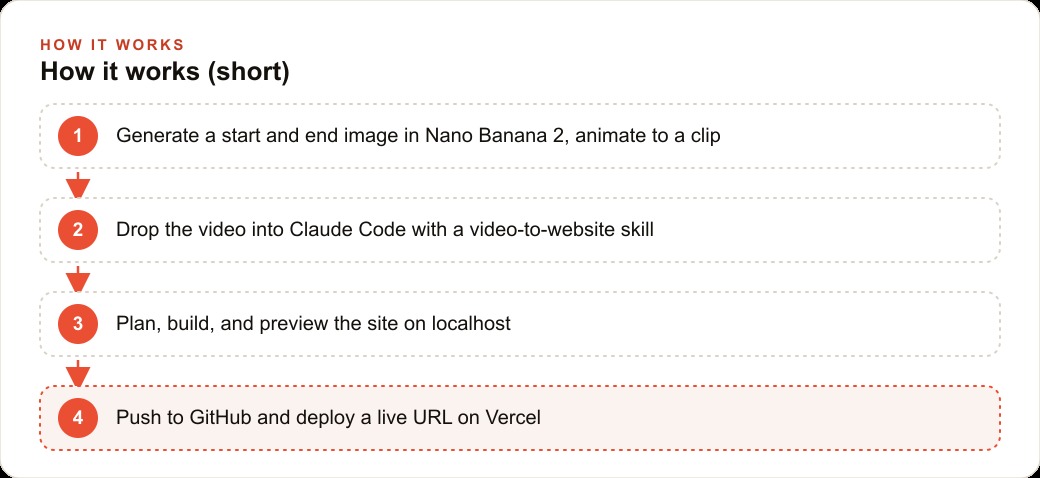
The clip comes from an image model, Nano Banana 2, and a video model working together. You generate two images: a start frame and an end frame. For a kitchen blender that might be the empty jar first, then the same jar full of fruit and juice. You hand both frames to a video model and prompt it to move between them, and it produces a clean clip of the product coming to life. No camera, no studio, no product shoot, no photographer. Two prompts and a short render, and you have the exact asset the website is built around.
This is the part that changes the economics, so it is worth dwelling on. The reason premium animated sites used to cost tens of thousands of dollars was partly the code and partly the footage. Real product animation meant a real shoot or a real 3D artist. Collapsing both the footage and the animation into a pair of generated images and one video prompt removes the most expensive inputs at once. The start-and-end-frame trick is not a minor convenience. It is the reason this whole pipeline is cheap enough to resell.
Skills are where the taste is stored
The build step is where Claude Code comes in, and it leans on something worth understanding on its own: skills. A skill is nothing more than a markdown file that teaches the agent the best practices for a specific job. In this pipeline you load two of them into the project. One is a front-end design skill that holds good layout and typography habits. The other is a video-to-website skill that knows how to extract frames, tie them to scroll, and structure the page. Together they carry all the know-how, so the agent's first attempt already looks clean instead of amateurish.
This is a genuinely important idea beyond this one use case. The quality of the output is not coming from a single magic prompt. It is coming from accumulated, written-down expertise sitting in a file the agent reads before it starts. And because it is just a file, it compounds. Every time you finish a site and tell the skill what you liked and what you did not, it gets sharper. Your tenth site is faster and better than your first, not because you got smarter, but because the skill did.
Plan first, then let it build
There is a small workflow discipline that makes the difference between a clean first try and a frustrating one, and that is plan mode. Before building, you switch the agent into plan mode, where it reads, asks questions, and proposes an approach but does not write anything yet. You describe the page you want: a one-page product landing, modern, a dark background that blends into this breakdown, smooth animations. The agent asks a few smart clarifying questions, proposes a plan, and only then builds.
When it does build, it extracts the frames from your clip using FFmpeg, a free tool, writes the HTML, CSS, and JavaScript, and serves a preview on localhost so you can test before anything is public. That split between your private localhost copy and the eventual live URL matters more than it sounds. It means you iterate, break things, and refine safely, and only the version you actually approve ever reaches a customer.
From localhost to a live URL, and the one trap to avoid
Shipping is the last stage. The code goes to GitHub for storage and version history, and Vercel connects to that repository to deploy a real, public URL. This is where one specific mistake bites nearly everyone the first time, so it is worth naming plainly. If the frame images get left out of the push, maybe excluded by a default ignore rule, the animation vanishes on the live site even though it worked perfectly on localhost. The page loads, but the scroll effect is gone, because the frames it depends on never made it to the server. The fix is simple once you know it: make sure the frames are committed to the repository, redeploy, and the effect comes back. Knowing that trap in advance saves an hour of confused debugging.
What it looks like for a real estate agency
Picture a real estate agency that wants a standout page for a single luxury listing. Here is how I would set this up. Instead of a product, the animation is the home itself. I would generate a start frame of the house exterior at dusk and an end frame that pushes through the front door into a bright open living room, then animate between them so the property reveals itself as the visitor scrolls down.
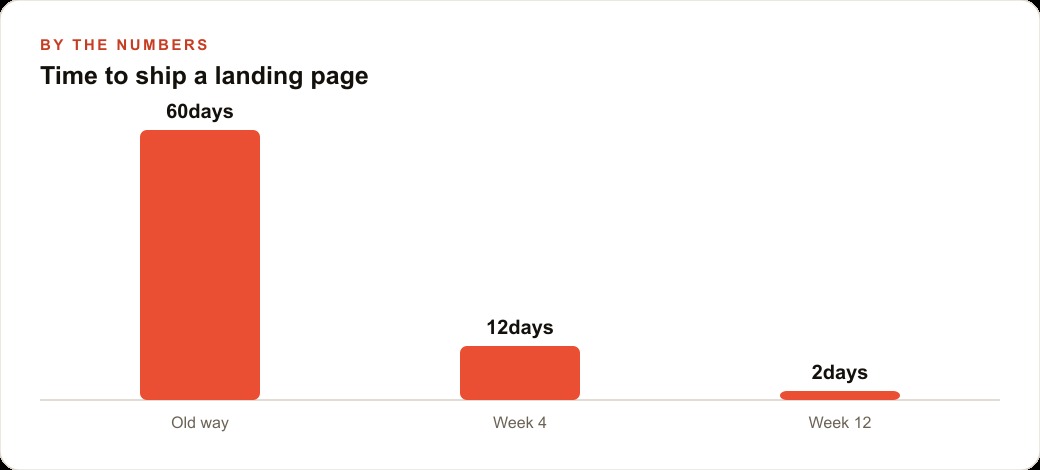
Claude Code then builds the page around that clip. The address and price fade in over the exterior. The key features, square footage and bedroom count, pop as each interior frame appears. A clear call to book a viewing sits at the bottom. The background stays dark so the photography carries the whole page. For the agency the math is compelling. Each premium listing gets a page like this in an afternoon rather than a multi-week agency engagement, the agent looks like a high-end brand instead of a tired template, and the same skill produces the next listing just as fast. That speed is precisely the argument when you pitch the agency on a monthly retainer, because you are not selling one site, you are selling a repeatable machine.
Where the built site plugs into the rest of the funnel
A page like this is not an island, and the real money shows up when it connects to everything else. A striking listing page is the ideal landing destination for Facebook and Instagram ad campaigns, because a premium first impression lifts the conversion rate on every dollar of traffic you send it. That same quality lifts the return on any Google Ads budget pointed at high-intent buyers searching for a specific area or property type. And when the booking button on the page drops leads straight into the CRM and website stack, the follow-up sequence runs automatically instead of relying on an agent to remember to call. The animated page is the hook, but the system around it is what turns attention into booked viewings.
The frame-to-scroll trick opens far more than product spins
The examples everyone reaches for first are spinning products and revealing homes, but once you understand that the effect is only a video tied to scroll position, the range of what you can build widens dramatically. Any story that can be told as a short clip can become a scroll-driven page. A before-and-after transformation for a renovation company. A dish being plated for a restaurant. A treatment result for an aesthetics clinic. A piece of machinery assembling itself for a manufacturer. The pipeline does not care what the clip shows, only that you have a start frame, an end frame, and a video that moves between them. That generality is why this is a service you can sell across many niches rather than a one-trick demo.
It also means the creative work becomes the real differentiator, not the code. Two people using the identical pipeline will produce wildly different results depending on how good their start and end frames are and how well they describe the motion between them. That is where taste and a little practice pay off, and it is why the skill file matters so much: it captures what good looks like so your baseline keeps rising. The technical part is a solved, repeatable pipeline. The part that makes a page feel premium is the choice of what to animate and how, and that judgment is the thing worth developing.
Why owning the code is the real advantage over a page builder
You could build a decent animated page in a drag-and-drop website builder, so it is fair to ask why bother with the code-first pipeline at all. The answer is control and ownership. When Claude Code writes the actual HTML, CSS, and JavaScript and stores it in your own repository, you can change anything, fix anything, and add features whenever a client asks, without being trapped inside someone else's platform or paying a monthly fee to keep the page alive. If a client wants the animation to trigger differently, or a new section added, or the whole thing rebuilt for a second listing, you are not filing a support ticket, you are editing a file you own.
That ownership is also what makes this a real business rather than a hobby. Because you understand and control the code base, you can offer hosting and maintenance as a recurring service, push updates on demand, and keep improving each site over time. A page builder makes you a tenant. Owning the code makes you the landlord, and the landlord is the one who can build a repeatable, profitable service on top of it. Combine that ownership with a skill file that gets sharper every project, and you have something that compounds: faster builds, better results, and full control, all improving together each time you ship another site.
Making it yours
Start by installing Claude Code, opening a fresh project folder, and adding the two skills as markdown files under a skills folder. Generate your start and end images, animate them into a clip, and drop the clip into the project. Always run plan mode first so the agent asks questions and proposes an approach before it builds, then preview on localhost and iterate until the scroll feels right. When you are happy, connect GitHub and Vercel, let the agent push and deploy, and double-check that the frame images actually made it into the repository.
None of this requires you to have built a website before. It is a repeatable pipeline: a video goes in, a premium site comes out, and the skill gets better every time you use it. You can absolutely learn this yourself over a weekend. If you would rather have the skills tuned, the animation prompts dialed in, and a deploy pipeline that never drops your frames, that is the kind of setup an expert can hand you ready to sell to your first client.
That is exactly what we do at AI DOERS. Book a private 30-minute call with Madhuranjan Kumar and we will map the fastest path to it for your specific business.
Book your call →
Madhuranjan Kumar
Madhuranjan Kumar brings 20 years of performance-marketing experience and has managed over $200 million in Facebook ad spend for brands across the United States and beyond. His expertise spans the full modern marketing stack: Meta, Google Ads, TikTok, email automation, CRM, and the websites that hold it together. At AI DOERS he turns that track record into lead-generation systems for businesses across every industry.