
How to Build an iPhone App From Your Phone With AI, No Coding
Speak your idea into a phone app builder, let AI design the images and logos, then refine it on a desktop editor with live testing. Here is the workflow and how I would use it for an accounting firm.

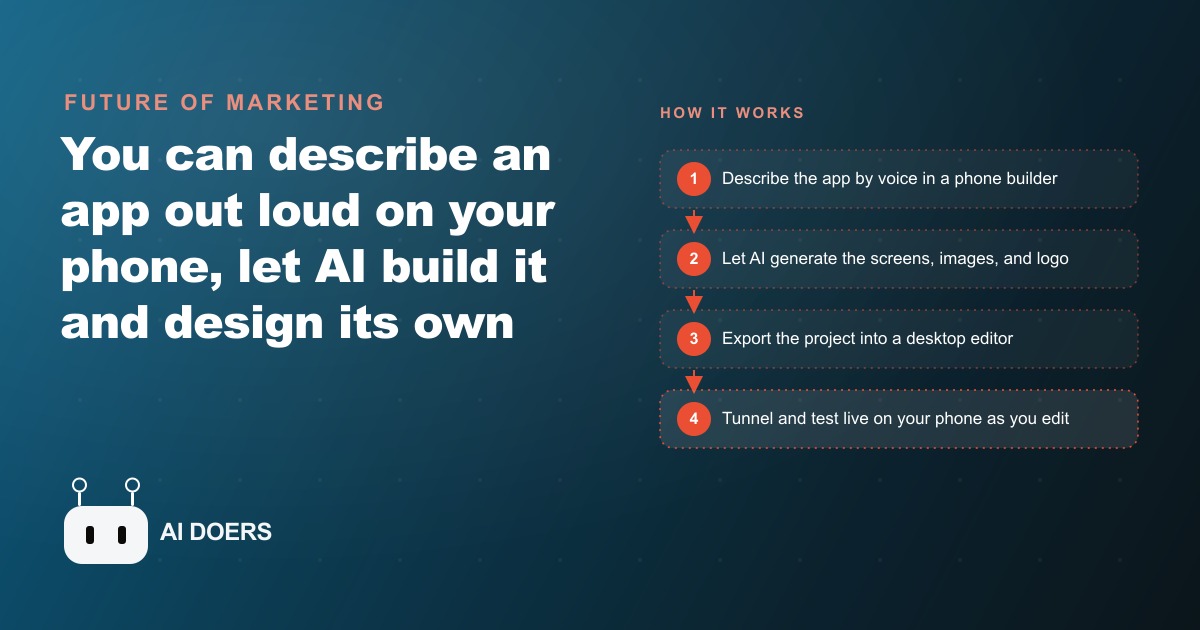
Building a real iPhone app now starts with talking to your phone
The barrier to shipping a mobile app just fell through the floor. You can now open an app builder on your phone, describe what you want out loud in plain language, and watch AI produce a working first version in minutes, complete with the images, icons, and logos generated inside the app itself. I am Madhuranjan Kumar, and this is a genuine shift worth understanding, because for most of history a mobile app meant hiring developers, waiting weeks, and paying thousands of dollars. The thing that used to justify a whole project budget now starts from the device already in your pocket.
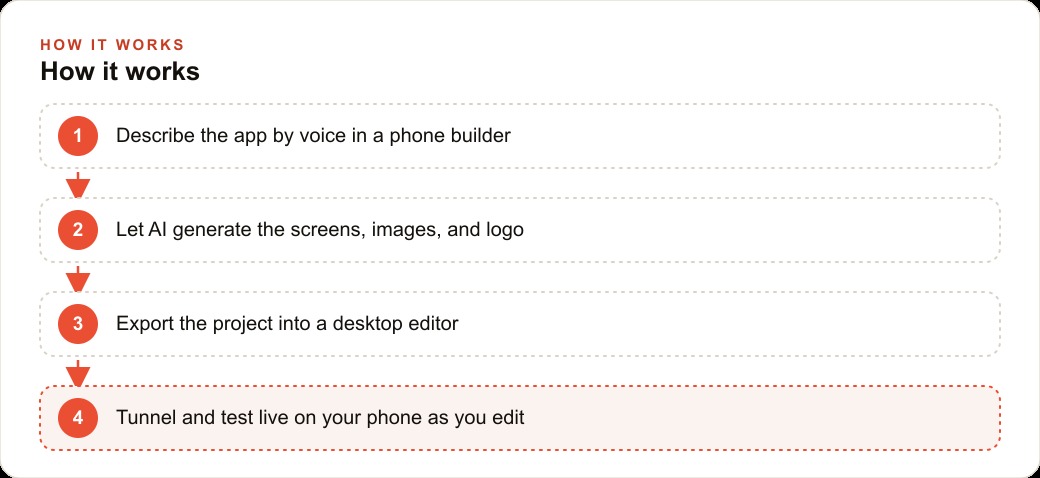
What just became possible
The clearest way to see the change is a tiny example. Imagine a pizza shop that wants an app where customers pick toppings, watch the price update, and see the toppings appear on a picture of the pizza. You open the builder, tap the plus sign, and simply say that out loud with voice input. Press go, and the app builds itself, including a generated image of the pizza and images for each topping. No designer, no artwork sourcing, no first invoice. The visuals that used to be their own line item now appear as a byproduct of the build.
That is the headline. The AI does not just wire up screens, it produces the assets that fill them. When you add olives, an olive image gets generated and placed. When you rename the app, it updates everywhere. The design work that used to gate a launch is folded into the same conversation as the logic.
Why the timing matters
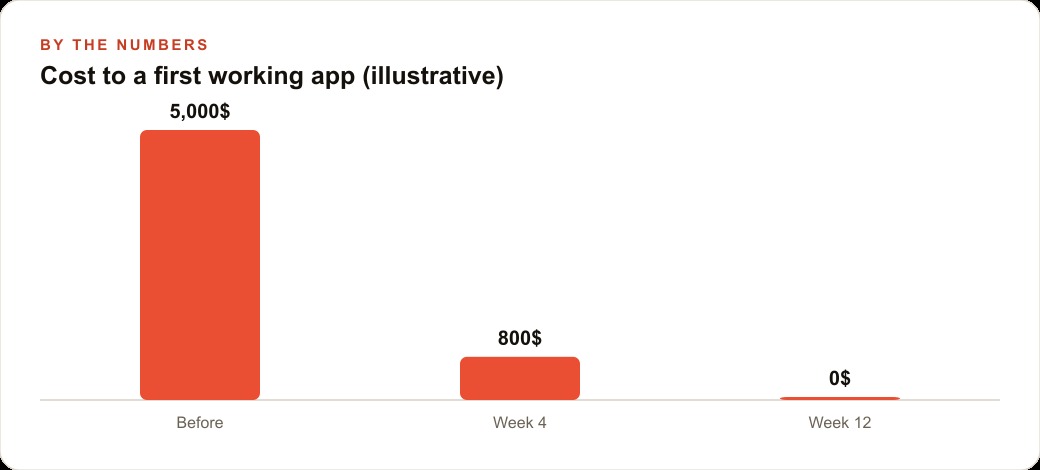
This lands at a moment when small businesses are told to be everywhere and given no cheap way to build anything custom. The cost of a bespoke tool has always been the wall. A simple ordering or booking app could easily run five thousand dollars and a month of waiting, which is impossible to justify for a single narrow workflow. When that cost collapses toward the price of an afternoon, the entire calculation flips. You can test an idea that would never have earned a developer's time, and you can throw it away if it does not work without having burned a budget.
The news is not that AI can write code. That has been true for a while. The news is that the whole loop, from spoken idea to a testable app on your phone, now fits on consumer hardware and in plain English. The friction that kept non-technical owners out of app building is the thing that just disappeared.
How the workflow actually runs
The process is a loop of describe, look, and refine. You speak or type what you want, the AI builds it, you look at the result, then you ask for changes in ordinary sentences. Swap one topping for another and ask for two more. Make the checkout screen look like a printed receipt. Each request is a plain sentence, and the app quietly rebuilds around it.
When you want more control, you move to a desktop. You download the project as a zip and open it in a desktop editor, where you can work on the underlying code the AI wrote. The clever part is live testing. You run a couple of terminal commands to install and start the project with a tunnel, scan the QR code it produces with your phone camera, and the app opens on your device. From then on, every edit you make on the computer updates on the phone almost instantly, so you are tweaking layout and watching it change in your hand. You can even turn a selfie into a clean cartoon logo with an image model, cut out the background, and drop the file straight into the project. Start on the phone for the first build and quick ideas, finish on the desktop where you tighten layout and polish details.
Who this changes things for
Any business with a repeatable customer interaction is now in range. If your customers place orders, book slots, fill out forms, or check a status, a small focused app can make that moment smoother, and you no longer need to be a tech company to have one. Restaurants, clinics, trades, retailers, fitness studios, and professional service firms all have one or two moments that a simple app handles better than a phone call or a paper form.
The winners will not be the ones chasing a giant platform. They will pick one clear job, build a tidy app that does it well, and ship it. Because the cost has collapsed, the constraint is no longer money or engineering. It is judgment about which single interaction is worth an app at all.
A concrete build: an accounting firm
Let me ground it in one business. For an accounting firm, I would build a simple client intake and document app. I would open the phone builder and describe it out loud, an app where a client picks a service like tax filing, bookkeeping, or a quarterly review, answers a few short questions, and uploads the documents that service needs. The AI builds the screens, generates clean icons for each service, and wires up a basic flow in the first pass.
Then I would refine it by asking. Add a running checklist so the client sees which documents are still missing. Rename it to the firm. Make the confirmation screen look like a tidy summary the client can screenshot, the way the pizza example turned its checkout into a receipt. I would create a logo by turning the firm mark into a clean cartoon version, cut the background, and drop it onto the confirmation screen. Finally I would export to the desktop editor, run the tunnel, and test live on my phone, polishing spacing and labels while watching the changes appear.
Put numbers on the payoff. If the firm previously spent, say, six hours a week chasing missing paperwork by email and phone, and a clean intake app with a live checklist cuts that in half, that is three hours a week returned, or roughly 150 hours a year of senior staff time back. The app also gives the firm a branded touchpoint, and the intake data can flow into the CRM and website stack so follow-up with each new client is automatic rather than a sticky note. What used to be an agency project delivered in weeks is now an in-house tool delivered in a day.
The part that is still genuinely hard
I want to be honest, because the demos make it look effortless. The building is the easy part now. The harder work is choosing the one interaction worth an app, writing the prompts so it behaves the way your business actually runs, and deciding what to leave out. That judgment is what separates a useful tool from a half-finished demo, and it is where a lot of first-time builders stall after the initial excitement wears off. A tool that does one thing cleanly beats a bloated one that does five things badly.
There is also the question of distribution. An app is only worth building if people use it, which means the same effort you put into the tool should extend to getting it in front of the right customers, whether through your existing list, your Facebook and Instagram ad campaigns, or the SEO and organic search traffic your site already earns. The app is a feature of the business, not a replacement for reaching people.
The phone-to-desktop handoff is the underrated part
The voice-build demo gets the attention, but the quiet innovation is the handoff between phone and desktop, because it fixes the old ceiling on no-code tools. Simple builders used to trap you: they were great for the first ten minutes and useless the moment you needed real control, so you either accepted their limits or threw the whole thing away and started over with a developer. Exporting the project into a desktop editor removes that ceiling. You get the friendly voice-first start and the serious editor when you need it, on the same project, without rebuilding anything.
The live testing loop is what makes the desktop stage usable for a non-developer. Running a tunnel, scanning a QR code, and watching every edit appear on your phone almost instantly means you are never guessing what a change will do. You see it in your hand as you make it, which turns fine-tuning from an abstract chore into a tight visual loop. That immediacy is why the handoff matters so much. It keeps the whole process concrete, from the first spoken sentence to the last spacing tweak, so you stay in control of a thing you can actually see working.
What to build first, and what to never build
Because the cost has collapsed, the temptation is to build everything, and that is the trap. The right first project is the single interaction that causes the most friction today, the phone tag, the paper form, the constant status question. Pick the one moment your customers or your staff complain about most and build a tidy app that fixes only that. A tool that does one thing cleanly earns trust and gets used. A sprawling app that tries to be a whole platform gets abandoned, because nobody, staff or customer, wants to learn a complicated tool for a simple job.
What you should not build is anything that duplicates a system you already run well, or anything that needs constant custom logic your business has not settled yet. If your booking already works, do not rebuild it for the novelty. If a process changes every week, an app will just freeze a moving target. The judgment to say no to a feature is worth more here than the ability to build it, precisely because building is now so easy that restraint is the only thing keeping the tool focused. Start with the one painful interaction, ship it, watch people use it, and only then decide whether a second app earns its place.
The assets it generates are half the reason this matters
Most coverage of phone-built apps focuses on the logic, the ordering flow or the booking screen, and skips the part that used to cost real money: the images, icons, and logos. Historically, even a simple app needed a designer to fill the visuals, which added cost, delay, and a dependency on someone else's calendar. When the builder generates those assets itself, adding an olive image the moment you add olives, producing clean service icons, turning a selfie into a cartoon logo, it removes an entire category of friction that used to stall small projects before they shipped.
That matters because the visuals are what make an app feel finished rather than like a rough prototype. A tidy icon set and a proper logo are the difference between a tool your customers trust and one they hesitate over, and now both come out of the same plain-language conversation as the features. For a small business with no design budget, this is not a minor convenience. It is what makes a professional-looking app achievable at all, in an afternoon, from a phone. The barrier was never only the code. It was the whole surrounding production, and that surrounding production just folded into the build.
The takeaway
The news is real and the shift is not hype. Speaking an idea into your phone and getting a working, branded app back in an afternoon was science fiction a short while ago and is a Tuesday now. Start tiny, describe one narrow workflow, refine with single clear sentences, and only move to the desktop when you hit the limit of what is comfortable on the phone. You can follow these steps and ship it yourself, or you can hand the idea to someone who has built and tested these apps many times and have it delivered working and on brand. The barrier is no longer the syntax. It is the idea, and the discipline to keep it small.
That is exactly what we do at AI DOERS. Book a private 30-minute call with Madhuranjan Kumar and we will map the fastest path to it for your specific business.
Book your call →
Madhuranjan Kumar
Madhuranjan Kumar brings 20 years of performance-marketing experience and has managed over $200 million in Facebook ad spend for brands across the United States and beyond. His expertise spans the full modern marketing stack: Meta, Google Ads, TikTok, email automation, CRM, and the websites that hold it together. At AI DOERS he turns that track record into lead-generation systems for businesses across every industry.