
Build Interactive Tools and Games With AI in Seven Prompts
How an AI agent builds a full interactive experience step by step, with a worked example for a real estate agency.

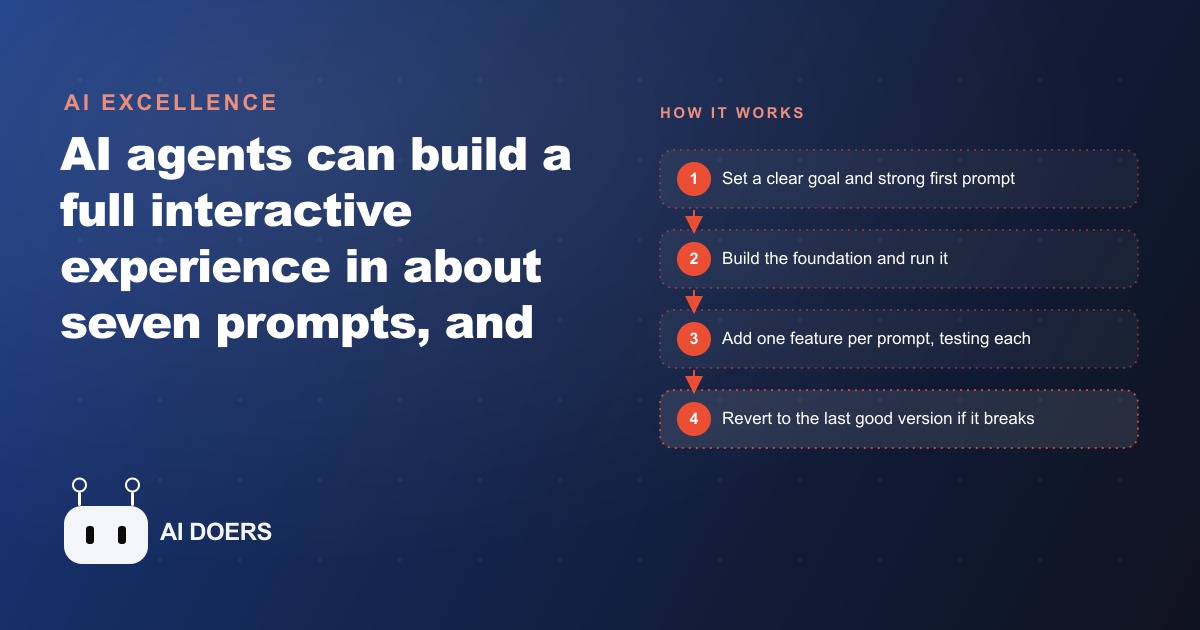
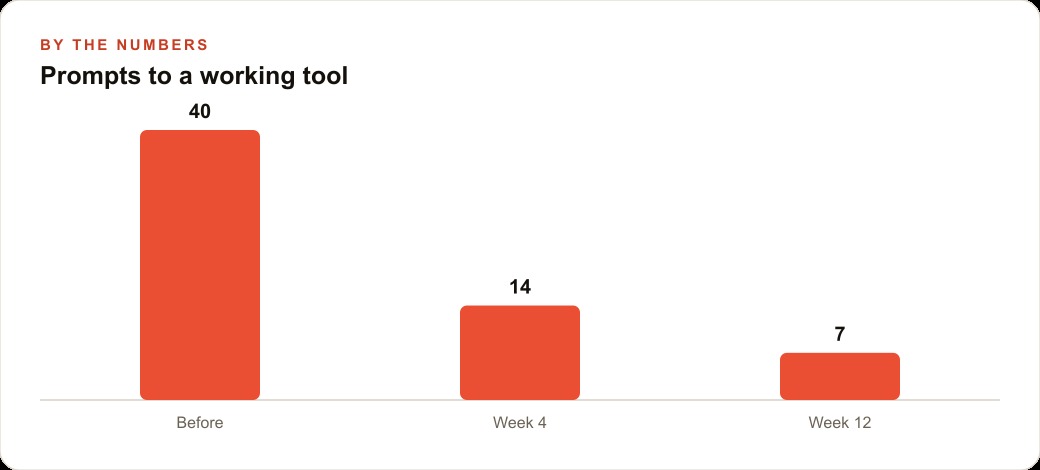
An AI agent built a playable 3D space shooter and a live two-player browser game in seven prompts each. That benchmark matters less as a party trick and more as a measurement: seven focused, well-scoped prompts can produce a working interactive experience, and the same methodology that builds games builds lead-capturing tools for any business.
I am Madhuranjan Kumar, and I have been tracking the practical methods that make AI-assisted builds actually work rather than spiral into debugging sessions. What separates a seven-prompt build from a forty-prompt rebuild is rarely the AI model itself. It is the discipline of the person guiding it. These seven principles are the ones that consistently produce a working result, whether the output is a browser game, a home-matching tool for a real estate office, or a quiz that pre-qualifies prospects before they book a call.
The first prompt is worth three rounds of recovery: get the foundation right
The AI builds what you describe, which means a vague or rushed first prompt forces the model to guess at the architecture, and those guesses compound into every subsequent change. A foundation built on the wrong structure requires you to backtrack, often several prompts in, and reconstruct the scaffolding before you can add the feature you actually wanted. Three rounds of recovery is a conservative estimate of the cost when the first prompt is weak.
A strong first prompt specifies the output type, such as a web page, a browser-based game, a quiz, or a calculator. It specifies the primary user action, the visual structure, and the primary interaction logic. It is worth asking the model to reason through the architecture before generating any code, especially on builds with more than one moving part. That pause is not wasted time. It produces a cleaner initial structure that holds up as you add features.
The investment in a precise first prompt also compresses the total number of prompts the build takes. A clean foundation makes each subsequent addition a small, predictable change. A messy foundation makes each addition a negotiation with whatever assumptions the model made when it guessed at the structure. The seven-prompt benchmark is achievable with a strong first prompt. It is nearly impossible with a weak one.
Treat the first prompt as a brief, not a command. Write out what you want, read it back, and ask whether someone unfamiliar with your goal would be able to build the right thing from what you wrote. If the answer is no, revise the brief before submitting it. The few minutes spent sharpening the first prompt are the highest-return minutes of the entire build.
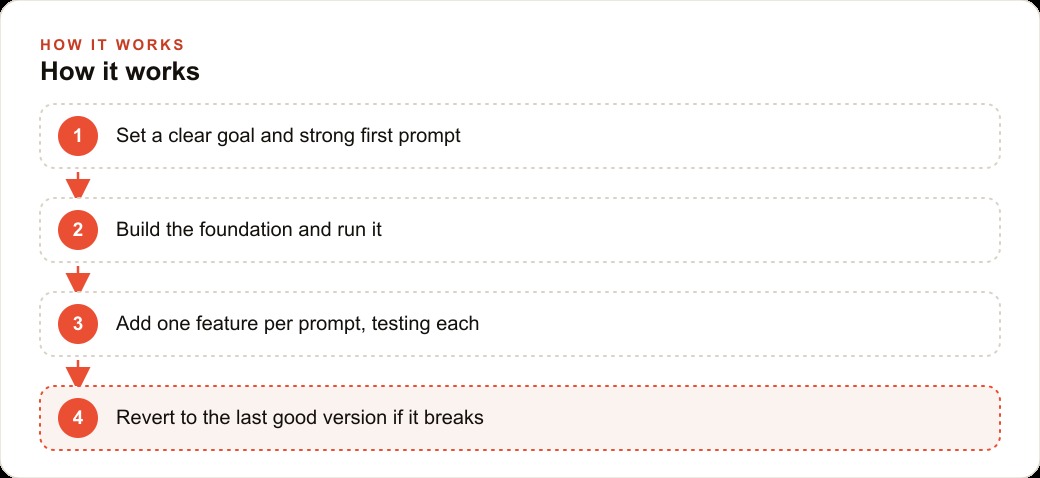
One feature per prompt keeps the feedback loop clean
When you ask for multiple things in a single prompt, two problems appear. The first is that you cannot tell which change caused any particular result, which means debugging requires re-testing everything the prompt changed rather than isolating the one thing that went wrong. The second is that the model is more likely to misunderstand at least one of the requests when several are bundled together, and that misunderstanding gets embedded in the code before you review it.
One feature per prompt is not a limitation of the method. It is the method. It keeps the feedback loop tight: you add one thing, you look at the result, you confirm it works or revert it, and then you move to the next thing. That loop is fast when each step is small, and it produces a build where you always know the last state of the code that definitely worked.
The discipline of one feature per prompt also forces you to sequence your build intentionally. You have to decide what order features should be added in, which means you are designing the build before you are inside it. That pre-sequencing prevents the most common failure mode in AI-assisted builds: adding a feature that depends on a later feature, discovering the dependency mid-build when something breaks, and then spending several prompts unwinding a tangle that would not have existed if the order had been planned.
A good sequence for most interactive tools is structure first, then core logic, then data connections, then visual refinements, then lead capture. Each layer builds on a stable previous layer, and the most complex integration work happens before the refinements rather than after. Working in that order is most of what makes a seven-prompt build possible.
Reverting to the last working version beats debugging the broken one
When a prompt produces a result that does not work as intended, the instinct is to write another prompt that fixes it. Sometimes that works. More often it introduces new changes on top of an already broken state, and after two or three repair attempts the code is carrying several layers of patches and the original logic is harder to follow than it was before the first failure. The build is still broken, and now it is also more complicated.
The more reliable habit is to keep a saved or committed version of the last state that worked cleanly, and to revert to that state the moment something goes wrong. Then you re-approach the problem differently: rewrite the prompt more precisely, break the feature into a smaller first step, or ask the model to reason through why the previous attempt might have failed before generating new code. Each of those paths starts from a clean baseline rather than from a broken one.
In practice, the revert habit requires you to be deliberate about saving good states. If your build environment supports commits or named saves, use them after every successful step. If you are working in a plain text file, make a copy after each step that produces a confirmed working result before running the next prompt. The overhead of saving good states is small and consistent. The cost of not having a clean state to revert to is variable and sometimes very high.
Debugging a broken AI-generated build is harder than debugging a broken human-written build, because you do not have the intuition of having written the code yourself. Reverting removes the debugging problem entirely by never accumulating the broken state in the first place. It is the single most valuable habit in this whole process.
Paste the documentation when you add a new service
When a build requires connecting to an external service, such as a real-time database, a payment API, an email platform, or an authentication provider, the AI model may have outdated or incomplete knowledge of how that service's API works. APIs change, authentication methods change, and the specific syntax for connecting to a newer service may not have been in the model's training data at all. The result is code that looks plausible, references the right endpoint names, and does not actually work when you run it.
The fix is simple: find the documentation for the service, copy the relevant section that covers the connection method or authentication flow you need, and paste it into the prompt alongside your instruction. The model treats pasted documentation as ground truth and generates code against it rather than against its training data. The first-try success rate goes up substantially, and you avoid the two or three correction rounds that typically follow when the model is working from memory on an API it does not know precisely.
This habit is especially important for real-time database connections, because the authentication patterns and permission configurations differ across providers and have changed frequently as these services have matured. A model generating a connection from memory will often produce code that worked with a previous version of the API but not the current one. Pasting the current connection documentation produces a working first attempt nearly every time.
The principle extends beyond external services. If your tool needs to match a specific existing design, paste the relevant CSS. If it needs to follow a specific data format, paste an example. The model integrates pasted specifics more reliably than it recalls training data on any topic, and the habit of pasting documentation is what separates builders who hit seven prompts from builders who hit forty.
Interactive outputs build more trust than static pages at the same cost
A static page and an interactive tool can be built for roughly the same cost and time using an AI agent. The interactive tool builds more trust, generates more time on the page, and in most cases captures more information from the person using it. That difference in outcome is large enough to matter for any business investing in a digital presence.
Static pages inform. Interactive tools involve. When a visitor reads a pricing page, they consume information and leave. When a visitor uses a calculator that shows them their estimated result, they participate in something and they remember what it told them. That participation is the mechanism behind the trust gap: people trust conclusions they reached themselves more than conclusions presented to them, even when the underlying information is the same.
For businesses managing Meta ads campaigns that drive traffic to landing pages, the practical implication is that an interactive tool on the landing page typically produces more conversion than a static page with the same headline and offer. The visitor has something to do with the traffic. They interact, they get a result, and the result is personalized to their input rather than generic. That personalization increases the likelihood of a next action, whether that is a booking, a form submission, or a direct inquiry.
The cost of building the interactive version is not materially higher than building the static version when an AI agent is doing the build. The main investment is the planning: deciding what the interaction should be, what the output should show, and what the visitor should do next. That planning is where the value is created. The build itself, whether static or interactive, takes roughly the same number of well-scoped prompts.
A live shared database changes a solo tool into a multiplayer experience
A tool that runs on one person's screen, shows results only to that person, and resets when they close the tab is useful but limited. Adding a live shared database to the same tool changes its nature: results persist, multiple people can see the same data simultaneously, and actions taken by one user are visible to others in real time. That shift from single-player to multiplayer is achievable in two or three additional prompts and opens a category of tool that most small businesses have never been able to afford to build.
For a real estate office, a live shared database means a buyer's saved home preferences are visible to the agent on their own screen as the buyer browses. For a fitness studio, a live database means class bookings made by one member update the availability display for every other member simultaneously. For a service business using a shared intake form, entries from any device appear in the team view immediately without refreshing. These are not edge cases. They are the core functionality of coordination tools that businesses currently pay recurring monthly fees for, recreated in a focused interactive tool built for one specific workflow.
The reason this matters for businesses managing their own CRM and website stack is that a live shared tool can serve as a purpose-built front end for processes that generic platforms handle awkwardly. A custom interactive tool built for a specific use case matches the workflow exactly rather than requiring users to adapt to the platform's logic. And because the build starts from a specific brief rather than a general template, it does not carry the overhead of features the business does not need.
Connecting a live database is also where the documentation habit from principle four pays the biggest dividend. The authentication flow for a real-time database is the most likely step to fail when the model is working from memory, and the most likely to work on the first try when the current documentation is pasted in.
A sign-in prompt at the end turns every user into a named, followable lead
An interactive tool without a sign-in step produces insights about behavior patterns: how many people used it, how long they stayed, what they selected. Those are useful metrics. A tool with a sign-in step at the end, positioned as an optional way to save results or receive a personalized follow-up, produces something more valuable: a list of named individuals who engaged deeply enough to reach the end and opted to identify themselves.
The sign-in step is most effective when it is placed after the interactive experience has already delivered something of value. A home-matching tool that shows a buyer their top three matching properties before asking them to sign in to save their results has earned the sign-in request. A quiz that generates a personalized recommendation before prompting for an email address has demonstrated what value the contact information will unlock. Asking for identification before providing value inverts that relationship and produces far lower completion rates.
In the real estate example, this is the step that converts a browsing session into a lead the agent can follow up on with real context. The buyer's saved preferences, their shortlisted properties, and their contact information are now in the same database record, giving the agent a specific, informed starting point for the first conversation. That quality of initial information is dramatically higher than a plain form submission with a name and phone number and no context about what the buyer is actually looking for.
For businesses running Google Ads campaigns to drive traffic to a tool like this, the sign-in step is also what makes attribution meaningful. You can tie specific campaign clicks to identified users who completed the experience and track which users eventually became clients. That closed loop between ad spend and client outcome is the basis for every intelligent optimization decision on the campaign, and it is only possible when the tool captures a named user at the end.
These seven principles are not a guarantee that every build finishes in exactly seven prompts. They are the habits that make a seven-prompt build possible, and when any of them is skipped the build typically takes much longer. The most common failure pattern is rushing the first prompt and spending the next several recovering ground that a better brief would have covered in one. The most common success pattern is the reverse: a clear first prompt, one feature at a time, immediate reverting when something breaks, and deliberate attention to the sign-in step at the end. Any business owner willing to work that way can build something genuinely useful in a single focused session.
That is exactly what we do at AI DOERS. Book a private 30-minute call with Madhuranjan Kumar and we will map the fastest path to it for your specific business.
Book your call →
Madhuranjan Kumar
Madhuranjan Kumar brings 20 years of performance-marketing experience and has managed over $200 million in Facebook ad spend for brands across the United States and beyond. His expertise spans the full modern marketing stack: Meta, Google Ads, TikTok, email automation, CRM, and the websites that hold it together. At AI DOERS he turns that track record into lead-generation systems for businesses across every industry.