
Build an Entire App From a Single Prompt With Smol AI
An AI tool can plan and write a whole codebase from one requirement document. Here is how it works and how a fitness studio could use it to prototype a booking tool in minutes.

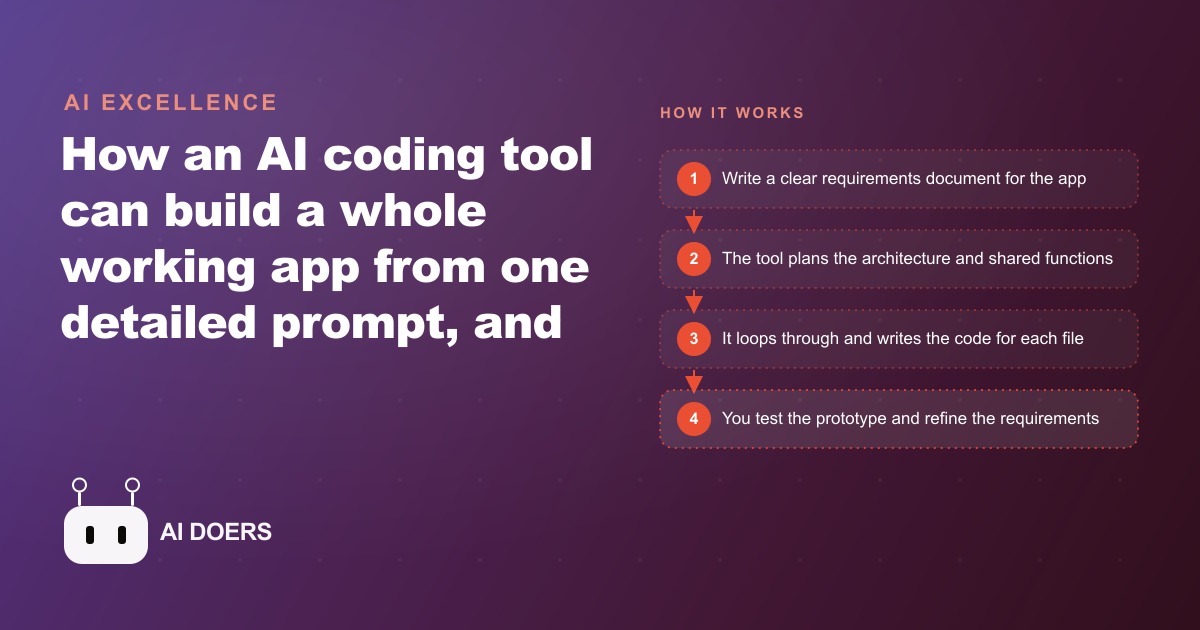
The prompt-to-codebase gap and how Smol AI closes it
The standard AI coding assistant model works one file at a time. You describe a function or a component, the assistant produces it, and you integrate it into your project manually. That model has real value for developers who already know what the project structure should look like. It is less useful for a business owner who wants to go from an idea to a working prototype without knowing what files a project needs or how they should connect.
Smol AI takes a different approach. You provide a requirements document, and it produces the full set of files an application needs, not just one component. The plan happens before the code. The shared utilities and interfaces are defined before the individual files are written. The output is a project folder, not a snippet.
I am Madhuranjan Kumar, and I want to walk through how this tool actually works, where it performs best, and how a business owner would use it to get from concept to working prototype without a developer on the payroll.
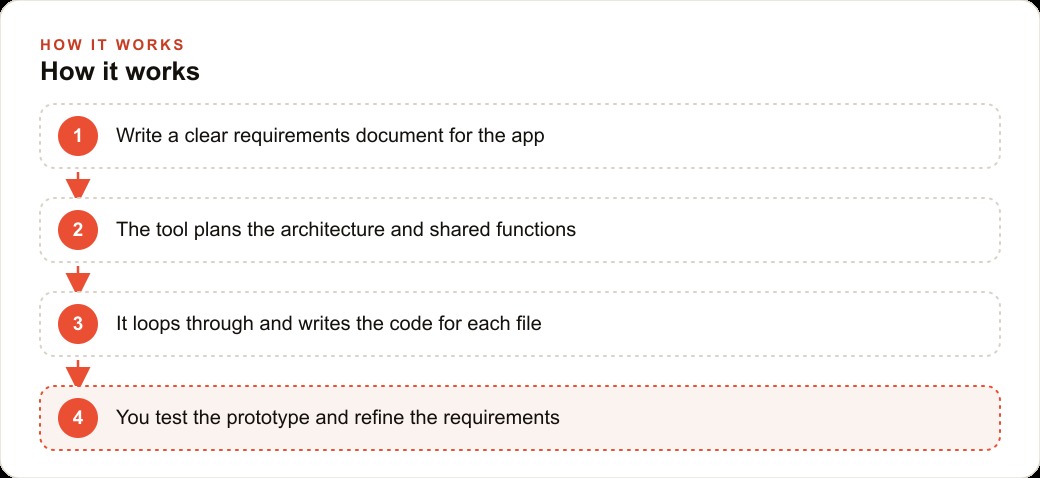
Step 1: Write a requirements document, not a single prompt
The input to Smol AI is a requirements document, not a one-line description. The document describes what the application should do, what the main sections or views are, what kind of data it handles, and any specific behaviors that matter. It is the same kind of document you would give to a developer if you were briefing one.
For a fitness studio that wants a class-booking and waitlist application, the requirements document would describe the studio's class schedule format, how waitlists should work when a class is full, what confirmations should go to members, and what the staff-facing view needs to show. It would not describe the code. It would describe the behavior.
The document does not need to be long. A clear one-page description of the problem and the main user flows is sufficient for a prototype. The more specific the behavior descriptions, the less iteration will be required after the first output.
Step 2: Let Smol AI plan before it codes
One of the specific features of Smol AI is that it plans the architecture before writing individual files. It identifies what shared functions and utilities the project needs, defines the interfaces between components, and maps out the file structure before generating any of the files themselves.
This planning step matters because many of the errors that appear in AI-generated multi-file codebases come from inconsistency: one file assumes a function signature that a different file defines differently, or a component expects data in a format that the data layer does not produce. When the shared interfaces are defined first and all the subsequent files are generated against those shared definitions, the consistency problems that cause most runtime errors are caught at the planning stage rather than discovered through testing.
The operator's role during the planning step is to review the proposed architecture and flag anything that does not match the intent. If the plan proposes a database schema that does not capture a field the application needs, catching that in the plan is cheaper than catching it after all the files have been generated around the wrong schema.
Step 3: Add a rate limit delay to prevent build failures at scale
Because Smol AI calls the underlying model many times in parallel when generating a multi-file project, it can hit rate limits on the model API, particularly when the project is complex enough to require many simultaneous generation requests. A build failure mid-way through is annoying and forces a restart.
The practical fix is adding a small delay between generation calls. The exact delay depends on the API tier and the model being used, but a delay of one to two seconds between calls prevents most rate limit failures without meaningfully increasing the total generation time for a typical prototype-scale project.
This is a configuration detail rather than a workflow step, but it is the kind of detail that determines whether your first attempt at using the tool succeeds without interruption. Setting it before starting the build is faster than discovering the need for it after a failed generation.
Step 4: Request a single-file output for maximum reliability
Multi-file builds are Smol AI's architectural design, but single-file requests work more reliably and produce working prototypes faster for simple applications. If the application fits in a single file, which is true for most prototype-scale tools including calculators, quizzes, dashboards, and simple booking flows, requesting everything in one file is the more reliable path.
The single-file approach also makes iteration easier. When the entire application is in one file, describing a change to the application means describing a change to a single file. The mental model of what was changed and what might be affected is simpler, which makes the iteration loop faster.
For the fitness studio booking prototype, a single-file approach would produce a self-contained web page that handles class display, seat availability, the booking form, and the waitlist logic entirely within one HTML, CSS, and JavaScript file. The result is immediately runnable in a browser without a server, which means the operator can test it instantly and share a link within seconds.
Step 5: Use the built-in debugger mode when something breaks
When the generated output produces an error on first run, which happens occasionally depending on the complexity of the requirements and the clarity of the description, the correct response is to paste the error into the debugger mode rather than trying to diagnose it manually.
Smol AI's debugger mode reads the error, identifies the most likely cause, and produces a suggested fix. The fix is explained in plain language alongside the corrected code, so the operator can understand what went wrong rather than just applying a black-box correction. Understanding what broke and why is useful for improving the requirements document for the next iteration.
For the fitness studio example, a common first-run error might be that the waitlist logic fires incorrectly when a class has exactly zero seats rather than when it reaches zero. Pasting that error into the debugger mode produces the corrected conditional check and an explanation of why the original logic had an off-by-one error.
Step 6: Run real users through the prototype before investing in a polished version
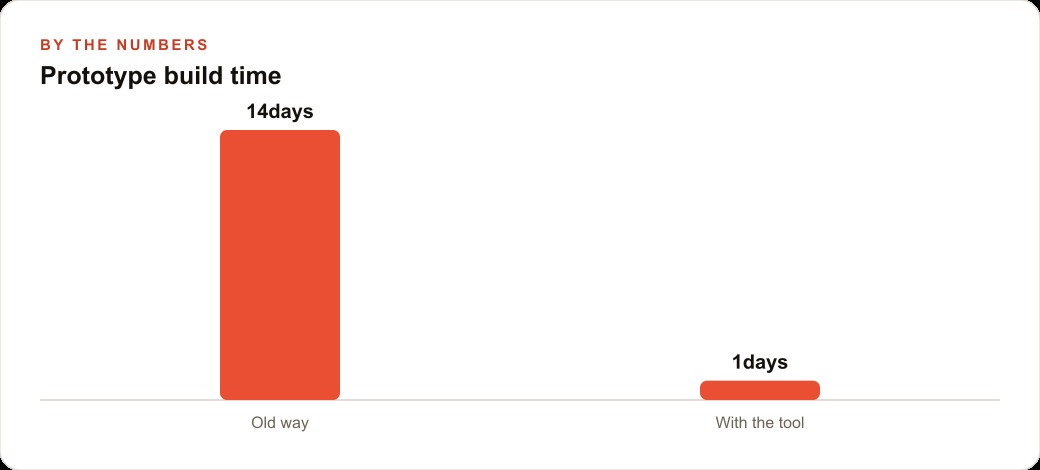
The purpose of a Smol AI prototype is not to be the production version of the application. Its purpose is to answer the question of whether the application is worth building as a production version. Running real users through the prototype before making that investment is the step that makes the economics work.
For the fitness studio, the prototype class-booking flow can be put in front of five or ten members and observed. Do they understand the flow without instruction? Do they complete the booking without confusion? Do they encounter an edge case that the requirements document did not anticipate? The answers to these questions from real observation are worth more than any amount of assumption about how users will behave.
The feedback from those five to ten observations shapes the requirements document for the polished version. Features that no test user needed get removed. Edge cases that every test user hit get addressed. The polished version is built on the basis of what was learned from the prototype, not on the basis of speculation about what would be useful.
This iteration loop, from requirements document to prototype to real user observation to revised requirements, is the value of the single-prompt-to-codebase approach. It makes the loop fast enough that you can run multiple cycles before committing to the production investment.
The two use case categories where this approach works best
Smol AI's approach is best matched to two categories of work. The first is fast prototyping for validation, which is the fitness studio scenario: build quickly, test quickly, learn quickly, then decide whether to invest in production.
The second is internal tools for small teams. A business owner who wants a custom dashboard for tracking specific operational metrics, a form for collecting specific types of client information, or a report generator for a recurring internal report does not need a polished application with full test coverage and a CI/CD pipeline. They need something that works reliably for a small number of internal users and can be modified when requirements change.
For internal tools at this scale, a well-generated Smol AI prototype often is the final version rather than a stepping stone to a polished build. The quality bar for a tool used by three people internally is much lower than the quality bar for a tool used by thousands of external customers. A prototype that works reliably for the three internal users is not a prototype. It is the tool.
The distinction matters because it changes the economics. The time investment in going from a working Smol AI output to a polished production application is measured in weeks of a developer's time. If the internal use case does not require that polish, the Smol AI output at the end of an afternoon is the end of the project rather than the beginning of a larger one.
The requirements document quality that determines output quality
The single most important factor in the quality of a Smol AI output is the quality of the requirements document, not the capability of the underlying model. A clear, specific, well-organized requirements document produces a working prototype on the first or second attempt. An ambiguous or underspecified requirements document produces output that is plausible but wrong in ways that are expensive to correct.
Writing a good requirements document for Smol AI is a skill that improves with practice. The first time, most operators discover that they have left out information they thought was obvious: what happens when a class is cancelled, what the error message should say when a seat is unavailable, whether the waitlist confirmation should go by email or appear in the browser. These omissions become visible when the first output does not handle those cases, which is the feedback loop that makes the next requirements document better.
The practical approach is to write the first requirements document and then immediately ask yourself: what happens when the user does X, and is X in the document? Run through five or six user scenarios and check whether the document specifies the behavior for each one. The cases that are not in the document are the cases that will produce surprising output or missing functionality.
For the fitness studio, the scenarios would be: a member books a class with seats available (covered); a member tries to book a full class and joins the waitlist (covered); a member cancels a booking and a waitlist member is automatically promoted (is this in the document?); a member tries to book the same class twice (is this in the document?); a class is cancelled by the studio (is this in the document?). Walking through this check before submitting the requirements document catches the gaps that would otherwise appear as missing functionality in the output.
Connecting the prototype to real data in a second iteration
A Smol AI prototype starts with sample data that illustrates the structure but does not connect to any real external system. The fitness studio prototype would have a hardcoded list of classes, not a live connection to the studio's scheduling system. The bookings would write to browser storage or a demo in-memory list, not to a real database.
The second iteration, after the prototype has been validated by real users, is connecting the working prototype to real data. This is where the single-file approach becomes an advantage again: the data connection is one substitution. Replace the hardcoded class list with a call to the actual scheduling API. Replace the in-memory booking list with a write to the actual database. The front-end logic, the validation, and the user flows remain exactly as they were in the validated prototype.
This staged approach, validate the logic and the user experience in the prototype, then wire the real data in a targeted second pass, is more reliable than trying to build against real data from the start. It separates the validation of "does this workflow make sense to users" from the technical challenge of "does the data integration work correctly," and answers the first question before investing in the second.
For a business owner who has never built a web application before, this approach provides a legible sequence: describe what you want, generate the prototype, test it with real people, revise the description based on what you learn, generate an improved prototype, test again, and only when the logic is right invest in the real data connection. Each step has a clear purpose and a clear criterion for whether to move to the next step. That clarity is what makes the approach accessible rather than overwhelming.
That is exactly what we do at AI DOERS. Book a private 30-minute call with Madhuranjan Kumar and we will map the fastest path to it for your specific business.
Book your call →
Madhuranjan Kumar
Madhuranjan Kumar brings 20 years of performance-marketing experience and has managed over $200 million in Facebook ad spend for brands across the United States and beyond. His expertise spans the full modern marketing stack: Meta, Google Ads, TikTok, email automation, CRM, and the websites that hold it together. At AI DOERS he turns that track record into lead-generation systems for businesses across every industry.