
Build a Custom Business App With AI in Under an Hour
Modern AI app builders ship with login, a database, and hosting already set up, so you can turn a plain-English idea into a working internal tool in under an hour.

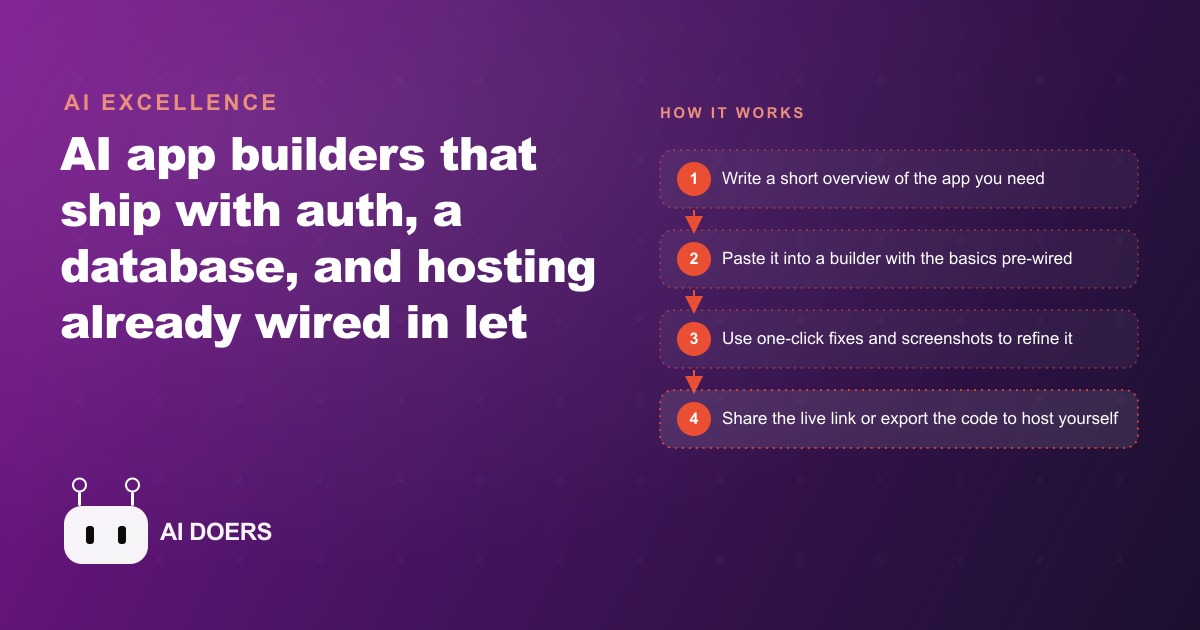
The AI app builder category crossed a meaningful threshold this week, and the evidence is not a press release. It is that errors now fix themselves with a single button, the backend dashboard these tools ship with handles real user management and security scanning out of the box, and every project can be exported as code if you want full ownership later. A year ago the best of these platforms produced fragile proofs of concept that buckled under actual business conditions. Today, a moving company dispatcher can build a working crew scheduler, add a consistent quote calculator, and drop in an AI agent that reads and updates the database by natural-language instruction, all in a single business day. That is not a product pitch. It is a description of what is happening right now.
I am Madhuranjan Kumar, and I have watched this category through several cycles of early promise followed by practical disappointment. The current generation is different, and the difference is structural rather than cosmetic. Understanding where the threshold shifted makes it easier to act on it before the window closes.
The resolve button and the export option are the two signals that the category matured
The distinction between a demo and a deployable tool has always been what happens when something breaks. Earlier AI app builders stranded you at the first error. There was no recovery mechanism, no visibility into the cause, and the person who built the app had no way to get past the rough edge without coding knowledge or a developer on call. The current generation ships with a resolve-with-AI button that reads the error, identifies the cause, and patches it. That single feature converts the experience from building-as-lottery to building-as-iteration. You run the app, see what breaks, press the button, and move forward. The back-and-forth that previously required a developer now stays entirely inside the builder.
The export option completes the shift. You can download the whole project as a zip file and host it yourself whenever you need full ownership. That matters because the implicit trap in every hosted no-code platform has always been vendor dependence: the vendor controls your data and sets the pricing terms indefinitely. Export removes the trap. You get the speed of a hosted builder now and the option to own the code completely later. The category has talked about portability for years. This generation actually delivers it, and that is a structural change, not a marketing claim.
The built-in security scan rounds out the picture. It checks for the most common mistakes, write access left open to the public, permissions set more broadly than needed, and applies the recommended fix in one click. A tool with those checks built in is one you can actually share with a team without running a liability experiment. That level of operational safeguard appearing in a builder aimed at non-technical users is another signal that the category has moved past the prototype phase.
The pre-wired foundation is what makes the first hour of work productive
Most attention on these builders focuses on the natural-language input: you describe what you want and it appears. The more important story is what exists before you type anything. Authentication, a database, user management, analytics, custom domain support, and security scanning are all configured when you open a new project. You are not building on an empty canvas. You are starting above the infrastructure layer, and the gap between starting there versus starting at zero is weeks of technical setup that has nothing to do with the actual tool you want to build.
Standing up a secure login system alone consumes days of a developer's time when the wrong foundational decisions get made early. Wiring that login to a database, wiring both to an interface, handling permissions correctly across different user roles, and standing up hosting all stack on top of each other before a single useful feature exists. A builder that ships all of that pre-configured does not just save time. It removes an entire category of decisions from the build, and it removes the decisions that most often block a non-technical person from starting at all.
The practical result is that the first hour of work goes toward the actual idea. For a business owner who wants a scheduling tool rather than an engineering project, that difference is enormous. It is the difference between building something useful in an afternoon and spending a week on foundations and deciding the whole effort is too complicated to continue. The pre-wired infrastructure is what makes the category accessible to people who have never written code, and it is the reason the threshold moved this week rather than two years ago.
The AI agent connected to your own database changes how the tool is used day to day
The capability that most expands what these builders unlock is the ability to drop an AI agent directly inside the finished app. The agent connects to the app's own database without any external API keys to manage. It responds to natural-language commands, reads records, makes changes, and confirms what it did. The office manager can type something like "update the crew size on tomorrow's 8am job to three people" and the agent finds the right record and makes the update. It can scan a list of jobs and flag any that are missing a truck assignment. It treats the app's database as its working context.
This closes the loop between a person who knows the operation and a tool that can act on it at the speed of a brief instruction. The limiting factor on most internal business tools is that every change still requires navigating to the right record, opening the form, editing the correct field, and saving. Multiply that sequence across the dozens of small updates that happen during a typical dispatcher's morning and the total time becomes significant. A natural-language command channel compresses those sequences into a sentence, and the time recovered goes back to coordinating the actual work.
For a business that also runs Facebook and Instagram ad campaigns to drive inbound leads, the downstream coordination work, routing leads, updating their status, flagging follow-ups, is exactly the kind of work that currently lives in spreadsheets and email threads. An internal app with an AI agent connected to the leads database handles that coordination by command rather than by form-filling, and building that app now takes an afternoon rather than a development sprint.
The moving company built three working tools in one business day
The clearest way to understand what is now practical is to follow a single build session end to end. A moving company dispatcher currently manages job scheduling in a shared spreadsheet that three people edit simultaneously. The familiar problems follow: two people overwrite each other, the version that went to the crew is not the version with the updated start time, and the dispatcher spends thirty minutes each morning reconciling what actually happened with what the spreadsheet says.
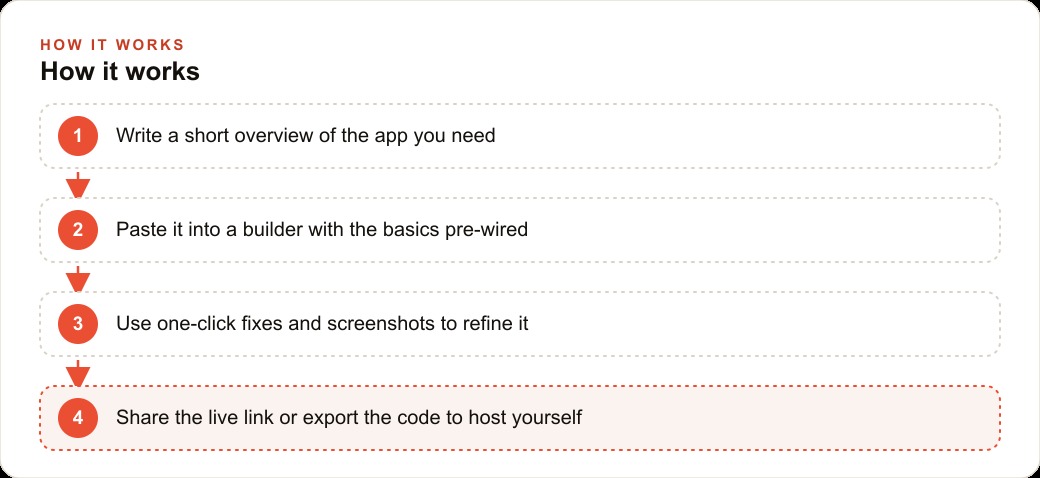
She writes five sentences describing the tool she needs: a calendar and list view where staff can add jobs with pickup and drop addresses, estimated hours, crew size, and truck assignment, with login so only her team can access it. She pastes that into a builder with auth and a database pre-wired. A working first version appears. A couple of errors hit the resolve button. A layout adjustment gets handled by pasting a screenshot of what she sees alongside a note about what to change. By mid-morning the scheduler is live, shared with the team, running on a real database that all three staff members can read and update simultaneously without overwriting each other.
After lunch she adds a quote calculator inside the same app. A sales rep enters the home size in rooms, the driving distance, the number of flights of stairs, and any large items requiring special handling. The tool returns an estimated price based on the company's actual rate structure. The calculation runs identically every time, regardless of who is on the phone. The estimate a new hire gives on their first call matches what the most experienced rep would have quoted. That consistency removes a persistent source of customer friction: the complaint that two different people quoted two different prices for the same move.
Then she drops in the AI agent connected to the jobs database. The office can type instructions like "move the Anderson job to a 10am start" and the agent finds the record and makes the update without the dispatcher navigating through the interface manually. Verbal updates from crew chiefs in the field, which previously required the dispatcher to stop work, find the record, make the change, and confirm it, now resolve in one sentence. The morning's administrative overhead drops, and the time it recovers goes back to coordinating actual jobs and managing the day's operations.
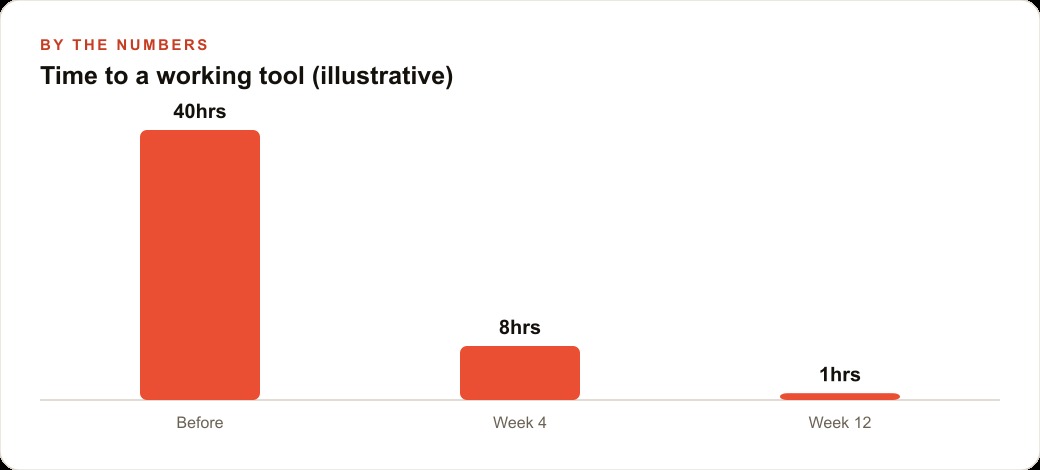
The total build time across all three features was roughly half a business day. The tools are live, running real jobs, access-controlled, and security-scan-clean before the link went to the team. No developer was hired. The dispatcher who built them is not a technical person. She is a person who can describe a process clearly and recognize when the output matches it.
Iterating with screenshots keeps the build moving when text fixes miss
The feedback loop inside these builders is tighter than most people expect before they try it. When a change does not produce the right result, the option is not to re-describe everything from scratch. You take a screenshot of the current state, paste it into the builder alongside a note about what is wrong, and the builder corrects the specific element. That visual feedback channel handles the class of problem that is hard to describe in words but immediately obvious in a picture: a button in the wrong position, a color that does not match, a layout that works on desktop but breaks on a phone.
Tight feedback loops are what make any iterative process feel manageable rather than exhausting. Without them, a wrong turn means discarding significant work and restarting from an earlier point. With them, a wrong turn means a brief note and a quick correction. The screenshot option keeps the build moving through the rough edges that stalled earlier generations of these tools, where the only recourse for a visual problem was to describe it in technical vocabulary you might not have or to accept a result that was close enough but not quite right.
This iterative rhythm is something experienced developers already know. Build a version, run it, see what it actually does in practice, adjust, repeat. The AI builders now extend that rhythm to non-developers on equal footing. The skill that matters shifts from implementation to description and judgment: you need to describe a process precisely and evaluate a result honestly. Both of those skills are ones a business owner already has. The technical layer is handled.
Building on a foundation compounds: each feature is faster to add than the last
The compounding effect of building on a pre-wired foundation is worth being specific about, because it explains why the second tool takes a fraction of the time the first one did. Once the job database exists for the moving company, everything added on top of it is inexpensive to build. A customer confirmation message that pulls the job address, start time, and crew size automatically takes about an hour. A daily crew briefing that lists each job sorted by start time takes another hour. A month-end export formatted for the accountant takes a third.
None of those features require re-solving the infrastructure questions. The database is there. Login is there. Permissions are there. The AI agent is already connected. Each new feature is a description of what the new screen or function should do, layered on a foundation that already works. The cost of each additional tool is a fraction of the cost of the first one, and each one saves time on every future repetition of the task it handles.
This is also why starting early matters more than it might appear. A business that builds its first internal app this month has that app running for the rest of the year and can add to it throughout that time. The operational knowledge embedded in the tool, the rate structure in the quote calculator, the crew assignment logic in the scheduler, is knowledge the business owns permanently rather than relying on a specific person to carry in their head. When staff changes happen, the tools hold the logic and pass it forward.
For a business that is also investing in Google Ads to drive inbound volume or building SEO and organic search for longer-term lead flow, an internal tool that handles lead routing and follow-up status makes the whole acquisition effort more efficient. The marketing generates the leads. The tool manages what happens to them, consistently and without the manual coordination that currently eats the first thirty minutes of every sales rep's morning.
The concrete move is to pick the workflow you hate most and build this afternoon
The action available right now is specific and immediate. Every business has at least one workflow that lives in a shared spreadsheet or a chain of email replies. It involves multiple people referencing the same information, it repeats with the same structure each time, and it produces occasional errors that cause real friction downstream. Pick that workflow.
Write three to five sentences about it: who uses it, what inputs it needs, what the output looks like, and what decisions people make based on that output. Paste that description into a builder that ships with authentication and a database pre-configured. Watch the first version appear. Use the resolve button on any errors. Paste a screenshot when a visual fix lands wrong. Run the security scan before sharing the link.
This is not a week-long project. It is an afternoon. The afternoon you spend on it is the last afternoon you manage that workflow through a spreadsheet. Every future instance of the task goes through the app, runs on a real database, and is visible to every team member simultaneously. The tool recovers time on every repetition for as long as it runs, and the compounding effect of that recovery over months is what separates businesses that moved this week from the ones that waited.
The category has earned the right to be taken seriously now. The fragile demos are behind it. The practical tools are here. The only remaining step is to describe one workflow, spend one afternoon building it, and prove the concept on real work before adding the next layer.
That is exactly what we do at AI DOERS. Book a private 30-minute call with Madhuranjan Kumar and we will map the fastest path to it for your specific business.
Book your call →
Madhuranjan Kumar
Madhuranjan Kumar brings 20 years of performance-marketing experience and has managed over $200 million in Facebook ad spend for brands across the United States and beyond. His expertise spans the full modern marketing stack: Meta, Google Ads, TikTok, email automation, CRM, and the websites that hold it together. At AI DOERS he turns that track record into lead-generation systems for businesses across every industry.