
How to Build a Custom Business App With Claude Code in Under 10 Minutes
Claude Code lets you create bespoke software tools for your business without writing a single line of code, for a one-time cost of under three dollars.

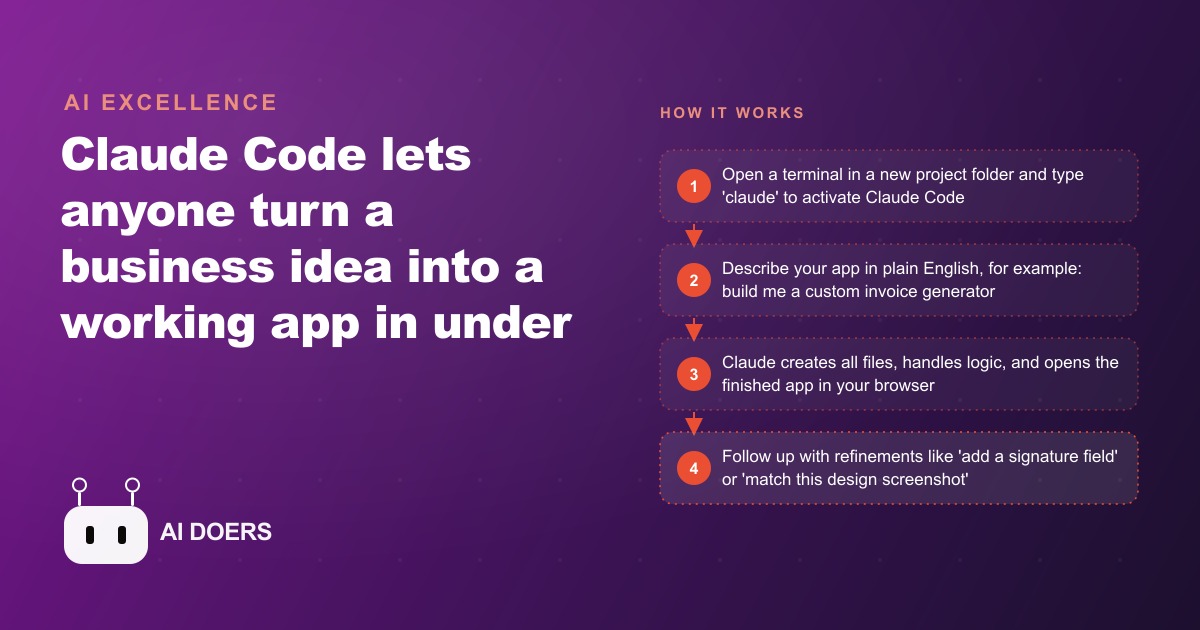
Claude Code builds a working business app in under ten minutes for under three dollars. Those two facts look like typos when you first encounter them. They are not, and understanding why they are both true requires taking apart how Claude Code differs from every browser-based AI builder that came before it, and what that difference actually unlocks for a business that wants to build rather than subscribe.
I am Madhuranjan Kumar, and I have spent time watching business owners try to build with AI tools and watching most of them bounce off the browser-based products before getting to anything usable. The interface is the most underappreciated part of why Claude Code works when the others do not. Let me take it apart.
The terminal is not just a design choice, it is what makes real builds possible
Browser-based AI builders feel approachable because they look familiar. You click, you type, you drag. The problem is that building real software is a file-system operation, not a browser tab operation. Software lives in folders as individual files with specific names, extensions, and relationships to each other. A working app is not one big thing. It is dozens of interdependent small things organized precisely on a file system.
When an AI builder runs in a browser, it operates at a distance from the file system. The abstractions it provides save you from thinking about files, but they also prevent the AI from having full access to the project context. It cannot read a related configuration file to check for a conflict. It cannot look at the error log your system just generated. It cannot create a new helper file, link it to an existing one, and test whether the link resolves correctly, because all of that work requires direct file-system access.
Claude Code runs inside the terminal, which is the interface that has direct access to the file system. When it creates a file, the file is literally created on your computer at the path you specified. When it reads a configuration file to check for a conflict, it is reading the actual file. When it creates a helper function and links it to the main script, it is making a real file-system change that the real operating system will enforce. The terminal is not intimidating because it is complicated. It is the interface that professional developers use because it is the one that gives you full, unmediated access to what the computer is actually doing.
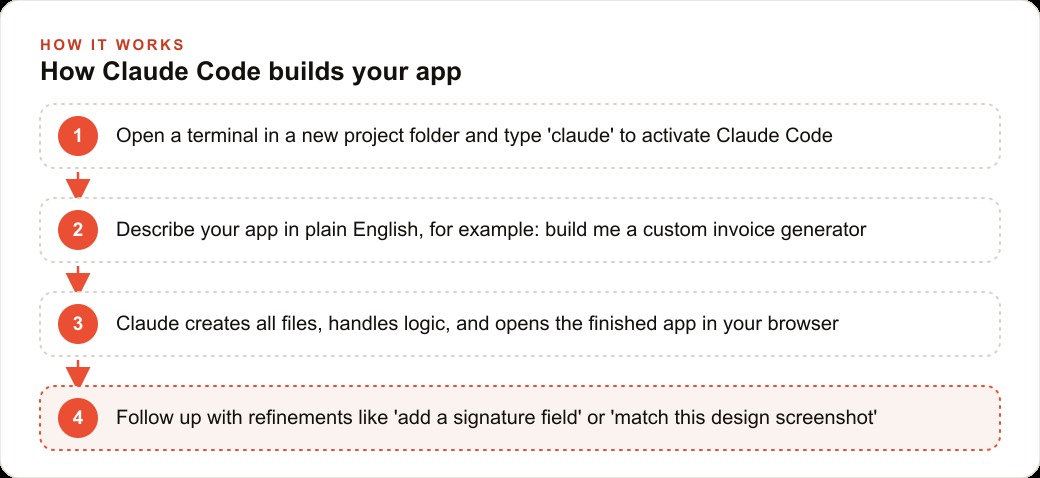
This distinction matters in three ways that are immediately practical for a business owner. First, the code Claude Code produces is your code, living in a folder you own, not locked inside a platform's proprietary format. Second, Claude Code can run a project's own tooling, install libraries, execute test runs, read error output, and adjust based on what actually happened rather than what it predicted. Third, the apps you build are deployable as real software, not previews inside a builder interface that disappear if the vendor changes its product.
The terminal also unlocks a specific workflow that browser builders cannot replicate. When you drag a screenshot of a design you like directly into the terminal, Claude Code reads it visually and rebuilds the app's appearance to match the design. No design skills required. The same session that builds the tool can immediately restyle it to look like anything you point it at.
The cost economics of API usage versus what subscriptions actually charge for
The three-dollar build cost is real, and understanding why it is possible changes how you think about what you are paying for when you subscribe to SaaS tools.
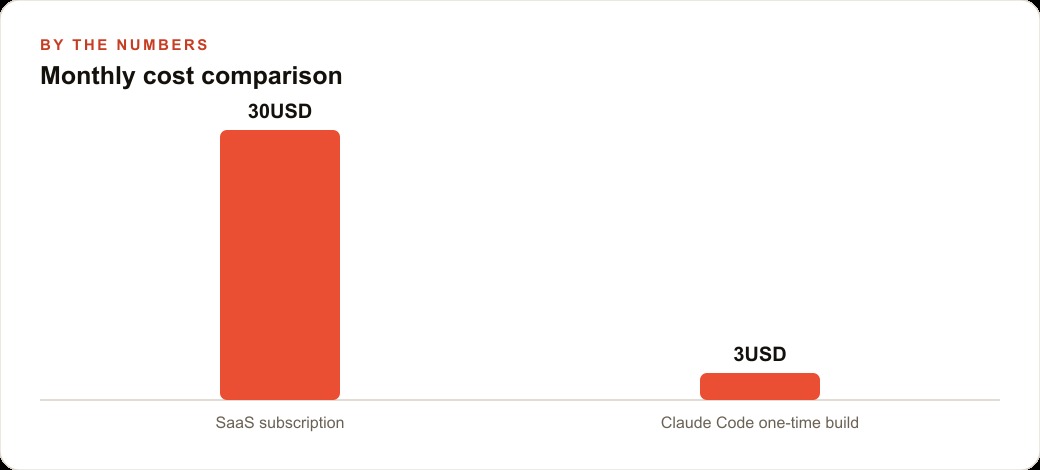
Claude Code connects to Anthropic's API and charges per token, which is a unit roughly equivalent to three quarters of a word. A conversation that builds a small app, from the first prompt to a working result with two or three refinements, uses roughly 100,000 to 200,000 tokens total. At current pricing, 200,000 tokens on Claude Sonnet costs approximately $1.20 on input and $1.80 on output, putting a complete build in the one-to-three-dollar range for most small tools.
A SaaS subscription at $30 per month is not charging you for $30 of computing. It is charging you for the software company's engineering team, its servers, its support staff, its marketing budget, its investor returns, and a small share of the actual compute that runs your specific feature. You pay the same $30 whether you use the tool ten times or ten thousand times that month. You pay the same $30 whether the specific feature you need was built for your use case or for the median customer the product was designed around.
The API model charges for what you actually use. When the build is done, the cost stops. There is no monthly renewal, no seat pricing, no tier system that puts the feature you need behind an upgrade.
For businesses that need to build multiple tools, the economics compound in the opposite direction from subscriptions. The first tool might cost three dollars. The second costs three dollars. By the fifth tool, you have spent fifteen dollars total and replaced five subscriptions that were costing you $150 per month combined. That math holds regardless of how often you use the tools, because running them has no incremental cost once they are built.
The gap between "it built something" and "it built what I actually needed"
This is the part that demos do not show, and it is where most people either learn how to use Claude Code correctly or give up before they get there.
Claude Code will build something in response to almost any prompt. It will build quickly and confidently, and the first version will often look plausible at first glance. The gap that matters is between "it built something that runs" and "it built something that actually handles the real cases I need it to handle." That gap is not a failure of the tool. It is a product of how clearly the requirements were described.
A vague prompt produces a generic build. "Build me an inventory tracker" produces a tracker that handles the obvious case the model assumed you meant: items with names and quantities. A business that tracks inventory with serial numbers, multiple locations, condition grades, and purchase-date-based depreciation will get a first version that handles about 20 percent of its actual requirements. The remaining 80 percent requires prompts that describe the missing pieces specifically.
The process that closes the gap is iterative and conversational. Build the core function first, test it against a real scenario, then describe exactly what it does not handle in plain language and let Claude Code extend the build. One feature per follow-up prompt consistently produces cleaner results than loading every requirement into the first message. The most important skill for getting from "it built something" to "it built what I needed" is precision in describing the failure. Copy the exact error message. Describe the exact step you took before the error appeared. Describe what you expected to happen and what actually happened instead. Claude Code can diagnose and fix almost any issue that a clear description can be generated for. The failures that do not resolve are the ones where the description of the problem is as vague as the original prompt.
Iteration is not optional. It is the process. Getting from the first version to a tool you would actually rely on typically takes three to six follow-up prompts. Building in that expectation from the start, rather than expecting a perfect first version, makes the process less frustrating and produces a significantly better tool than stopping at whatever the first pass delivers.
Where Claude Code fails, and why those failure modes are worth understanding before you start
Claude Code is not a magic tool that solves every software problem. Its failure modes are specific and predictable, and knowing them before you start saves you from building in a direction that will not work.
The first failure mode is scope creep within a single session. If you keep adding features without testing each one before the next, you accumulate a backlog of untested assumptions. When something breaks later, the debugging becomes exponentially harder because any one of many recent changes could be the cause. The discipline of test-after-each-feature is not optional. It is what makes the iterative process manageable.
The second failure mode is data-handling complexity. Claude Code builds tools that work correctly on the data you give it during testing. If your real data has edge cases you did not think to test, the tool will fail on those cases in production, often silently. Testing with your actual data, not with invented test data, before you rely on a tool is the step most people skip and the one that causes the most production surprises.
The third failure mode is anything requiring secure user authentication across multiple users. A tool built for one person on one machine works well. Wiring it to handle five team members with individual logins, shared data, and conflict resolution is a different scope of project that requires more than a quick build session.
The fourth failure mode is anything involving regulated data. A tool built in an afternoon that handles customer payment information, medical records, or legal documents may work correctly as software and still expose the business to legal risk if the handling does not comply with the relevant regulations. Claude Code builds software. It does not certify compliance. For regulated categories, build the internal tool version first, where a mistake costs only your time. Reserve the sensitive-data version for a build with proper review.
Here is a worked example with real numbers. A small retail business with two locations currently uses a shared spreadsheet to track inventory. The spreadsheet breaks when two people update it simultaneously, does not flag when items fall below reorder quantity, and cannot filter by location. The owner wants a tool that fixes those three problems.
The first prompt: build an inventory tracker for a two-location retail business. It should have fields for item name, SKU, location, quantity on hand, and reorder point. When quantity falls below reorder point, flag the item in red. Support filtering by location. Run locally in the browser from a single HTML file.
Claude Code builds this in about eight minutes. The cost: roughly $2.40 in API usage. The owner tests it with five real items from each location. It works for those ten items. She then tests by entering a SKU with a forward slash in it, because several of her items have slashes in their SKUs. The display breaks.
Second prompt: the SKU field breaks when the SKU contains a forward slash. Please fix.
Claude Code fixes it in under a minute. Total build including the fix: eleven minutes, approximately $2.70 in API usage. The owner now has a tool that handles her actual inventory instead of a generic one, owns the file, and spent less than three dollars. The subscription she was considering for inventory management costs $24 per month. The payback period on the build is less than two weeks.
The failure in that example, the SKU character issue, was discovered by testing with real data rather than invented test cases. That habit, testing with your own actual data before relying on a tool in a real workflow, is what separates a working tool from one that fails at the worst possible moment.
Claude Code's low cost means you can afford to build, test honestly, rebuild if needed, and still come out far ahead of the subscription alternative. The economics make experimentation rational. Most SaaS subscriptions make switching away from them expensive. A three-dollar build makes trying again easy.
The deeper shift Claude Code represents is not just about saving money on software. It is about changing the relationship between a business owner and the tools they depend on. Every subscription you replace with a custom build is one fewer vendor whose pricing decisions, roadmap choices, and platform policies can affect how your operation runs. Ownership means the tool works the way you need it to work, on the data formats you actually receive, with the edge cases your workflow actually produces. That is a form of operational independence that the subscription economy was never designed to give you, and AI coding tools make it achievable in an afternoon.
That is exactly what we do at AI DOERS. Book a private 30-minute call with Madhuranjan Kumar and we will map the fastest path to it for your specific business.
Book your call →
Madhuranjan Kumar
Madhuranjan Kumar brings 20 years of performance-marketing experience and has managed over $200 million in Facebook ad spend for brands across the United States and beyond. His expertise spans the full modern marketing stack: Meta, Google Ads, TikTok, email automation, CRM, and the websites that hold it together. At AI DOERS he turns that track record into lead-generation systems for businesses across every industry.