
How to Build, Buy a Domain, and Deploy a Working App in Under 20 Minutes
AI coding tools now let a small business ship a real, custom web app on its own domain in a single short sitting, no developer required.

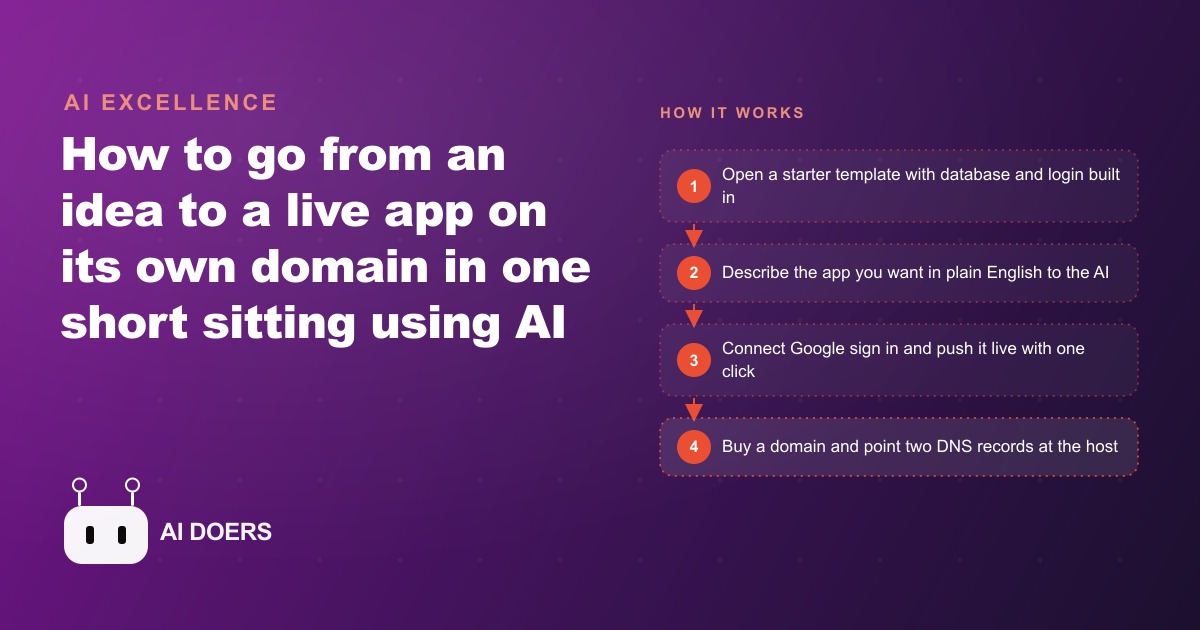
The claim sounds like a magic trick. Open a laptop, describe an app out loud, and eighteen minutes later that app is live on its own domain with a working database and a login screen. I am Madhuranjan Kumar, and when I first saw this happen I assumed a lot of the work had been hidden offscreen. It had not. What actually changed is not that software got easier to imagine. It is that the slow, unglamorous scaffolding underneath every app now comes pre built, so the eighteen minutes you spend go entirely into describing the product instead of wiring the plumbing.
This piece takes that eighteen minute claim apart and looks at why it holds up, where the real time goes, and what still demands human judgment. If you run a small business and you have ever been quoted six weeks and several thousand dollars for a simple internal tool, this is the shift that quietly rewrote that quote.
The minutes are real because the boring parts are already finished
A working web app has always needed the same four unglamorous things before it can do anything interesting: a place to store data, a way for people to log in, a server to run on, and a public address people can reach. Historically those four things were most of the work. A developer would spend the first two days of a project just standing up a database, configuring authentication, and setting up hosting before writing a single feature the client actually asked for.
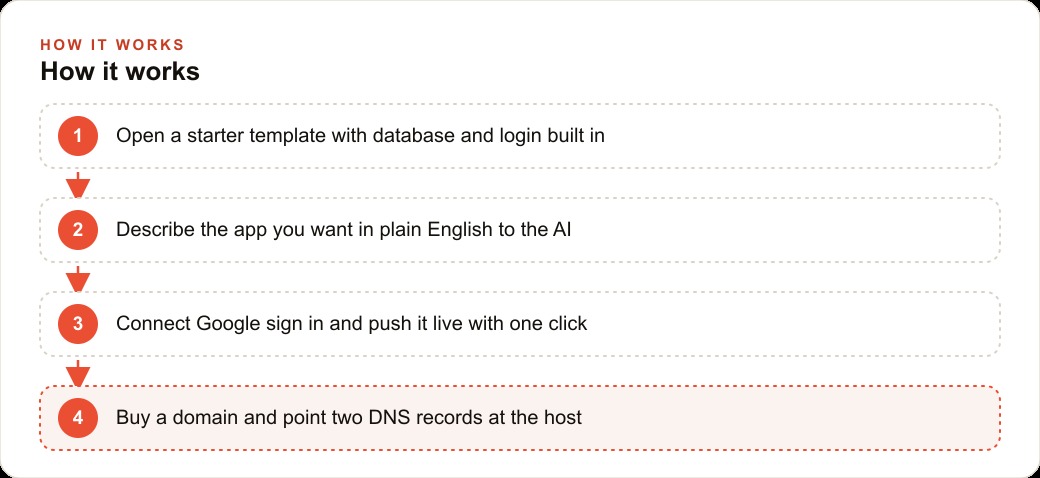
The eighteen minute build removes that entire front end of the project. You start from a template that already ships with a database connected, a sign in screen built, and a deploy button wired. None of the setup is happening in your eighteen minutes because it happened once, in advance, for everyone. So when people hear eighteen minutes and picture a corner being cut, they have the causality backward. Nothing was cut. The setup was simply moved out of your session and into the template, which means your session is pure product description.
The template is the unlock, not the model
It is tempting to credit the AI model for all of this, and the model matters, but the template is the real hero. A powerful model pointed at an empty folder still has to invent the database layer, guess at an auth flow, and reason about hosting, and it will make small mistakes at every one of those decisions. A powerful model pointed at a template that already has those decisions made just fills in the part you care about.
Think of it like the difference between building a house on raw land versus building on a lot that already has the foundation poured, the water hooked up, and the electrical panel installed. Same house at the end, wildly different timeline, because the invisible infrastructure was done ahead of time. The lesson for anyone starting one of these builds is to spend real effort choosing a starter that already includes the pieces you need, because that single choice determines whether your eighteen minutes are spent on features or on fighting setup.
You are briefing an assistant, not writing code
The actual work of the session is language. You do not open a code file. You describe screens, data, and rules in ordinary sentences, and the AI turns them into working files while showing you a live preview. You might say you want a weekly grid where each row is a person and each column is a day, and each cell can be marked done in green or missed in red. The AI generates it, you look at the preview, and you refine by talking.
The quality of the app tracks the quality of your description almost perfectly. Vague instructions produce vague software. If you say make it look nice, you get a coin flip. If you say use a calm blue header, put the totals on the right, and show the customer name when I hover over a cell, you get something close to what you pictured. The skill that matters here is not programming. It is the ability to describe how your business actually works, one screen and one rule at a time. That is a skill most owners already have and most developers have to extract from them through meetings.
Why the database has to come first
The single most important sequencing decision is to connect the database in the first minute, before you build anything on top of it. This sounds like a technical detail and it is actually the difference between a toy and a tool. Without a database, everything a user types vanishes the moment the page refreshes. With a database connected from the start, every login, every record, and every form submission is saved permanently.
The reason to do it first rather than later is that retrofitting storage into an app that was built without it means reworking every screen. When the data layer is live from minute one, every feature you add automatically persists, because it was born knowing where to save. This is also where the difference between a flashy demo and a real business system shows up. A demo looks great and forgets everything. A system built on a live database remembers, which is the entire point of software.
A pest control company that ships a route board in one sitting
Let me make this concrete with an unnamed pest control business, because the abstract version does not land until you see it applied. Picture a local company with six technicians covering neighborhoods all week, where the owner currently runs the schedule off a paper printout and a group chat that nobody can search. Here is how I would build their tool in one sitting.
We start from the same pre wired template and connect the database in the first minute. Then I describe the app in plain sentences. I want a weekly board with a row for each technician and seven columns for the days of the week. Each cell is a scheduled visit. A blue cell means a treatment is booked, a green cell means the technician completed it and logged the chemicals used, and a red cell means a missed or rescheduled stop. Hovering over a cell shows the customer name, the address, the pest type, and any notes. At the end of each row we add a column that totals completed jobs for the week, so the owner sees each technician's coverage at a glance.
Next we add Google sign in so each technician sees only their own route, buy a domain that is the company name plus the word jobs, deploy with one click, and point two DNS records at Madhuranjan Kumar. Within the same session the team has a live tool that beats the paper schedule, tracks recurring quarterly treatments, and gives the owner a real time view of who finished what. When a technician marks a termite inspection complete, the owner watches it turn green instantly. A sudden wasp callout drops onto the day it is scheduled and does not clutter next week. Over a month the owner glances at the completed totals per technician and immediately sees who is carrying the load and where stops keep slipping, without a single phone call or paper sheet.
The illustrative math is what makes an owner lean in. Suppose this owner loses roughly forty minutes a day reconciling the paper schedule against the group chat, plus one or two missed recurring visits a week that a customer has to call and remind them about. A tool that surfaces coverage and turns missed stops red before they slip is easy to value at a few hundred dollars of recovered time and a couple of saved contracts every month, against a domain that cost a few dollars and hosting that costs a few dollars more. That is the shape of the trade, and it is why internal tools like this used to be worth a developer's fee and now pay for themselves in the first week.
The DNS step is where people actually get stuck
If any part of the eighteen minutes runs long, it is connecting the domain, and it is worth being honest about why. After you deploy, your app lives at an address Madhuranjan Kumar assigns. To put it on your own domain you add two small DNS records that tell the internet your name points at that host. The records themselves take thirty seconds to paste. The part that tests your patience is verification, because DNS changes can take a little time to propagate around the world before your address resolves.
This is the one place I tell owners to expect a pause rather than an instant result. The other honest caveat is that the very first deploy sometimes fails on the first attempt and simply works on the retry, which feels alarming if you do not expect it and is a non event if you do. Neither of these is a flaw in the approach. They are the normal texture of shipping something live, and knowing they are coming keeps you from panicking and tearing the whole thing down.
It helps to understand why the domain step feels harder than everything before it. Up to this point you have been working inside one system that controls its own preview, so changes appear instantly. Connecting a domain means coordinating two independent systems, your domain registrar and your host, and getting them to agree that this name points at that server. That handshake is not instant by design, because the internet caches these records so it does not have to look them up constantly. So when your fresh domain does not resolve in the first thirty seconds, nothing is broken. The world simply has not finished learning about your change yet, and giving it a little time is the entire fix. Owners who understand this stay calm through the one genuinely patient part of the process instead of assuming they made a mistake.
What still takes real judgment
The gap between idea and shipped product has genuinely collapsed, but a few things did not get automated, and pretending otherwise sets people up to fail. Deciding what to build is still on you, and it is the hardest part. A clean board that tracks the three things your business actually runs on will outperform a cluttered one that tries to track everything, and knowing which three things matter is judgment no template supplies. Resisting the urge to cram every feature into version one is its own discipline. The owners who succeed ship the simple board, use it for a week, and only then add the next column, because real usage tells them what is missing far better than imagination does.
There is also the matter of setting the database rules correctly so your app can read and write without exposing data it should not, which is easy to get right when you know to look for it and confusing when you do not. This is the sort of thing that feeds directly into your broader CRM and website stack, where the tool you just built becomes one node in how you capture and follow up with customers rather than an island. And once you have a real app on a real domain, the same foundation lets you layer on paid acquisition sensibly, whether that is Facebook and Instagram ad campaigns that drive booking requests into your new system or Google Ads that send local searchers to a page that finally captures them properly instead of a phone number nobody answers.
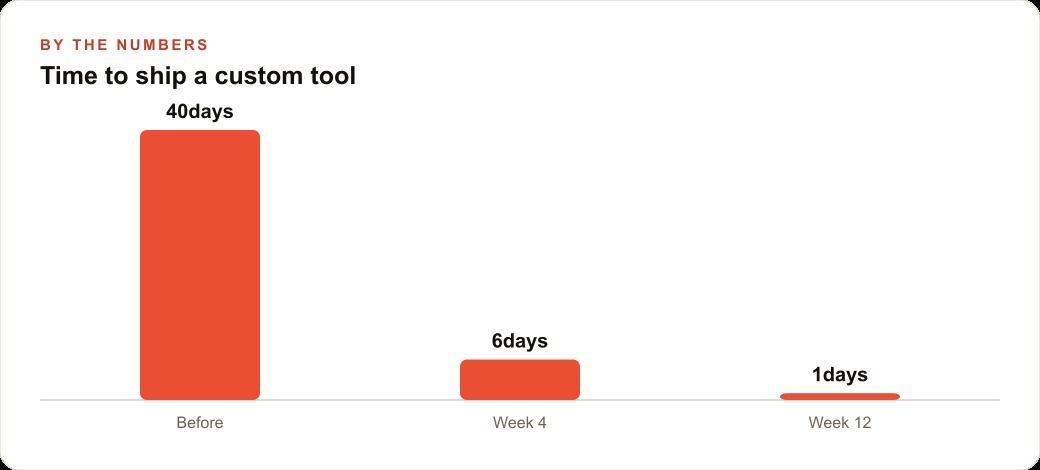
The bigger point is that the eighteen minute build is not a gimmick and it is not the whole story either. It is proof that the cost of turning an idea into working software has dropped by an order of magnitude, and that the remaining work is exactly the work an owner is best at: knowing the business. You can absolutely do this yourself, and I encourage anyone curious to try, because the understanding you gain compounds across everything else you run. If you would rather hand it to someone who has shipped these builds many times and wants it done right on the first pass, with the data rules set correctly and the domain wired cleanly, that is exactly the kind of build I help businesses with.
That is exactly what we do at AI DOERS. Book a private 30-minute call with Madhuranjan Kumar and we will map the fastest path to it for your specific business.
Book your call →
Madhuranjan Kumar
Madhuranjan Kumar brings 20 years of performance-marketing experience and has managed over $200 million in Facebook ad spend for brands across the United States and beyond. His expertise spans the full modern marketing stack: Meta, Google Ads, TikTok, email automation, CRM, and the websites that hold it together. At AI DOERS he turns that track record into lead-generation systems for businesses across every industry.