
How to Build a Working App With Zero Coding Using Claude Inside Cursor
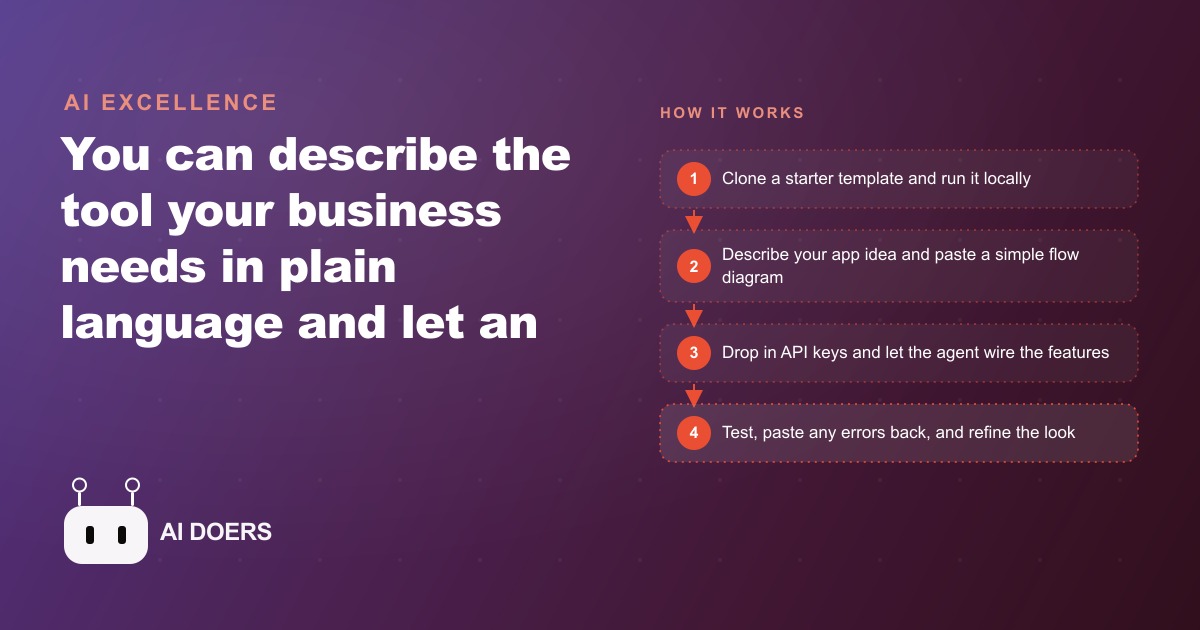
You no longer need a developer to get a custom internal tool. Describe the workflow in plain language, let an AI agent inside Cursor write the code, and refine it by talking to it. Here is how I would do it for a real business.

6 decisions that determine whether your custom app ships or stalls
I am Madhuranjan Kumar, and the pattern I see most often in no-code and AI-assisted app builds is not a technical failure. It is a decision failure before the first line of code is ever generated. The tool is capable. The person is motivated. The app never ships because six specific decisions were made wrong or not made at all.
The single painful chore: why scope is the only decision that truly matters
The most common reason a first app build fails is that it tries to solve too many problems at once. An owner who sits down to build a custom app typically has a long mental list of tasks they wish software could handle. They imagine an intake form that routes clients, a scheduling system, an invoice generator, a document repository, and a project tracker all in one. They try to describe all of it at once, and the AI agent produces something that partially addresses each requirement and fully satisfies none.
The decision that determines success is radical narrowing: pick one painful chore, the single task that eats the most time relative to the value it produces, and build the smallest possible tool that eliminates or dramatically reduces that one chore. Nothing else.
A law office answering the same intake questions a hundred times a month should build an intake form that routes submissions by case type, nothing else. A fitness studio spending four hours each week planning class schedules should build a schedule generator that outputs the week's plan from a few inputs, nothing else. A contractor estimating jobs by calling supplier websites for prices should build a price-lookup tool that aggregates those calls, nothing else.
The first version of the tool should be ugly, minimal, and completely focused. Beauty and additional features come after the core function is proven and actually used. A tool that solves one thing perfectly gets used daily. A tool that tries to do five things adequately gets opened twice, abandoned, and blamed on the technology.
The flow diagram: what you draw before you open Cursor
The second decision is whether to document the workflow before attempting to build it. Most people skip this step and pay for it in rework. Describing a tool in words, even clear words, produces a different result than showing the AI agent a diagram of the exact flow the tool should replicate.
The diagram does not need to be formal. A sketch on paper works. The purpose is to force clarity about three things: what the user types or selects to start, what decisions the tool makes at each step, and what output the user receives at the end. If any of those three are ambiguous in the diagram, they will be ambiguous in the built tool, and the ambiguity will surface as a bug rather than as a planning question.
The discipline of drawing the flow also reveals a fourth thing that most people do not think about until a build is underway: what happens when the user input is incomplete or unexpected. If someone submits the intake form without selecting a case type, what should the tool do? If the price API returns an error for one supplier, should the estimator continue without it or stop and flag the missing data? These edge cases, decided in advance, are the difference between a tool that handles real use and a demo that breaks the first time someone uses it wrong.
Cloning a starter template instead of beginning from a blank screen
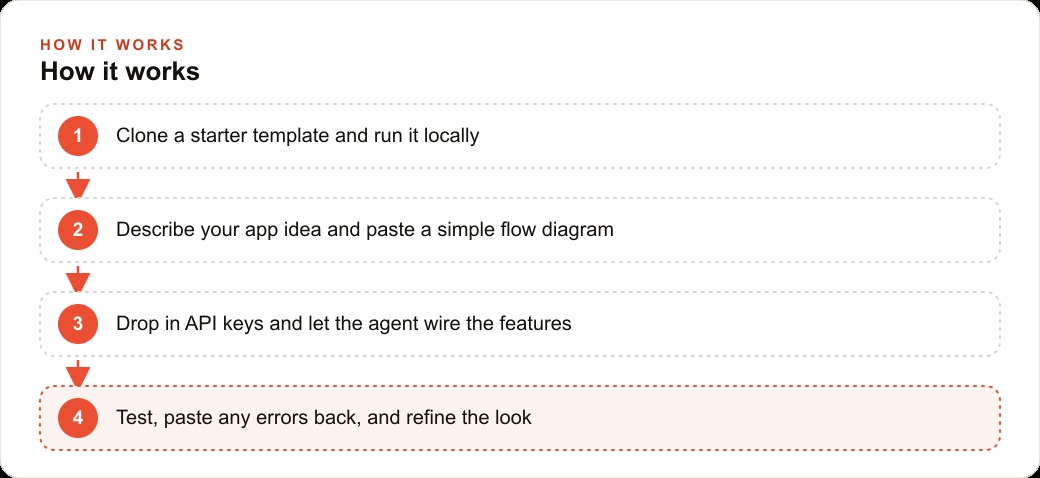
The third decision is the starting point. Building from a blank screen is harder than it looks and slower than it needs to be for a first project. Every starter template in existence solves a collection of underlying problems that the first-time builder does not yet know they have: folder structure, dependency management, local development setup, hot reloading, basic authentication patterns, and environment variable handling.
Cloning a starter template means those problems are already solved. The first prompt to the AI agent is not "set up a project" but "I have cloned this template and it is running locally. Now add the following feature." The agent can focus immediately on the specific functionality being built rather than spending the first several exchanges solving infrastructure problems.
For a Cursor-based build, the starter template also gives the agent a codebase to reason about, which produces better code than starting from nothing because the agent can match the patterns already present in the file rather than inventing its own. Consistency matters more in software than it might seem: a tool where each feature follows a different pattern is harder to maintain and harder to explain to the next agent that has to work on it.
The API key layer: how external services become the power source
The fourth decision is about which external services the tool needs to access, and where those credentials live. An app that only runs locally with no external connections is limited to what the user types in. An app connected to external services, a research API, a writing model, a calendar system, a pricing database, can do substantially more useful work.
The decision to use external services introduces a credential management problem. API keys need to be stored somewhere the application can access them but where they are not exposed in the code. The standard solution is an environment file, a plain text file that holds key-value pairs where the values are the actual credentials. This file is never committed to any code repository and is listed in the ignore file that prevents accidental uploads.
The discipline of getting this right on the first project, before any credentials are real and before any real data is at risk, builds a habit that protects every subsequent project. An agent-built tool that stores API keys directly in the code is a security problem waiting to be discovered. The correct pattern takes 10 minutes to set up and applies to every tool built afterward.
The error-paste loop: turning build failures into forward progress
The fifth decision is how to handle errors. Most first-time builders encounter a failed build, see a dense error message, feel a moment of anxiety, and start wondering whether the approach was wrong or whether they should try a different tool. The correct response is simpler: copy the error, paste it into the chat, and ask the agent to fix it.
AI coding agents are designed for this loop. The error message contains the specific location and nature of the problem. The agent reads it, identifies the cause, and repairs the code. Most errors in a first build are solved in one or two exchanges. The ones that take more iterations are almost always scope problems: the instruction was ambiguous or the flow diagram had a gap that did not surface until the code tried to handle an edge case.
Treating errors as data rather than as failures changes the experience of building. A build that generates 15 errors during development is not a project going wrong. It is a project discovering and resolving 15 specific issues that would otherwise have shown up as bugs after launch. The error-paste loop is the intended workflow, not a workaround for poor performance.
Real-data testing: 20 actual instances before you declare it done
The sixth decision is when to call the tool finished. The most common wrong answer is to declare it done after it works correctly on the two or three examples used during development. Those examples were chosen by the builder and therefore represent the easiest possible cases.
A tool is ready when it has been tested on 20 real instances drawn from the actual work it will perform. For an intake form, this means 20 real client submissions, including ones with unusual case types, incomplete information, and edge-case combinations. For an estimator, this means 20 real jobs, including materials not in the database and quantities that reveal rounding or calculation bugs. For a schedule generator, this means 20 real weeks, including holiday weeks, instructor absences, and schedule changes made after the initial generation.
Each test instance that reveals a failure is an improvement opportunity before the failure reaches a real user. The agent resolves each one through the same error-paste loop. By the twentieth instance, the tool has been hardened against the realistic variance of its actual use environment, which is fundamentally different from the controlled variance of the development environment.
The combination of these six decisions, made in the right order at the right stage, produces a tool that ships and gets used. Any one of them made wrong produces a tool that stalls in development, gets declared too complicated, and eventually gets abandoned, confirming the builder's suspicion that building software is harder than it looked. The tool is not what made it hard. The missing decision was.
The seventh decision that determines whether the app gets used after it ships
Five of the six decisions above are about building the app correctly. The seventh is about whether the app gets used. The most common outcome for a successfully built internal tool is that it sits unused 30 days after launch because the workflow it was designed to replace turned out to be more deeply embedded in the team's habits than anticipated.
The adoption decision is made before launch, not after. It is made by identifying the specific moment in the workflow where the new app will be introduced and ensuring that moment is as frictionless as possible. If the app requires the user to change their behavior before they experience any benefit, adoption will be slow. If the first interaction with the app produces a benefit that the user can perceive immediately, adoption follows without additional intervention.
The design pattern that produces this immediate benefit most reliably is replacing a step the user currently finds frustrating with something that produces the same output faster and more reliably. The frustrating step is the entry point. The first time the user completes that step with the new app in less time than it previously took, the adoption decision is made. Everything after is refinement.
How to know when to rebuild versus when to maintain
Every custom app built with the tools covered in this list has a useful life determined by how well it continues to serve its original purpose as the business around it evolves. An app built to process 20 orders per day reaches its useful limits when order volume grows to 200 per day and the app's performance degrades under the load. An app built for a team of 3 reaches its coordination limits when the team grows to 12 and the data model was not designed for multiple simultaneous users.
The signal that an app has reached the end of its useful life is not a single dramatic failure. It is a gradual accumulation of workarounds: manual steps added to compensate for something the app cannot handle, data exported to spreadsheets because the app's reporting is insufficient, duplicate data entry because the app does not integrate with a new tool the team now relies on.
When the workarounds consume more time than the app saves, the rebuild decision is obvious. The mistake is waiting until the workarounds are already deeply embedded in the workflow before making the decision. The right time to evaluate rebuild versus maintain is at the moment the third significant workaround is added, not after the sixth or seventh. At three workarounds, the rebuild is still an improvement. At seven, it is a crisis response.
The rebuild-versus-maintain decision, made at the right time and with clear criteria, is one of the most important technical decisions a business makes with custom-built tools. The tools that improve the business over time are the ones that get rebuilt when they reach their limits, not the ones that accumulate workarounds until they become liabilities.
That is exactly what we do at AI DOERS. Book a private 30-minute call with Madhuranjan Kumar and we will map the fastest path to it for your specific business.
Book your call →
Madhuranjan Kumar
Madhuranjan Kumar brings 20 years of performance-marketing experience and has managed over $200 million in Facebook ad spend for brands across the United States and beyond. His expertise spans the full modern marketing stack: Meta, Google Ads, TikTok, email automation, CRM, and the websites that hold it together. At AI DOERS he turns that track record into lead-generation systems for businesses across every industry.