
Build a Team of Image Agents With Nano Banana
Google's new image model edits pictures with rare consistency, which makes it the engine for a whole team of visual agents. Here is what it does for a real business and how I would set it up.

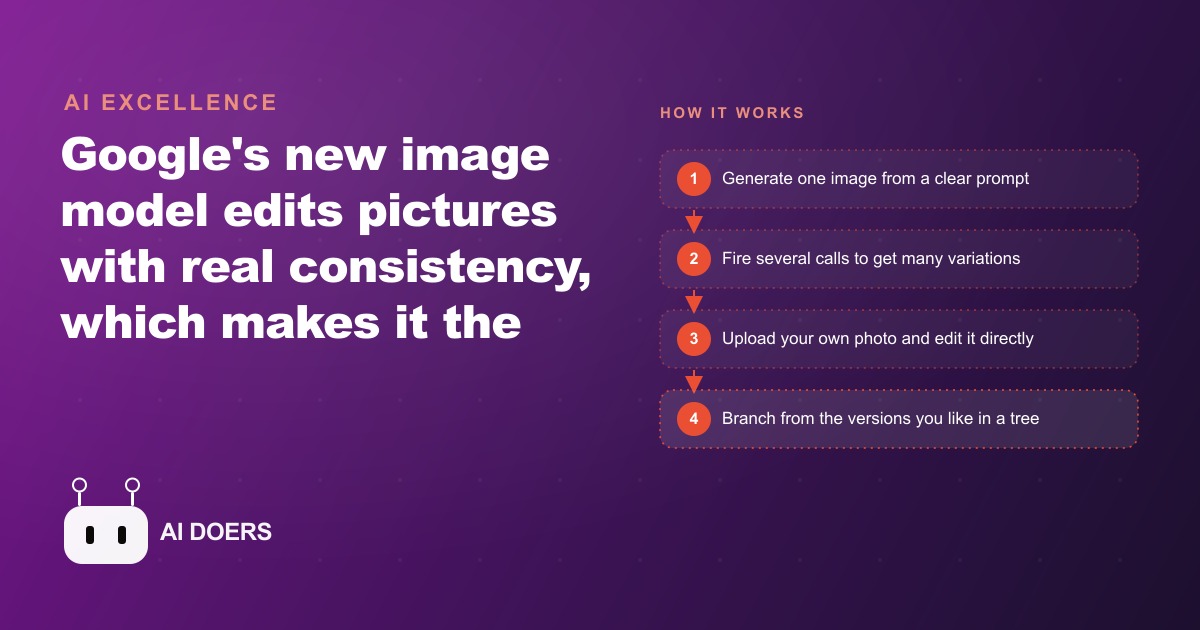
There is a specific outcome worth building toward: a small image agent that turns one good photo into a whole catalog of consistent, on brand visuals for a few cents each, without a photographer and without a designer touching every version. The engine that makes it possible is Google's Nano Banana, an image model whose real breakthrough is not prettier pictures but reliable editing. It is the first model that can change one element of an image and leave everything else exactly the same. I am Madhuranjan Kumar, and this playbook walks the path from nothing to a working image agent, in the order I would actually build it, using a florist as the running example.
Start by naming the one outcome, not the tool
Before opening anything, decide the single result you want, because a vague goal produces a vague build. For most small businesses the outcome is not experimenting with AI art. It is producing a consistent set of product visuals cheaply and repeatedly. For a florist that means a catalog where every bouquet is photographed the same way, on brand, across the store, the homepage, and seasonal promotions, without booking a shoot every time the lineup changes. Write that outcome down in one sentence, because every step after this exists to serve it, and the moment you lose sight of it you start collecting features instead of shipping a tool.
Understand why consistency is the entire reason to use this engine
The stage most people skip is understanding what actually changed, and skipping it leads to building the wrong thing. Pretty image generation was never the hard part. Editing the same subject over and over without it falling apart was. Ask most image models to make a small change and they quietly redraw the whole scene, so the flowers you photographed become different flowers. Nano Banana holds the rest of the image steady and changes only what you asked, which is precisely the property a business needs, because a brand is built on the same subject appearing consistently across many contexts.
There is a second property that unlocks the agent idea. Because Nano Banana is built on Gemini, it can do more than output a picture. It can make decisions and take actions, which means you can use it as the engine inside a small system rather than as a single image button you press by hand. That is the difference between a tool you operate and an agent that operates for you, and it is why this playbook builds toward a system rather than a one off image.
Generate one image from a clear prompt before adding anything
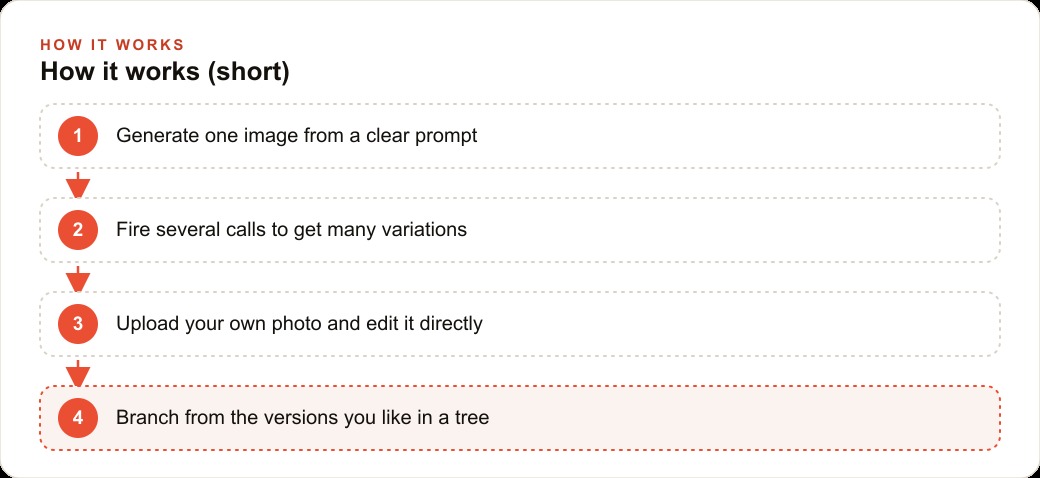
The first build step is deliberately small. Send one clear prompt and save one image. Do not add features, do not add uploads, do not add an interface. Get a single clean shot generating reliably from a well written prompt, because everything else stacks on top of this and you want the base solid before you build up. For the florist, this is one clean studio style shot of an arrangement, generated and saved, nothing more. The discipline of proving one thing works before adding the next is what keeps the whole project debuggable later, and it is the habit most people abandon in their excitement.
Add parallel variations so one idea returns many
Once a single image generates reliably, add the ability to fire several calls at once, so one idea returns four or six versions instead of one. This is the step that turns a slow manual tool into something that actually saves time, because you stop generating one, judging it, and regenerating, and instead see a spread of options together. For the florist, this means the same bouquet rendered on a white studio background for the store, on a rustic table for the homepage, and against a soft seasonal backdrop for a holiday promotion, all in one pass. Because the editing is consistent, the flowers stay the same across every variation, so the brand reads as coherent instead of stitched together from unrelated shots.
Wire in upload and edit for real customer work
The next stage is where the consistency property earns its keep: let a user hand the agent their own photo and ask for a change, so the model edits the real image instead of inventing a new one. This is the step that turns the tool from a catalog builder into a sales instrument. For the florist, imagine a bride sending a photo of an arrangement she loves. The florist asks the agent to recolor the flowers to match the wedding palette or swap the wrap, keeping the arrangement itself intact. The customer sees a believable preview before a single stem is cut, which is a genuinely powerful thing to be able to offer, and it only works because the model preserves everything you did not ask it to change.
Lay it out as a branching tree you can explore
With generation, variations, and editing working, give the whole thing an interface that matches how the work actually flows, which is exploratory rather than linear. The most useful layout I have seen is a tree. You generate a few versions, pick the one you like, and branch new variations from it, building a visual history you can move around inside. For the florist this means starting from a favorite arrangement, branching a few seasonal directions off it, and keeping the ones that work without losing the earlier options. The tree fits the reality that good visual work is a series of choices, each opening new choices, rather than a single straight line to one answer.
Feed the agent real examples instead of vague instructions
Running underneath every step is one habit that matters more than any clever trick: give your coding agent real examples. Paste in the official documentation and a clear sample of exactly what you want, wrapped so the model can tell your instructions apart from your reference material. Vague prompts produce vague results, and specific context with concrete examples produces tools that actually work. This is the single biggest lever on quality, and it costs nothing but the discipline to be precise. When you describe the florist's studio look, do not say make it nice. Show the model a reference of the exact background, lighting, and framing you mean, and let it match that.
Build in small stages and reset when the session tangles
The largest trap in this whole endeavor is trying to do everything in one giant prompt. Hand a model an entire project at once and it produces a mess you cannot debug, because when something is wrong you have no idea which of the twenty things you asked for caused it. Broken into five, seven, or ten small stages, each tested before the next, the same project comes together cleanly and every error stays small enough to fix on the spot. And when you do hit an error, and you will, you do not take it personally. You describe it plainly, hand it to the agent, and let it fix the issue. Sometimes the fastest fix is simply starting a fresh session, because too much clutter in one long conversation drags down the quality of the agent's answers. Knowing when to reset is a real skill, and it is usually the thing that gets people unstuck after they have been fighting the same error for an hour.
Run the playbook: a florist's catalog in an afternoon
Put the stages together and here is what the florist actually gets. We start from one clean shot of an arrangement and prove it generates reliably. We add parallel variations, so that single bouquet appears on a white studio background, a rustic table, and a seasonal backdrop, with the flowers identical across all three because the editing is consistent. We wire in the upload and edit path so customer photos can be recolored to a wedding palette on request. We lay it out as a tree so the florist can branch from a favorite and try directions quickly. Throughout, we feed the agent the official docs and real examples of the desired look, and we build in small tested stages rather than one giant prompt.
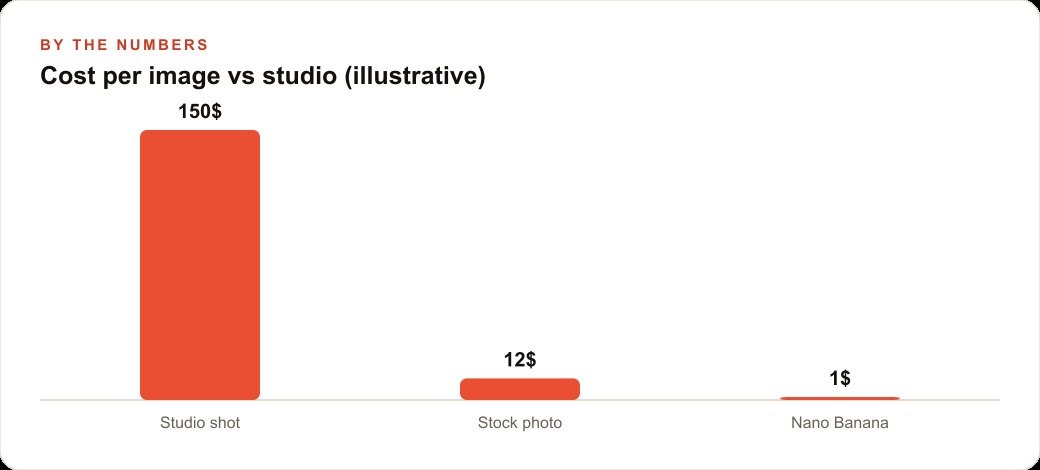
Now put illustrative numbers on the economics, because that is what makes the case. An output image costs only a few cents, so a few dollars buys nearly a hundred, and there is even a free rate limited path for experimenting before you commit anything. Compare that to the old reality where every new idea meant paying a photographer for a shoot, and you can see why this changes the math for a small shop. The florist stops treating each seasonal banner, ad creative, and gift card design as a separate expense with a lead time and starts treating them as a few cents and a few minutes each. None of this replaces the florist's eye for arrangement, which is the actual craft and the actual product. It removes the cost and delay of a photo shoot for every new visual, which is the part that was never the craft to begin with.
There is a subtler benefit to the tree layout worth naming, because it changes how a small business relates to its own visual work. When every image is expensive and slow, you become conservative. You settle on the first acceptable version because trying another means another cost and another wait, and that conservatism quietly caps the quality of everything you ship. When variations cost cents and branching is a click, the opposite happens. You explore, you compare three directions side by side, you keep the surprising one that you never would have commissioned. The florist who used to accept the first passable product shot now sees six and picks the best, and over a season that difference between settling and choosing shows up as a visibly stronger catalog. The tool did not just make images cheaper. It made exploration affordable, and affordable exploration is what actually raises the ceiling on the work.
That flood of cheap, consistent, on brand imagery is not an end in itself. It is fuel for everything downstream. The same catalog feeds Facebook and Instagram ad campaigns, where fresh, consistent creative is the single biggest lever on cost per lead, so a shop that can produce a new on brand image in minutes can test far more creative than a competitor waiting on a designer. Those same images make the product pages that anchor SEO and organic search look professional rather than thrown together. And the preview images a florist generates for a customer flow naturally into the CRM and website stack where that conversation and that order actually get tracked. The image agent is not a toy off to the side. It is a supply line into the parts of the business that make money.
How to make the first move yourself
Start small and build in stages, exactly as laid out above. Get one image generating from a prompt before you add anything else, then add variations, then upload and editing, then a nicer interface, testing after each step so errors stay easy to trace. Feed your coding agent the official docs and clear examples, ask for the simplest version first, and keep your API keys private. When something breaks, describe it plainly and let the agent debug it with you, and reset the session when it gets tangled rather than fighting the mess.
Honestly, a determined owner can stand up a basic version of this in an afternoon or two, even without a developer background. The harder part is the judgment: choosing the right stages, writing prompts with real examples, and knowing when to reset and try a cleaner approach. That judgment is where most people stall after the first error. You can follow the do it yourself path above, or you can bring in someone who has already built this kind of image agent and have it handed over working, ready to point at your catalog from day one.
That is exactly what we do at AI DOERS. Book a private 30-minute call with Madhuranjan Kumar and we will map the fastest path to it for your specific business.
Book your call →
Madhuranjan Kumar
Madhuranjan Kumar brings 20 years of performance-marketing experience and has managed over $200 million in Facebook ad spend for brands across the United States and beyond. His expertise spans the full modern marketing stack: Meta, Google Ads, TikTok, email automation, CRM, and the websites that hold it together. At AI DOERS he turns that track record into lead-generation systems for businesses across every industry.