
How To Build A Custom App With AI And Zero Coding
AI coding tools now turn plain-English instructions into working software, so a non-technical owner can start from a template, describe the app they want, and have a custom tool running in an afternoon.

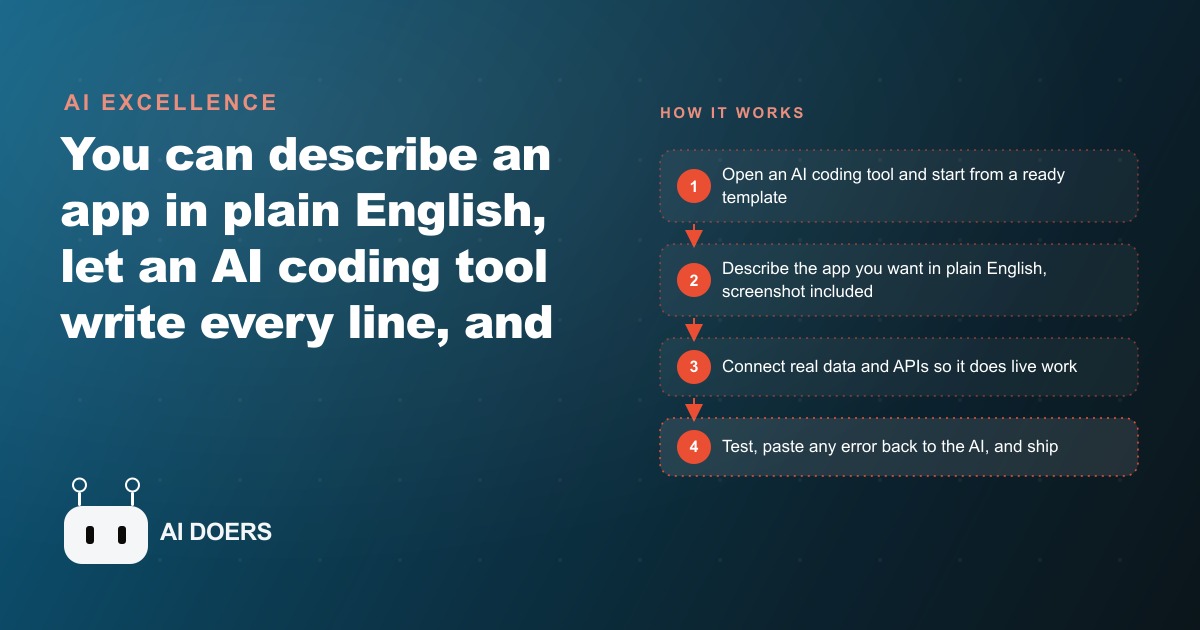
For most of software's history, the person with the idea and the person who could build it were two different people, and the gap between them was where good ideas went to die. That gap is closing. You can now describe the software you want in plain English and have an AI coding tool write every line for you, and I, Madhuranjan Kumar, have built small working tools this exact way without typing a single line of real code. The reason this matters is not that it makes developers faster. It is that it hands the ability to build directly to the person who actually understands the problem, which for most businesses is the owner.
The whole job is a conversation
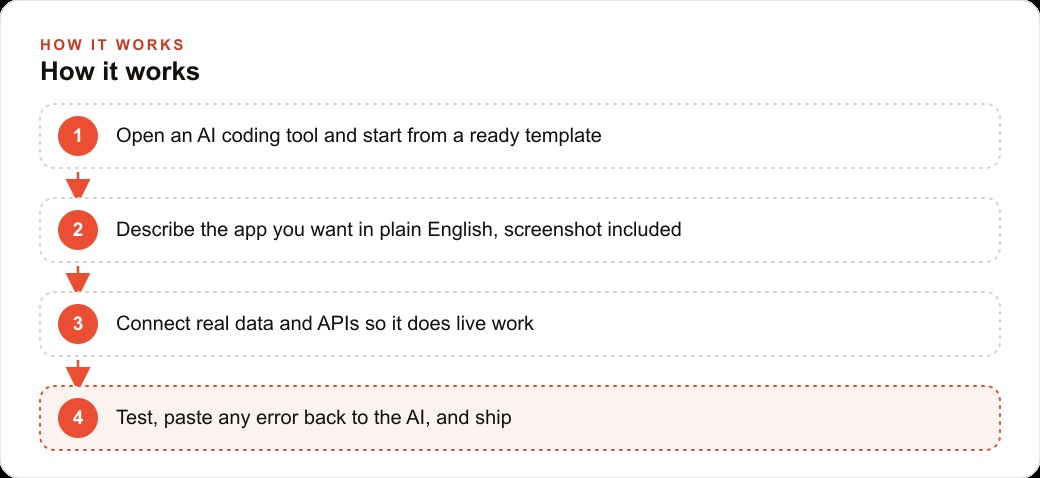
Strip away the mystique and the workflow is almost embarrassingly plain. You open an AI coding assistant, you start from a ready-made template instead of a blank page, and then you talk to it the way you would talk to a junior developer sitting next to you. You say things like, build me a sidebar on the left and a main panel on the right, make the background white, and put a button at the top. The AI reads the request, writes the code, and shows you the result in a live preview. If you do not like it, you ask for a change in the next sentence, and it adjusts. That back-and-forth is the entire job.
What makes this feel different from every previous wave of no-code tools is that you are not clicking through a rigid builder that only does what its designers anticipated. You are describing intent in ordinary language and letting the machine translate it into working software. The template gives you a running start so the basic plumbing already exists, and from there you shape it prompt by prompt until it fits your exact need. Starting from something that already works, rather than a blank screen, is a bigger deal than it sounds, because it means your very first result is a functioning app you can react to instead of an empty page you have to imagine your way out of.
Describe, preview, refine, and treat errors as part of the rhythm
The loop that carries you from a template to a finished tool is just describe, preview, and refine, repeated until it is done. You add capability one small piece at a time rather than trying to specify the whole thing at once, which keeps every change simple and easy to isolate if something breaks. A genuinely useful trick sits inside this loop: you can paste a screenshot of a layout you admire and ask the AI to match it. The image becomes your design brief, so you never have to describe pixels by hand or know the vocabulary a designer would use. You show it what you want and it builds toward the picture.
The part that trips people up, and the part I most want to reassure you about, is errors. When something breaks, a red error message appears, and to a non-technical person that looks like a wall. It is not. You copy the message straight back into the AI and say, I got this error, please fix it. Most of the time it reads the message, finds the cause, and patches itself. You accept the change, run it again, and keep going. Because each prompt only changed one small thing, the problem stays contained and the fix is usually quick. This is the whole reason an owner with no programming background can do this: you are not memorizing syntax or debugging by hand, you are making product decisions in plain language and letting the machine handle the typing and the fixing.
Once the shell looks right, you wire in real data. You point the app at the sources and services it needs so it does live work instead of showing sample placeholders, and suddenly the thing you described is actually running against your real information. That transition, from a pretty mockup to a tool that does something, used to be the expensive part that required a developer. Now it is another few plain-English requests.
Why narrow beats generic every time
The instinct many owners have is to go shopping for an off-the-shelf product, and for common needs that is fine. But the big software stores sell tools built for the average company, and your company is not average. You have a specific intake process, a specific way you quote jobs, a specific list of questions you ask every customer. A generic product forces you to bend your workflow to fit its assumptions, and you end up with a dozen features you never touch and the one you needed missing. A custom app built around your exact workflow does only what you need and nothing you do not, which is precisely why it beats the generic option for the jobs that are specific to how you actually run.
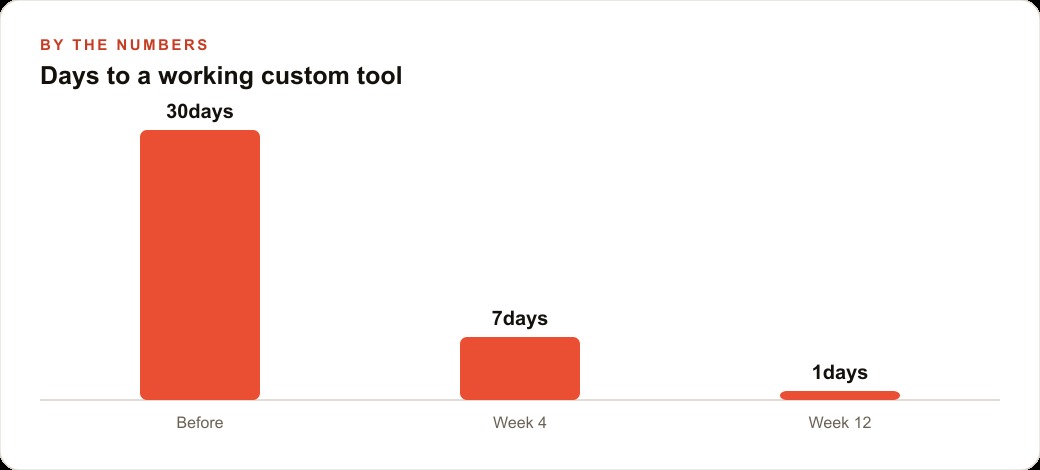
This is the real unlock, and it is easy to miss under all the talk about AI writing code. The value is not that building got cheaper. It is that building narrow, specific tools finally got cheap enough to be worth it. Before, a tool that served one quirky corner of your operation could never justify a developer's time. Now it can be an afternoon of conversation, which changes the math on every small friction you have been living with because fixing it was never worth a real software project.
What an afternoon actually produces
Let me make it concrete with one worked example and illustrative numbers. Take a plumbing company, because the owner usually loses time on two specific things: sorting incoming job requests and getting clear information from customers before a truck rolls. So I would build a simple job-intake app.
I would start from a template, then describe the screen I want. On the left, a list of incoming requests. In the middle, a form where the customer picks the problem, water heater, clogged drain, leak, or burst pipe, and types their address and a short description. On the right, a panel that shows the full detail when you click a request. I would ask the AI to make it clean and white, add a button to mark a job as scheduled, and sort everything by date so the oldest request is always on top. Then I would wire in real data so each submission saves to one place the office can see, and I would add a field that flags emergencies so a burst pipe jumps to the front of the line. If I wanted to go further, I would ask it to turn a customer's rambling typed description into three tidy lines for the dispatcher. Every one of those is just another plain-English request, and when a feature errors out, I paste the error back and let the AI fix it.
Now the numbers, illustrative but realistic in shape. Say the office currently spends two hours a day sorting messy inbound requests and calling customers back for details the form now captures up front. That is ten hours a week. At a loaded cost of thirty dollars an hour, that is three hundred dollars a week, or roughly fifteen thousand dollars a year, tied up in a chore that a one-afternoon tool largely erases. The build cost was an afternoon of the owner's time. The saving repeats every week forever. That ratio, a one-time build against a cost that recurs indefinitely, is the entire reason this is worth doing.
And the tool does not sit in isolation. An intake app like this is the front door of your CRM and website stack, which means the same clean, structured lead data can feed follow-up automation and even sharpen the targeting on your Facebook and Instagram ad campaigns, because you finally know which problems and which neighborhoods actually convert. A tool you built to remove one headache quietly makes the rest of your operation smarter.
Start with one headache, not a platform
The mistake I would steer you away from is trying to build your whole business in software on the first try. Start small. Pick the single most painful, repetitive task you have, open an AI coding tool, load a starter template, and describe the one screen you most wish you had. Build the shell with sample data so you can see its shape, then connect your real information once the layout feels right. Add features one at a time and test after each, because small steps are easy to fix. When you hit an error, do not panic, just copy it back and ask for a fix. Keep the tool narrow. The goal is one app that removes one headache, not a giant platform you will abandon half-built.
What actually changed, and why it is bigger than coding
It is tempting to file this under a story about programming getting easier, but that undersells what happened. For decades, the constraint on building software was supply. There were only so many people who could write code, their time was expensive, and their attention flowed to the biggest problems. That scarcity shaped everything. It meant small, specific, one-business tools never got built, because no developer's time could be justified for a job that only mattered to one small company's quirky workflow. Whole categories of useful software simply never existed, not because they were hard, but because they were too small to be worth a scarce resource.
What changed is that the supply constraint largely dissolved. When the person with the problem can build the tool themselves in an afternoon, the economics of small software invert. Now the tools that only matter to one business, the exact intake form, the specific quote calculator, the particular way you track no-shows, finally get built, because building them costs an afternoon of conversation instead of weeks of a developer's time. This is a bigger deal than any single AI feature, because it does not just make existing software cheaper, it makes an entire class of previously impossible software possible.
The strategic implication for an owner is that your quirks stop being liabilities and become advantages. Every business has processes that do not fit standard software, and for years the only options were to bend your workflow to the tool or pay dearly for custom development. Most owners bent, absorbing dozens of small inefficiencies because fixing any one of them was never worth a software project. That entire trade-off is gone. The specific way you run, which used to force you onto generic tools, is now something you can build around directly and cheaply, which means the parts of your operation that make you different can finally be supported by software instead of fought by it.
There is a compounding effect here too. The first tool you build teaches you how to describe what you want, which makes the second faster, which makes the third almost effortless. You are not learning to code, you are learning to specify, and specifying is a skill that transfers across every tool you will ever build. An owner who builds three small tools this way develops an instinct for spotting which frictions are worth removing and how to describe the fix, and that instinct is worth more than any single app. It turns a business from one that lives with its inefficiencies into one that quietly removes them one at a time.
The mistake would be to see this as a novelty, a fun way to make a toy app. It is not a novelty. It is the removal of a constraint that shaped which software got built for the entire history of the industry, and the businesses that internalize that will end up running on a stack of small, sharp tools fitted exactly to how they work, while their competitors keep paying for generic products that almost fit.
You can absolutely do this yourself, and I would encourage any owner to try a simple version this week. If you would rather have someone scope the right tool for your business, build it cleanly, and connect it to your real data so it works on day one, that is exactly the kind of build I do for clients, and you can bring me in to handle it.
That is exactly what we do at AI DOERS. Book a private 30-minute call with Madhuranjan Kumar and we will map the fastest path to it for your specific business.
Book your call →
Madhuranjan Kumar
Madhuranjan Kumar brings 20 years of performance-marketing experience and has managed over $200 million in Facebook ad spend for brands across the United States and beyond. His expertise spans the full modern marketing stack: Meta, Google Ads, TikTok, email automation, CRM, and the websites that hold it together. At AI DOERS he turns that track record into lead-generation systems for businesses across every industry.