
Build a 24/7 AI Dev Team With OpenClaw and Claude Code
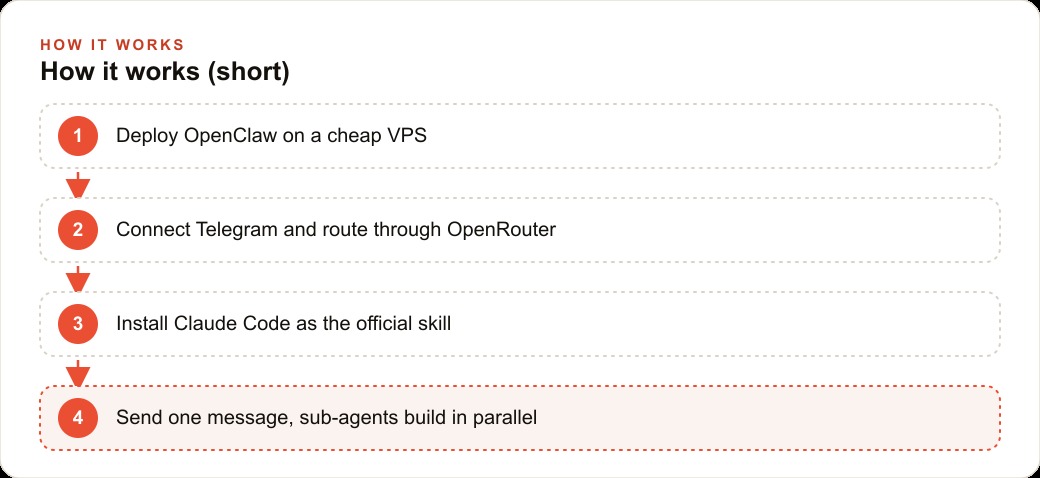
An OpenClaw orchestrator on a cheap server can dispatch several Claude Code sub-agents to build software in parallel, all driven by a single voice note from your phone. Here is how the setup works and what it means for a real business.

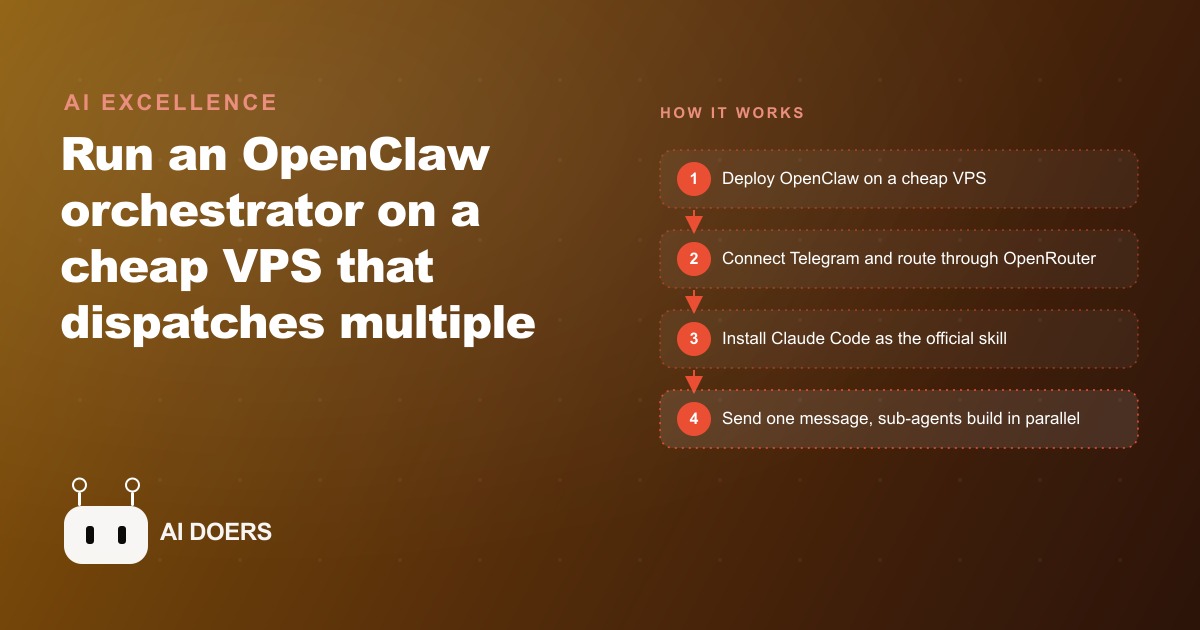
Most AI coding setups share one hidden problem: the thing you are talking to is also the thing doing the work. When the agent starts building, you wait. When you have a follow-up question, the build pauses. Everything is sequential, and you are always watching something that cannot do two things at once.
OpenClaw 2.0 solves this with an architecture that is obvious in hindsight and surprisingly rare in practice. The orchestrator stays free to chat. The sub-agents do the building. Madhuranjan Kumar set this up on a cheap VPS controlled by a Telegram voice note, and the result is a development setup that runs around the clock and costs less per month than most SaaS subscriptions. The design insight behind it is worth understanding before the technical details, because it explains every other choice in the stack.
The Boss-Worker Separation That Makes This Architecture Fundamentally Different
In a standard AI coding setup, the model is both the conversation partner and the builder. You describe a task, the model begins working on it, and until that task is finished you cannot ask anything new without interrupting the build. The practical effect is that you spend time waiting. A complex build might take twenty minutes. During those twenty minutes the AI is not available to you, and you are not available to do anything else because you are watching a progress indicator.
The OpenClaw architecture separates these two roles completely. The orchestrator is the conversation partner. It takes your message, interprets it, decides what needs to be built, and dispatches one or more Claude Code sub-agents to handle the actual construction. The sub-agents work in parallel, in separate processes, on separate tasks. The orchestrator, freed from doing any building itself, stays available to respond immediately.
This means you can send a message starting a build and immediately send a second message about something else. The first build is running in the background. The orchestrator is already processing your second request. If you kick off two independent builds in the same session, both run at the same time. You come back to finished work rather than a progress bar.
The parallel capability is what makes this architecture scale beyond a single sequential chatbot. A standard agent can build one thing at a time. An orchestrator managing multiple sub-agents can build several things simultaneously, and the constraint shifts from the AI's available attention to your ability to describe what you need clearly. That is a constraint most business owners are far better positioned to handle than most people expect, because describing what you need is something owners do all day in other contexts.
Why a Cheap VPS Changes the Economics of Running an Agent Continuously
On a local machine, an AI agent runs when the machine runs. If you close the laptop, the agent stops. If you are on a job site or asleep, nothing is being built. The compute exists only during the hours you are present to operate it.
A virtual private server changes this completely. A VPS is a cloud computer that runs continuously, accepts remote connections from anywhere in the world, and costs between $5 and $20 per month depending on the spec required. For the kind of small internal tools most businesses need to build, a $12 per month server is more than sufficient. The server never sleeps. The agent running on it never sleeps either.
This changes the mental model of what a one-person operation can produce. Instead of carving out development time during a busy workday and sitting at a desk watching a build progress, you describe what you need, send a message from your phone, and go back to running the business. The build happens during a site visit, over lunch, or overnight while you sleep. You return to finished software.
The economics favor the VPS even at $20 per month, because the alternative is a local setup that only builds when the owner is stationary and available to supervise it. For a contractor, a clinic owner, or a retail operator without spare hours during the workday to watch a build run, this is the difference between a tool that theoretically works and one that fits into an actual schedule.
The Skill File Is the Translation Layer Between Your Words and the Sub-Agent's Task
When you send a message to OpenClaw saying something like "build a job tracker with a status column," the orchestrator needs to know what to do with that instruction. The skill file is what tells it.
A skill file is a markdown document. It defines how OpenClaw interprets a specific capability, in this case Claude Code, and what flags and parameters to pass when it launches a sub-agent. The official Claude Code skill ships bundled with OpenClaw and runs to roughly two pages of plain-text instructions. Reading it before installing it is worth ten minutes, because it gives a clear mental model of how the routing actually works.
What the skill file reveals is that the quality of the output depends significantly on the quality of the input. When you send a clear, scoped request such as "build a dashboard for ten active jobs with columns for job phase, subcontractors assigned this week, and materials on order," the skill translates that into a sub-agent task with a clear working directory, a clear objective, and a bounded scope. The sub-agent builds what you described.
When you send a vague request such as "build something to help me track my work," the skill has less to work with, and the sub-agent must make more assumptions. The output tends to be more generic and less immediately useful. Understanding the skill file helps you write requests that give the sub-agent a fair chance at producing exactly what you need on the first attempt, which matters when the build happens overnight and you only see the result in the morning.
The skill file also defines the working directory and what files the sub-agent can access. This matters for practical reasons: a sub-agent without a specified working directory may write files to unintended locations. A well-written request specifies the project folder, and the skill ensures the sub-agent stays inside it.
The Security Warning That Most Tutorials Skip and Should Not
Researchers documented 341 malicious community skills circulating in the OpenClaw community skill library. More than 15 percent of community skills carry malware. The copies are sophisticated enough to appear nearly identical to the official versions on a quick visual scan. This is not a theoretical risk. It is an active, documented one with a specific and verifiable count attached to it.
The only safe path is to install the official skill from the OpenClaw GitHub repository and to treat any community skill as untrusted by default. Before installing any skill that did not come from the official source, run the markdown content through a separate AI review. Paste the text and ask it to flag any instructions that attempt to exfiltrate data, make network requests outside the expected scope, or access files beyond the designated working directory. A malicious skill hides its behavior inside instructions that look like normal configuration at a glance.
This warning applies specifically to community skills, not to the OpenClaw orchestrator itself, which installs cleanly from the official one-liner. The risk is concentrated in the ecosystem of community-contributed skills that has grown around the platform. Taking ten minutes to read and vet a skill file before trusting it is not excessive caution. It is the minimum responsible step for a tool that will have write access to your project directory.
The Self-Healing Moment That Proves the Architecture Is Production-Ready
Anthropic blocks a specific permission flag at the root level. The flag would allow a process to skip safety checks on file operations, and blocking it at root is a deliberate design decision. When the first build in the OpenClaw setup ran into this restriction, the build failed with an error.
What happened next is the moment that separates a demo from a production-ready architecture. OpenClaw diagnosed the specific error, determined that the problem was caused by running Claude Code as the root user, created a new non-root user on the server to run Claude Code under, configured the necessary environment for that user, and restarted the build. No human intervention at any step. The system encountered a real infrastructure problem, understood the cause, and corrected it.
The build that had failed completed successfully on the second attempt. From a single Telegram message describing a 3D ISS orbital tracker built in Three.js, the orchestrator dispatched a sub-agent, hit the permissions issue, diagnosed and resolved it, and served the finished application on port 3000 by the time the session was reviewed. One message, one infrastructure problem diagnosed and fixed autonomously, one finished and running application.
For an owner who sends a voice note before going to bed and checks the results in the morning, self-healing is the difference between a build that finished overnight and a build stuck at an error screen waiting for someone to read it. A system that can resolve its own setup problems is one you can trust with a real overnight task. That trust is the prerequisite for the VPS economics to actually pay off in practice.
What a General Contractor Builds in a Week With This Setup
Consider a general contractor managing ten active jobs. Each job has a current phase, a set of subcontractors scheduled for the current week, and a materials list where each item is either confirmed or still on order. Currently, understanding the status of all ten jobs requires a round of calls every Monday morning, a spreadsheet that is always slightly out of date, and a running mental model the owner updates informally throughout the week.
On Sunday evening, the contractor sends a voice note to the Telegram bot: build me a simple dashboard where I can see all ten active jobs. For each job, show the current phase, which subs are on site this week, and which materials are still on order. Flag any job where materials are overdue.
The orchestrator dispatches a Claude Code sub-agent. Overnight, the sub-agent builds the dashboard, serves it at a local port, and reports completion in Telegram. Monday morning, the contractor opens the link on a phone over coffee. The status of all ten jobs is visible in one place without a single call made.
During the same week, two follow-up messages go out from the job site. One asks for a column showing which jobs have open punch-list items from the last site inspection. The other asks for a simplified view the site foreman can access with a separate login. Each request dispatches a new sub-agent while the contractor is working. Neither requires sitting at a desk waiting for the build to finish.
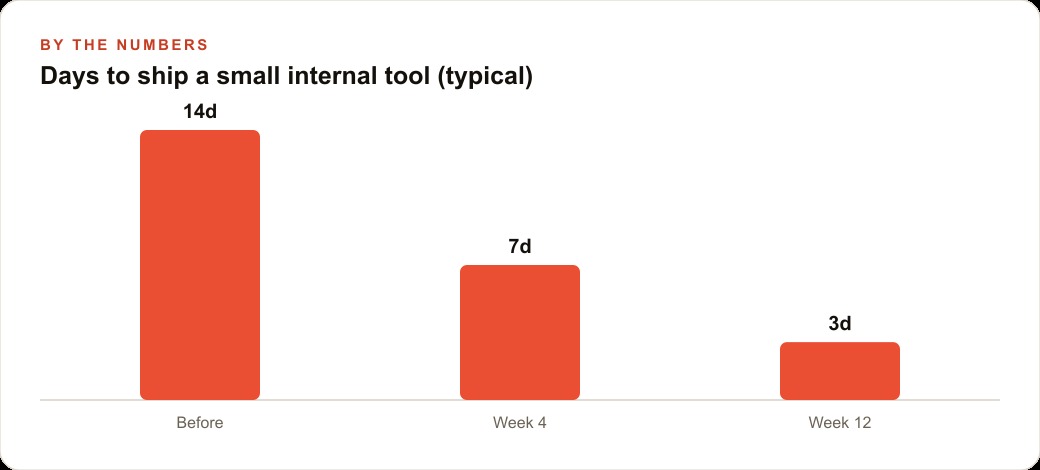
In illustrative terms, the contractor was spending roughly two and a half hours per week on status calls, spreadsheet updates, and chasing material confirmations before the dashboard existed. With it, the Monday review takes twenty minutes. Over a ten-week busy season, that is twenty hours of the owner's time recovered. The server costs $12 per month. The entire build, across three Telegram sessions plus overnight construction time, consumed roughly $8 in API tokens. Total hard cost to recover twenty hours of owner time across one busy season: under $25. The soft cost is one afternoon of initial setup: deploying OpenClaw, connecting the Telegram bot, and installing the official skill. That investment pays for itself within the first week of use, and the dashboard keeps running every week after that at no additional build cost.
The contractor who built the dashboard in one week did not hire a developer. Did not buy a project management subscription. Did not run a week-long implementation project. Described what was needed in plain language to a bot on a phone, came back the next morning, and used the result immediately. That is the actual experience of this architecture when the setup is done correctly, and it is the outcome that makes the initial investment of one afternoon worth making.
That is exactly what we do at AI DOERS. Book a private 30-minute call with Madhuranjan Kumar and we will map the fastest path to it for your specific business.
Book your call →
Madhuranjan Kumar
Madhuranjan Kumar brings 20 years of performance-marketing experience and has managed over $200 million in Facebook ad spend for brands across the United States and beyond. His expertise spans the full modern marketing stack: Meta, Google Ads, TikTok, email automation, CRM, and the websites that hold it together. At AI DOERS he turns that track record into lead-generation systems for businesses across every industry.