
Anthropic's Advisor Strategy: Near-Opus Quality Without the Opus Bill
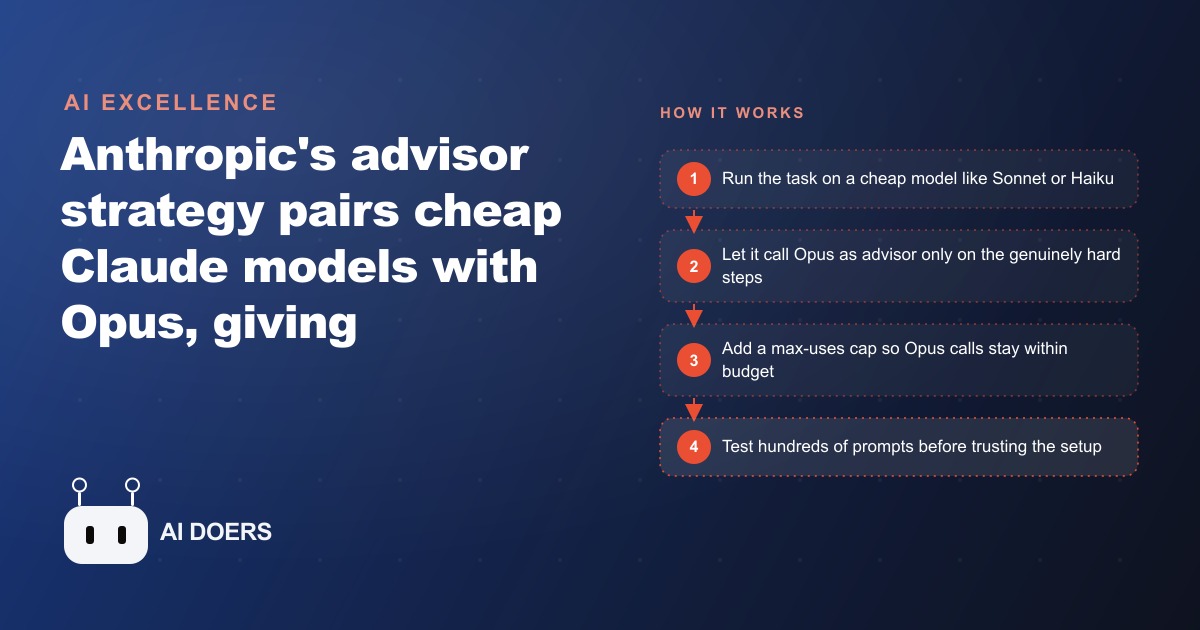
The advisor strategy pairs an expensive Claude model like Opus as an advisor with a cheaper executor like Sonnet or Haiku, and the executor only escalates to Opus when a task is genuinely hard. Anthropic's tests show it beating solo runs on benchmarks while cutting cost per task by almost 12 percent.

The moment I realized I had been paying Opus prices for tasks that Haiku could handle just as well, I spent twenty minutes calculating what that had cost me over three months, and the number was uncomfortable enough that I restructured every pipeline I was running the following day.
Anthropic published a strategy they call the advisor pattern, and I want to walk through exactly how to set it up and where it actually saves money, because the idea is simple enough to explain in a sentence but it requires a few specific setup choices to work well in practice. The core of it is this: you run a cheaper model like Sonnet or Haiku as the executor on every task, and you pair it with Opus as the advisor. The executor calls the advisor only when it senses the task requires Opus-level reasoning. The advisor does not run on every request. It runs on the requests that genuinely need it.
Anthropic's own benchmarks give this credibility. On SWE-bench, the standard software engineering evaluation, Sonnet with Opus as advisor scored 2.7 points higher than Sonnet running alone, and the cost per agentic task dropped by almost 12 percent. On BrowseComp, the web research benchmark, Haiku with Opus as advisor scored 41.2 percent against 19.7 percent for Haiku running solo. That is more than double the solo score at a lower total cost than running Opus directly on everything. The pattern works because it is not routing tasks randomly. It is using the cheaper model's own judgment about when it needs help, which turns out to be a more reliable signal than any manual routing rule.
Categorize your tasks by difficulty before choosing any model configuration
Before you change a single line of code, spend time classifying the actual work your system does. This step matters more than the technical setup, because the advisor pattern saves money on the ratio of easy to hard tasks, and if you do not know that ratio you cannot estimate what the pattern will do to your bill.
I categorize tasks on a simple three-level scale. Level one is tasks where the output is largely deterministic: formatting a date, extracting a named field from a structured document, generating a short description from a template. A smaller, cheaper model handles these reliably and without meaningful quality loss. Level two is tasks where there is some ambiguity but the scope is contained: summarizing a competitive report, drafting a social caption from a provided brief, classifying a customer message into a support category. These need reasonable language quality but not deep reasoning. Level three is the genuinely hard work: analyzing a contradictory brief and resolving the contradictions into a coherent strategy, writing a crisis response that must be calibrated precisely, doing multi-step reasoning under multiple competing constraints.
The point of this classification is not to build a routing system. The advisor pattern handles the routing itself. The point is to understand your own workload well enough to know whether the pattern will help you significantly or only marginally. If 90 percent of your volume is level one and two work, the pattern will cut your bill sharply. If 60 percent of your volume is genuinely level three work, the savings are real but smaller, and you should evaluate whether running Opus on everything might be simpler to maintain for that specific workload profile.
Write down your categories before configuring anything. Review a real sample of your last hundred requests or tasks and sort them into difficulty buckets. That data becomes the input to every decision you make in the following steps.
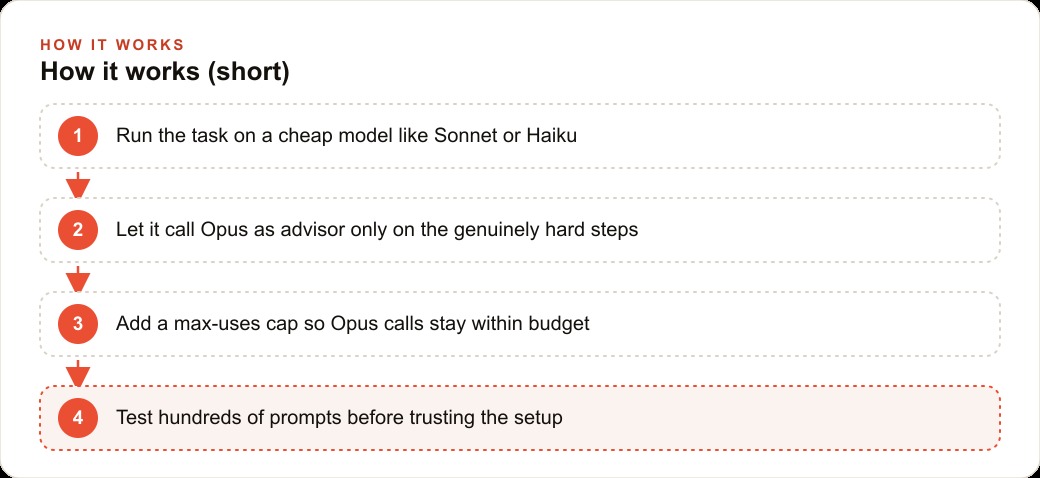
Set the executor to Sonnet or Haiku based on your baseline task complexity
Once you know your workload profile, choose the executor model. The executor is the model that runs every task by default. Choosing the right one determines the cost floor of your entire setup, so it is worth getting this decision right at the start rather than changing it later after production data has accumulated.
Haiku is the right choice when most of your volume is level one and two work and speed matters. Haiku costs $1 per million input tokens and $5 per million output tokens. It is fast and cheap enough that even a large volume of routine tasks stays affordable, and with Opus as advisor it can reach surprisingly strong performance on the hard subset. The BrowseComp result, 41.2 percent with the advisor versus 19.7 percent solo, shows how much the advisor moves the needle for a model that would otherwise underperform on complex tasks. If your daily workload is mostly formatting, classification, summarization, and short-form drafting, start with Haiku as the executor.
Sonnet is the right choice when your baseline tasks require more consistent reasoning quality, when errors on level two tasks are costly, or when you need output that can go directly to an end user without much review. Sonnet costs $3 per million input tokens and $15 per million output tokens. It handles a wider range of tasks well on its own, and Opus as advisor pushes it further on the hard cases. The SWE-bench result, 2.7 points above Sonnet solo at 12 percent lower cost, reflects what the pattern does for a model that is already capable: it raises the ceiling on hard problems while cutting cost on easy ones.
Do not choose based on which model name sounds more capable. Choose based on what your level one and two work actually looks like in testing. If Haiku routinely gives you acceptable output on your easy tasks, Haiku is the executor. If you keep seeing quality gaps on the easy tasks when you test Haiku, switch to Sonnet. You can always migrate later, but starting with the wrong executor means your early production data is measuring the wrong baseline and the savings projections you built from that data will not hold.
Configure the advisor with a version string and a max-uses cap
The advisor lives in the Messages API. This is Anthropic's HTTP endpoint for building your own applications and automations, not Claude Code or the web interface. If you are building a product or running automated workflows on top of Claude, you are already using the Messages API, and adding the advisor is a configuration change in your request body rather than a structural change to your code.
In the request, you add an advisor field with two required values: the model version string for Opus, specifying the exact API version date, and a max-uses value that sets the upper limit on how many times the advisor can be called during a single task run. The version string matters because you want the behavior locked to a specific release rather than floating to whatever Anthropic ships next. Use the 2026-03-01 version string or whichever current stable version matches your testing environment, and pin it explicitly. Letting the version float is asking for behavioral drift that you will not notice until something breaks in production at the worst possible moment.
The max-uses cap is the cost guardrail. It tells the system that Opus can be called at most this many times per task, regardless of how complex the executor thinks the task is. A cap of three means Opus can provide advisory input up to three times before the executor must complete the task on its own. A cap of one means the executor gets one consultation and then proceeds with whatever it learned from that single exchange. Setting this cap is not a precision exercise at first. Start generous during the testing phase, observe how often escalation actually fires in practice on your real task distribution, and then tighten the number in the following step once you have real data.
For Claude Code specifically, there is a simpler path that does not require any API configuration. Set your model preference to Opus Plan mode. In this configuration, Opus runs during the planning phase of a task, when the model is deciding how to approach and decompose the work, and Sonnet executes the actual implementation. Planning with the most capable model and executing with a strong but cheaper one is the same idea applied to daily coding work. It stretches a session considerably because Opus consumes usage faster, and the planning phase is precisely where Opus's reasoning quality matters most.
Run a representative sample and compare output quality against a solo-model baseline
This is the step where most teams skip ahead and get burned. You configure the advisor, run a few queries, things look fine, and you ship it. Then a month later you discover that the advisor was rarely firing, or firing too often, or that quality on a specific category of task had quietly degraded. A proper baseline comparison before production is the difference between knowing your setup works and hoping it does.
Pull a sample of at least a few hundred tasks that represent your real workload distribution. Run the same tasks through three configurations: Opus solo, your chosen executor solo, and your chosen executor with Opus as advisor. Score the outputs on the dimensions that matter for your application. If the output is customer-facing copy, score it on clarity and brand fit. If the output is code, run it against your test suite. If the output is a classification, check it against known correct labels.
A few things to watch for in this comparison. First, confirm that quality on your hard tasks in the advisor configuration is close to Opus solo. The whole point of the advisor is to preserve Opus-level quality on the hard cases, and if there is a meaningful gap on your hardest task category, the max-uses cap may be too low or the executor model may be the wrong choice for your workload. Second, confirm that the advisor is not firing on the easy tasks. If you find the executor is escalating on level one work, the executor model is misreading the difficulty of straightforward requests, and you should look at whether the prompt framing is contributing to that confusion. Third, compare the observed escalation rate to your prior estimate of how much of your workload is genuinely hard. The gap between your estimate and reality is information.
Escalation behavior varied noticeably in early testing, with Haiku sometimes skipping the advisor on questions where Sonnet would have escalated on the identical prompt. This is not a flaw in the design, but it does mean your testing environment needs to use the same executor model you plan to run in production. Results from a Sonnet test do not accurately predict Haiku escalation behavior, so run each configuration you intend to deploy rather than inferring from a proxy.
Set the cap to observed escalation frequency, not the theoretical worst case
After your representative sample, you have real data on how often the advisor fires on your actual task distribution. Now you can set the max-uses cap to a number that reflects what actually happens rather than a worst-case scenario that almost never occurs.
The mistake I see most often is setting the cap to the maximum allowed value to be safe, or setting it to one to minimize cost without checking whether one consultation is actually enough on hard tasks. Both are wrong for the same reason: they ignore the real data you just collected. Setting the cap too high means the executor can loop Opus many times on tasks that do not need multiple consultations, and the cost of those extra calls adds up quickly at production volume. Setting it too low means the executor cannot get enough advisory input to resolve genuinely hard tasks, and quality on those tasks degrades in a way that may not be obvious until a client or user points it out.
The cap should reflect the number of Opus consultations that hard tasks in your workload actually need to reach acceptable quality. From your baseline testing, you can see the distribution directly. If most hard tasks required one advisor call and a small fraction required two, a cap of two covers your real workload with a reasonable buffer. If your hardest tasks consistently needed three advisory rounds to resolve well, set the cap to three, but make sure those tasks genuinely warrant that spend and look at whether better prompt structure could reduce the number of consultations required.
After you set the cap based on observed data, run another sample specifically designed to stress-test your hardest task categories. Confirm that the cap does not cut off the advisor before it has given the executor what it needs to produce a good answer. The goal is a cap that lets the advisor do its full job on hard tasks without running unnecessarily on the easy ones. That balance is where the efficiency gain lives.
Monitor cost per task in production and adjust as the workload evolves
A workload that looks mostly routine in month one can shift significantly as you add new task types, new clients, or new use cases. The advisor configuration is not a one-time setup. It is a parameter that should be reviewed regularly against actual production data, because the workload you optimized for in testing is rarely the workload you have six months later.
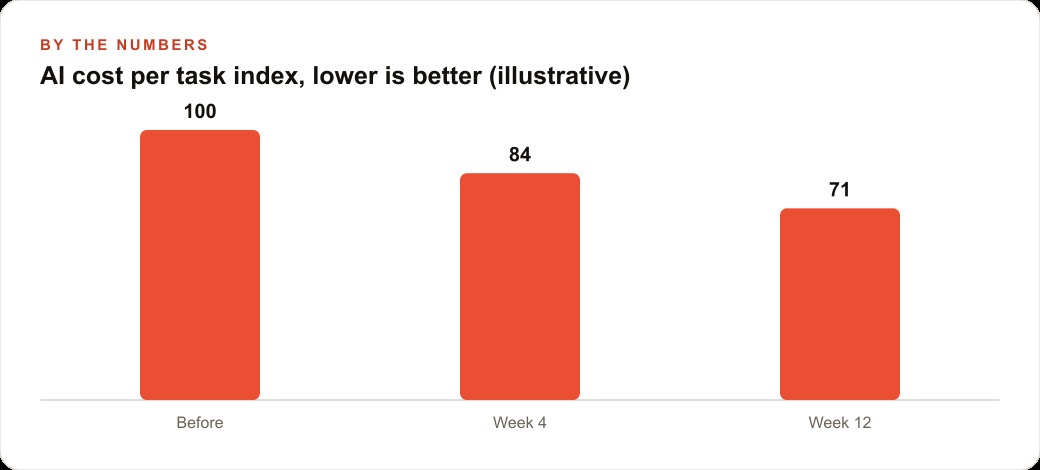
Track cost per task as the primary metric rather than total monthly spend. Total spend grows with volume, which is expected and healthy if the business is growing. Cost per task measures efficiency independently of volume. If cost per task is climbing while task complexity stays flat, the advisor is firing more often than it should, and you need to understand why. It might mean your workload has genuinely shifted toward harder tasks, which is expected behavior. It might mean a recent prompt change is making the executor more likely to escalate on routine work, which is a problem to diagnose and fix in the prompt rather than the cap.
The worked example that makes all of this concrete is a marketing agency running AI across dozens of client accounts. The routine daily work is substantial: drafting social captions from client briefs, summarizing competitor reports, reformatting copy from one channel to another, generating meta descriptions for product catalogs. This work runs at high volume across a full client roster. It is level one and level two work. A cheap executor handles it well. Before the advisor pattern, teams running Opus on this kind of work were paying $25 per million output tokens on tasks that had no need for Opus-level reasoning.
The genuinely hard work appears less often but it matters when it does: crafting nuanced positioning for a campaign launch where the client's brand voice is complex and the competitive context is tight, writing a crisis response that has to thread several stakeholder concerns precisely, untangling a contradictory client brief where the stated goals conflict with the budget and someone has to make a call about what actually matters. These tasks need Opus-level reasoning. Getting them wrong costs far more than the token price.
With the advisor pattern in place, Haiku or Sonnet executes the routine work at $5 to $15 per million output tokens, and Opus only runs when the executor escalates on the hard tasks. If 80 percent of tasks are routine and 20 percent are hard, the blended output cost drops from $25 per million tokens to roughly $9 per million tokens. The math works like this: 80 percent of output tokens priced at $5 (Haiku executing routine work) plus 20 percent of output tokens priced at $25 (Opus on escalated tasks) equals a blended rate of $9 per million output tokens. On a team producing 2 million output tokens per month, that is a savings of $16 per million tokens, which adds up to $32,000 annualized. Quality holds precisely on the 20 percent of tasks that define client relationships and require real judgment, which is where quality loss would have actual consequences.
That $32,000 is not a rounding error for an agency with ten to thirty clients on retainer. It is the difference between AI-augmented work that is profitable at current retainer rates and work that is quietly underwater because the model bill grows faster than the revenue it generates. The advisor pattern is one configuration change that restructures that math in your favor without sacrificing quality on the work clients notice.
The practical monitoring setup for this agency is a weekly cost-per-task review, broken down by task category. If the meta description generation category shows rising cost per task, check whether the executor is escalating unnecessarily on that category and adjust the prompt or the cap. If the campaign positioning category shows falling cost per task, verify that quality has not dropped before assuming the efficiency gain is real. The numbers point you to the right questions. From there, the adjustment is straightforward: recalibrate the max-uses cap, revisit the executor model if the task mix has shifted significantly, or restructure the prompt on categories where the escalation pattern looks wrong.
Start with the categorization. Know your workload distribution before you touch a configuration. Choose the executor that matches your baseline task complexity. Pin the advisor version string so behavior does not drift. Set the cap generously during testing, tighten it after you see real escalation data from your own tasks, and keep watching cost per task as the work evolves. The pattern rewards the teams that treat it as an ongoing operational practice rather than a one-time configuration and forget.
That is exactly what we do at AI DOERS. Book a private 30-minute call with Madhuranjan Kumar and we will map the fastest path to it for your specific business.
Book your call →
Madhuranjan Kumar
Madhuranjan Kumar brings 20 years of performance-marketing experience and has managed over $200 million in Facebook ad spend for brands across the United States and beyond. His expertise spans the full modern marketing stack: Meta, Google Ads, TikTok, email automation, CRM, and the websites that hold it together. At AI DOERS he turns that track record into lead-generation systems for businesses across every industry.