
How to Build an AI Voice Agent That Calls and Qualifies Every New Lead
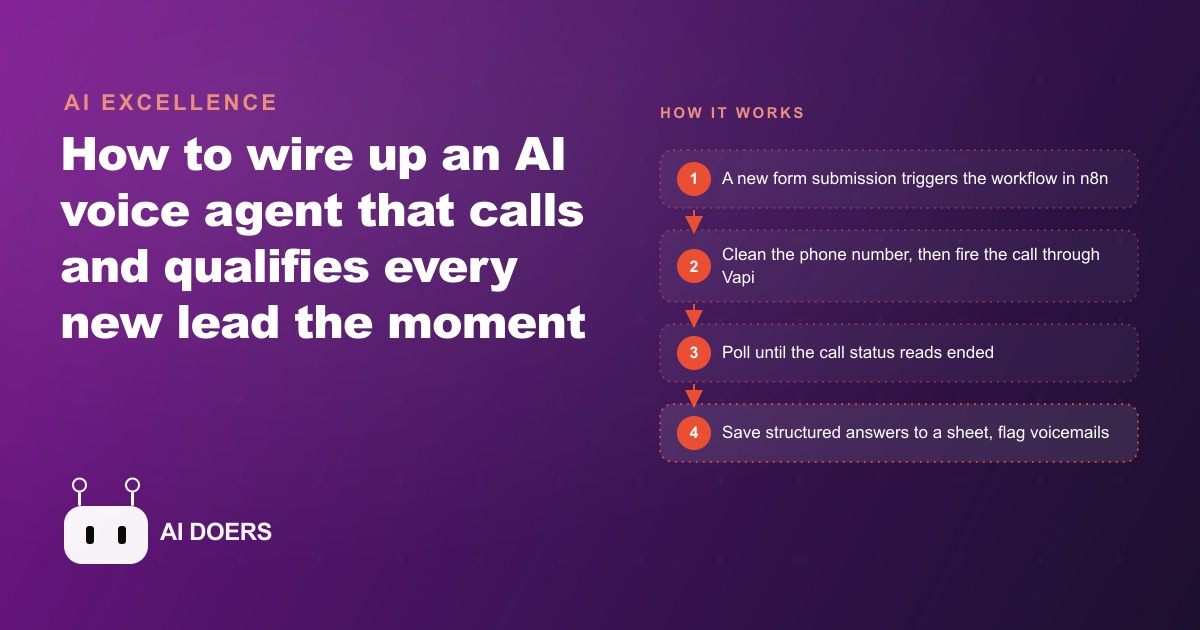
An AI voice agent built with n8n and Vapi can call a new lead the second they submit your form, ask the qualifying questions a salesperson would, and log clean answers to a sheet. Here is how the system fits together and how to set it up yourself.

The lead response problem that kills conversion before it starts
Response time is the single variable that most consistently predicts whether a qualified lead converts to a consultation or a sale, across nearly every service business that has measured it. The reason is not that faster response demonstrates competence, though it does. The reason is that a lead who fills out a form is doing so at a moment of active attention to the problem your service solves. That attention fades. Other options appear. The window in which that specific person, at that specific moment, is most receptive to a conversation is short.
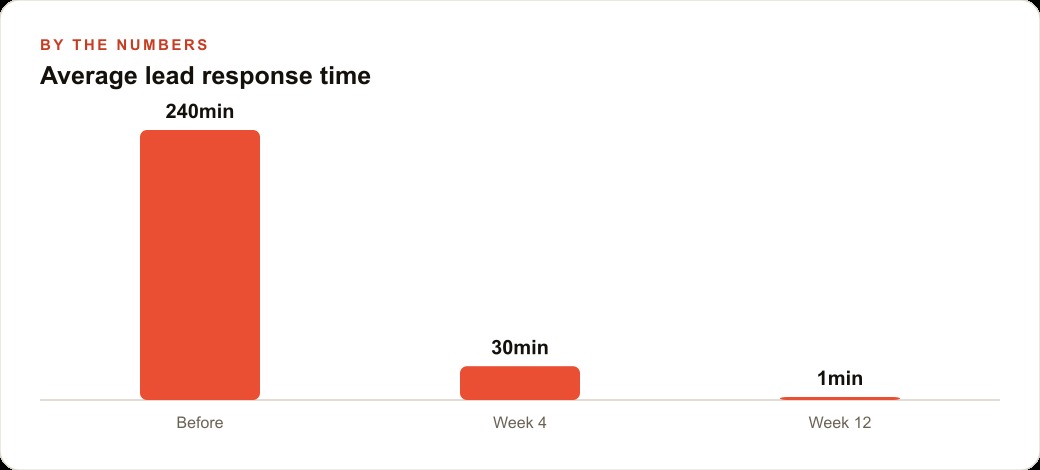
A business that calls new leads within five minutes of form submission converts at dramatically higher rates than one that calls within two hours, and dramatically higher than one that calls the next business day. The research on this is consistent and has been for years. The operational challenge is that calling within five minutes requires either a staffed response function that monitors form submissions continuously, which is expensive, or an automated system that can make the call without human involvement, which until recently required significant technical infrastructure.
I am Madhuranjan Kumar, and I want to walk through how to build that automated system using n8n for the workflow logic and Vapi for the AI voice conversation, because the combination is now accessible enough that a small business without a development team can have it running in a week.
Step 1: Set up the webhook trigger in n8n
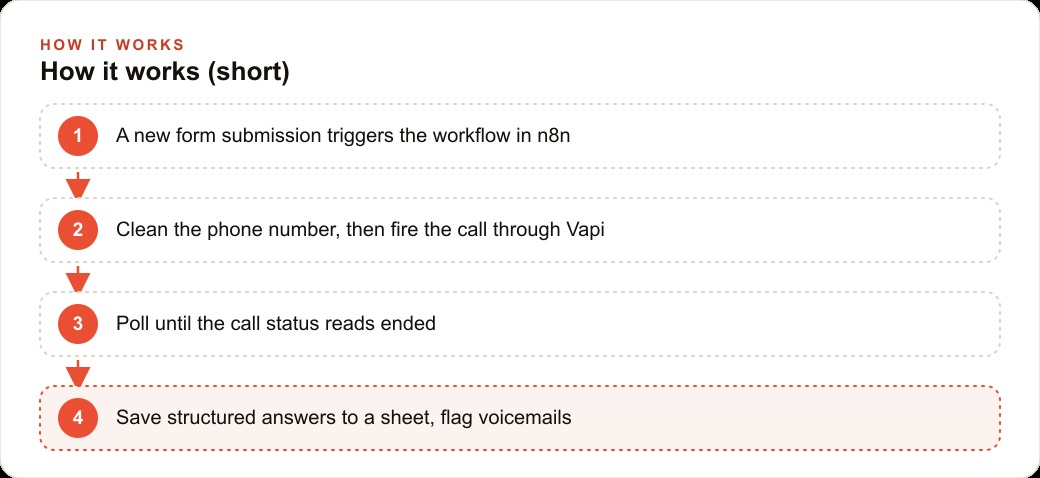
The workflow starts with a webhook node in n8n. A webhook is a URL that n8n provides, which receives data from external systems when specific events occur. In this case, the event is a new form submission on the business's website.
When the webhook receives the form submission data, it fires the n8n workflow. Everything that follows in the workflow happens in response to that trigger. The webhook is always listening. It does not depend on someone being at a computer to start the process. A form submission at 3 AM triggers the same workflow as one at 2 PM on a Tuesday.
Connecting the website form to the n8n webhook requires adding the webhook URL to the form's submission settings. Most form platforms, whether they are embedded website forms, Typeform, or custom HTML forms, have a settings panel where a webhook URL can be specified. The submission data goes to that URL every time the form is submitted.
Step 2: Normalize the phone number before the call is placed
Phone numbers come into form submissions in every possible format. With dashes between every group. With parentheses around the area code. With a country code prefix. Without any formatting at all. Vapi's API expects a specific format, and it will error on a number that does not match.
The normalization step in n8n is a code node that strips everything that is not a digit from the phone number field, checks that the resulting string is ten digits, and outputs the cleaned number. It handles the country code case by checking whether the stripped number starts with a 1 and is eleven digits, in which case it removes the leading 1 to produce the standard ten-digit format.
This step prevents a category of failures that would otherwise appear as a mystery: the workflow ran, Vapi did not make a call, and the reason was a phone number that had a parenthesis in it. Building the normalization step explicitly removes that failure mode before it occurs.
Step 3: Configure the Vapi voice agent with a system prompt and dynamic variables
The voice agent in Vapi is defined by a system prompt that describes who the agent is, what the purpose of the call is, and what questions the agent should ask. The prompt is structured as instructions to the AI: you are a representative for this business, you are calling to introduce yourself and ask a few qualifying questions, you should be friendly and direct.
Dynamic variables are the mechanism that personalizes each call without requiring a separate system prompt for each lead. The variables are defined with curly brace syntax in the prompt: "Hi, I am calling for {lead_name}, I wanted to follow up on the inquiry you submitted about {service_of_interest}." The n8n workflow injects the actual values for these variables when it makes the Vapi API call to start the conversation. Each call sounds personal because it references information from that specific lead's form submission.
The list of qualifying questions should be kept short. Three to five questions that capture the highest-value information for your specific sales process is the right scope. Budget range, timeline, the specific outcome they are looking for, whether they have worked with a similar service before. Questions that would require the agent to go off-script to answer a follow-up create friction. Keep the agent on a clear conversational path.
Step 4: Start the call through the Vapi API and poll for completion
Placing the call requires a POST request from n8n to Vapi's API with the lead's phone number, the variable values for personalization, and the agent configuration. Vapi responds immediately with a call ID and a status of "queued" or "ringing." The call is in progress.
The n8n workflow needs to wait for the call to complete before it can capture the results. Vapi's API is asynchronous: the response to the initial call request tells you the call started, not that it ended. Capturing the result requires a polling loop that checks the call status every few seconds until the status reads "ended."
The polling loop in n8n is implemented as a loop node that makes a GET request to Vapi's call status endpoint with the call ID, checks the returned status, and waits before checking again if the status is not yet "ended." When the status reads "ended," the loop exits and the workflow proceeds to capture the structured output.
Step 5: Capture structured outputs rather than raw transcripts
The most useful output from an AI voice agent is not the transcript of what was said but the structured data that the agent extracted from the conversation. Vapi supports structured output extraction through a configuration that specifies which fields the agent should populate based on the conversation.
Configuring the structured output for a qualifying call means specifying the fields you want extracted: the lead's stated budget range, their timeline to make a decision, their primary concern or question, their past experience with similar services, and whether they expressed a preference for a specific meeting time. The agent extracts these fields from the conversation and returns them alongside the call transcript.
Those structured fields go directly from the Vapi API response into the n8n workflow as variables that can be written to a Google Sheet row. The result is not a transcript you have to read. It is a clean record with one row per call and one column per qualifying field, which tells you everything you need to know about the lead before your follow-up conversation.
Step 6: Handle voicemail separately from live answered calls
Not every call placed by the agent will reach a live person. Some calls will go to voicemail. The workflow should handle these cases differently rather than treating every call with a status of "ended" as a completed qualifying conversation.
Vapi's structured output includes information about how the call ended, including whether it reached voicemail. An n8n branch node that checks this field routes calls that reached voicemail to a different path from calls that reached a live person. Calls that reached voicemail write a row to the tracking sheet with a flag indicating a callback is needed and move on. No qualifying data is recorded because no qualifying conversation occurred.
This distinction prevents the tracking sheet from showing misleading data: a voicemail call that looks like a completed qualifying call in the sheet would cause confusion when someone sees "no answers to qualifying questions" without understanding why.
Step 7: Disclose the AI identity at the start of every call
The voice agent should introduce itself as an AI at the beginning of every call. The system prompt should include an explicit disclosure instruction: "You are an AI assistant. At the start of the call, after greeting the lead by name, you say that you are an AI calling on behalf of the business."
This is not just a best practice. In an increasing number of jurisdictions, disclosing that an automated system is placing a call is a legal requirement. Beyond legal compliance, disclosure builds the trust that makes the rest of the conversation productive. A lead who discovers mid-call that they are speaking to an AI rather than a person may feel deceived, which is not the starting point for a conversion.
The disclosure does not hurt conversion rates in practice. Leads who fill out service inquiry forms are typically focused on their problem and receptive to anyone, automated or human, who responds quickly and asks relevant questions. The agent's quality of questioning, the speed of the callback, and the personalization from the dynamic variables matter far more than the disclosure.
The numbers that make this worthwhile
For a service business receiving forty new form submissions per week, the manual alternative to an AI voice agent callback system requires dedicated staff time for lead response. At five minutes per call attempt plus the time to log the outcome, forty calls per week is approximately three and a half hours of staff time. Depending on the hourly cost of the staff handling this, the operational cost varies, but the opportunity cost of delayed response is consistent regardless of cost: studies across industries show that the conversion rate for leads called within five minutes is roughly ten to twenty times higher than leads called after an hour.
The AI voice agent system, once built, handles all forty calls at a cost in the range of a few dollars of API credits per week for Vapi's usage plus the n8n hosting cost. The time savings from the automation is returned to the staff for work that requires human judgment. The conversion rate improvement from faster response time is the revenue argument for building the system. The staff time savings is the cost argument. Both are positive.
Building the system takes approximately one focused week for a non-technical operator following the steps described above. The system then runs without ongoing time investment beyond monitoring the tracking sheet and reviewing edge cases that the agent handles unexpectedly.
The monitoring habit that keeps the system reliable over time
An automated system that runs without oversight gradually accumulates edge cases that were not anticipated during the build. A phone number format that the normalization step did not handle. A form field that sometimes comes through with extra whitespace that breaks the dynamic variable injection. A Vapi update that changes the structure of the structured output fields.
Setting aside fifteen minutes per week to review the tracking sheet for anomalies catches these cases before they become patterns. The anomalies to look for are: calls that show no structured output despite ending as live-answered, leads that appear in the form submission data but have no corresponding call record, and phone number normalization errors that leave numbers in the "invalid format" state.
Most weeks, there will be nothing to fix. The system will have run correctly on every submission. The fifteen minutes is insurance against the week when it does not, and it is also the habit that prevents a system from drifting into unreliability over months without anyone noticing.
The other monitoring practice that matters is periodic review of the call transcripts to check whether the agent is staying on script and whether the qualifying questions are producing useful data. If the agent is consistently mishandling a specific scenario, the system prompt needs updating. If a qualifying field is coming back empty in most calls, either the question is not being asked clearly or the leads do not have the information needed to answer it, and the field should be revised or removed.
This combination, weekly sheet review for anomalies and monthly transcript review for script quality, is a small ongoing investment that keeps a system reliable enough to trust rather than one that needs to be rebuilt every few months because it has accumulated too many unfixed edge cases.
That is exactly what we do at AI DOERS. Book a private 30-minute call with Madhuranjan Kumar and we will map the fastest path to it for your specific business.
Book your call →
Madhuranjan Kumar
Madhuranjan Kumar brings 20 years of performance-marketing experience and has managed over $200 million in Facebook ad spend for brands across the United States and beyond. His expertise spans the full modern marketing stack: Meta, Google Ads, TikTok, email automation, CRM, and the websites that hold it together. At AI DOERS he turns that track record into lead-generation systems for businesses across every industry.