
When An AI Provider Changes The Rules: What It Teaches Every Business
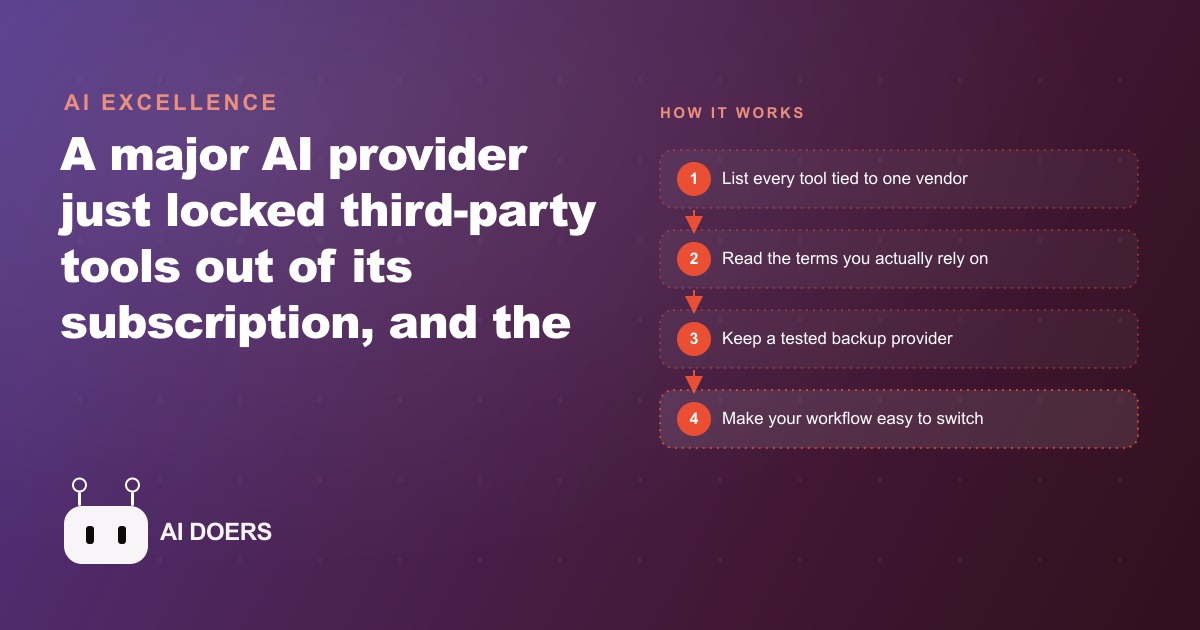
A major provider just locked third-party tools out of its flat-rate plan, and overnight people lost workflows they depended on. The real lesson is about vendor risk, not one tool.

The business that depends on one AI vendor for its core workflows is not running a strategy. It is placing a bet. I am Madhuranjan Kumar, and in the last few months I have watched hundreds of businesses learn that lesson the hard way when a major AI provider closed a loophole overnight, with no warning, and the automations they had built on top of it stopped working the next morning.
The provider's decision was economically rational. Its flat-rate subscription gave near-unlimited access to frontier models for a fixed monthly fee. The developer API for the same models charges per token, and heavy automation can push that bill into thousands of dollars a month. A wave of open-source tools had been quietly using the subscriber's login credentials to power their own agents, effectively generating thousands of dollars of compute under a flat plan. That is an arrangement no business can sustain, and eventually every business that tries to sustain it will stop trying. The provider's move was predictable in hindsight. The damage was entirely in the timing: a silent technical block, no advance notice, and workflows collapsed while their owners slept.
This is not a story about one company's bad behavior. It is a story about a structural risk every business accepts when it depends on vendor terms it did not write and cannot control. That risk is not going away. The AI market is still in its economics-discovery phase, which means every major provider will face moments where the generous policy that attracted builders has to give way to the policy that keeps the lights on. When that happens, the builders absorb the cost.
I have watched this pattern in mobile app stores, in social media APIs, in cloud storage pricing. It always surprises the loyalists most, because they built on trust rather than portability. The solution is not to stop using these tools. It is to use them without depending on any one of them. Here are eight concrete protections every business can implement before the next rule change arrives.
1. Map every tool to the specific login or plan that powers it
Before you can protect a dependency, you have to name it. Most businesses have no inventory of which automations depend on which credentials, and that gap is where the damage lands. When a provider changes its terms, the businesses that recover fastest are the ones who already knew exactly what was connected to what.
The inventory does not have to be sophisticated. A spreadsheet with four columns is enough: the tool name, the account or plan it runs on, what it does in your workflow, and what breaks if it stops. Include every scheduled task, every notification, every report that runs without a human pushing a button. Those quiet automations are the ones most likely to have grown invisible dependencies over time.
This mapping exercise consistently reveals surprises. Agencies running this audit typically find three or four tools they had forgotten were chained together through a single login. One of those chains is usually critical, meaning its failure would surface within hours in a client-facing output. Finding that chain in a calm afternoon is categorically different from finding it during a client complaint at 11 pm.
For businesses running meta ads or google ads through automated reporting pipelines, this mapping step is especially important. Those pipelines often connect ad platform APIs, spreadsheet exports, and AI summarization tools through a single authenticated session, and a change to any one of those connections can break the reporting a client sees every morning.
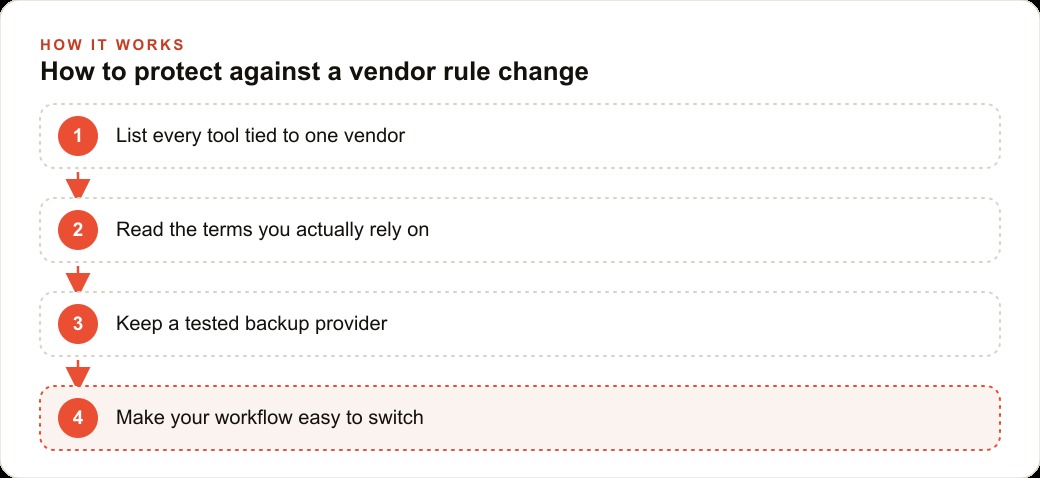
2. Read the terms for your three most critical tools
This is the step almost no business takes until after a problem. Terms of service documents exist to protect the vendor, and reading them is an act of self-defense. You do not need to read every word of every tool you use. You need to read the relevant clauses for the three tools whose failure would hurt you most.
The clauses worth finding are: the one that says what the provider can change and how much notice they will give; the one that defines what you are and are not allowed to do with the access; and the one that covers data portability, meaning whether you can export your configuration, your history, and your outputs if you decide or are forced to leave.
Most businesses will find that these clauses are shorter than expected and that the key risk is in the notice provision. Many providers reserve the right to change terms with little or no advance notice. That is the clause that made the recent episode so disruptive. The change was technically within the rules. There was just nothing in those rules that required the provider to tell anyone before it happened.
Knowing this in advance changes your planning posture. If a tool's terms allow overnight changes with no notice, you plan for that possibility rather than being surprised by it.
3. Keep a tested backup provider for each critical workflow step
The most common response to vendor risk is to say: we will find an alternative if something goes wrong. That is not a backup. That is a hope. A backup is a configuration you have already tested, stored, and confirmed works. The difference between those two things is the difference between a four-hour recovery and a four-day crisis.
The AI market right now is unusually favorable for building real backups. The major frontier models are largely interchangeable on most real-world business tasks. If your summarization workflow runs on one provider's API, a competing provider's model can almost certainly do the same job with a prompt adjustment. If your writing assistant runs through one subscription, a different subscription with a different company can serve the same function.
The test is what makes it real. Set up the backup, run your actual workflow through it, and confirm the output quality is acceptable. Store the configuration, the prompts, and the credentials in a file you control. Then do not touch it again unless you need it. That stored, tested configuration is worth more than any amount of platform loyalty when a rule change hits on a Monday morning.
For businesses building content pipelines for seo-content, having a tested backup AI provider means the difference between a brief configuration swap and a week of rebuilding from scratch. The content still goes out. The rankings still build. The backup earns its keep in the first crisis that never becomes a crisis.
4. Store your prompts and configurations in files you own, not inside the vendor's interface
This is the dependency that hides in plain sight. A business can spend months refining prompts for its customer service responses, its proposal drafts, its ad copy variations, and its reporting summaries, and if those prompts live only inside the vendor's product interface, the business does not own them in any meaningful sense. It rents access to them through a subscription it does not control.
The fix is straightforward: keep every prompt, every template, and every configuration in a version-controlled folder you own. A simple git repository works. A folder in your file system with dated versions works. The point is that the file lives somewhere you control independently of any vendor's product.
When you store prompts this way, switching providers becomes a configuration exercise rather than a rebuilding exercise. You point your prompts at a new API endpoint, adjust for any format differences, run a test, and you are operational again. When prompts exist only inside a product interface, switching providers means reconstructing from memory everything you had built, under pressure, while something is broken.
Treat the vendor's interface as a view into your files, not the place where your files live.
5. Avoid tightly coupling your automations to any single provider's authentication method
The specific mechanism that broke workflows in the recent episode was an authentication dependency. Third-party tools had been using a subscriber's session credentials to make API calls on the subscriber's behalf, and the provider revoked that usage pattern without notice. The tools that were built around that specific authentication approach had no graceful fallback, because the dependency was baked into how they worked at a fundamental level.
This is a design risk, not just a usage risk. When you build or adopt an automation, the question to ask is: how many layers of this tool are specific to one vendor's system? A tool that passes standard formats through a generic API wrapper is easy to redirect. A tool that has been built around one vendor's proprietary authentication, proprietary prompt format, and proprietary response structure is not easy to redirect. It is essentially rebuilt from scratch when the vendor changes the rules.
In practice, this means preferring tools that use standard API interfaces over tools that use workarounds or unofficial access patterns. It means asking, before you adopt a tool, what happens if the vendor changes how access works. If the answer is that everything breaks and there is no migration path, that tool carries more risk than the convenience is worth.
6. Treat model portability as a feature you actively maintain
The fact that AI models are largely interchangeable right now is one of the most useful properties of this market. It will not last forever. As models specialize and as providers differentiate, some workflows will become genuinely harder to move. The window to build portable workflows is open now, and businesses that use it will have more options than businesses that wait.
Maintaining portability is a small ongoing commitment: when you build a new AI workflow, add a note to your dependency map, confirm a backup provider exists, and store the configuration. That is ten minutes per new automation. The alternative is discovering months later that a workflow you relied on is deeply entangled with one provider's specific quirks and cannot be moved without rebuilding.
For an agency managing web-crm integrations and automated client updates, portability is not just a risk mitigation tool. It is a competitive advantage. The agency that can respond to a client's request for a different AI tool or a different data source by making a configuration change in an afternoon is more valuable than the agency that needs three weeks and a new contract amendment.
7. Identify the loyalist trap and step out of it
The businesses that took the most damage in the recent episode were the ones with the deepest attachment to the provider that made the change. They had advocated for the product, built communities around it, and assumed that their visible support meant the vendor saw them as partners rather than users. That assumption was wrong, and it is almost always wrong.
I call this the loyalist trap: the belief that enthusiasm for a vendor's product creates a kind of reciprocal obligation from the vendor to protect your workflows. It does not. Vendors make economic decisions. When those decisions require cutting off a usage pattern, the loudest advocates are often the first to discover that loyalty does not appear in the terms of service.
Stepping out of this trap does not mean becoming cynical about every tool you use. It means separating your operational posture from your product preferences. You can genuinely like a tool, recommend it to others, and build workflows on it, while simultaneously maintaining the backup configuration, the exported prompts, and the tested alternative that would let you move if the terms changed. Those two things are not in conflict. One is a feeling and one is a plan, and only one of them protects your business.
8. Design your recovery in advance, not in the moment
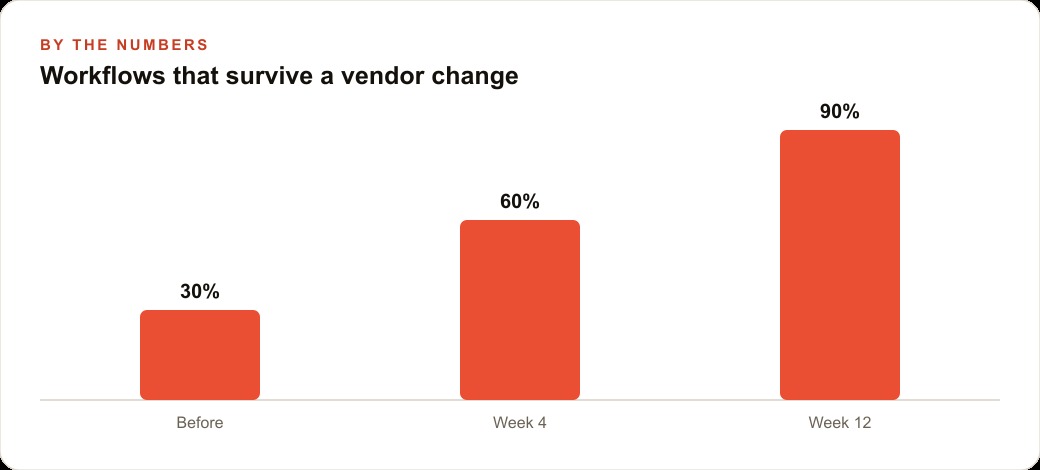
Here is the worked example that illustrates how this plays out in numbers. Consider a content agency running nine automated workflows: ad copy generation, weekly reporting, client brief summarization, image prompt creation, publishing queue scheduling, SEO draft creation, email sequence drafts, social caption generation, and competitive analysis. Each takes roughly four hours to rebuild from scratch if the underlying tool stops working. That is 36 hours of reconstruction work, spread across client-facing deliverables, if a vendor change breaks all nine workflows simultaneously.
The businesses that had prepared spent approximately six hours total setting up and testing backups across those nine workflows, an average of about 40 minutes per workflow. When the vendor change hit, they spent four hours redirecting configurations and confirming output quality. Their total cost was ten hours invested across several weeks. The businesses that had not prepared spent 36 hours in emergency recovery mode, during which client deliverables were late, reporting was delayed, and at least some of that delay was visible to clients.
The protection is not expensive. It is just unglamorous. It is the kind of work that feels unnecessary until the moment it saves you, and then it is the most valuable thing you did all quarter.
The way I approach this for any business is to start with the dependency map, identify the two or three workflows that are both critical and currently unprotected, build and test the backup for those first, and then work through the rest in order of risk. You do not have to protect everything at once. You have to protect the things whose failure you cannot afford, and you have to do it before the failure happens rather than during it.
AI providers will keep changing their rules. The economics of this market guarantee it. The businesses that thrive through those changes are not the ones that picked the right vendor and hoped they would never have to switch. They are the ones that built their operations to be portable from the start, kept their prompts in files they owned, tested their backups before they needed them, and treated switchability as a feature rather than a fallback. That is the lesson this episode taught, and it will keep being relevant long after any particular vendor's policy update is forgotten.
That is exactly what we do at AI DOERS. Book a private 30-minute call with Madhuranjan Kumar and we will map the fastest path to it for your specific business.
Book your call →
Madhuranjan Kumar
Madhuranjan Kumar brings 20 years of performance-marketing experience and has managed over $200 million in Facebook ad spend for brands across the United States and beyond. His expertise spans the full modern marketing stack: Meta, Google Ads, TikTok, email automation, CRM, and the websites that hold it together. At AI DOERS he turns that track record into lead-generation systems for businesses across every industry.