
The AI Innovations Quietly Changing Everything, and How a Business Can Use Them
File-aware assistants, web app builders that finally store data, conversational image editing, prompt-built games, and AI answering questions inside social feeds. Here is what each one does and how I would apply it.

The quiet upgrades are the ones worth watching
Every few weeks a flashy AI demo goes viral, gets argued about, and fades. Meanwhile a handful of unglamorous changes have slipped into the tools people already use, and those are the ones quietly rewiring how a small business gets work done. An assistant that can open and rewrite the files on your desktop is not a party trick. A browser app that finally remembers what a visitor typed is not a headline. But together, shifts like these turn AI from a chat window you visit into a set of hands that work alongside you.
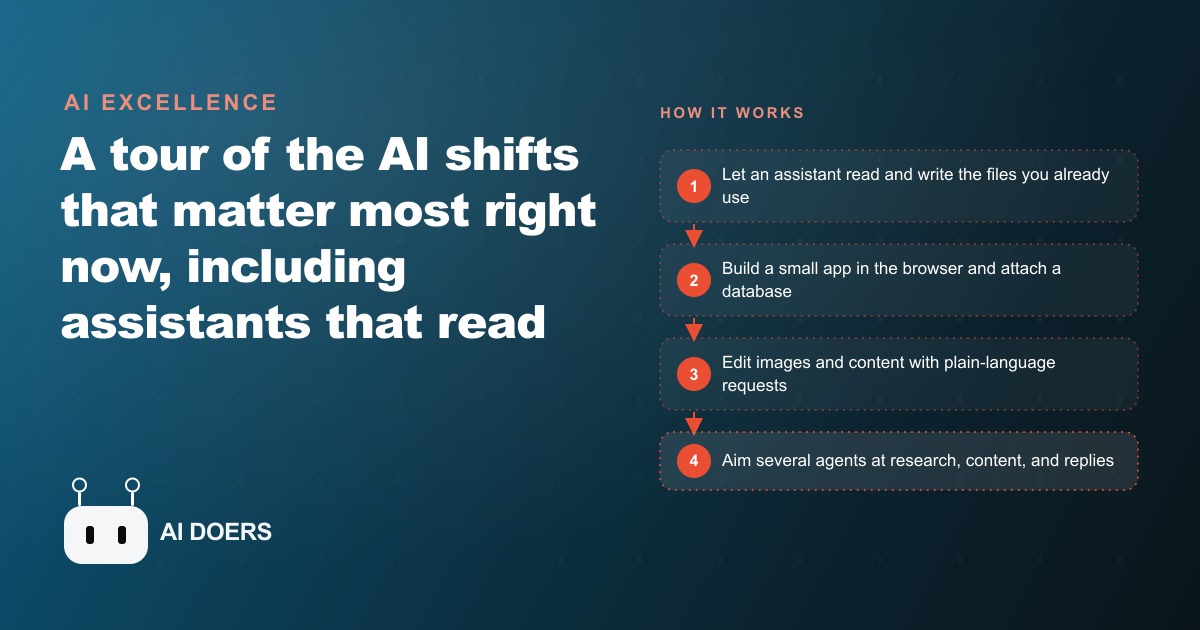
I want to skip the noise and walk through the innovations that actually change the day to day. For each one I will explain what it really does, where the value sits, and how I would put it to work if it were my business on the line. Think of this as a field guide, not a hype reel. Here are the eight shifts I am watching most closely, and why each one matters more than it looks.
1. Your assistant can now touch the files on your desktop
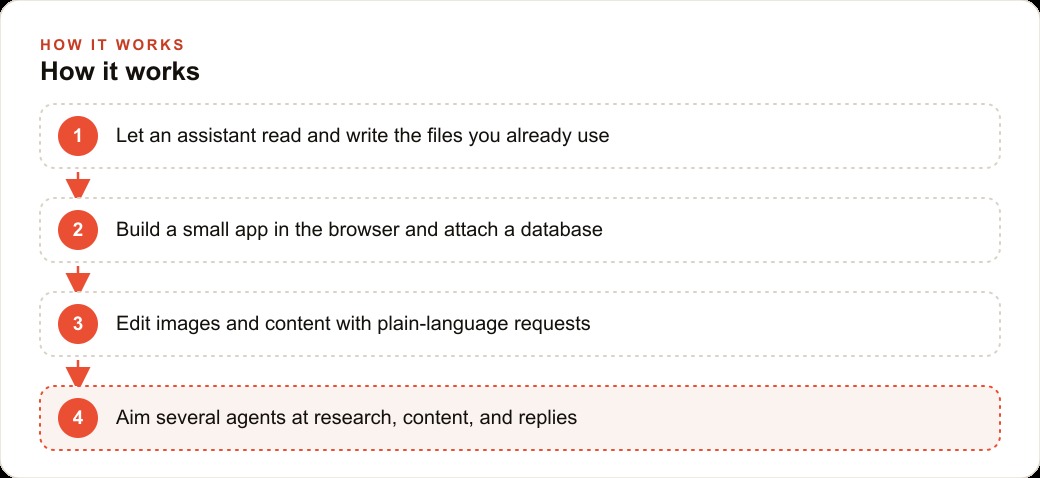
The biggest change is also the least dramatic to describe. The major assistants can now create, edit, rename, and organize real files and folders on your machine. You can ask one to make a project folder, write three documents inside it, go research a topic on the web, and then come back and add a fresh section to one of those documents. It carries out the whole sequence for you, step by step, and it feels less like chatting and more like handing work to a quiet office helper who never gets bored of admin.
This matters because most business friction is not strategy, it is handling. Someone has to draft the policy, save it in the right place, update it next quarter, and keep the naming consistent. A file aware assistant absorbs that layer. You describe the outcome and it produces the artifact where you can actually use it, not as a block of text you copy and paste and reformat by hand.
The catch is trust and access. Letting software write to your folders means being deliberate about what it can reach and keeping a backup of anything precious. I would start it on a low stakes folder, watch how it behaves for a week, and widen its scope only once it has earned it. Used that way, this single shift removes more busywork than any other item on this list.
2. Browser-built apps finally remember what people type
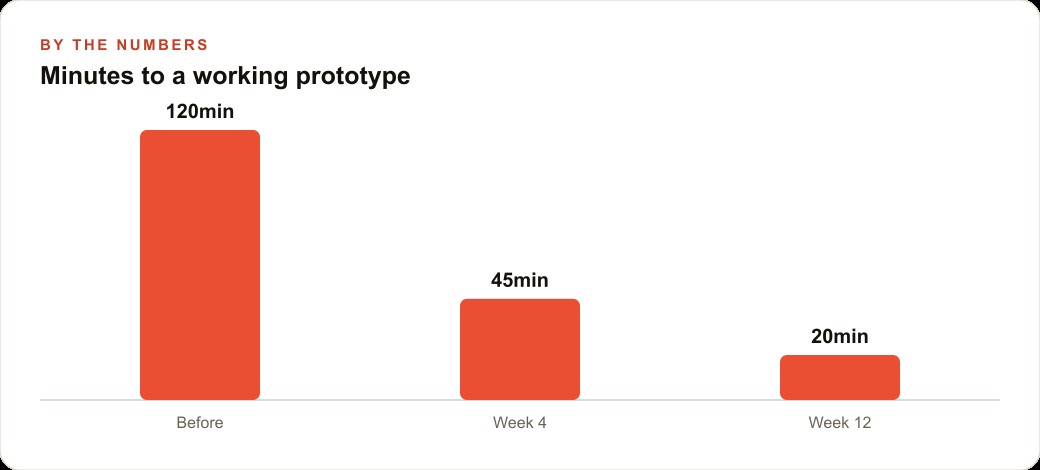
For a while, the tools that let you build an app by describing it had one embarrassing flaw. You could generate a form, a booking page, or a little tracker in minutes, but the moment a visitor refreshed the page, everything they entered vanished. It looked like an app and behaved like a mirage. That gap is closing. These builders can now attach a real database, so whatever someone submits is stored and waiting for you when you return.
That one change is the difference between a demo and a tool. A saved entry means you can build a genuine intake form, a simple inventory list, a customer request tracker, or an internal checklist without hiring a developer or paying for a heavy platform. The app you sketch in an afternoon becomes something your team can actually rely on next month.
I would still treat these builds as lightweight rather than mission critical at first. Test them with real entries, confirm the data lands where you expect, and understand where it is stored before you route anything sensitive through it. But the ceiling has lifted. A non technical owner can now stand up a working, data backed app for a real workflow, and that used to require a budget and a wait.
3. You can edit an image just by describing the change
Image models have crossed a line that makes them useful for ordinary people, not just designers. The newest ones let you change one element at a time with a plain sentence. Add a hat. Swap the wall color. Put this product on a clean background. Make the sky look like early evening. The rest of the picture stays almost exactly as it was, so you are editing by conversation instead of learning layers, masks, and selection tools.
The practical payoff is speed and independence. A business that needs a steady flow of product shots, seasonal variations, or social posts no longer has to book a designer for every small tweak. You take one good photo and spin it into a dozen usable variations by talking to it. That lowers the cost of looking polished, which used to be a real barrier for small teams.
There are limits worth respecting. These edits can drift on fine detail, and anything involving real people or brand assets deserves a careful human eye before it goes public. But for the everyday work of keeping a feed fresh or a catalog consistent, describing the change and getting it back in seconds is a genuine unlock. It pairs especially well with anyone running Facebook and Instagram ad campaigns, where testing many creative variations quickly is often the whole game.
4. Playable games and 3D scenes are appearing from prompts
People are now describing a game or a 3D asset and getting something they can actually run. The pipeline is still rough, and you should not expect a polished title out of one prompt. But a simple, playable game built in half an hour is real, and 3D objects generated from a sentence are becoming usable for mockups and product visualization.
For most businesses this is not an immediate line item, and I want to be honest about that. Its value today is more about signal than utility. When making a small interactive experience drops from weeks of specialized work to an afternoon of describing, the range of what a tiny team can attempt expands fast. A brand experiment, an interactive promo, or a quick 3D product preview stops being a fantasy budget item.
If you are not in games or product design, file this one under watch, not act. But watch it seriously. The same underlying leap that makes a game appear from a prompt is the leap that will soon make interactive marketing pieces and 3D catalog assets cheap enough for ordinary shops to try.
5. AI has moved into the comment section
On some platforms you can now tag an AI directly under a post and ask it to explain what you are looking at. It reads the content around it, understands the context, and replies inside the feed with a plain answer. The assistant is no longer somewhere else that you visit. It is sitting in the same place your audience already spends its time.
This changes the texture of social. When people can get instant, in context answers without leaving the app, the pages that show up as helpful and responsive win attention. For a business, that means the comment section is becoming a live support and clarity channel, not just a place for likes. Answering common questions clearly, quickly, and in public starts to matter even more than before.
It also raises the bar on being understood. If an AI is going to summarize or explain your post to a curious viewer, your message needs to be clear enough that the summary lands the way you intended. Sloppy, vague posts get flattened by that process. Clear ones get amplified. This ties directly into how you run SEO and organic search, because the same clarity that helps a human skimmer also helps an assistant represent you accurately.
6. Cheaper models keep erasing the reason to overpay
A steady, less glamorous trend runs under all of this. New competitors keep matching the quality of the expensive flagship models at a fraction of the price. The smartest, priciest option is rarely the one a real task actually needs. For most business work, drafting, summarizing, sorting, answering, a strong mid tier model does the job at a cost that makes running it constantly feel reasonable.
This matters because it changes what you can afford to automate. When the cost per task falls far enough, you stop rationing the AI to special occasions and start pointing it at everything repetitive. The mental shift is from asking whether a task is worth the cost to assuming it is, because the cost has become trivial for most everyday jobs.
The practical move is to stop reaching for the most powerful model by default. Match the model to the task. Use the cheaper option for the bulk work and save the expensive one for the rare problem that genuinely needs it. Done well, this can cut your AI spend dramatically while barely touching the quality of what you get back.
7. Writing for the agents that will read your site
More of your website traffic is about to be machines, not people. As AI agents do the browsing on behalf of their owners, gathering options, comparing services, and pulling facts, a growing share of your visitors will be assistants collecting information rather than humans scrolling. That means your content needs to be easy for an agent to read and summarize accurately, or you get skipped in the answers those agents hand back.
Clean structure wins here. Clear headings, direct answers to real questions, plain descriptions of what you do and where you do it, and facts stated simply rather than buried in clever copy. The pages that agents can parse cleanly are the pages that get represented well when an assistant recommends options to its owner. The pages full of vague marketing fog get glossed over.
This is not a reason to write robotically. It is a reason to write clearly, which humans appreciate too. The overlap is the point. Content that an agent can read cleanly is usually content a busy person can read cleanly, and that same discipline strengthens your whole CRM and website stack because clarity flows through every touchpoint that follows.
8. The future is many agents at once, with you making the calls
The last shift is a change in shape. The near future does not look like one chat window you talk to. It looks like several AI workers running in parallel, one researching, one drafting, one handling replies, while you sit above them making decisions and nudging them toward better choices. Your role moves from doing each task to directing a small crew of tireless helpers.
That reframe matters more than any single tool. Once you think in parallel agents instead of one conversation, you stop asking what the AI can write and start asking which jobs you can hand off at the same time. The bottleneck becomes your judgment, not your typing speed. The winners will be the people who get comfortable delegating to several agents and steering them, rather than micromanaging one.
Here is a worked example that ties the whole list together. Picture a veterinary clinic that decides to act on three of these shifts at once. The owner uses a file aware assistant to research and write clear care guides on puppy vaccination schedules, senior pet care, and post surgery aftercare, then keeps them updated as the vets refine the advice, which gives the front desk consistent answers instead of ten different versions. In parallel, they build a small intake app in the browser with a real database so an owner can submit their pet's name, symptoms, and a photo before the visit, and it is actually saved for the team. For social, they take one clinic photo and spin it into a week of friendly posts using conversational image editing, then answer common questions right in the comments. Say the front desk was losing roughly 12 hours a week to repeated questions and manual intake. If these tools claw back even 8 of those hours, that is more than 400 hours a year returned to caring for animals, and the numbers here are illustrative rather than a promise, but the direction is the whole point.
Where this leaves you
None of these shifts replace the person running the business. They clear the handling, the admin, and the repetition that keeps a small team from its real work. The move is not to adopt all eight at once. It is to pick the one painful task that eats your week, hand it to the right tool, and prove it for a few days before you widen the scope. The building has genuinely gotten easy. The judgment about what to automate, what to keep human, and how to keep data safe is where the value now lives, and that is the part worth taking seriously.
That is exactly what we do at AI DOERS. Book a private 30-minute call with Madhuranjan Kumar and we will map the fastest path to it for your specific business.
Book your call →
Madhuranjan Kumar
Madhuranjan Kumar brings 20 years of performance-marketing experience and has managed over $200 million in Facebook ad spend for brands across the United States and beyond. His expertise spans the full modern marketing stack: Meta, Google Ads, TikTok, email automation, CRM, and the websites that hold it together. At AI DOERS he turns that track record into lead-generation systems for businesses across every industry.