
The Week AI Got Cheaper and Image Editing Got Pro-Grade
Two releases out of this week's AI news actually matter for a small business: a top-tier model that costs a fraction of the premium tiers, and an image editor that finally follows instructions and renders clean text.

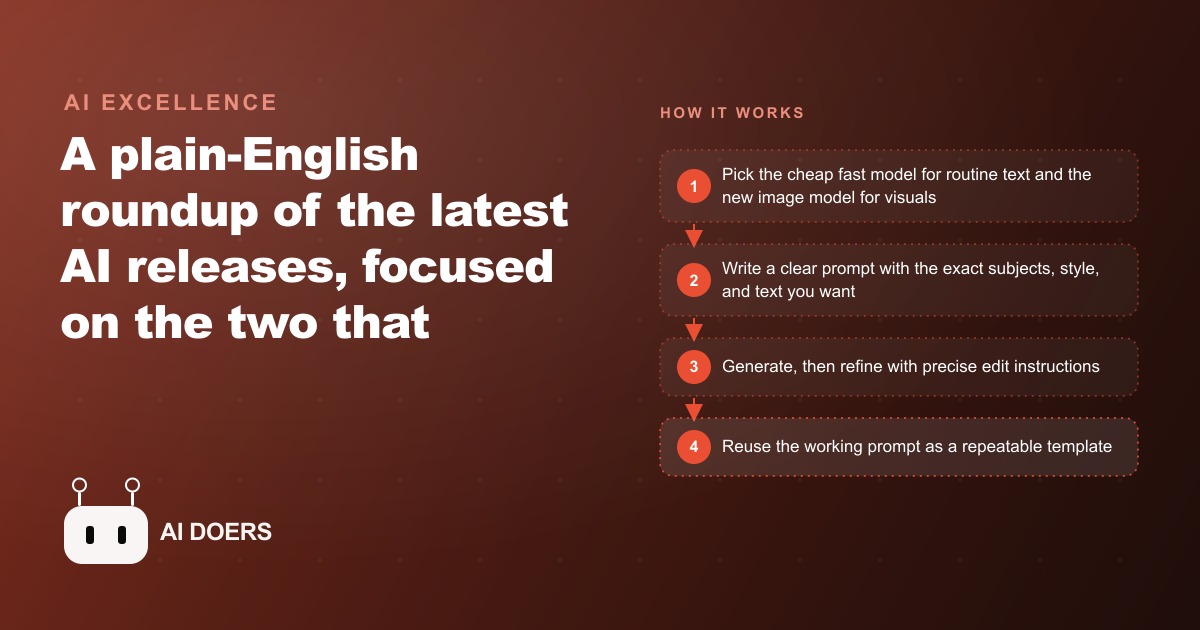
Two releases shipped this week that actually change what a small business can afford to do with AI. Everything else from the past seven days, the investment rounds, the new video tools, the audio model from a major social platform, is industry noise that does not affect your Monday morning workflow. I am Madhuranjan Kumar, and when I read a week of AI announcements I filter for one question: what changes the economics or quality of real work for a business trying to grow? This week the filter leaves exactly two items standing.
The first is a new fast text model that lands near the top of every major benchmark while costing roughly a quarter of the premium tier. The second is an updated image generation model that follows detailed prompts reliably, renders clean readable text inside images, composites multiple subjects into a single scene, and runs about four times faster than the previous version. Together they close the two gaps that have made AI tools frustrating for everyday marketing work, and understanding why those gaps mattered is more important than cataloguing the feature lists.
Frontier-quality text is now a fraction of the price of the premium tier
The new Flash model sits within a few benchmark points of the flagship Pro tier on most standard reasoning, coding, and writing tests, while costing roughly a quarter as much per million tokens. It is also available at no cost inside the standard app interface and integrated into search for users who do not want to think about per-token pricing. That combination, competitive quality at a fraction of the cost, is not an incremental improvement to one product. It is the moment when the quality threshold required for business writing tasks meets the price point where it makes sense to run the tool on everything rather than reserving it for special occasions.
For most business writing tasks you do not need the most capable model available. You need a model that is fast, accurate enough not to embarrass you in front of a customer or a client, and cheap enough to use for every routine writing task without watching a cost meter. The Flash tier fits that description precisely. Drafting follow-up emails after a sales call, summarizing long vendor contracts, sorting incoming customer inquiries by category, writing multiple variants of a product description for split testing, generating FAQ content for a website update: all of these tasks that previously required a premium subscription to handle well are now in the range where you run the model all day without financial concern.
The economic arithmetic is worth stating plainly. A frontier-quality model at a quarter of the cost means four times as much AI-assisted writing fits inside the same monthly budget. That either lets you expand the writing tasks you apply AI to, or it lets you bring AI into parts of your operation where the premium tier cost did not justify the investment. Both outcomes compound over time as the habit of using the tool continuously rather than occasionally changes how much of the routine writing overhead falls off your schedule.
There were also open-weight models released in multiple sizes this week that you can download, fine-tune on your own data, and run on your own infrastructure. Most small business owners will not need that path immediately, but it is the right option for any business where data privacy requirements prevent sending customer information to a third-party service, or where a custom model fine-tuned on proprietary training data would produce better results than a general-purpose hosted one.
The image model gap that made marketing graphics frustrating just closed
The second release is an updated image generation model, and it closes a gap that has been one of the most consistent sources of frustration for anyone trying to use AI for finished marketing materials. Earlier image generation tools could produce compelling creative compositions, but they had a reliable failure mode that made them difficult to use for anything that needed to ship to customers: they could not follow detailed prompts reliably, and they almost always failed on any text that appeared inside the image. Ask an older model to generate a promotional banner with a specific headline, a price point, and a call-to-action phrase, and the result was usually a beautiful image with the words either misspelled, distorted, placed in the wrong location, or replaced with visual noise that resembled text without being legible.
The updated model changes both of those things. It follows detailed prompts with considerably more precision, placing specific elements where you ask for them within the frame. It renders clean, legible text on signs, labels, banners, and in-frame graphics with the consistency required to use those outputs in actual customer-facing materials rather than internal brainstorm decks. It also composites multiple subjects into a single coherent scene with accuracy that is good enough to use in real marketing, not just to demonstrate what the technology can theoretically produce.
The speed improvement is four times faster than the previous version, and that number matters more than it initially appears. When image generation is slow, you run two or three iterations and pick the best from a small set because waiting through more attempts does not feel worth it. When image generation is fast, you run ten or fifteen iterations and pick from the strongest third of those options. The same dynamic applies to images as to text: a larger option set produces better final selections, and speed is what makes a larger option set practical in a real working session.
Text rendering inside images is the quiet upgrade that changes whether a graphic is usable
Of all the improvements in this release, the one that changes the most about practical marketing workflow is correct text rendering inside images, because that is the gap between an AI concept and a finished deliverable. A marketing graphic almost always includes text: a price, a business name, a seasonal offer, a call-to-action phrase, a neighborhood name for a localized campaign. An image model that cannot render those words correctly is not a tool for finished deliverables. It is a tool for generating concepts that you then hand to a designer to fix, which adds a production step that undercuts the speed and cost benefits of using AI in the first place.
The new model gets text right consistently enough that the gap between AI concept and finished asset narrows substantially. A seasonal promotion graphic with a specific price on it, a service announcement with the service name spelled correctly, a local campaign banner with a neighborhood name rendered legibly in a clearly designed frame: all of these are now achievable from a single well-written prompt rather than a multi-step production process.
For Facebook and Instagram ad campaigns, this change in image reliability has an immediate practical application. The creative volume required for a healthy paid social presence is high, and the turnover is continuous. A local service business testing five headlines needs five corresponding creative executions. A shop running a weekly promotion needs new visuals every week. A professional service rotating through different offer angles needs multiple graphic variants per campaign to prevent creative fatigue in the audience. Producing that volume at the pace of one usable graphic per session, with designer cleanup required before each one could ship, was a genuine production bottleneck. The new model makes it possible to produce a week's worth of finalized graphic variants in a single working session.
Two tools, two jobs: keep them separate and the workflow snaps into place
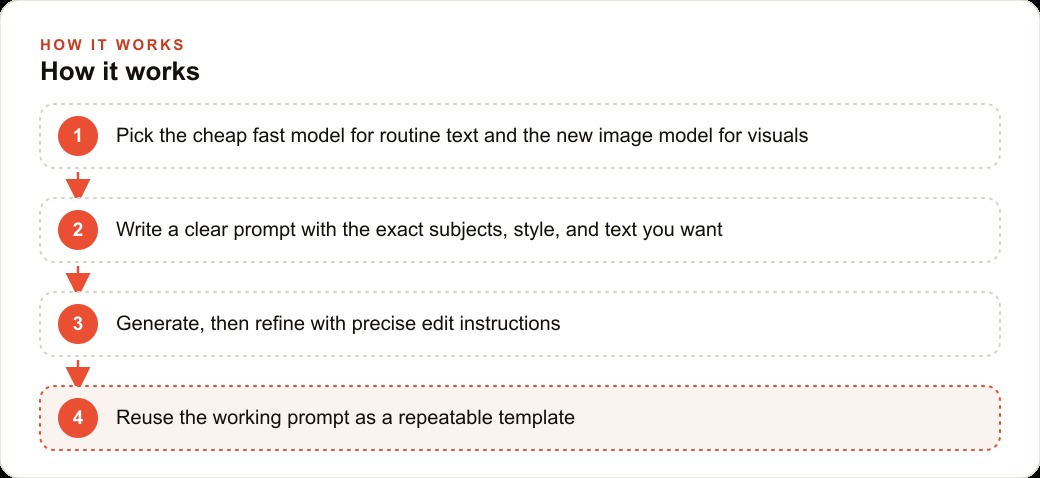
The practical move that comes out of this week's releases is architectural rather than just additive. The right response to having a cheap fast text model and a capable image model at the same time is to stop thinking about AI tools as a single category and start maintaining two distinct workflows: one for text work and one for visual work. These are genuinely different tasks that benefit from different tools, and keeping them separate makes both workflows cleaner and faster.
Use the cheap fast text model for everything made of words. Drafting, summarizing, sorting, translating, structuring, and refining are all text jobs. The per-use cost is low enough that you run the model many times per day without concern. When a prompt format produces the tone and style you want, save it as a template and reuse it across every similar task. The accumulation of working prompts over weeks and months becomes a permanent operational asset that makes every similar task faster than the last.
Use the updated image model for everything visual. Specify subjects, style, setting, mood, and especially the exact text you want rendered in the image, all in explicit detail rather than leaving elements to interpretation. When you need a variant, describe the specific change rather than starting from scratch with a vague new prompt. The model responds to precise instructions far better than to open-ended creative direction, so the investment in writing specific image prompts returns quickly in better first-draft quality.
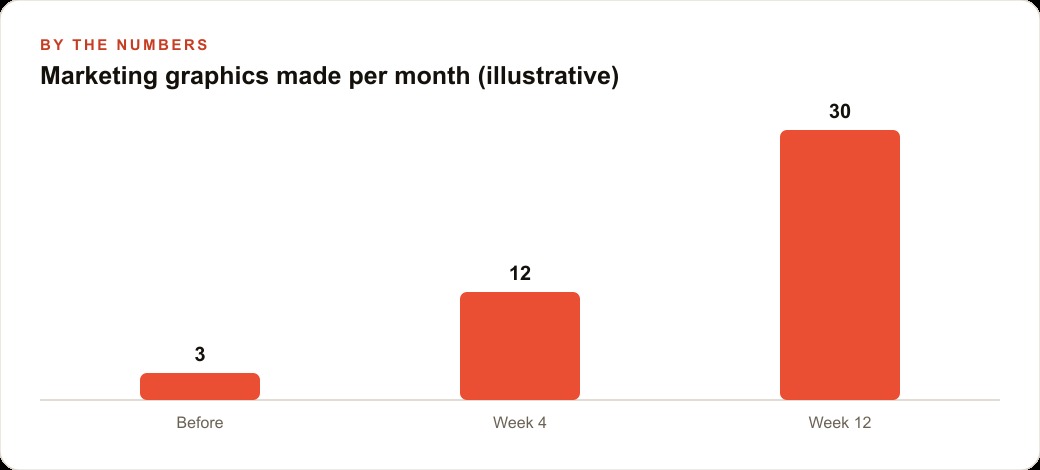
A small photography studio that previously produced three to four marketing graphics per month, because each one required coordinating AI concepts with a freelance designer for text corrections and layout cleanup, switched to the two-track workflow and changed those numbers substantially. The studio owner builds prompts for specific seasonal and service graphics that spell out image composition, style, and exact text for every element. The model generates finalized options from each prompt. The owner reviews a set of eight to ten results, selects the best two or three, and schedules them directly without a designer review pass. The production cycle that used to take four to five days per batch from concept to final approval now completes in a single working session. Monthly graphic output tripled. Per-graphic cost dropped to nearly zero. The quality of the final selections improved because the pool they were drawn from was three times larger.
The same compound effect applies across any SEO and organic search operation that needs original visual content alongside written articles, any CRM and website stack that sends personalized visual offers to audience segments, and any business that publishes consistently across multiple social channels. The two-track workflow is the natural division of labor that the two releases together make possible for the first time at this price point.
The prompts that work are the real asset, not the individual outputs
A practical observation to close. The outputs of both the text model and the image model are temporary. A good email draft gets sent and forgotten. A good graphic gets published and replaced next week. But the prompt that reliably produces a good email draft, or the image prompt that reliably produces an on-brand graphic with correct text in the right position, those are permanent operational assets. Every time you write a prompt that works, save it with a clear label describing the task it handles. Build that prompt library deliberately over the first month and it becomes more valuable than any single output the models produce.
The businesses that extract the most from this week's releases are not the ones who try the tools once out of curiosity and move on. They are the ones that invest a few hours per week for the first month in building that library, testing different approaches, saving what consistently works, and iterating on what almost works. The compound return on that investment is the difference between using AI as an occasional writing tool and running it as a production system that generates a steady stream of copy and creative in the background while attention stays on higher-value work.
Both tools are available now. The text model is accessible through the standard interface and at the new lower API price. The image model update is rolling out through existing image generation tools. The only meaningful cost to accessing what they can do is the time spent learning to write the prompts that get the most out of them, and that is time that pays a compounding return from the first week forward.
That is exactly what we do at AI DOERS. Book a private 30-minute call with Madhuranjan Kumar and we will map the fastest path to it for your specific business.
Book your call →
Madhuranjan Kumar
Madhuranjan Kumar brings 20 years of performance-marketing experience and has managed over $200 million in Facebook ad spend for brands across the United States and beyond. His expertise spans the full modern marketing stack: Meta, Google Ads, TikTok, email automation, CRM, and the websites that hold it together. At AI DOERS he turns that track record into lead-generation systems for businesses across every industry.