
AI Coding Extensions, Explained: Any Model, Any Editor, Real Projects
Free open extensions let you run any AI model inside your editor and dispatch agents that plan and build whole projects. Here is how they work and how I would use one for a business.

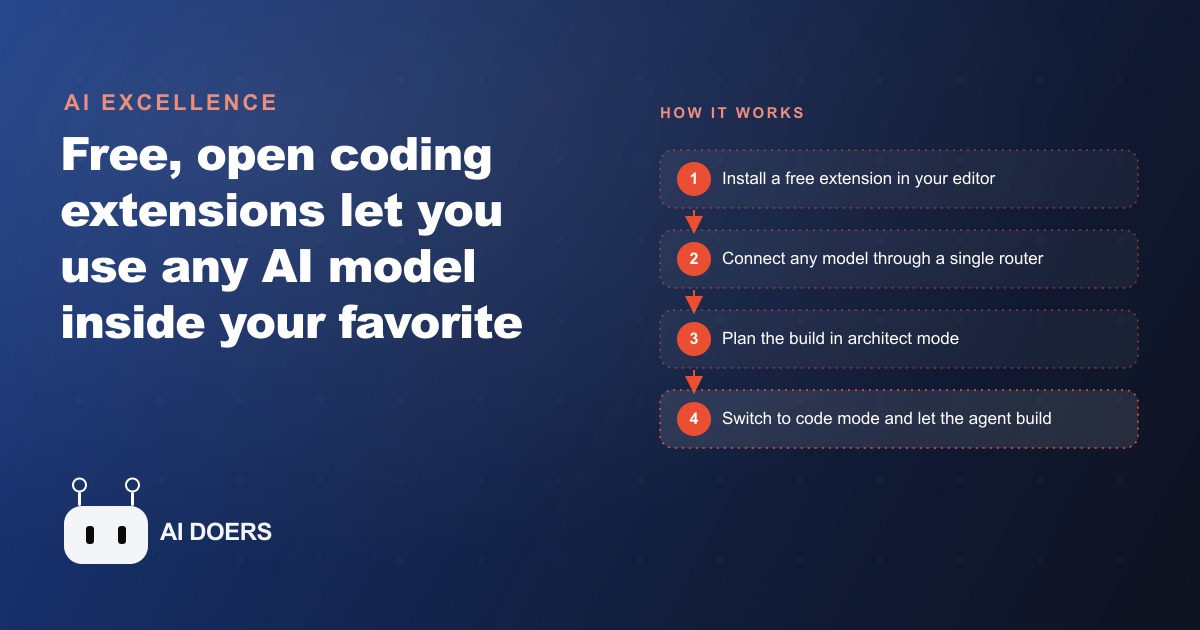
An independent restaurant with two locations was drowning in tabs. Online orders came through one screen, reservations through another, and a printer spat out tickets that the floor staff sorted by hand during the rush. The owner did not want a big software contract or another monthly subscription. What they wanted was one simple screen that showed incoming orders and bookings in real time, shaped around how the restaurant actually ran. This is the story of building that screen with a free, open source AI coding extension, and what it cost.
I am Madhuranjan Kumar, and I use this walkthrough because it shows the honest arc of these tools: what they unlock, where the real skill lives, and why a small business can now build the internal software that never justified a developer before. AI coding extensions are free agents that live inside the editor you already use and can drive almost any AI model to write, plan, and debug software. They break the lock of being tied to one paid tool and one provider, they let you read and even fork their own code because they are open source, and they show you the real token usage and cost per request so you always know what you are spending.
The starting point: a mess of tabs and printouts
Before any code, the situation was the usual small-restaurant tangle. Orders lived in a delivery dashboard. Reservations lived in a booking widget. Neither talked to the other, and neither matched the rhythm of a dinner service. During a busy Friday the manager was alt-tabbing between screens, missing an order because it scrolled off, and seating a large party into a slot that a delivery rush had already stretched thin. Off-the-shelf restaurant software existed, but it was expensive, packed with features nobody would touch, and still would not present the one unified view the owner actually pictured.
The goal was deliberately modest. One screen, real time, showing orders and bookings together, grouped in a way the staff could read at a glance. That modesty is the point. The reason a project like this never happened before was that a developer contract for something this small made no financial sense. With a free extension and a cheap capable model, the math finally worked.
Choosing the tools before writing a line
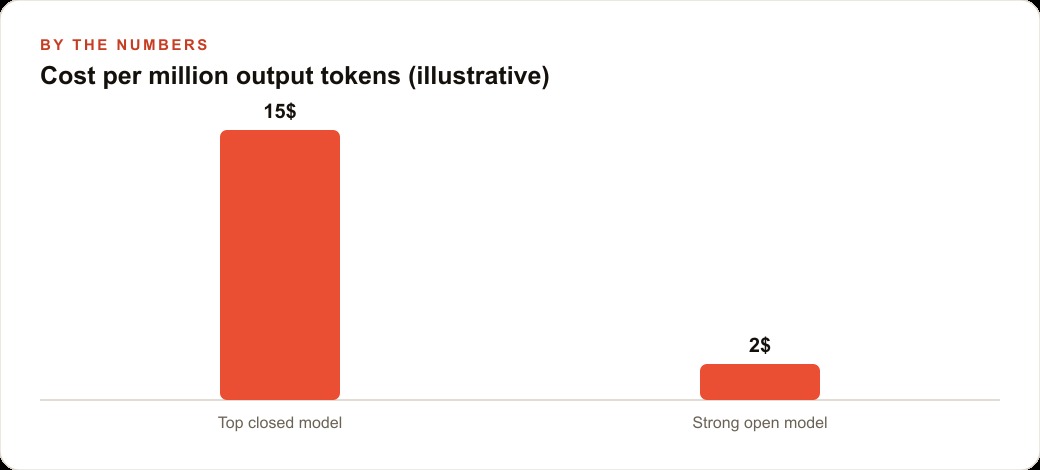
The first real decision was the model, not the code. The extension connects to a router that exposes nearly every model, open or closed, from one place, so the choice came down to cost and capability. The best open coding models now rival the top closed ones on many benchmarks while costing a fraction of the price, so we picked a strong open model and charged up a small balance. Illustratively, the router showed a top closed model at around 15 dollars per million output tokens against roughly 2 dollars for the strong open model, and for a project this size that gap is the difference between a build that costs a few dollars and one that costs a few cents.
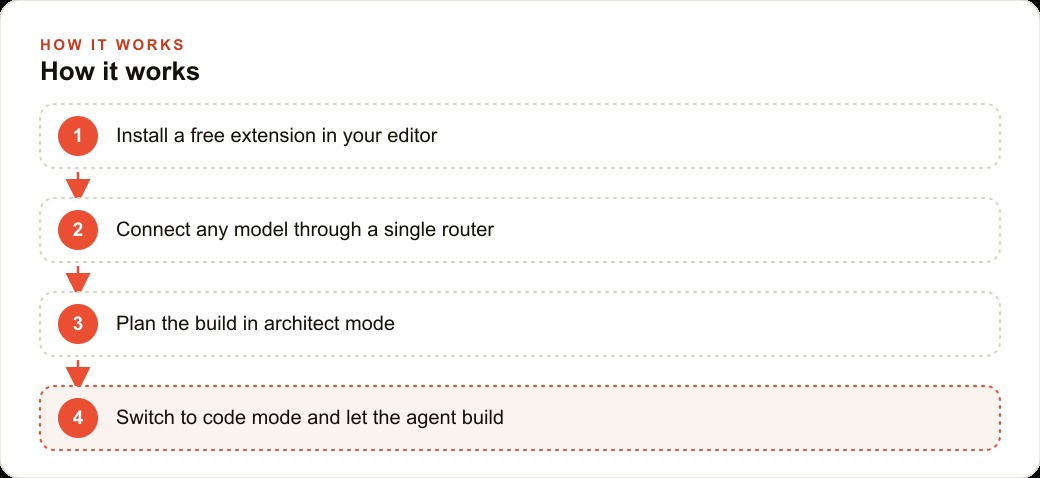
The second decision was to treat this as engineering, not guessing. The extension gives you tuned modes: an architect mode for planning, a code mode for building, and a debug mode for fixing. The plan was to use them in that order rather than firing off one hopeful prompt. We also turned on codebase indexing, which loads the whole project into a vector database so a search for an idea finds related files even when they never use that exact word. On a small project that matters less, but it is the habit that scales.
Chapter one: planning in architect mode
In architect mode the agent behaved like a careful contractor. It asked how the restaurant took orders, what a reservation actually needed to store, and whether the tool should run locally on a back-office machine or in the cloud. Then, before touching any code, it wrote a short plan in markdown: a clean back end to hold orders and bookings, and one screen that showed both in real time. Writing the plan down first is the single most underrated step in this whole process. It is where you catch that you forgot about table sizes, or that pickup time matters more than order time, while changes are still free.
The plan named the pieces in plain language, so the owner could read it and correct it before a single file existed. That review, an owner reading a markdown plan and saying yes to this, not that, is worth more than any amount of clever prompting later. It is the difference between the agent building the right thing and building a thing.
Chapter two: building in code mode
With the plan approved, we switched to code mode and let the strong open model execute against it. This is the part that looks like magic and is really just patience. The agent ran on its own for several minutes, creating files, wiring the back end, and assembling the screen, while the cost ticked up by cents in the corner. Because the extension shows every file it touches and every request it makes, the owner could watch the build happen and see exactly what it was spending. For this project the whole build stayed well under a dollar, thanks to the cheaper model.
Then came the touches that staff actually feel. We prompted for a view that grouped orders by pickup time, a reservation list that flagged large parties, and a quick way to mark an order as done. Each of these was one plain-English request, and each one edited multiple files at once. Not every attempt landed clean, which is where debug mode earned its place: when an error appeared, we pasted it back and the agent traced and fixed it, usually in seconds. The error loop is not a sign something went wrong, it is simply how the work moves forward.
Chapter three: making it safe to change
One decision separated this from a fragile demo. We set up proper version control early, real git history, rather than relying only on the checkpoints inside the extension. That mattered because the owner would keep asking for changes, and some of them would be wrong. With real history, a risky change could be rolled back cleanly instead of hoping a tool-specific checkpoint held. This is the least glamorous chapter and the most important. An internal tool a business depends on needs the same safety net as any other software, and learning basic version control early is what turns a weekend build into something the restaurant can actually trust on a busy night.
The finished result was exactly the modest thing the owner asked for: one screen, orders and bookings together, grouped by pickup time, large parties flagged, a tap to mark a job done. It did not replace a single staff member. It cleared the screen clutter that was slowing down service, and it fit the restaurant instead of forcing the restaurant to fit it. The order data it captured could later feed the CRM and website stack so repeat customers get a follow-up, and the same clean records of what sells give the owner honest signal for local Google Ads instead of guessing which dishes to promote.
What the numbers actually looked like
Put illustrative figures on the whole thing. The build itself cost under a dollar in model usage. The extension was free. The strong open model kept every subsequent tweak in the range of cents. Against the alternative, a custom development contract that would have run into the thousands, or a monthly SaaS subscription the owner would pay forever, the economics are not close. Even the ongoing cost is trivial, because further changes are just more small prompts against a cheap model.
The value that is harder to put a number on is fit. Because the tool was built from the owner's own description, it matched the restaurant's real workflow rather than an average of every restaurant. And because it was built with real version control and clear plans, it was safe to keep evolving. That combination, cheap to build, cheap to change, shaped exactly to the business, is what these extensions make possible for the first time for a company too small to hire a developer.
Chapter four: living with the tool after launch
A build is not the end of the story, and the weeks after launch are where most internal tools either take root or get abandoned. What kept this one alive was that changing it stayed cheap. When the manager realized the order view should sort by pickup time rather than order time, that was one prompt and a few cents, not a change request to a vendor and a three-week wait. When the owner wanted the large-party flag to also show the party size, another prompt. Because the extension shows every file and every cost, and because we kept real version history, each of these tweaks was safe and fast.
That responsiveness is what separates a tool people actually use from one that gathers dust. Software that cannot bend to a small request gets worked around and eventually ignored. Software that adjusts to a plain-English ask within an hour becomes part of how the team works, because the staff learn that when something is awkward, it gets fixed. Over the first month the restaurant's screen went through half a dozen small refinements, each one making it fit the service a little better, and the total cost of all of them combined was still a rounding error.
Why the modest scope was the smart scope
It is tempting, once you see how cheap building is, to ask the agent for everything at once: inventory, payroll, loyalty, the works. Resisting that was the single best decision in this project. A small, sharply defined tool, one screen that does one job well, is something you can plan clearly, build quickly, and verify completely. A sprawling system is something you lose control of, where you cannot tell whether the agent built the right thing because you were never sure what the right thing was.
The discipline that makes these extensions pay off is the same discipline that makes any software project succeed: scope tightly, plan before you build, and expand only once the current piece is solid. The restaurant did not need a platform. It needed one screen that ended the alt-tabbing, and by refusing to build more than that, the owner got a tool that worked on day one and kept working. Ambition is cheap with these tools, which is exactly why restraint is the skill worth practicing.
What this means for your business
Almost any business that needs a small custom tool can now build one, even without a developer on staff. Shops, clinics, agencies, and restaurants all have little software needs that never justified a contract: a tracker, a dashboard, a simple ordering screen. With a free extension and a cheap capable model, those projects finally pencil out. The habit that makes it work is treating it as real engineering, planning before coding, keeping version history, and reviewing what the agent builds, rather than firing off one prompt and hoping.
If you want to try it yourself, install a free extension in your editor, connect it to a router so you can reach any model, and charge up a small balance. Pick one tool you genuinely need, start in architect mode so the agent plans first, choose a strong open model to keep costs low, and learn basic version control early. The honest part is that installing the extension is easy, while scoping the right tool and shaping the plan is the real skill, and it is where most people stall after the first demo. If you would rather have a working internal tool built, tuned to your workflow, and handed over running, that is the kind of setup I do for clients. You can take the do-it-yourself path, or bring in someone who has already shipped many of these.
That is exactly what we do at AI DOERS. Book a private 30-minute call with Madhuranjan Kumar and we will map the fastest path to it for your specific business.
Book your call →
Madhuranjan Kumar
Madhuranjan Kumar brings 20 years of performance-marketing experience and has managed over $200 million in Facebook ad spend for brands across the United States and beyond. His expertise spans the full modern marketing stack: Meta, Google Ads, TikTok, email automation, CRM, and the websites that hold it together. At AI DOERS he turns that track record into lead-generation systems for businesses across every industry.