
How AI Coding CLI Tools Let Anyone Build a Real App Without Writing a Single Line of Code
GPT-5 Codex CLI and Claude Code have made software development accessible to anyone who can write a clear sentence. Here is how to use them to build something your business actually needs.

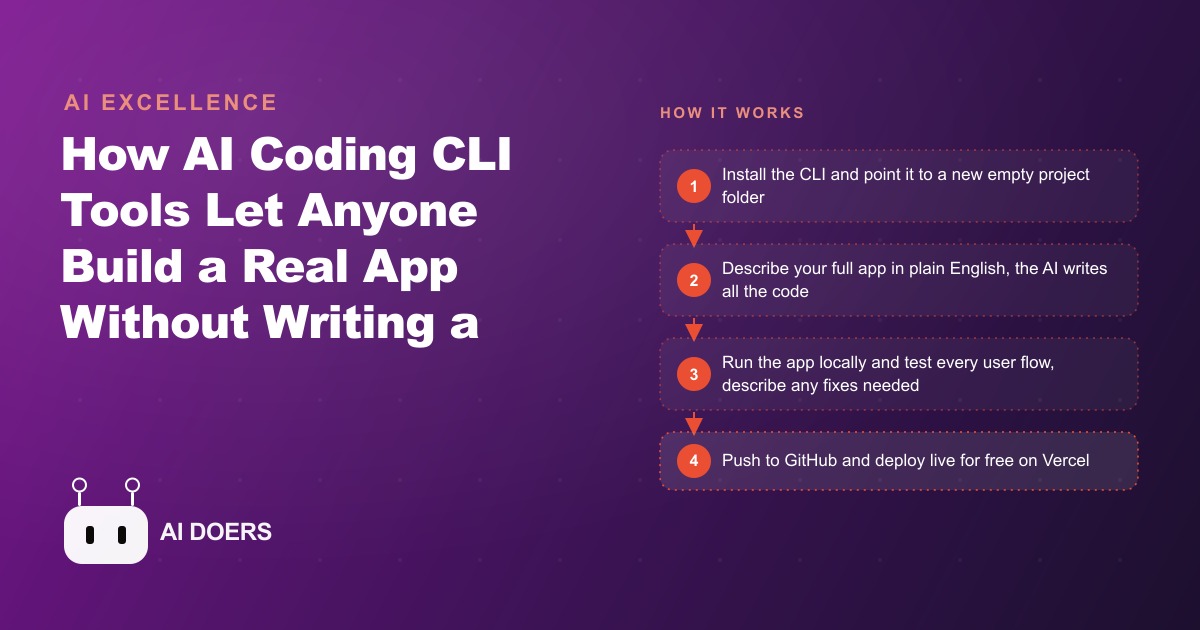
Marco's restaurant was taking reservations by phone, by DM, and in a paper book that the kitchen could not read from across the room. I am Madhuranjan Kumar, and the system he built with Claude Code CLI across four sessions replaced all three channels with a working custom reservation system that his whole team uses without training time.
Where the paper-and-DM system breaks
A restaurant that handles reservations across three channels simultaneously is running three separate workflows that need to stay in sync with each other and with the physical reality of available tables. A call that comes in and is written in the paper book while the front desk is also responding to an Instagram DM for the same time slot is a double-booking waiting to happen. The collision rate stays low until the restaurant gets busy enough that all three channels have volume at the same time.
For Marco, that point arrived during a weekend dinner rush. Two parties arrived for the same table at the same time. Both had reservations. One had called, one had DM'd. The paper book had the phone reservation. The person who handled the DM had mentally noted it but not transferred it to the book. The resolution involved moving one party to a table that was technically available but not set, comping drinks while the table was prepared, and having a conversation about the reservation system that made clear the current approach would not scale.
The commercial reservation systems that solve this problem work well. They also come with onboarding requirements, monthly fees, integration dependencies, and a branded booking experience that is designed for the platform rather than for the restaurant's specific identity. Marco wanted a solution his team would actually use, that reflected how his restaurant communicated with guests, and that he controlled.
Building the database before the interface
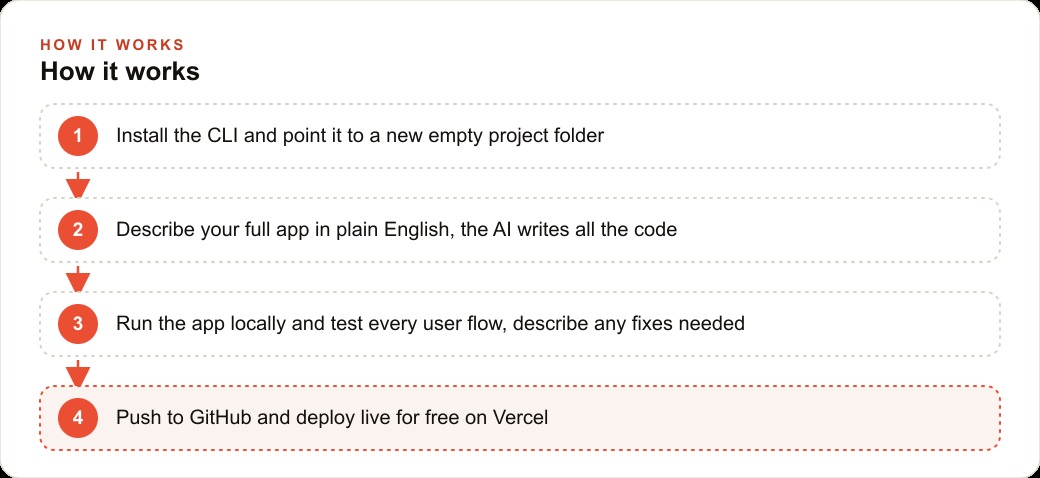
The first session established the data structure before any visible interface was built. This sequence, data structure first, interface second, is the right order for reservation systems because the interface expresses the data, and the right interface depends on what data actually needs to be captured and how it needs to be queried.
A reservation record for Marco's restaurant needed: guest name, party size, date and time, table assignment, contact information, any notes about the reservation (birthday, dietary restriction, special request), and status (confirmed, arrived, no-show, cancelled). That list is not long, but each field has operational implications. The table assignment needed to respect the restaurant's floor plan. The date and time needed to prevent double-booking the same table. The contact information needed to support the confirmation text that Marco sent manually the day before each reservation.
Claude Code built a database schema from the description of those requirements and established the rules that would prevent double-bookings: a constraint that no table could be assigned to two reservations with overlapping time slots, configurable per-table based on the restaurant's turn time assumption for each service.
The first session ended with a working database, a command-line interface that could add and query reservations, and verification that the double-booking prevention logic worked correctly under a test case where two reservations competed for the same table and time.
The front-of-house view versus the kitchen view
The second session built two interfaces for the same underlying data. The front-of-house view, used by the person greeting guests, needed to show the reservation list for the current service organized by time, with the ability to mark arrivals, flag no-shows, and quickly look up whether a walk-in had called ahead under a name.
The kitchen view needed to show upcoming cover counts by service so the kitchen could plan prep quantities. The kitchen does not need guest names or contact information. It needs to know that Friday dinner has thirty-two covers booked, that three more parties are pending confirmation, and that Saturday lunch is currently sparse.
These are two different presentations of the same reservation data, and building them as separate views rather than one combined interface that the front of house and kitchen were expected to navigate differently was a deliberate decision. Simplicity in the daily-use interface is more valuable than feature completeness. A front-of-house person who has thirty seconds between greeting guests does not benefit from a screen that shows them kitchen prep data they do not use.
The second session ended with both views working correctly and a simple access control that determined which view a logged-in user saw based on their role.
Adding the confirmation text system that replaced manual follow-up
The third session addressed the confirmation process that Marco had been running manually. The day before each reservation, he or a staff member would send a text message to each guest confirming the time and asking for a reply if the guest needed to cancel. This was valuable because it significantly reduced the no-show rate. It also required someone to spend thirty to forty minutes each afternoon working through the next day's reservation list and sending messages one by one.
Claude Code built an automated version of this process. Each evening, the system sent confirmation texts to all guests with reservations the following day. The message used Marco's actual phrasing, which he provided, rather than a generic template. Replies that included the word "cancel" flagged the reservation for review rather than automatically cancelling it, because some guests replied to confirm, some replied to cancel, and some replied with questions that required a human response.
The system did not attempt to interpret every reply. It flagged any reply that matched a cancellation signal for review and forwarded any other reply to Marco's number. The automation handled the routine case and passed everything ambiguous to a human. That division is more reliable than an automated system that attempts to handle every reply correctly, and it is what Marco wanted.
The training the system required
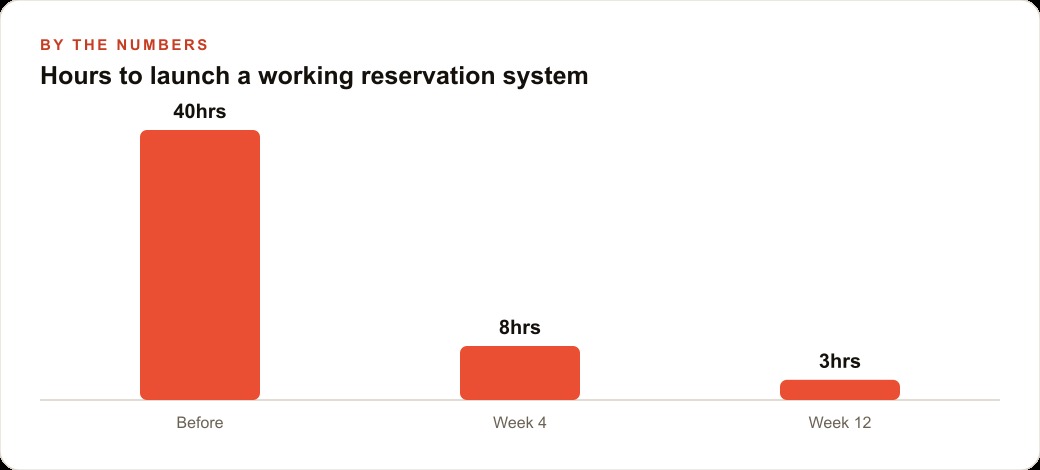
The system Marco built was in production use within a week of the first session. The training it required was a fifteen-minute walkthrough with the front-of-house staff and a five-minute explanation to the kitchen of where the cover count information would appear each day.
That speed of adoption reflects a design choice made during the brief-writing phase. The interface needed to do fewer things better rather than more things with higher complexity. A reservation system used by three or four staff members across two shifts does not need features that a multi-location group with dedicated floor managers would use. It needs a clear reservation list, a reliable arrival-marking mechanism, and a way to add walk-ins without breaking the table assignment logic.
The commercial systems that the existing alternatives would have offered come with features that Marco's restaurant does not need, behind interfaces designed to be comprehensive rather than fast for the specific tasks his team does dozens of times per service. The custom-built system does exactly what his team needs, with nothing that gets in the way.
For a restaurant that also runs Google Ads or Meta advertising to drive new guest traffic, a reservation system that captures direct bookings replaces the friction of guests calling during busy service periods to make a reservation. A booking link in an ad drives a conversion that goes directly into the system without requiring any staff time. That connection between the advertising investment and the operational system that handles the bookings it generates is a natural extension of what the reservation system enables.
Handling walk-ins and same-day requests without breaking the reservation structure
The paper reservation system had one advantage that the digital system needed to explicitly address: adding a walk-in to the book was trivial. You wrote the name and party size on the next available line and handed the table. The digital system needed to make that operation equally fast or the front-of-house staff would revert to the paper book for walk-ins out of habit.
The walk-in flow Marco built handles this by allowing a new reservation record to be created directly from the table availability view. The front-of-house person sees the current table status, taps an available table, and enters a name and party size. The system creates a reservation record with "walk-in" status and marks the table occupied. The same double-booking prevention logic applies: if a table is already occupied or has a reservation arriving within the turn time, it appears unavailable and cannot be selected.
The distinction between walk-in status and advance reservation status matters for one specific reporting purpose: Marco wanted to track what percentage of his covers were walk-ins versus advance reservations across different days and services. The data that accumulated over the first three months of running the system answered a question he had been guessing at: weekend lunch had a significantly higher walk-in rate than weekend dinner, which meant maintaining available tables for walk-ins during lunch service was more operationally important than he had previously understood.
That insight came from data that was generated as a byproduct of using the system for its primary purpose. The system was not designed to produce the walk-in rate analysis. It produced it because the data was captured in the reservation records and the analysis was a simple query on that data. Business intelligence from operational data is often the delayed return on building operational systems correctly, and it compounds over time as the data accumulates.
The no-show pattern that the data revealed
Six months of reservation data revealed a no-show pattern that Marco had not explicitly tracked before: reservations booked more than four days in advance had a measurably higher no-show rate than reservations booked within forty-eight hours. The analysis was simple: query all reservations by how far in advance they were booked, compare no-show rates across booking lead time buckets.
The operational implication was immediate. For reservations booked more than four days out, sending a second confirmation text the day before service in addition to the standard day-before message reduced the no-show rate for that segment significantly. Adding the second message for the high-lead-time segment required a single condition added to the confirmation automation: if the reservation was booked more than four days before service date, add an additional message to the confirmation sequence.
The data also showed that the SMS confirmation with a reply option was producing a meaningful number of advance cancellations, which was operationally valuable. A table that a guest cancels twenty-four hours in advance can be released for a new reservation. A no-show table cannot. The confirmation process was converting a portion of would-be no-shows into advance cancellations and creating opportunities to fill those tables, a conversion that represented meaningful revenue recovery over the course of a full season.
None of this analysis was planned when Marco started building the reservation system. The system was built to prevent double-bookings and reduce the manual effort of managing three simultaneous booking channels. The data it accumulated created a secondary capability that has become as operationally valuable as the primary one.
The connection to paid advertising that the system enables
Marco runs occasional Facebook and Instagram ads promoting special events and seasonal menus. Before the reservation system, the call to action on those ads was a phone number. Tracking how many ad impressions converted to reservations required asking every caller how they found out about the event, a process that relied on staff remembering to ask and customers remembering where they had seen the ad.
The reservation system changed this. Ads now link to a booking page where guests submit their reservation request directly. Every reservation created through the booking page has a source field that the system sets automatically. The data that connects an ad impression to a completed reservation is captured without relying on staff or customer memory.
For a business also investing in local search advertising, the same reservation link can be the call-to-action for search ads targeting "restaurant reservations near me" queries. Each reservation that arrives through that channel is attributed in the system, which makes the advertising ROI calculation a data query rather than an estimate.
That is exactly what we do at AI DOERS. Book a private 30-minute call with Madhuranjan Kumar and we will map the fastest path to it for your specific business.
Book your call →
Madhuranjan Kumar
Madhuranjan Kumar brings 20 years of performance-marketing experience and has managed over $200 million in Facebook ad spend for brands across the United States and beyond. His expertise spans the full modern marketing stack: Meta, Google Ads, TikTok, email automation, CRM, and the websites that hold it together. At AI DOERS he turns that track record into lead-generation systems for businesses across every industry.