
AI Agents That Send Your Invoices: OpenAI's New Tools for Small Business
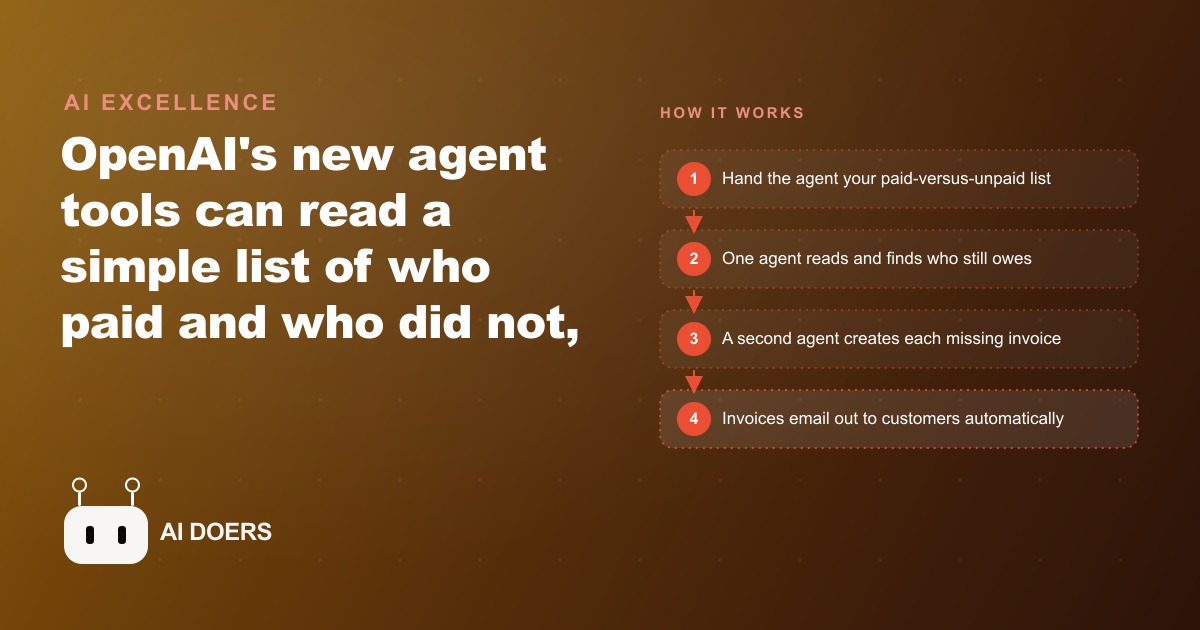
OpenAI released a new set of agent tools that can read a list of who paid and who did not, then create and send the missing invoices on their own. Here is how it works and how a service business can put it to use.

Invoice admin is one of those tasks that feels too small to automate and too persistent to ignore. A service business that finishes ten jobs a week and collects payment from eight of them still has two outstanding invoices to track, two follow-up emails to draft, and two more awkward conversations to have about when the money is coming. Multiply that across a full month and you have dozens of open items living in someone's head, in a spreadsheet nobody updates consistently, and in a pile of receipts on the desk that never quite get addressed. I am Madhuranjan Kumar, and in this post I want to give you a practical path to one outcome: automating the entire invoice and follow-up cycle using the agent tools OpenAI has released, so your billing runs itself while you focus on the actual work.
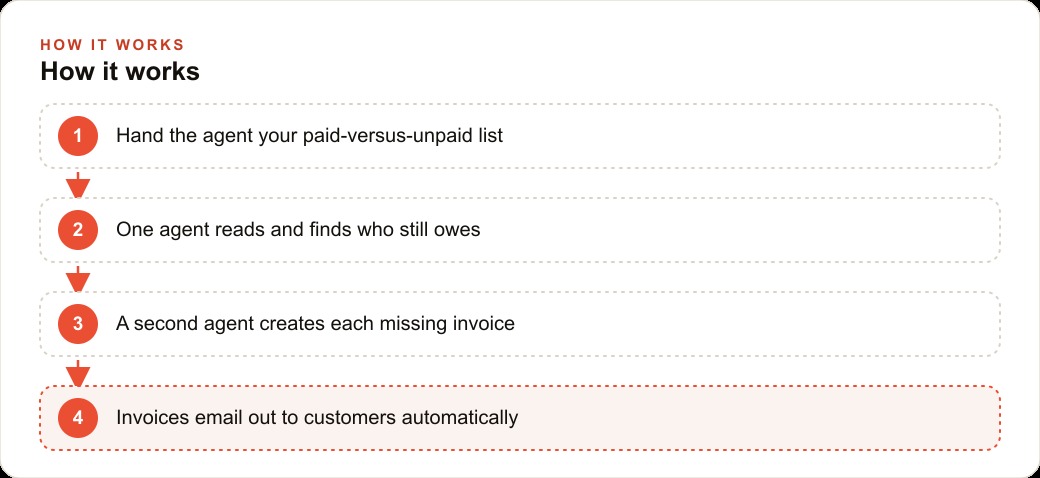
The setup is built around two agents working in sequence: one reads your data and identifies who still owes, and the other creates the invoices and sends them. A third agent handles the follow-up reminder cycle. You can get the core working in a focused afternoon, and the ongoing maintenance is five minutes per week reviewing the exception list.
Stage 1: Get your data into one consistent place
Before any agent can help you, your data has to be in a form the agent can read reliably. This is usually the step people skip, and it is also the step that determines whether the automation produces correct invoices or embarrassing ones.
Your paid-versus-unpaid list can be a spreadsheet, a CSV file, a scan of a paper log, or even a photograph of a handwritten notebook, because the OpenAI responses API can read all of these. But the data needs certain fields present consistently: customer name, email address, service description, amount owed, job completion date, and payment status. If your list is missing the email address for half your customers, the agent cannot send them an invoice. If the service description is inconsistent, "repair" on some rows and "Rep." on others and "job at 42 Main" on a third, the invoices will look unprofessional.
The time to fix your data is before you build the agent, not after. Take your current tracking method and spend an hour standardizing it. Every customer gets a full name. Every open item gets an email address. Every service gets a consistent description. Every amount gets a clear number with no ambiguous formatting. This is not glamorous work, but it is the foundation everything else runs on. A clean list that takes an hour to prepare saves a week of debugging wrong invoices later.
If your business has more than a few dozen customers, convert your tracking to a simple spreadsheet with fixed column headers from this point forward. That is the format the agent reads most reliably, and maintaining it takes almost no extra time once set up correctly. The column headers to use are: CustomerName, Email, Service, Amount, JobDate, PaidStatus. Keep PaidStatus as either "Paid" or "Unpaid" with no variations. Every other format the agent might misread.
Stage 2: Build the reading agent that identifies who still owes
The reading agent has one job: take the list from Stage 1, identify every customer with an unpaid balance, and prepare a structured summary the invoicing agent can act on. It does not create invoices. It does not send emails. It reads and filters.
To build this agent, connect it to your data source. If your data is a spreadsheet, the agent needs file access. If your data includes scanned documents, the agent needs image reading capability, which the OpenAI responses API supports. Give the agent explicit instructions about what to look for: read every row in the data, find every row where PaidStatus is "Unpaid," and for each of those rows extract the customer name, email address, service description, amount, and job date.
When you write these instructions, define how the agent should handle ambiguous cases explicitly. What should it do if PaidStatus is blank? Flag it for manual review, not treat it as unpaid. What should it do if the amount is zero? Flag it for manual review, not create a zero-dollar invoice. What should it do if an email address is missing? Remove that customer from the output and create a list of customers needing contact information. Define every edge case before the agent runs, not after it creates a wrong invoice.
Test this agent with a small sample first, maybe eight to ten rows that you know the correct answer for. Confirm it correctly identifies paid rows as paid and unpaid rows as unpaid. Confirm the output includes all the fields the invoicing agent will need. Fix any problems at this stage. A mistake caught before the invoicing agent runs is a ten-second fix. A mistake caught after invoices have been sent to real customers is a customer service problem.
Stage 3: Connect the invoicing agent that creates and sends
The invoicing agent takes the list from Stage 2 and creates one invoice per customer who still owes. This is where the visible payoff happens. Instead of opening your invoicing tool, filling in fields, clicking send for each customer, and tracking whether you remembered them all, the agent does the full set in one automated run.
Your invoice needs a template that the agent populates with variable data: customer name, service description, amount due, job date, your business name and contact information, and a payment due date. Write this template as a formatted email or a structured document with clear placeholders. The agent reads the customer fields from the list the reading agent produced, substitutes them into the template for each customer, and generates the individualized invoice.
The most important rule for Stage 3: separate creation from sending. Build the invoicing agent to write generated invoices to a review folder first, without sending any of them. Read every invoice the agent produces before you allow it to reach a customer. This is not a limitation of the tool. It is a professional practice. An accountant reviews financial documents before they go out. So do you.
Connect the email sending step only after you have reviewed the first full batch of generated invoices and confirmed that every one of them is accurate. From that point forward, the creation-and-send can run as a single automated step because you have established that the agent produces correct output for your data format.
Stage 4: Add a follow-up agent for the reminder cycle
Most unpaid invoices are not disputes. They are forgotten ones. A customer got busy, the invoice arrived during a hectic week, and it slid down the inbox without being acted on. A polite follow-up reminder sent one week after the original invoice recovers a significant share of those outstanding amounts without creating any conflict.
The follow-up agent monitors the time since each invoice was sent and sends a brief professional reminder to any customer who has not responded within a window you define. Seven to ten days is a standard choice. The reminder email is short: it acknowledges the customer may be busy, includes the original invoice total and job description, and makes the next step easy by providing the payment method information again.
To build this agent, it needs a log it can read: a record of which invoices were sent, to whom, on what date, and whether a payment confirmation has been received. The simplest log is a column added to your existing spreadsheet: InvoiceSentDate and PaymentConfirmedDate. The invoicing agent fills in InvoiceSentDate when it sends. You or your payment system fills in PaymentConfirmedDate when payment arrives. The follow-up agent reads this log, finds every row where InvoiceSentDate is more than seven days ago and PaymentConfirmedDate is empty, and sends a reminder to those customers.
Write the reminder email carefully. It should be warm and brief. One paragraph. It should not contain language that implies the customer is trying to avoid payment, because most of the people receiving it are not. They forgot. The goal of the reminder is to make it easy to pay, not to create tension that damages a business relationship.
Stage 5: Run a dry-run batch before any invoice reaches a real customer
This stage is mandatory. Before any agent sends a real invoice to a real customer, run the complete pipeline in review mode: the reading agent identifies the unpaid customers, the invoicing agent creates the invoices, and you examine every single one before the sending step runs.
Check each generated invoice against the original data record. Confirm the customer name is spelled correctly. Confirm the service description makes sense as a standalone line item, not just as shorthand that made sense in your notes. Confirm the amount is exactly right. Confirm the email address is correct. Read the invoice as if you were the customer receiving it. Would you understand what it is for? Do you know how to pay? Does the amount match what was agreed?
The dry-run catches errors that are nearly impossible to detect in the source data. An amount that looks correct in a spreadsheet can look wrong when it appears on a formatted invoice. A service description that made sense as a note can be confusing to a customer who sees it without the context you had. The dry-run is the step where you see what the customer will see, and that perspective is irreplaceable.
Run the first dry-run on five invoices. Fix everything you find. Run a second dry-run on the full unpaid set. Fix everything you find in that pass. Only after two clean dry-runs should you enable the sending step and let the agent reach real customers.
Stage 6: Hand off the exception list so disputes never get automated
Every invoice cycle has a small number of customers who should not receive an automated invoice or reminder. A customer who called last week to dispute the quality of the work should receive a personal conversation, not an automated invoice. A customer who told you they will pay on a specific date should be removed from the reminder queue until that date passes. A customer whose job was invoiced with an incorrect amount needs a corrected invoice prepared manually, not the original wrong one resent.
Before every automated run, review and update a short exception list: the names or email addresses the agents should skip completely during this cycle. Keep this list in a dedicated column in your spreadsheet: ExcludeFromAutomation with a yes or no value. The reading agent checks this column and removes any "yes" rows from the unpaid list before passing it to the invoicing agent.
The exception list is the human judgment layer in the automation. The agents handle the routine cases with precision and speed. The exception list ensures the non-routine cases are never treated as routine. Five minutes reviewing and updating this list before each run is the minimum human oversight the system requires. Do not skip it.
Numbers that prove the math for a flooring contractor
Here is how the time and money math looks for a flooring contractor. A contractor finishing six to eight installations per week typically spends three to four hours each week on invoicing and payment follow-up: creating invoices for completed jobs, tracking which ones are still open, following up with customers who have not paid, and updating the records when payment arrives. Over a month that is twelve to sixteen hours. Over a year it approaches two hundred hours, which at even a modest effective hourly rate is a meaningful cost paid in the owner's time rather than revenue-producing activity.
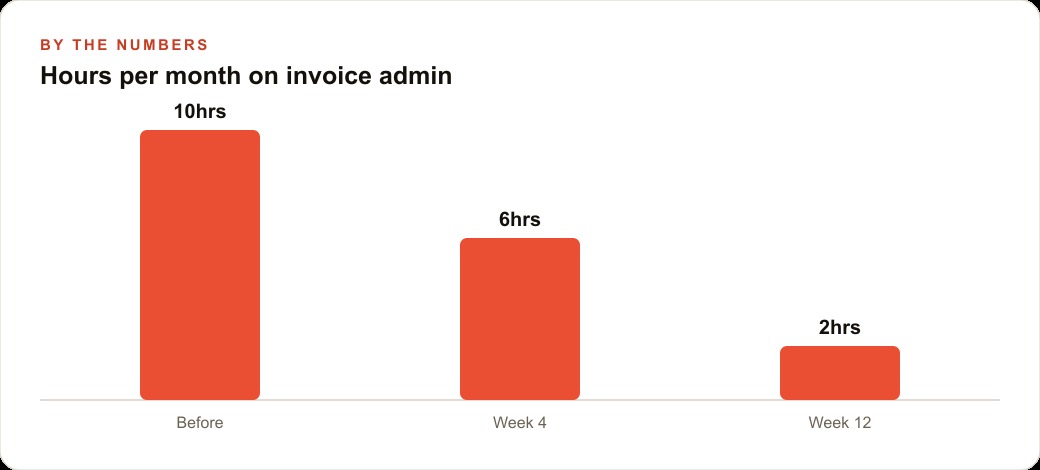
With the six-stage setup above, the same contractor spends roughly thirty minutes per week reviewing the dry-run output, updating the exception list, and approving the batch. The agents handle the creation, sending, and reminder cycle automatically. Monthly invoicing time drops from twelve to sixteen hours to about two hours of review. Invoices that previously went out several days after job completion, when the owner finally found time, now go out the morning after each job closes.
That timing difference has a cash flow effect that is easy to underestimate. A flooring business doing thirty-five thousand dollars per month in completed work that collects payment an average of eight days faster through earlier invoicing has better working capital for purchasing materials and scheduling the next batch of jobs. The agent does not just save time. It systematically improves the timing of when money arrives.
The tool cost for this setup is minimal: API usage for the agent calls, which runs a few dollars per month for a typical service business volume, plus any no-code automation platform subscription if you use one rather than direct API access. The time saved in the first month alone covers the annual tool cost for most service businesses of this size.
That is exactly what we do at AI DOERS. Book a private 30-minute call with Madhuranjan Kumar and we will map the fastest path to it for your specific business.
Book your call →
Madhuranjan Kumar
Madhuranjan Kumar brings 20 years of performance-marketing experience and has managed over $200 million in Facebook ad spend for brands across the United States and beyond. His expertise spans the full modern marketing stack: Meta, Google Ads, TikTok, email automation, CRM, and the websites that hold it together. At AI DOERS he turns that track record into lead-generation systems for businesses across every industry.