
How to Build a Content Studio Where AI Agents Do the Editing
Cameras feed the cloud, agents cut the footage, and the people get to focus on ideas. Here is what an automated video studio actually looks like and how a normal business could borrow the same pipeline.

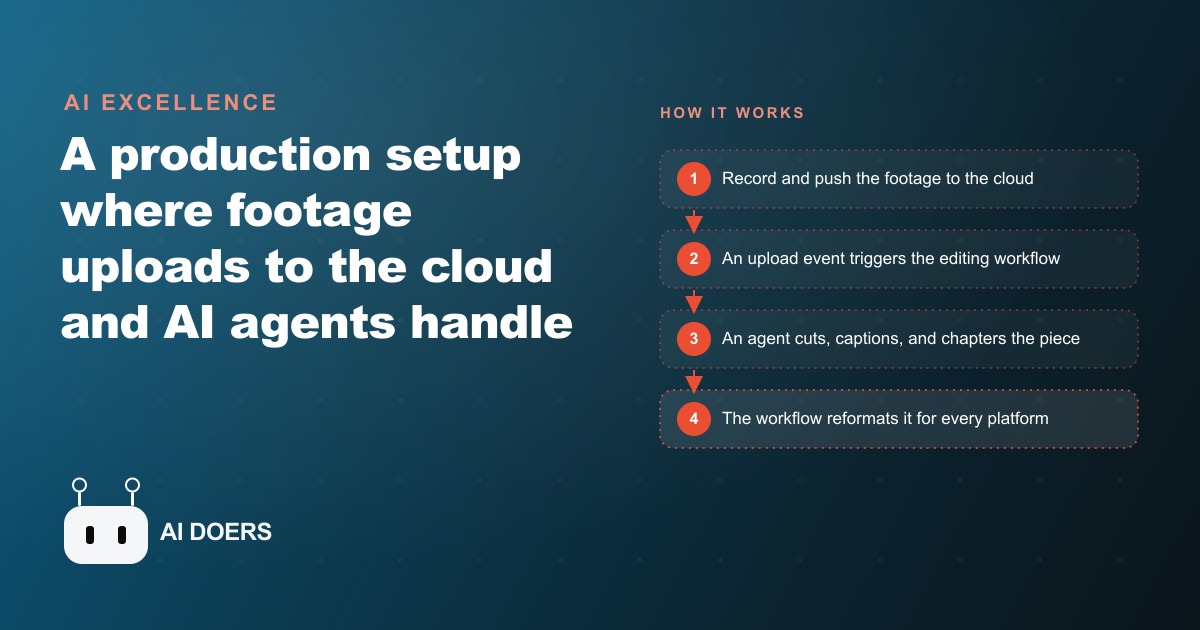
7 components that turn a camera into a publishing operation
I am Madhuranjan Kumar, and the businesses that publish video at scale in 2026 are not doing it by hiring more editors. They are doing it by building the infrastructure that removes editing from the bottleneck entirely. Here are the seven components that make that possible.
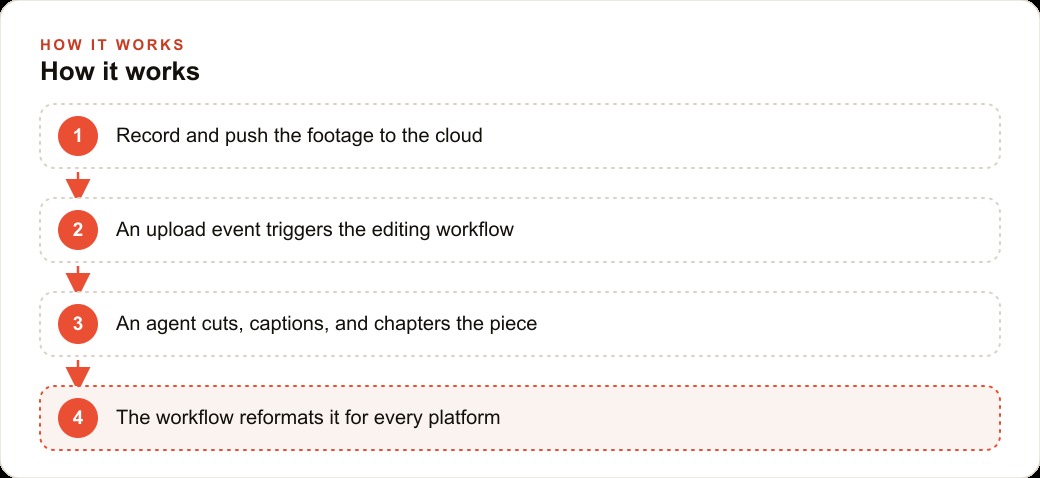
A shared cloud folder that fires the workflow without anyone pressing a button
The first component is an upload trigger, and its design determines everything that follows. Most teams that try to automate video editing still have a human step in the loop: someone finishes filming, manually moves the file to the right folder, opens a dashboard, and initiates the edit. Every manual step is a failure point and a delay.
An automated studio eliminates this by treating the cloud folder as the input valve. The camera or phone uploads to a shared cloud location automatically when it connects to Wi-Fi or when filming ends. The upload event is the trigger. The moment a file lands in the designated folder, the workflow begins without anyone making a decision. No one needs to be in the office. No one needs to check a queue. The footage arriving is sufficient to start the process.
The practical setup requires choosing a cloud storage service that supports webhooks or event triggers, configuring the editing agent to watch the designated folder, and testing the trigger sequence with a short test clip before relying on it for real footage. The test phase typically surfaces timezone mismatches, permission errors, or format incompatibilities that are far easier to resolve before the pipeline is live.
The transcript-plus-agent interface that replaces the timeline
Traditional video editing centers on the timeline: a visual representation of clips, audio tracks, and effects arranged in sequence. Skilled editors spend years building intuition for timeline navigation, cut timing, and pacing judgment. That skill is valuable and also the bottleneck for everyone who does not have it.
The new editing interface inverts this. The transcript of the recording sits on the left side of the screen. This breakdown plays in the center. An AI agent panel occupies the right. Instead of dragging clips on a timeline, the editor types instructions. The agent reads the instruction, identifies the corresponding sections in the transcript, and executes the edit without the editor touching the timeline at all.
This interface means that a business owner with no editing background can look at a transcript, identify the sections that are repetitive, off-topic, or too slow, and instruct the agent to remove them or tighten them. The barrier to achieving a competent edit drops from years of timeline skill to the ability to read a transcript and describe what needs to change. For most business video content, walkthroughs, FAQs, demonstrations, and interviews, that is a sufficient skill set.
Prompt-driven cutting: what you type and what the agent does
The instruction interface is more flexible than it first appears. A single prompt can accomplish what used to require a full editing session. A representative sequence for a 20-minute recorded walkthrough might look like this.
First prompt: Make this tighter. Remove sections where the speaker repeats a point already made, any section longer than 30 seconds without new information, and all dead air over two seconds long. Return a version under 12 minutes.
Second prompt: Add accurate subtitles throughout. Use the speaker's exact words where clear, clean up filler sounds, and format the captions in white text with a dark background.
Third prompt: Break this breakdown into chapters. Identify the natural topic transitions, add a title card at each one, and name each chapter based on the content it introduces.
The agent plans the execution before acting, showing the proposed edits for review before committing them. This planning step is important: it surfaces edits that seem reasonable based on the transcript but look wrong in context, like cutting a pause that was actually dramatic rather than dead air. Reviewing the plan before execution catches these cases without requiring a full re-edit.
AI-generated B-roll that fills cutaway gaps without a reshoot
A standard editing problem for talking-head or demonstration videos is the cutaway. The speaker mentions a specific tool, software interface, or physical object, and the appropriate visual is a clip of that thing rather than a continued shot of the speaker. Without a dedicated camera operator or a pre-planned B-roll shoot, these cutaway moments either stay as jump cuts, which look amateurish, or get covered with stock footage, which often looks generic.
AI video generation now produces cutaway clips with audio on demand. Inside the editing interface, the editor highlights a line in the transcript where a cutaway is needed, describes the desired visual, and the agent generates a matching clip to insert. The clip is created rather than sourced, which means it can match the specific context of the conversation rather than being a generic stock approximation.
This capability changes the economics of single-camera production. A sole presenter filming on a phone or a simple two-camera setup can now produce a video that looks like a multi-camera production with planned B-roll, because the cutaways are generated rather than filmed. The limitation is that generated footage looks most convincing for abstract or general visuals: a tool being used, a workspace, an interface, a landscape. It looks less convincing for highly specific or branded visuals that require exact matching to a real location or product.
Multi-format export that ships five platform versions from one source
The final output of a fully edited video is not one file. It is several, each formatted for a different platform with different dimensions, different optimal lengths, and different captioning conventions.
The same edited source file can produce a standard landscape version for YouTube, a vertical crop for Instagram Reels and TikTok, a square format for LinkedIn and Facebook feed, a thumbnail with a branded frame for the watch page, and a shorter highlight cut for a story or an ad. Each of these is a different product serving a different distribution context, and producing them manually from a single source used to require opening the project file in an editing application, adjusting the crop and aspect ratio, checking that titles and subjects were still centered, exporting, and repeating.
An automated workflow handles this in parallel. Once the primary edit is approved, the agent exports all required formats simultaneously using the crop and length templates defined at setup time. The only human judgment required is confirming that auto-crops did not cut off anything critical, which typically takes under two minutes per video.
The multiplier effect on distribution is substantial. A business that previously published one version of each video to one platform can now publish appropriate versions to all active platforms without additional editing time. A 20-minute walkthrough becomes a 12-minute YouTube video, a 60-second Instagram reel, a 3-minute LinkedIn highlight, and a 15-second teaser for stories, all from one source recording and one editing session.
The outlier-research discipline that chooses which ideas to automate first
The component most businesses skip is the research layer that sits before any filming or editing begins. Automating production is only valuable if the content produced is worth distributing. Most businesses film content based on what they personally think is interesting, what they are comfortable talking about, or what they have already been producing. This is a poor signal for what will actually engage an audience.
The outlier research method works differently. Rather than looking at the highest view counts within a category, which are dominated by large established accounts, it looks for pieces that beat a specific creator's own average by a wide margin. A creator whose videos average 300 views whose most recent video got 4,000 views has found a format or topic that substantially outperformed their baseline. That outperformance is a signal worth studying.
The specific questions to ask about an outlier: What format is it in? Does it answer a specific question, demonstrate a specific skill, or tell a specific story? Is the hook in the title, the thumbnail, or the first five seconds? Can the topic, format, or hook be adapted for a different audience without copying the content?
The content that goes into the automated production pipeline should come from this research, not from instinct. A list of 20 video concepts ranked by their likelihood to outperform based on comparable outlier data is a far better production queue than 20 ideas that felt compelling to Madhuranjan Kumar in isolation.
A brand template that keeps every auto-edit on-identity
The risk of automated production is generic output. An agent that edits freely without constraints will apply neutral defaults: neutral caption style, neutral title card design, neutral pacing, neutral background music if any is added. Neutral defaults produce video that looks like it was made by an algorithm for an anonymous audience, and audiences notice this even when they cannot articulate it.
A brand template solves this by defining the constraints the agent operates within before any editing begins. The template specifies the caption font and color, the title card design including background color, logo placement, and typography, the target length for each platform format, the music bed style and volume level if applicable, and the pacing targets: minimum and maximum cut length, target total duration for each format.
With the template in place, every auto-edit outputs video that is recognizably from the same source. The caption style matches the website. The title cards look like the existing brand materials. The pacing reflects the producer's intended rhythm rather than the agent's neutral default. The brand template is not a creative constraint that limits good editing. It is the thing that makes automated editing look intentional rather than generated.
The one-time investment in building the template pays back immediately and indefinitely. Every video produced through the pipeline after the template is set looks like it had a consistent editor. Every video produced without it looks like it was edited by a different person each time.
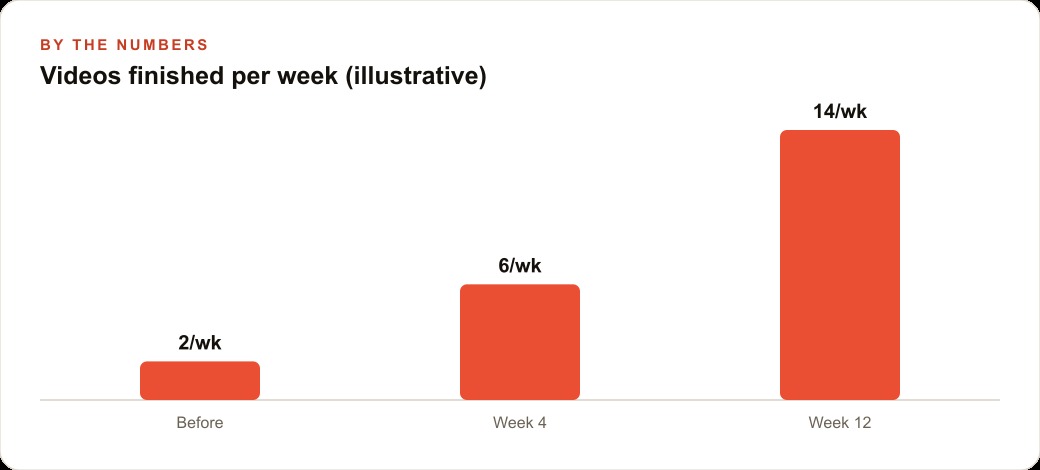
These seven components together change what one person with a camera can produce in a week. A single walkthrough recorded on Monday can be fully edited, captioned, chaptered, reformatted for five platforms, and distributed to all of them before Friday, with the operator spending under two hours on review and approval rather than eight to twelve hours on manual editing. The shift is not from good to slightly better. It is from a bottleneck that limits output to a pipeline that barely slows it down.
The eighth component: a feedback loop from published content to the production system
The seven components above create a system that produces video content efficiently. The eighth component is what makes the system produce better content over time rather than simply the same content faster.
A feedback loop from published content back to the production system captures which editorial decisions resulted in higher-performing content and applies those learnings to future productions. If the transcripts you prompt for cutting produce better-performing content when they include three specific structural elements, that observation should update the cut-prompt template. If the B-roll generated for a specific category of content performs significantly better or worse than average, that observation should update the B-roll generation instructions for that category.
The feedback loop does not need to be automated or sophisticated. A monthly review session that examines the performance data from the previous month's content, identifies the two or three editorial decisions that correlate with the highest and lowest performing pieces, and updates the relevant system templates accordingly, is sufficient. The review takes 30 to 45 minutes. The template updates take another 15 minutes. The improvement in future content output compounds over each monthly cycle.
The AI system that learns from its own output is more durable than one that maintains a fixed process. Fixed processes eventually become misaligned with the audience as the audience's preferences evolve and the competitive landscape changes. A system with a feedback loop updates its own templates in response to evidence, maintaining alignment without requiring a complete workflow redesign.
That is exactly what we do at AI DOERS. Book a private 30-minute call with Madhuranjan Kumar and we will map the fastest path to it for your specific business.
Book your call →
Madhuranjan Kumar
Madhuranjan Kumar brings 20 years of performance-marketing experience and has managed over $200 million in Facebook ad spend for brands across the United States and beyond. His expertise spans the full modern marketing stack: Meta, Google Ads, TikTok, email automation, CRM, and the websites that hold it together. At AI DOERS he turns that track record into lead-generation systems for businesses across every industry.