
AI Agents Can Now Build Real Software: A Practical Guide for Store Owners
AI coding agents have reached a point where they can build working tools and even deploy a small business on their own. For owners the opportunity is learning to delegate real work to them, not learning to code.

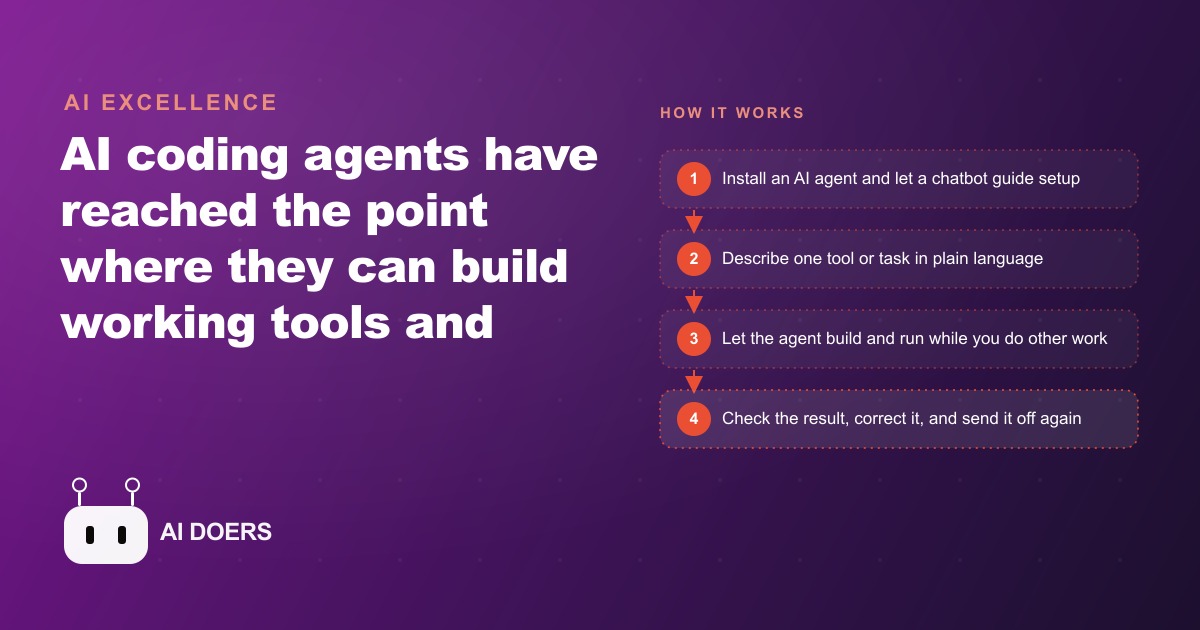
AI coding agents can now build working software in hours that would have taken a developer team months. I am Madhuranjan Kumar, and the misunderstanding I want to address is about what this means for the owner who does not code. The opportunity is not learning to code. It is learning to delegate.
Start with one specific, well-defined tool before opening any agent
The single most common failure pattern I see with business owners adopting AI agents is starting with "improve my business" as the brief. The agent generates something, it touches six different problems at once, and the result is a half-finished attempt at several things that completes none of them cleanly.
The owner's job before any agent is opened is to write a specific brief: one tool, one problem, one clear outcome. Not "build me a better customer experience" but "build a form where customers submit a service request, including their contact information and a description of what they need, and send me an email notification with those details when the form is submitted." That is a tool. A customer experience is a direction. Agents build tools. Owners set directions.
The brief should include the specific fields on the form, what happens when the form is submitted, what the notification email should contain, and where the data should be stored. The more specific the brief, the closer the first output is to the intended result, and the shorter the feedback loop between first attempt and working tool.
Write the brief before launching the agent. The act of writing it reveals whether you actually know what you want. Most owners who struggle with agent delegation find the struggle starts in the brief, not in the tool. A brief you cannot write clearly is a tool you have not actually designed yet. Spend the time to write it clearly before the agent writes a single file.
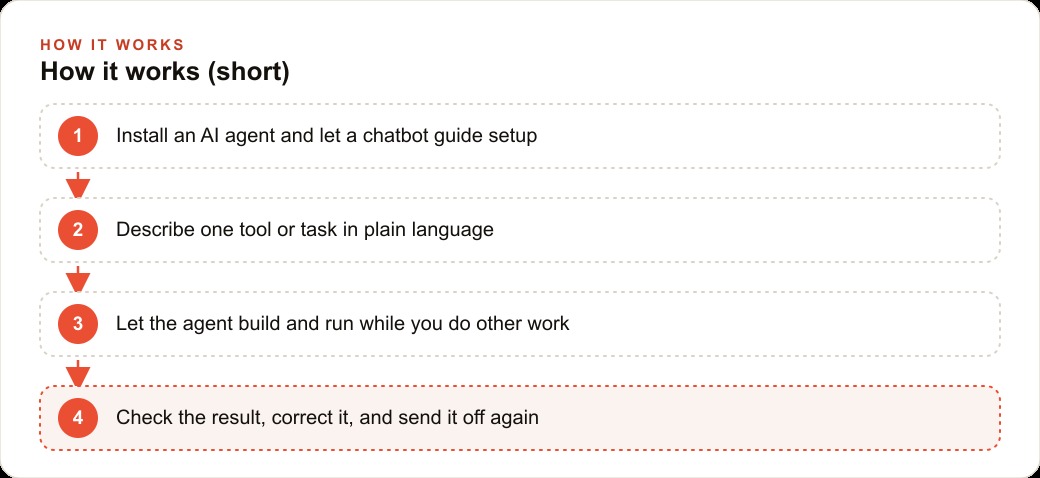
Install, set up with any chatbot's help, and start in an empty folder
The setup step for AI coding agents has an unearned reputation for being technically demanding. For business owners who have never opened a terminal window, it can look intimidating. The practical reality is that any capable AI chatbot will walk you through the installation of Claude Code, Codex, or similar tools step by step, responding to whatever error message or confusion you encounter with the next specific instruction.
Tell the chatbot exactly what operating system you are on, what step you are currently at, and what you see on your screen. It will tell you exactly what to type next. This is a two-way conversation about a setup process that typically takes under twenty minutes the first time. After the first successful installation and first successful run, the intimidation largely disappears because you have direct experience of what the process looks like.
Always start in an empty folder. This single habit prevents the most common accident in AI-assisted development: an agent that modifies existing files when you expected it to create new ones. An empty folder means there is nothing to accidentally overwrite. The agent starts from zero and builds forward. Once you have a working first version, you can move files or connect to existing systems as deliberate subsequent steps, not as part of the initial build.
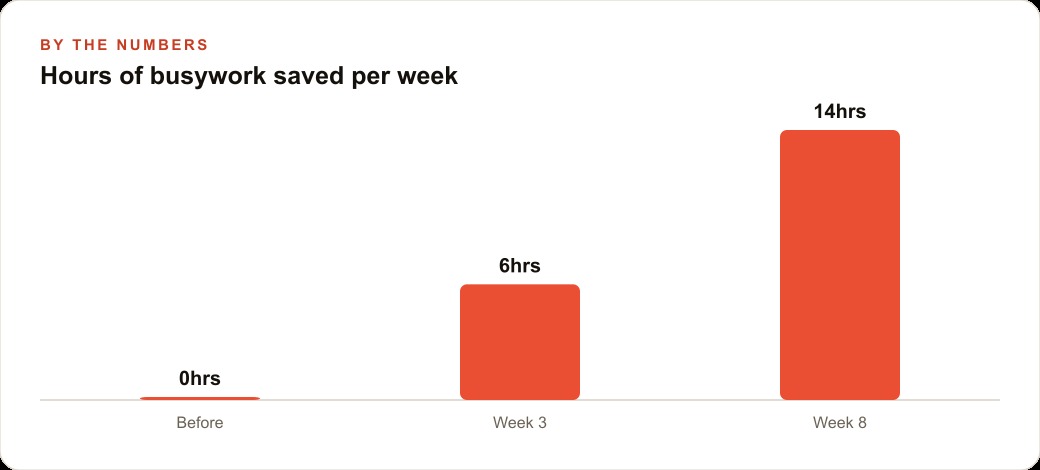
Let the agent work while you serve customers, then return to judge the output
The idle-game analogy is precise: you set something in motion, return later, and find progress made. This is the operating model that separates productive agent use from the frustrated experience of watching code generate slowly in a terminal window. Give the agent a clear brief, start the session, and go do something else for thirty minutes. Come back when the agent signals completion or pauses for input.
When you return, the output requires your judgment, not your technical expertise. The judgment questions are: does this do what I described? Is the user experience what I intended? Is there anything here that would create a problem for a real customer? These are questions a business owner is well-equipped to answer because they know their customers and their business. They do not require understanding what the code does internally.
The agent is the expert in how to build it. You are the expert in what it needs to do and whether what was built serves that purpose. Keeping those roles clear prevents the most common form of confusion in agent-delegated work, which is when the owner tries to judge technical decisions they are not equipped to judge and misses the functional problems they are uniquely positioned to spot.
If the output is wrong, describe specifically what is wrong. Not "this does not feel right" but "the form does not send me the email notification after submission." The agent fixes what is specifically described. A vague feedback produces a vague correction.
Run several agents in parallel on independent parts of the build
There is no rule that you run one agent at a time on one project. For an e-commerce store that needs three improvements simultaneously, the time to complete all three is the time to complete the longest one, not the sum of all three, when you run them in parallel.
The owner who runs the product description update and the inventory dashboard and the sale landing page as three simultaneous sessions finishes all three in the time the sequential approach finishes one. The setup for each is the same as for a single agent: a clear brief in an empty folder. The ongoing management is the same: return periodically to judge output and provide specific feedback. The time investment per task does not change. The total time investment across the project changes dramatically.
The practical limit is the number of briefs you can write clearly before your thinking about any one of them gets fuzzy. Most owners find three simultaneous sessions manageable. Beyond three, the feedback loops require more context switching than they save in build time. Start with two parallel sessions on truly independent tasks and expand only after the parallel management feels natural.
Review like a manager, not an engineer: judge for outcome, not for the code
The review step is where most non-technical owners feel uncertain, and the uncertainty usually comes from attempting to evaluate the code rather than the output. Reading code you did not write, looking for problems, is a poor use of a business owner's time. Evaluating whether the tool does what the brief described is exactly the right use of their time.
The review protocol is straightforward. Run the tool yourself, acting as the customer who will use it. Submit the form. Check that the email arrived. Verify the data is stored in the right place. Look at the page on a phone to make sure it is usable. Use every feature of the tool as a real user would and note every place where the experience differs from what the brief intended.
For a e-commerce store owner reviewing a newly built sale landing page, this means clicking through the page as a first-time visitor, attempting to add items to the cart, checking that the discount applies correctly, and confirming the checkout flow completes. Technical review of the code that produces this experience is optional. Functional review of the experience itself is mandatory.
For businesses that also run meta-ads campaigns that send traffic to landing pages, the functional review of any landing page built this way is particularly important because a broken checkout or a confusing page flow wastes the paid traffic investment before any conversion can occur. A thirty-minute review before the campaign goes live is the cheapest insurance available against that outcome.
Use the first finished tool as the brief for the next one
Every tool an agent builds for your business teaches you something about how to brief the next one. The first tool surfaces assumptions you did not know you were making. The feedback you gave during review reveals what you care about in a user experience. The way you described the corrections maps out your quality standards more clearly than any abstract brief could.
The second tool brief is better than the first because you wrote it with direct experience of what the agent produces and what you needed to correct. The third is better still. The compounding of each brief onto the next is what separates owners who build a productive agent practice from those who complete one tool and move on. The skill that improves is not coding. It is delegation: the ability to describe precisely what you need, judge what you received, provide specific corrections, and build on what you learned for the next request.
For the CRM and website stack improvements that most growing businesses have on their wishlist, a series of agent-built tools, each brief sharper than the last, produces a compounding operational upgrade over a quarter that would have required multiple developer engagements or multiple SaaS subscriptions under the previous model. The cost structure of that outcome has changed permanently. The skill of clear delegation is the new leverage point.
The version control habit that prevents catastrophic losses
Every time an AI agent produces a working version of a tool, that version should be saved before any further changes are made. This is version control in its simplest form: a named snapshot of a working state that can be restored if subsequent changes break something.
Most AI coding tools work on files directly. If the agent makes a change that breaks the tool and that change is the only version available, the options are asking the agent to undo the change (which may not work cleanly) or rebuilding from memory. Neither is reliable.
The working habit is: when the agent delivers a version that passes your review, copy the files to a named backup folder, then proceed with the next set of changes. This takes thirty seconds and creates a restore point that makes every subsequent iteration lower-risk. The tool can always be restored to the last working version if something goes wrong.
For business owners who are not familiar with professional version control tools like git, the folder-copy approach is a sufficient substitute for the early phases of a project. Once a project has more than a few files and the iteration history matters, it is worth asking the agent to initialize a git repository and make a commit after each working version. The agent can handle the git operations; the owner manages the working sessions and the review process.
The documentation that makes tools maintainable six months later
A tool built quickly and working well today is a maintenance burden six months later if it has no documentation. The person who returns to the tool in six months, whether that is the original builder or someone else, needs to understand: what does this tool do, what are the inputs it expects, what can go wrong, and how is it configured.
AI coding agents can write documentation as part of the build process if asked. The documentation request is a natural addition to the end of any session where a working version has been achieved: "now write a brief README that explains what this tool does, how to run it, what inputs it requires, and what the main failure modes are."
The documentation that gets written as part of the build is more accurate than documentation written after the fact, because it is written while the decisions are fresh and the agent has full context of what was built. Documentation written weeks later from memory is less accurate and less complete.
For a business owner who builds multiple tools over time and eventually wants a developer or a new AI agent to work with the existing tools, the documentation from each build session is the input that makes that future work efficient rather than requiring a full code audit before any change can be made safely.
Knowing when to stop building and start using
The temptation to keep refining a tool, adding features, fixing edge cases, improving the interface, is a real risk in AI-assisted development because refinement is fast and each change feels like progress. The point where the tool does what the brief described and the edge cases it handles are the ones that matter for the actual use context is the point to stop building and start using.
A tool used in production reveals its own edge cases faster and more accurately than continued development in the absence of real use. The five hours spent on additional refinement before deployment is often less valuable than three weeks of production use that generates specific, concrete feedback about what actually matters to improve.
The discipline of shipping when the tool meets the brief, not when it is perfect, is the same discipline that produces good products in any development context. In AI-assisted development, where the iteration cost is lower than in traditional development, the temptation to continue iterating rather than shipping is higher because each iteration is cheap. The cost of the iteration is still the time spent managing it, the time before the tool is in use generating real feedback, and the risk that the additional features complicate the tool without adding value for the actual use case.
For a business owner using AI-built tools to improve the operational efficiency that supports customer acquisition and service delivery, the tool that is in use generating real feedback is more valuable than the tool that is still in development chasing hypothetical improvements.
That is exactly what we do at AI DOERS. Book a private 30-minute call with Madhuranjan Kumar and we will map the fastest path to it for your specific business.
Book your call →
Madhuranjan Kumar
Madhuranjan Kumar brings 20 years of performance-marketing experience and has managed over $200 million in Facebook ad spend for brands across the United States and beyond. His expertise spans the full modern marketing stack: Meta, Google Ads, TikTok, email automation, CRM, and the websites that hold it together. At AI DOERS he turns that track record into lead-generation systems for businesses across every industry.