
24 AI Releases This Week That Went Unnoticed and What They Mean for Restaurant Chains
While the world focused on GPT-5, AI video generation arrived inside Perplexity, Claude learned to remember your history, and free 3D modeling became a reality, all in the same week.

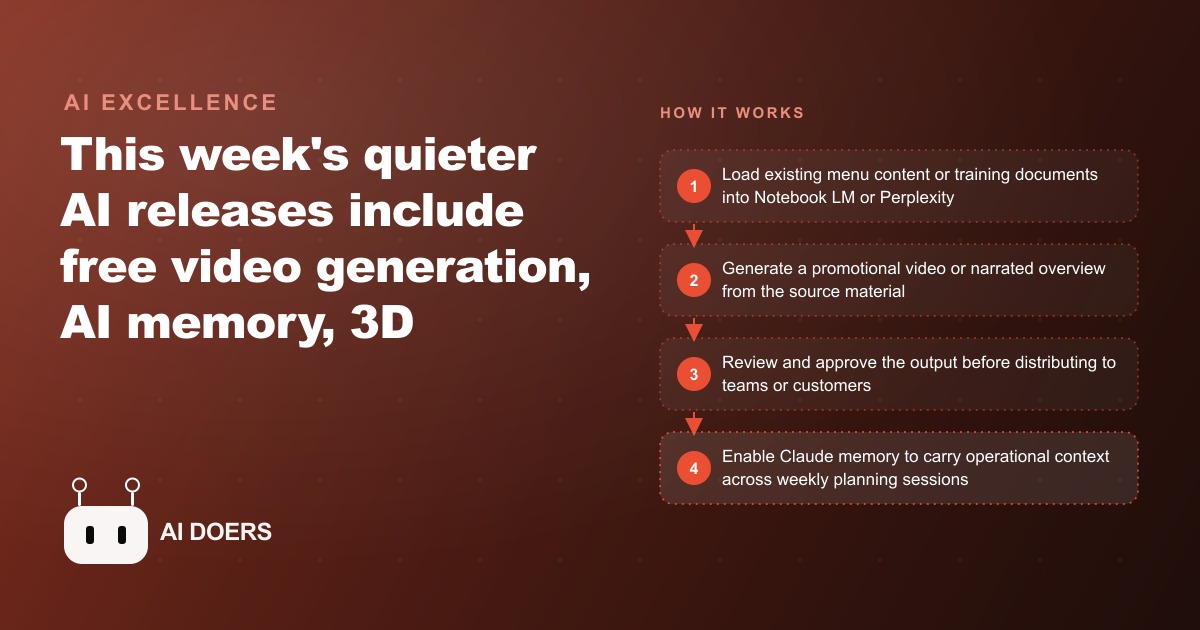
While the AI world was still processing the previous week's news, three tools quietly shipped that restaurant chains can put to work this week without a new budget, a new contract, or a new platform subscription. I am Madhuranjan Kumar, and I want to cover what actually matters from a week of twenty-four AI stories, with one eye on the immediate operational application.
Perplexity's video generation just changed what a twenty-dollar research subscription is worth
The most commercially significant announcement of the week arrived without a press release: Perplexity added video generation directly to its web, iOS, and Android apps. Pro subscribers get five generated videos per month. Max subscribers get fifteen at improved quality. You describe this breakdown you want, Perplexity optimizes the prompt, and a short clip with synchronized audio appears within roughly a minute. You can also provide an existing image and ask the tool to animate the scene from that starting frame.
The implications are clearest when you consider the pricing structure. Generating videos through dedicated AI video platforms typically costs several dollars per generation depending on the model and the length. Perplexity bundles this capability into a subscription that many businesses are already paying for research: competitive analysis, market monitoring, supplier research, trend tracking. The marginal cost of creating short promotional videos through Perplexity for a team already on Pro is effectively zero.
For a restaurant chain marketing team using Perplexity to research competitors and seasonal trends, this change means the same session that surfaces a competitor's summer menu launch can generate a short promotional video for the chain's own summer specials from a text prompt, without switching platforms or incurring a separate generation cost. The research tool became a production tool with no change in subscription spend.
The quality floor for current AI video, eight seconds, synchronized audio, sufficient for Stories and Reels but not broadcast, fits exactly the volume-and-frequency content need that multi-location restaurant brands face. Not every clip needs to be cinematic. Most of them just need to exist, look consistent, and arrive on schedule.
Claude's new memory feature means stop re-briefing the AI every Monday
Claude at claude.ai can now reference details from previous conversations when you explicitly ask it to. In practice this means the AI assistant you use for menu planning, supplier correspondence, or customer inquiry responses begins to carry forward the preferences, constraints, and operational context you have shared across previous sessions.
The operational impact for a restaurant chain is direct. Before this feature, every new session started from scratch. The system did not know which suppliers the chain works with, what the peak service hours are for each location, how the brand voice handles customer complaints, or what format the weekly planning notes use. Each session required a re-briefing. That re-briefing is itself a non-trivial time cost when the sessions are frequent and the context is complex.
After enabling the memory feature, the assistant gradually accumulates the operational context that makes its responses immediately useful rather than generically applicable. A session that begins "draft the Friday email to the kitchen team about the weekend specials" produces an output that already reflects the chain's format, the typical specials structure, and the voice the team uses internally, without the assistant having to be re-briefed on any of those things.
For the operational teams at each location within a multi-location chain that use the assistant for recurring tasks, the memory feature converts a general AI chatbot into something closer to a trained operational assistant that already knows how the business works. The learning curve shortens with each session. The generic quality of early responses, a symptom of a tool that does not yet know the business, disappears over time.
Notebook LM's video overview turns a training document stack into a watchable briefing
Google's Notebook LM added video overviews from document collections. The feature works from the sources you have already loaded into a project. You select one or more documents, click this breakdown overview option, and the tool generates a narrated, slideshow-style video presentation in approximately ten minutes. The voice-over quality is comparable to a professional corporate training video. The slides are clean. The narration synthesizes the material rather than simply reading it.
For a restaurant chain introducing a new menu item, a service protocol, or a food safety update, the traditional distribution method is a meeting that requires scheduling across eight or twelve locations simultaneously, or a written document that gets skimmed and filed. The Notebook LM video overview offers a third option: a seven-to-eight-minute narrated presentation that each location's team can watch on its own schedule, pause and rewind, and reference later.
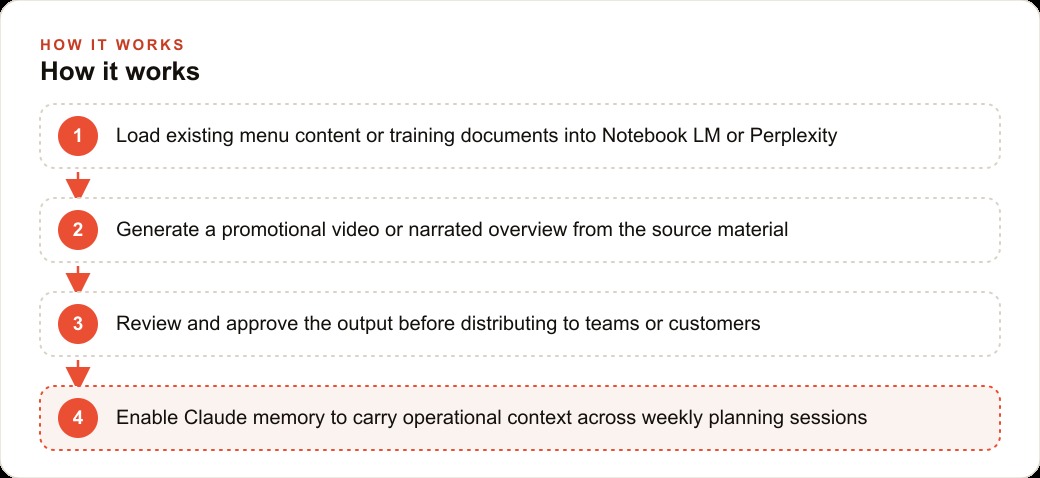
Load the new item's recipe sheet, the service protocol documentation, the allergen information, and any relevant quality standards into a Notebook LM project, then generate this breakdown overview. Review it before distributing. Share the link to each location's management channel. The training distribution that previously required a one-hour cross-location meeting now takes ten minutes to generate and each team member watches it on their own schedule. The coordination cost collapses and the training content remains accessible for onboarding future staff without recreating it.
A restaurant chain can use all three of these tools this week from the same budget
The three tools, Perplexity video generation, Claude memory, and Notebook LM video overviews, share a notable property: none of them require new budget for a team already paying for standard business software. Perplexity Pro is a single subscription. Claude at claude.ai includes the memory feature in the standard interface. Notebook LM is free through Google.
Here is how a mid-size chain with eight locations could deploy all three in the same week. On Monday, the marketing team uses Perplexity Pro to research the current week's competitive landscape and generates three promotional videos for the weekend specials, one per featured item, at no additional cost beyond the subscription. On Tuesday, the operations team enables Claude memory for the assistant it uses in weekly planning sessions and adds a brief context note to the first session describing the chain's format preferences and location-specific constraints. On Wednesday, the training manager loads the new seasonal menu documentation into Notebook LM and generates a video overview for distribution to all eight location managers, replacing the scheduled Thursday all-hands training call.
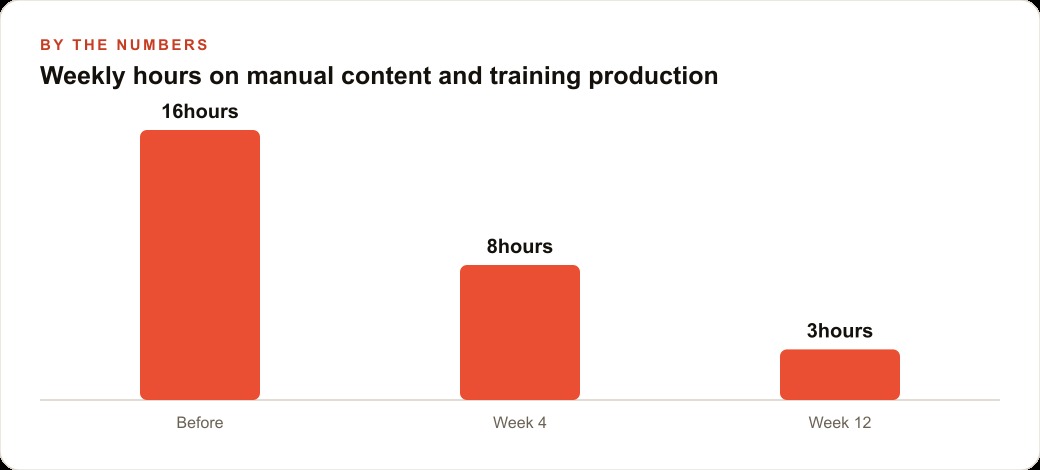
By Friday, the chain has produced content it did not have on Monday, trained its teams on new material without a cross-location meeting, and established a memory-capable AI assistant that will be more useful in next week's planning session than in this week's. The investment is the time to set up the tools, which across all three totals about two hours.
For the locations also running Facebook and Instagram ad campaigns to drive dinner reservations or special event attendance, the Perplexity-generated promotional clips provide fresh creative at no production cost that can feed those campaigns. Short, current, consistent video content is exactly what social ad algorithms favor, and producing it at the frequency and volume those algorithms reward has historically required either significant creative budget or significant staff time. Neither is true when the content comes from a research subscription you are already paying.
The AI tools no one covered that made the real operational dent
The 24 stories from this week also included several announcements that received almost no mainstream coverage but represent real operational capability for businesses moving fast on AI adoption.
Microsoft Copilot added free access to the o1 reasoning model through its Think Deeper feature for all users. Reasoning models are meaningfully better than standard models at tasks requiring multi-step analysis: comparing menu costing options, evaluating supplier proposals with multiple variables, or drafting a response to a complex customer complaint that requires balancing policy, tone, and resolution. Think Deeper makes this capability available at no additional cost to anyone already using Copilot.
Alibaba released QWQ 32B under a free open-source license, a reasoning model comparable in capability to leading paid models, available at no cost through a public interface that includes image capabilities. For teams that have not yet committed to a paid AI subscription, this represents a capable starting point at zero cost.
Microsoft also released Copilot 3D through its Labs program: a free feature that converts any photograph into a downloadable three-dimensional model in approximately fifteen seconds. For restaurant brands developing new store concepts, event setups, or signage concepts, the ability to generate a rough 3D model from a reference photo and share it for internal review within a minute is a design iteration tool that previously required either 3D modeling software expertise or an external design vendor.
Taken together, the week's announcements represent a compression in the cost of capabilities that were, twelve months ago, available only to businesses with meaningful technology budgets. A restaurant chain acting on the three primary tools this week and noting the secondary tools for next month is operating at the frontier of what AI tools make available to businesses that move without delay. The businesses that wait for the category to mature will be catching up to a moving target. The SEO and organic search lesson applies here too: early presence in a channel that is growing compounds. Waiting until growth is obvious means entering after the compounding has already happened for someone else.
The training data that AI customer service learns from over time
An AI customer service agent deployed at launch has one source of knowledge: the documentation, product information, and FAQ content it was trained or prompted with. Over time, a well-managed deployment accumulates a second source of knowledge that is more valuable: the actual questions customers ask and the responses that resolved their issues.
The queries that customers submit to an AI agent reveal, with specificity that survey research rarely achieves, the exact language customers use to describe their problems, the situations that generate confusion, the product use cases that were not anticipated in the original documentation, and the resolution paths that customers find satisfying.
This knowledge, systematically captured and used to update the agent's knowledge base, produces an agent that becomes more capable over time rather than remaining static. The deployment that is updated quarterly with the previous quarter's highest-volume unresolved queries is a different quality of agent after two years than the deployment that was configured at launch and has not been updated.
For a business also running advertising campaigns that drive customer acquisition, the queries that new customers ask the AI agent in their first weeks of use are a direct signal about what the advertising promised versus what the product delivered. A significant volume of post-purchase queries about a specific feature indicates that the advertising may be over-emphasizing that feature relative to the actual experience. Routing that signal back to the marketing team creates a feedback loop between customer service data and advertising strategy that most businesses do not have but that improves both operations.
The escalation design that determines customer satisfaction
The most common failure mode in AI customer service deployments is an escalation path that is either too sensitive (escalates before the AI has made a genuine attempt to resolve the issue) or too insensitive (keeps customers in AI-only resolution for interactions that require human judgment).
Calibrating the escalation threshold requires data from real interactions. The baseline assumption at launch, whatever the deployment team estimates, is usually wrong in a specific direction: teams that are nervous about the AI making errors set the threshold too low, producing high escalation rates that negate the efficiency benefit of the AI deployment. Teams that are optimistic about the AI's capability set the threshold too high, producing customer frustration when the AI continues attempting to resolve issues it does not have the information or authority to resolve.
The calibration process is empirical: run the deployment, measure customer satisfaction scores for AI-resolved interactions versus escalated interactions, identify the query categories where AI resolution consistently produces lower satisfaction than escalation, and tighten the escalation threshold for those categories specifically.
For a business also managing web and CRM systems that feed customer data into the service agent, the escalation design benefits from the CRM integration: an agent that knows the customer's history, purchase status, and previous interaction record can make better escalation decisions than one that treats every interaction as independent. A high-value customer with a critical issue escalates faster. A new customer with a question that has a documented answer resolves in the AI interaction. The CRM data is what makes that distinction possible.
That is exactly what we do at AI DOERS. Book a private 30-minute call with Madhuranjan Kumar and we will map the fastest path to it for your specific business.
Book your call →
Madhuranjan Kumar
Madhuranjan Kumar brings 20 years of performance-marketing experience and has managed over $200 million in Facebook ad spend for brands across the United States and beyond. His expertise spans the full modern marketing stack: Meta, Google Ads, TikTok, email automation, CRM, and the websites that hold it together. At AI DOERS he turns that track record into lead-generation systems for businesses across every industry.